

WorldEditorBridge
Edit your world while it runs with Valheim World Editor (Windows, Linux, Mac on Apple silicon: experimental): terrain past ±8 m, buildings, dungeons, move or remove anything, undo it all. Modded games too. Install on the host only.WorldEditorBridge
Edit your Valheim world while it runs. WorldEditorBridge connects Valheim World Editor, a free 3D world editor for Windows and Linux (Mac with Apple silicon: experimental), to your game or dedicated server. Shape the land, build, move or remove anything: everyone online sees it appear, and every change can be undone.
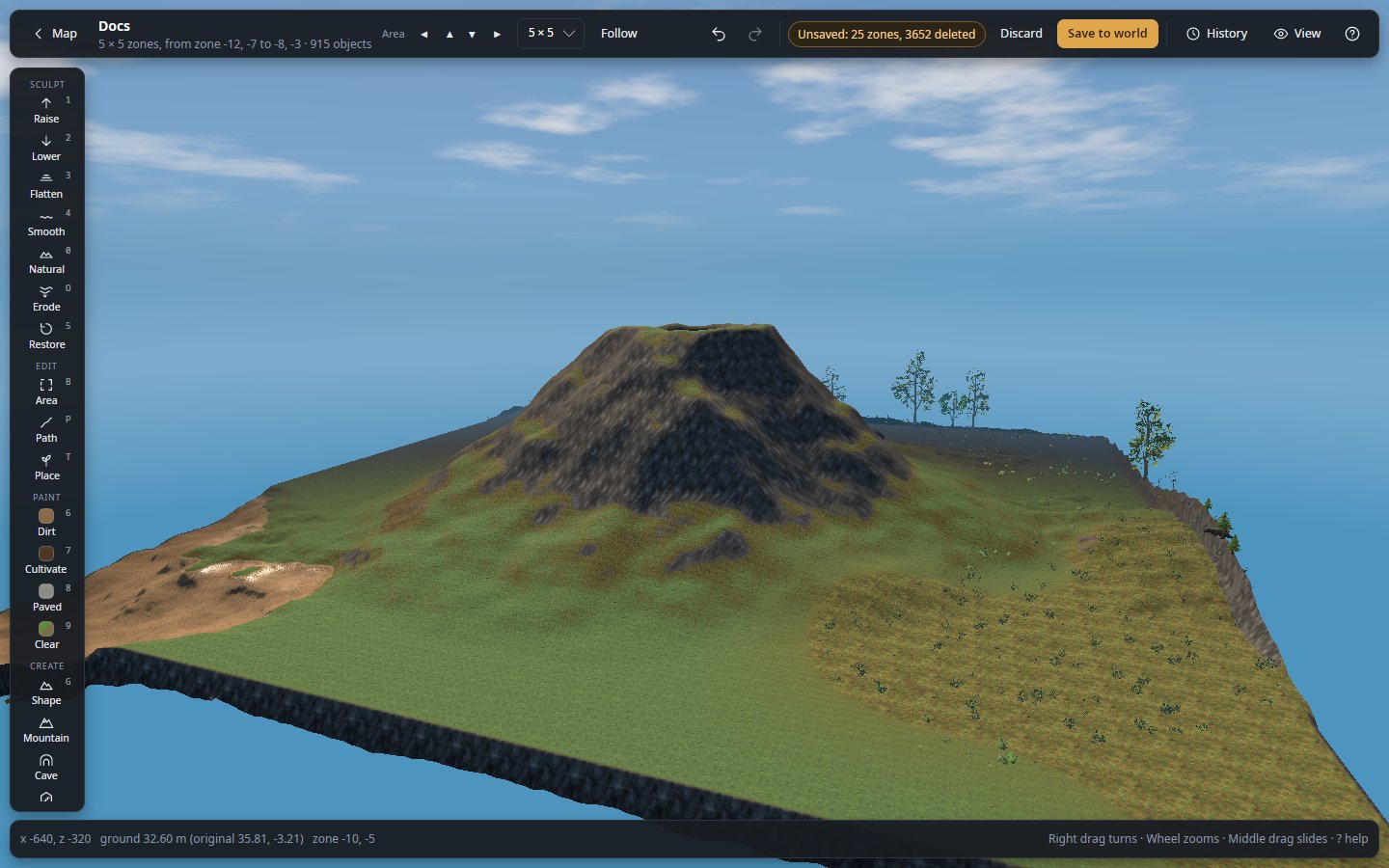
This mod is the bridge, not the editor. Get the editor from its releases page or from Nexus Mods: unpack it and start it, nothing to install. It reads the game's files from your own copy of Valheim. Use the same version of the editor and of this mod.
Install it only where the world is hosted (your game, or the dedicated server). Players who join need nothing, console and crossplay players included.
Shape the land
- Past the ±8 m limit. Raise a mountain, a volcano or a cliff, carve a canyon. Players see it with no mod at all.
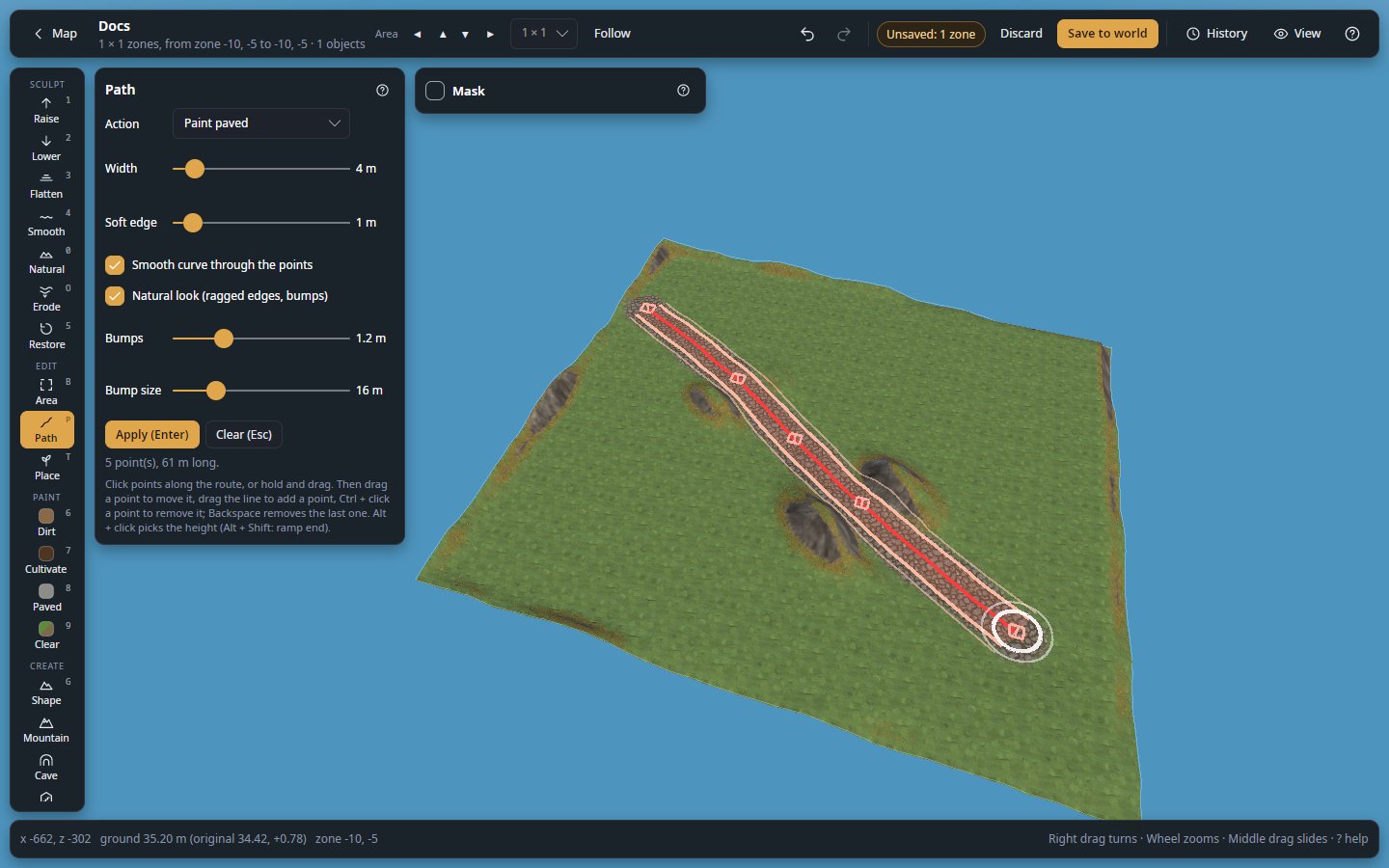
- Roads, rivers and caves. Draw the line on the map: the editor levels and paves a road, with ramps where it climbs, digs a river bed, or a cave roofed with boulders.
- Brushes and one-click shapes. Raise, flatten, smooth, paint; hills, craters and terraces in one click.
Build and rearrange
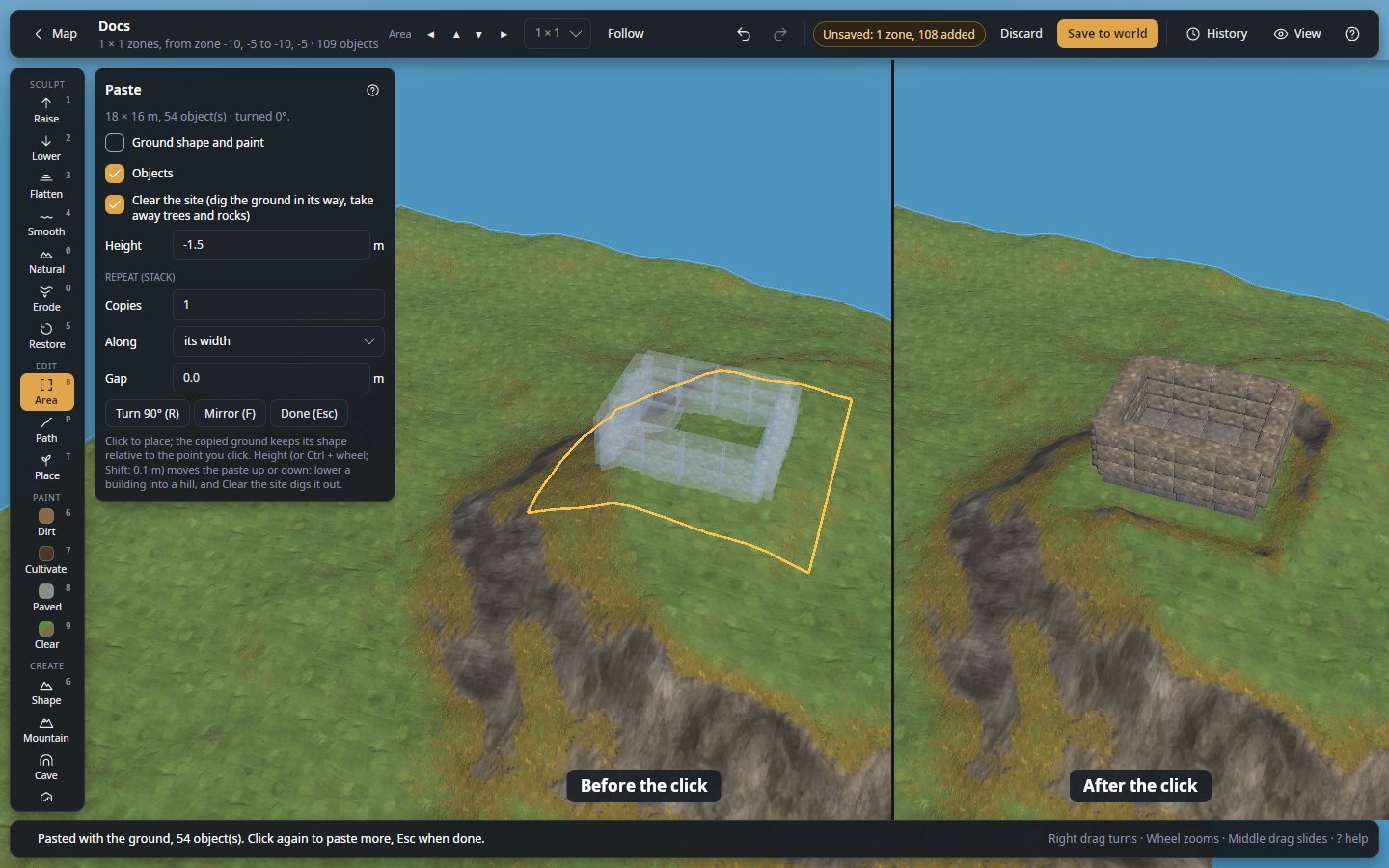
- Paste a building. Design it in the editor's Workshop, or use a Homestead blueprint, and paste it: the hill in its way is dug out, the trees and rocks there are cleared.
- Move a whole base. Select a building, move or turn it, or cut it and paste it elsewhere. In a running game a moved chest keeps what is in it.
- Dress the hall. Fill chests, write signs, hang weapons and trophies on item stands, dress armour stands.
Dungeons
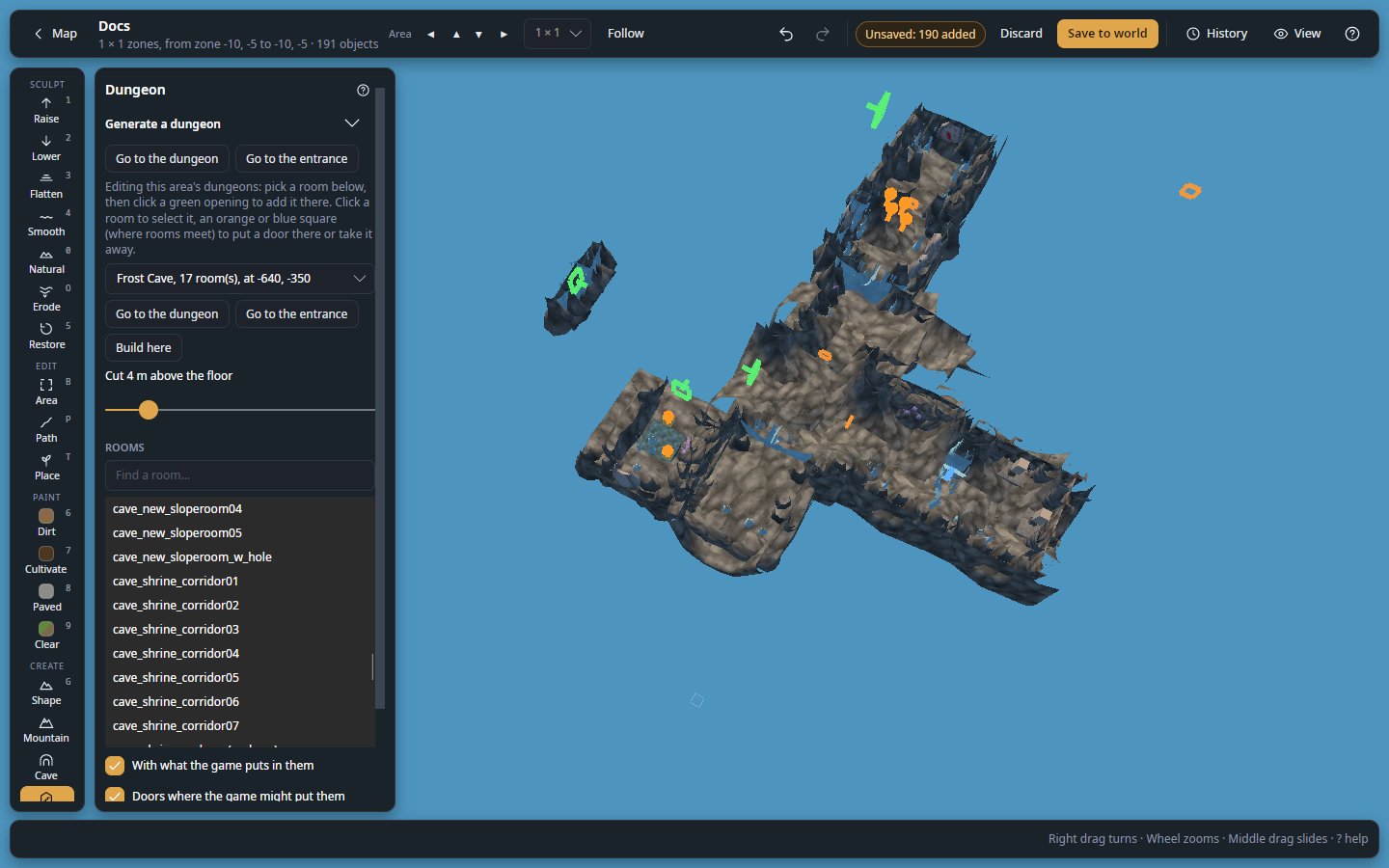
- Generate one from a style and a seed (crypt, fortress, Dvergr hold, goblin warren…), up to 16 levels deep, furnished, lit and stocked with creatures and loot, behind the game's own entrance.
- Change the game's own: add rooms to Frost Caves, crypts or infested mines, or remove them. The game builds them, players need no mod.
Nature, repairs and new worlds
- Repair griefing. Put one spot's ground and trees back from a backup, without rolling back the world.
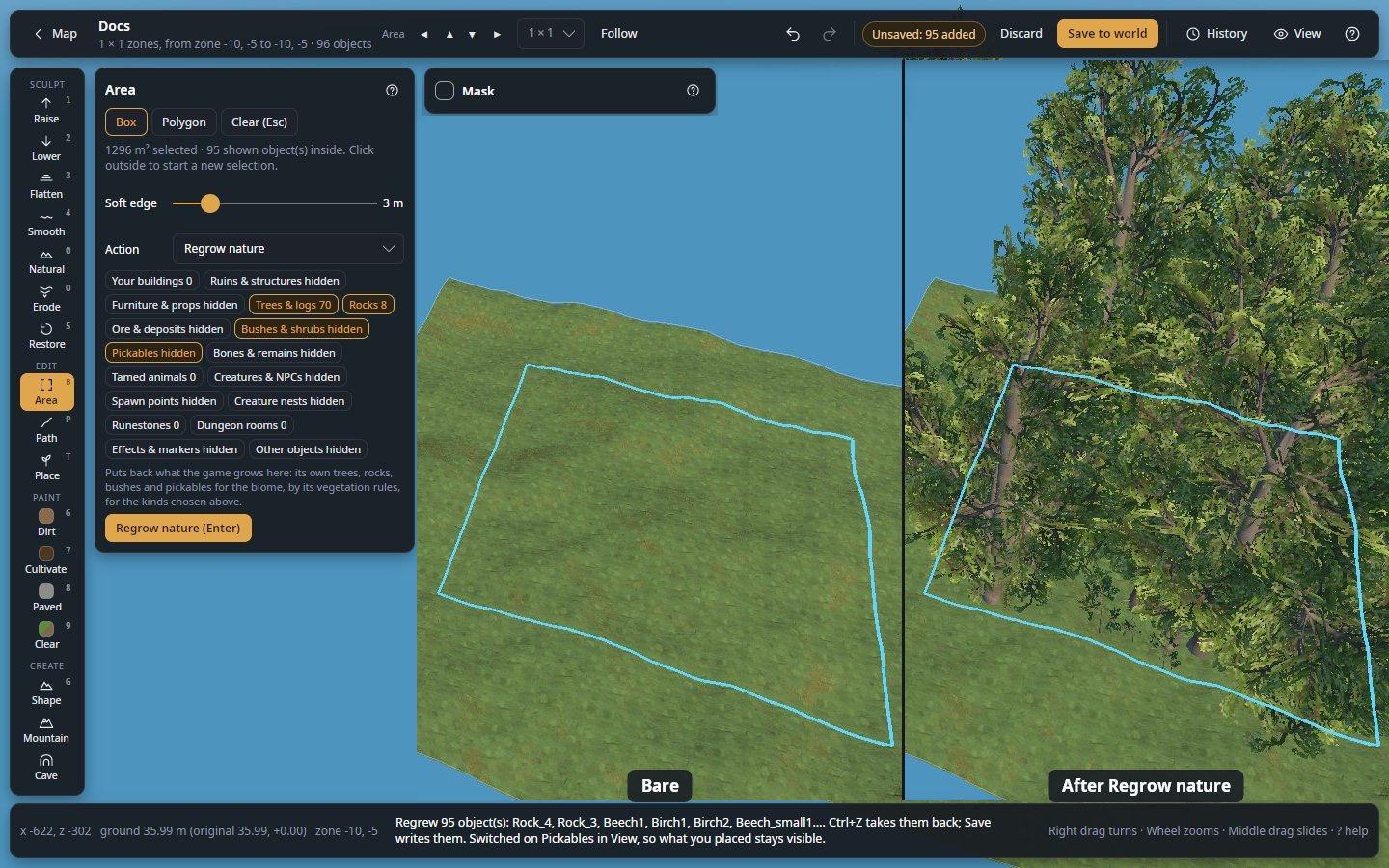
- Grow it back, or swap it. Regrow the trees, rocks and bushes the game grows there, by its own rules; plant a forest; turn every beech of an area into an oak, every wood wall into stone.
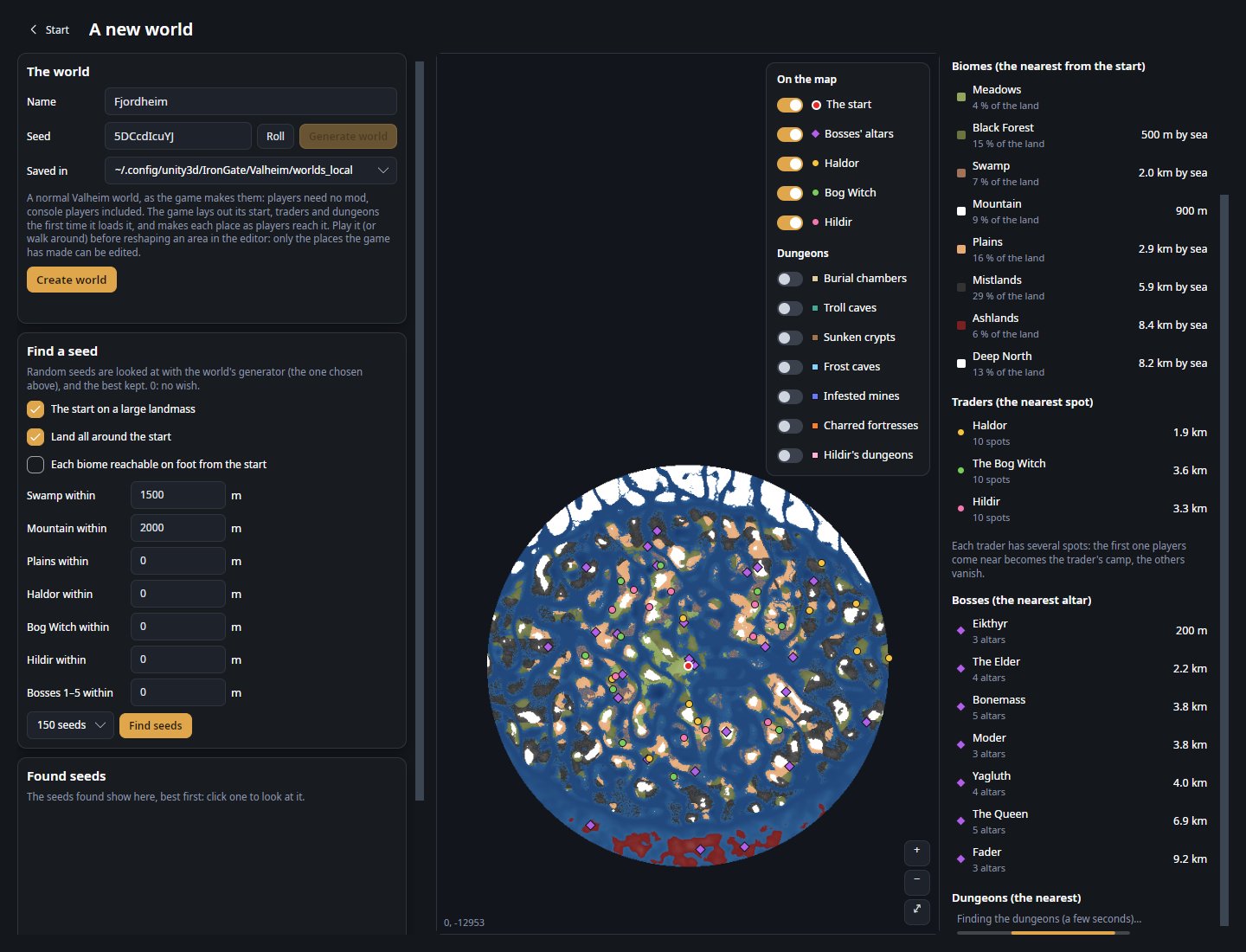
- Start on the right seed. See a seed's world before it exists: the start, the bosses' altars, the traders and the dungeons where the game will put them. Search seeds for what you want near the start.
Scripts, heightmaps and Claude
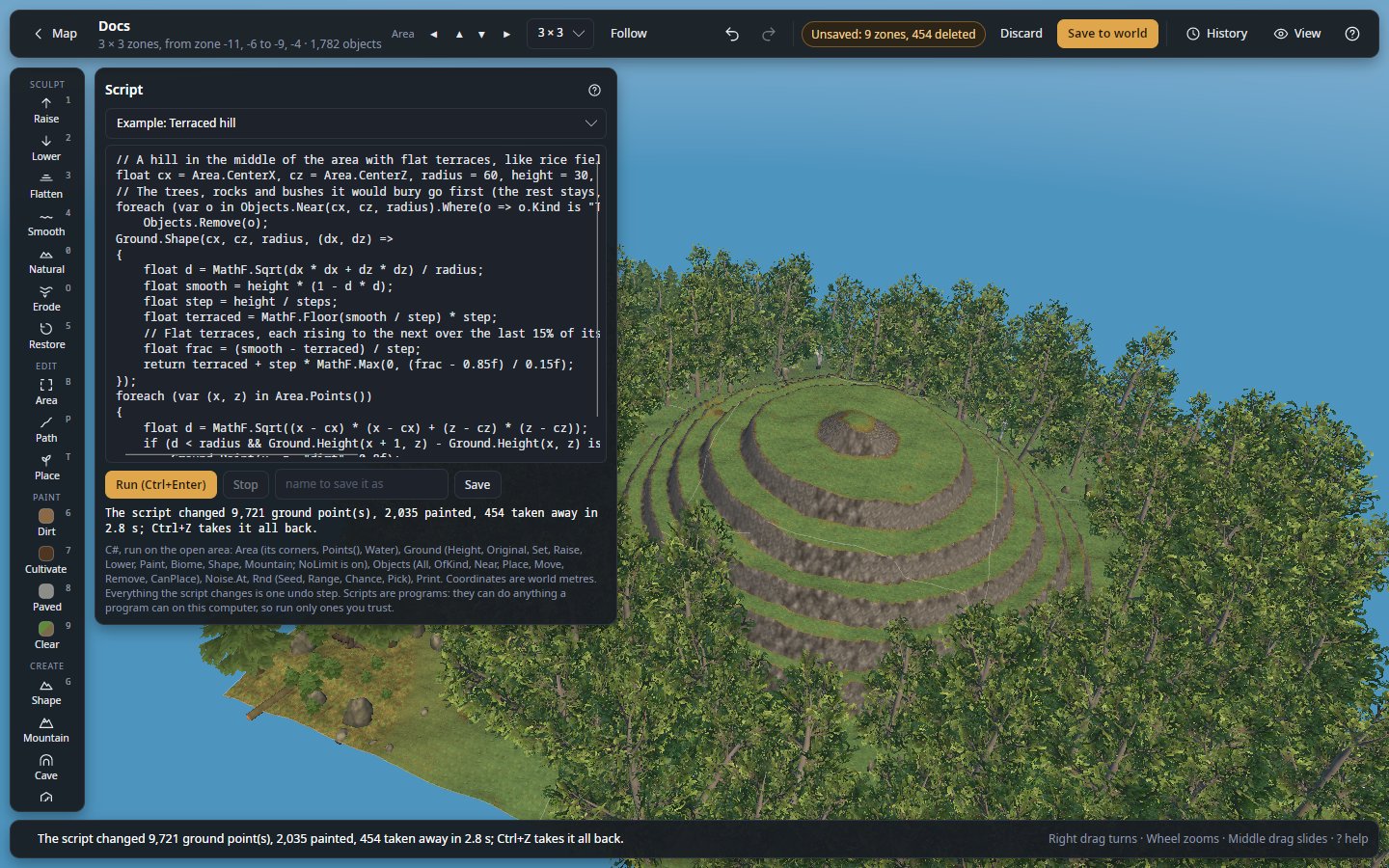
- Scripts. A few lines of C# shape, paint and fill the area by rule: a mountain range, a forest only on gentle slopes, terraces. One undo step.
- Heightmaps. Export the ground to GIMP, Krita, Gaea or World Machine, and bring it back.
- Claude. Let Claude (Claude Code or Claude Desktop) shape and build from a prompt. You watch it work, and nothing reaches the game until you apply it.
Modded games
Open a modded game live and the pieces and objects its mods add get their names, are drawn with the mods' own models, and can be placed or built from the Workshop's Mods tab. Worlds made with Expand World, Riverheim or Tunnelheim open with the editor's add-ons, separate downloads on its releases page; another draws Railroads' track, stations and trains. Mod authors can teach the editor their own mod: see For mod authors.
Help inside the editor
The editor carries its whole documentation, pictures included, and works offline: F1 opens the page for the tool
you are using. Start with your first edit,
ten minutes on a copy of a world.
How it works
- The mod runs inside the game that hosts the world and waits for the editor. It only listens on that computer, and only answers with its secret token.
- The editor loads up to 17 × 17 zones (over a kilometre across) and shows them in 3D with the game's own ground, textures and models. What players build, remove or dig there shows up in the editor as they do it.
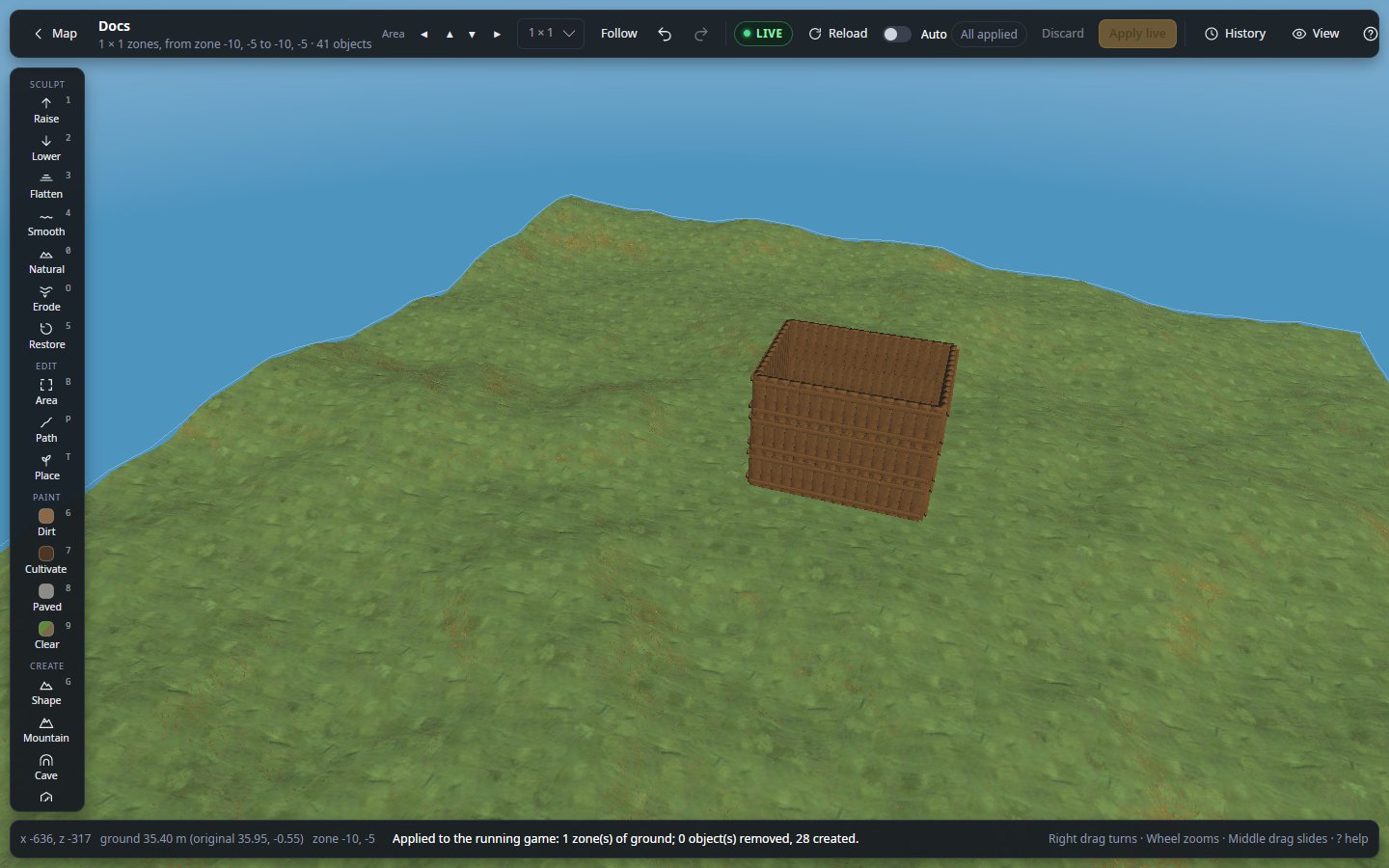
- You edit. Nothing reaches the game until you press Apply live (or turn on Auto). Then players see it, and the game saves it as usual.
A dedicated server is reached through an encrypted SSH connection the editor opens by itself: the mod is never exposed to the internet, and you have nothing else to set up.
Install
| You play… | Install the mod in… |
|---|---|
| Single player, or a world you host from the game | Your game, with your mod manager (Gale, r2modman…) like any other mod |
| On a dedicated server | The server: a mod manager's server profile, or WorldEditorBridge.dll copied into its BepInEx/plugins |
Then start the game or server once with the mod. That first start writes
BepInEx/config/Tie.WorldEditorBridge.cfg with a random Token, which the editor needs.
Connect
- Your own game: in the editor, choose My game and load your world in Valheim. The editor finds the mod and its token by itself (mod manager profiles included) and shows Edit live.
- A dedicated server: choose A dedicated server, enter the server's address, your SSH login and the token
from the server's
Tie.WorldEditorBridge.cfg, then Connect. The server is remembered: next time it is one click.
The BepInEx log shows WorldEditorBridge <version> listening on http://127.0.0.1:5182/ when the mod is running.
Good to know
- Loading the world pauses the game for a moment, a few seconds on a large, old world. Load once, then edit as long as you like. Very large changes (thousands of objects at once) can make the server hitch when applied.
- Only the host can be edited. In a game that joined someone else's server the mod refuses to change anything.
- Zone resets (generate a zone again from scratch) cannot be undone once applied.
- Keep the token secret. With it, and access to the port, anyone can change the world. Leave it empty in the file to get a new one at the next start.
- The editor's changes are ordinary game objects and ground: other mods and the game treat them like anything a player built, planted or dug.
If it does not connect
| The editor says | What to do |
|---|---|
| refused the login | Check the SSH user and the password or key file. |
| No answer | Check the server's address, and that SSH is enabled on it. |
| refused the token | Copy the Token line from the server's .cfg file again. |
| does not answer | The game or server is not running with BepInEx and this mod (check the log line above). |
| does not host the world | The mod runs in a game that joined someone else's server. Install it on the server instead. |
| identity changed | The server's SSH identity is not the one seen before. If you did not reinstall it, do not connect. |
More in Troubleshooting.
Settings
In BepInEx/config/Tie.WorldEditorBridge.cfg:
| Setting | Default | Meaning |
|---|---|---|
BindAddress |
127.0.0.1 |
Only this computer can connect. Keep it: a server is reached through the editor's SSH tunnel. Another address lets this computer's local networks and VPNs in (never the internet), with the token unencrypted: see the editor's docs, Live mode, Without SSH. |
Port |
5182 |
Change it if something else uses 5182 (the editor reads it from the file, or asks). |
Token |
random | The secret the editor sends. Leave it empty to get a new one at the next start. |
More
- The editor's documentation
- Edit a dedicated server while people play
- Report a problem or suggest an idea
- What changed in each version
Support
The editor and this mod are free and open source. If they saved you some work:

License
MIT, © 2026 Shuiei. The source is on GitHub. Not affiliated with or endorsed by Iron Gate or Coffee Stain.