

AFKManager
Stops AFK players from holding up your Valheim dedicated server: announces who is AFK, AFK players do not block sleep, no new random raids on AFK-only bases. Server-side only: players install nothing.AFKManager
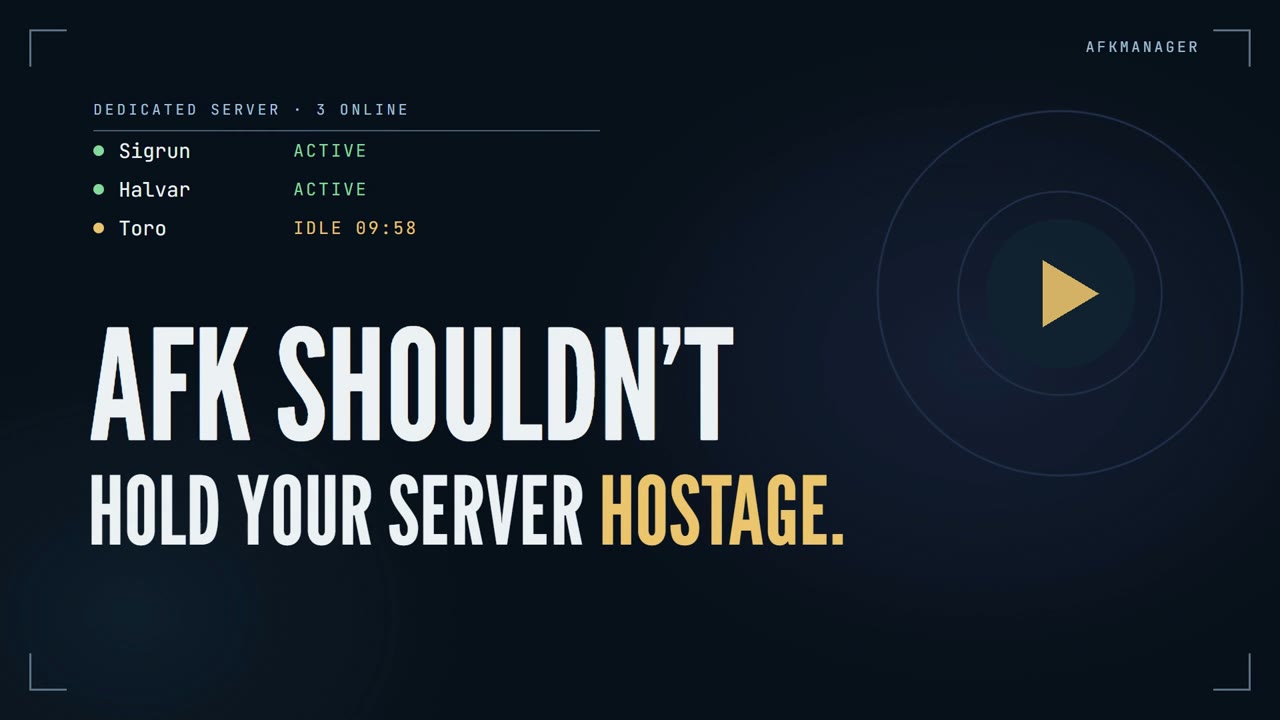
One idle player shouldn’t hold your whole Valheim server hostage.
AFKManager is a plugin for Valheim dedicated servers. It notices when a player has stepped away, tells everyone, and makes sure the AFK player doesn’t get in the way of the people who are still playing. It is installed only on the server: players join with a completely vanilla game and install nothing.
What it does
- Everyone knows who is AFK. When a player goes idle, the server says so in chat and in the top-left message feed:
AFKManager: Toro is now AFK.— andToro is no longer AFK.when they are back. - AFK players don’t block sleep. The night skips as soon as everyone who is still playing is in bed. A player idling in the base no longer keeps the whole server awake. (At least one player still has to be in bed.)
- No new random raids on AFK-only bases. If every player in a raid area is AFK, no new random raid starts there. An active teammate nearby keeps raids working as usual, and a raid that is already running is never cancelled.
- Going AFK on purpose. Type
/restin chat before stepping away and you are marked AFK straight away. - A moving ship is not activity. Movement is measured relative to the ship, so a passenger standing still on a sailing ship still counts as idle.
- Nothing for players to install. No BepInEx, no mod, no config on the client. Works on Steam and crossplay servers.
Everything is on by default, with a 10-minute AFK timeout. Each part can be switched off on its own.
Installation
AFKManager goes on the server only.
Mod manager / hosting panel: install AFKManager from Thunderstore on the server. The package depends on
BepInExPack Valheim.
Manual:
- Install BepInExPack Valheim on the dedicated server.
- Copy the DLL to
BepInEx/plugins/AFKManager/AFKManager.dllon the server. - Restart the server.
Players don’t need to do anything. Installing it on a client does nothing.
Main settings
BepInEx/config/torokal.afkmanager.cfg is created on the first start. The settings most servers care about:
| Setting | Default | What it does |
|---|---|---|
AfkAfterMinutes |
10 |
How long a player can be idle before they are marked AFK. |
AnnounceInChat / AnnounceNotification |
true |
Announce in the chat window and/or the top-left message feed. |
ExcludeAfkFromSleep |
true |
AFK players don’t block the night skip. |
ExcludeAfkFromRandomRaids |
true |
No new random raids in areas where every player is AFK. |
ManualAfkEmote |
rest |
The emote players type to go AFK on purpose. Empty = off. |
All settings are listed under Full configuration.
How it works
The rest of this page explains the details: what counts as activity, exactly when sleep and raids are affected, and why players need nothing installed.
Server side
AFKManager is a BepInEx plugin that runs on the dedicated server, so the server needs BepInEx. Players join with a completely vanilla game: no BepInEx, no AFKManager, no configuration. AFKManager adds no custom network messages, no handshake and no version check, and it never rejects clients. It only reads data every vanilla client already sends to the server, and it announces through messages every vanilla client already understands.
Installing it on a client does nothing. On a player-hosted (non-dedicated) game the host is not tracked.
What counts as activity
| Activity | Notes |
|---|---|
| Moving | More than 0.5 m between two checks. Slow physics drift (e.g. sliding on a slope, bobbing in water) is ignored. |
| Moving on a ship | Measured relative to the ship: a passenger standing still on a sailing ship is idle; walking on deck is activity. |
| Looking around | Turning the view by more than 10°. |
| Emotes | Starting (or ending) an emote such as /wave or /sit. Staying seated does not count. |
| Equipment | Equipping, unequipping or swapping gear. |
| Crafting stations | Opening or closing a workbench, forge, etc. Leaving the window open does not count. |
| Going to bed | Getting into a bed. |
Logging in, dying, respawning, boarding or leaving a ship and getting out of bed are neutral: they never count as activity and never mark anyone AFK. The AFK timer starts when the player's character first appears in the world after login, and it is paused while a player is dead or loading.
Chat, attacks, jumping, eating, building, inventory management, the map and other menus do not count. They are either invisible to a dedicated server or would need invasive hooks that hurt compatibility with other mods. (Valheim does not send chat to a dedicated server at all — see Manual AFK.)
Announcements
When a player becomes AFK or returns, everyone is told once, through two independent channels:
| Channel | Setting | What players see |
|---|---|---|
| Chat | AnnounceInChat |
A line in the normal chat window: AFKManager: Toro is now AFK. |
| Notification | AnnounceNotification |
The small message feed in the top-left corner (the one used for "World saved"). |
Use both, only one, or neither. AnnounceAfk / AnnounceReturn switch the two kinds of announcement on or off.
Nothing is announced on login, logout, death or respawn.
Valheim shows every chat message also as a short floating text in the world; AFKManager places it above the player the message is about. The sender "AFKManager" is not a player, and no real player is impersonated.
Sleep
With ExcludeAfkFromSleep = true, AFK players who are not in bed are ignored by the "is everybody sleeping?" check.
At least one player must actually be in bed, and players who are not AFK still have to go to bed as usual. If nobody is
in bed, the night is never skipped.
This is a single small Harmony Postfix on the server's Game.EverybodyIsTryingToSleep() that can only turn a "no" into a
"yes". It coexists with other mods that hook the same method; it has no effect if another mod replaces the whole vanilla
sleep loop. It can be switched off without affecting AFK detection.
Random raids
With ExcludeAfkFromRandomRaids = true, a new random raid does not start in an area where every player is AFK.
- The area is the raid's own vanilla radius around the player the game would have picked. If at least one active player is inside it, the raid is allowed as usual, so an AFK character can never shield active players.
- If every player who could be targeted is AFK, no random raid starts.
- A raid that has already started is never cancelled when somebody goes AFK. Standing still does not make a raid go away.
- Boss events, scripted events and events started by an admin or another mod by name (for example the
eventcommand) are not affected. - Completely server-side: one small Harmony Postfix on the server's
RandEventSystem.GetValidEventPoints, the place where vanilla collects the possible raid targets. It does nothing except when the game evaluates a random event.
Blocked raids are not announced (only logged with DebugLogging = true). A mod that replaces vanilla's random-event
selection with its own system may not be affected by this setting.
Manual AFK
A player who is about to step away can mark themselves AFK immediately by typing an emote in the chat window:
/rest
- It marks only the player who typed it. The server reads the emote from that player's own character, so nobody can put someone else in AFK.
- Starting the emote does not count as activity, and neither does repeating it.
- Any normal activity (moving, looking around, another emote, changing gear, a crafting station, going to bed) makes the player active again as usual, with the normal return announcement.
- Sleep and raid handling use the manual AFK state immediately, exactly like an automatic one.
- Sleeping in a bed can never trigger it: Valheim does not allow emotes while a player is attached to a bed or chair.
- The emote is configurable (
ManualAfkEmote), and setting it to an empty value disables the feature.
Why an emote and not /afk? A vanilla Valheim client silently throws away slash commands it does not know, so /afk never
leaves the player's own game, and the client does not send ordinary chat to a dedicated server either (it sends it straight to
the other players). Emotes, on the other hand, are part of the character state that every client already syncs to the server.
So an emote is the only way a vanilla client — on any platform — can tell a server-side mod "I am AFK", which is why AFKManager
uses one instead of inventing a command that would require every player to install something.
Crossplay and PC Game Pass
AFKManager runs only on the dedicated server, so players never install it, whatever platform they are on.
- Whether a PC Game Pass / Microsoft Store or console player can join at all is decided by Valheim, not by AFKManager: the
dedicated server has to be started with
-crossplay. A Steam-only server cannot accept those players with or without this mod. - On a crossplay (PlayFab) server AFKManager has been runtime tested: detection, manual AFK, chat announcements and notifications all work (tested with a vanilla Steam client joining by join code).
- Everything except the chat announcement is plain server state and does not depend on the player's store platform.
The chat line relies on how a client checks an unknown sender; that is verified for Steam clients. For Microsoft Store /
console clients it is expected to work but has not been verified yet — if it turned out not to, the top-left
notification would still be shown, and
AnnounceInChat = falseturns the chat line off.
Full configuration
BepInEx/config/torokal.afkmanager.cfg (created on the first start):
[General]
Enabled = true
AfkAfterMinutes = 10
CheckIntervalSeconds = 5

[Detection]
MovementThresholdMeters = 0.5
LookThresholdDegrees = 10

[Announcements]
AnnounceAfk = true
AnnounceReturn = true
AnnounceInChat = true
AnnounceNotification = true
AfkMessage = {player} is now AFK.
ReturnMessage = {player} is no longer AFK.

[Manual AFK]
ManualAfkEmote = rest

[Gameplay]
ExcludeAfkFromSleep = true

[Raids]
ExcludeAfkFromRandomRaids = true

[Logging]
DebugLogging = false
| Key | Default | Meaning |
|---|---|---|
Enabled |
true |
Master switch. |
AfkAfterMinutes |
10 |
Minutes without detected activity before a player is marked AFK (0.1 – 1440). |
CheckIntervalSeconds |
5 |
How often connected players are checked (1 – 60). 5 is recommended. |
MovementThresholdMeters |
0.5 |
Horizontal distance between two checks that counts as movement. |
LookThresholdDegrees |
10 |
View turn that counts as activity. |
AnnounceAfk / AnnounceReturn |
true |
Announce the two transitions. |
AnnounceInChat / AnnounceNotification |
true |
Which channels are used. |
AfkMessage / ReturnMessage |
see above | Message texts; {player} is replaced with the player's name. |
ManualAfkEmote |
rest |
Emote a player types in chat to mark themselves AFK at once. Empty = off. Any emote name works (wave, sit, relax, rest, …). |
ExcludeAfkFromSleep |
true |
AFK players who are not in bed do not block the night skip. Needs a server restart to switch the hook on or off. |
ExcludeAfkFromRandomRaids |
true |
New random raids do not start in an AFK-only player area; running raids are never cancelled. Needs a server restart to switch the hook on or off. |
DebugLogging |
false |
Log activity reasons, transitions and a summary of every check. |
Compatibility
| Tested game version | Valheim 1.0.15 (network version 40) |
| Tested loader | BepInEx 5.4.23.5 (BepInExPack Valheim 5.4.2350) |
| Dependencies | BepInEx only (HarmonyX ships with it). No Jotunn, no ServerSync. |
| Other mods | Runs on a live dedicated server alongside Server_devcommands and other server-side mods. Chat announcements keep the "Server" chat entry Server_devcommands can add. |
| Backends | Tested on a Steam dedicated server and on a crossplay (-crossplay / PlayFab) dedicated server. |
| Clients | Tested with Steam clients. Microsoft Store / console clients are untested: if the chat line does not show up there, the notification still does. |
Other game versions and mod combinations may work but are not tested. For other server-side mods,
AFKManager.AFKManagerPlugin.IsAfk(long peerUid) returns whether a connected session is currently AFK.
Known limitations
- A helmsman steering only with
A/Dfor the whole timeout, without moving the camera or doing anything else from the activity table, can eventually be marked AFK. Any camera movement resets the timer. - A player who only chats, fights without moving or turning, or manages their inventory for the whole timeout can be marked AFK, because a dedicated server cannot see those actions.
Building
Game and BepInEx assemblies are referenced from your local installation and are never part of this repository.
# Without the .NET SDK (Windows, uses the .NET Framework compiler that ships with Windows)
powershell -ExecutionPolicy Bypass -File build.ps1 -Managed "<server>\valheim_server_Data\Managed" -BepInExCore "<server>\BepInEx\core"

# With the .NET SDK (releases are built with build.ps1; this path is provided for convenience):
# copy LocalPaths.props.example to LocalPaths.props, set the two paths, then
dotnet build -c Release

# Thunderstore package (after building): writes dist\AFKManager-<version>.zip
powershell -ExecutionPolicy Bypass -File packaging\build-package.ps1
How detection works is described in docs/ARCHITECTURE.md.