

TargetLockOn
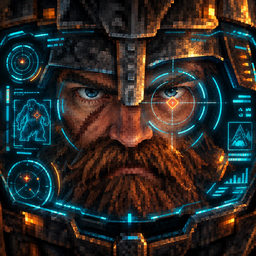
Lock-on reticle for controller gameplay, with camera adjustment based on your equipped weapon and a trajectory preview for ranged aiming.TargetLockOn
A lock-on for Valheim, built for controller. Lock onto a creature and the camera follows it, frames the fight around the weapon in your hands, and aims your arrows, bolts and bombs so they land where the target is.
- Souls-style lock-on. Press R3 to lock, flick the right stick to switch target. On keyboard, press 0 and swipe the mouse.
- Lock points on big creatures. Switch between a troll's head and chest, or the Elder's head and legs, and hit the game's own weak spots.
- A camera that fits your weapon. Melee pulls the camera back a little. Bows, crossbows and bombs move it over your shoulder.
- Shots that land. Locked arrows, bolts and bombs account for speed, gravity and drop, and the flight path shows where they'll go.
- Light and weather matter. You can't lock what you can't see in the dark or in the mist.
- Client-side. Works on vanilla servers and with friends who don't have it.
Quick start
- Install the mod and start the game with your controller connected.
- Look at a creature and press R3. The lock is on: the camera follows the target and the game's crosshair jumps onto it.
- Flick the right stick left or right to switch to the next target on that side. On a big creature, the same flick moves between its lock points.
- Press R3 again to let go.
- Crouch has moved to make room: it's now a tap of LT on Alt1, or LB on Alt2.
On keyboard and mouse, 0 locks and lets go, and a quick mouse swipe switches target.
Controls
Gamepad
| Input | What it does |
|---|---|
| lock-on button (R3 by default) | lock onto the creature you're looking at, or let go |
| flick the right stick left / right | switch to the next target on that side |
| lock-on button with nothing to lock | turn your character toward the camera |
Keyboard and mouse
| Input | What it does |
|---|---|
| 0 | lock on, or let go |
| quick mouse swipe left / right | switch target while locked |
The key can be changed with LockKey, and PrevTargetKey / NextTargetKey add keys for switching.
Crouch and lock-on
The lock-on needs a button, and on Alt1 and Alt2 the right stick click is already the game's crouch. So this mod shares out two buttons between lock-on and crouch: the right stick click and a tap of the holster button. By default lock-on goes on the right stick and crouch moves to the tap:
| Layout | Default | Swapped |
|---|---|---|
| Alt1 | lock-on R3, crouch tap of LT | lock-on tap of LT, crouch R3 |
| Alt2 | lock-on R3, crouch tap of LB | lock-on tap of LB, crouch R3 |
| Classic | lock-on tap of R3, crouch L3 | lock-on L3, crouch tap of R3 |
- To swap them, set
LockOnRightStick = false, or use the Lock-on row in the settings tab of ModernArpgControllerGameplay. - A tap is a press shorter than a third of a second. Holding the button still opens the radial menu, as in the game.
- The game's holster tap on the gamepad is taken by this mod. ModernArpgControllerGameplay sheathes your weapons on guard + Y instead.
- L3 + R3 together never locks on: it's the forsaken power.
How the lock works
What you can lock
Anything that isn't a player, a tamed animal or already dead. Wild animals count, so the lock works for hunting too. You lock onto the creature under your crosshair or, if there isn't one, the one closest to where you're looking, up to 50 metres away in clear daylight. IgnoreTargets keeps creatures you never want to lock out of the list.
Losing the lock
The lock lets go when your target dies, when it gets too far away, or when it stays hidden for 3 seconds: behind cover, in fog, or past 30 metres in the Mistlands mist. It also lets go when you sit down, sail, ride, build, sleep or teleport. When your target dies, the lock moves to the next one in view.
Light and weather
Darkness and fog shorten how far you can lock. A creature in full darkness can only be locked from 40% of the usual distance, and a torch or a campfire lights it back up. Bosses and big creatures, such as trolls, the Gjall and the Aspects, are half as affected, so you can still find them in a storm.
Lock points on big creatures
Big creatures have more than one point to lock onto, and the right stick flick moves between them the way it moves between targets:
- Trolls: head and chest. The head is the game's own weak spot and takes weak spot damage.
- Gammeltroll: face, chest and legs.
- The Elder, Moder, Fader and their Aspects: head, chest and legs (on Moder, the wing tips).
- The Abomination: trunk, front limbs and legs.
- The Gjall: forehead and belly, its weak spot.
- Seekers: head and tail. On the Seeker Soldier the tail is its weak spot.
Creatures from other mods get one point in their centre. You can give them more: see TargetNodes under Settings.
Facing the target
While you're locked, attacking, blocking, drawing a bow and walking all turn your character toward the target, the way they turn toward the camera without a lock. Swings aim at the target too.
Camera
Framing by weapon
While you're locked, the camera changes with the weapon in your hands:
- Melee weapons, staffs and spears: the camera pulls back a little and keeps your character slightly to one side, the side you last moved toward. Close to the target, your character keeps its side of the screen, so the camera doesn't swing across every time you step.
- Bows, crossbows and bombs: the camera comes slightly closer and moves to the right, so your character stands left of the target while the camera follows it.
The camera eases into each position and back out. The game's own camera collision still applies, so it never ends up inside a wall, and your zoom stays yours.
Free aim
The bow, crossbow and bomb camera also works without a lock: while you draw a bow, and while you hold a crossbow or bombs. While it's on, the flight path takes the place of the crosshair. With bombs in your hands the camera zooms in a little.
Aiming
- Ballistic aim. Locked shots go where the camera points and account for projectile speed, gravity, air drag and how far you've drawn the bow. It isn't homing: a target that dodges can still make you miss, and weapon spread still applies. Locked bombs land 30 metres out at most.
- Flight path. Always shown with bombs, and in free aim while you draw a bow or hold a loaded crossbow. It starts from your hand, where the shot will leave. A ring marks where it lands: for bombs it's as wide as the blast, drawn on the ground around a creature you'd hit.
HUD
- The game's own crosshair moves onto your target while you're locked, bow draw circle and stealth indicators included.
LockMarkerStyleswaps it for a small ring, or turns it off. - Creature health bars hide behind cover and in fog, fade soon after your crosshair leaves a creature, and stay on your target. Boss bars always stay.
Settings
Everything is in BepInEx/config/vktr.targetlockon.cfg, created on the first launch.
| Section | Setting | Default | What it does |
|---|---|---|---|
| Input | LockOnRightStick |
true | Lock-on on the right stick click, crouch on a tap of the holster button. Off swaps them (see Controls) |
| Input | LockKey |
0 | Keyboard or mouse key that locks and lets go |
| Input | PrevTargetKey / NextTargetKey |
none | Keys that switch to the next target on the left / right |
| Input | MouseFlickPixels |
60 | Mouse move, in pixels, that switches target while locked. 0 turns it off |
| Input | FaceCameraWithoutTarget |
true | With nothing to lock, the lock button turns your character toward the camera |
| Lock | LockRange |
50 | Farthest lock distance, in metres, in full light and clear weather |
| Lock | DarkRangeFactor |
0.4 | Share of LockRange for a creature in full darkness. 1 turns it off |
| Lock | WeatherHidesTargets |
true | Fog and Mistlands mist hide creatures, both for locking and for keeping the lock |
| Lock | MistRange |
30 | In Mistlands mist, creatures farther than this, in metres, count as hidden |
| Lock | LargeCreatures |
trolls, Gjall, Valkyrie, Abomination, Aspects | Creatures that light and weather affect less. Bosses count without being listed |
| Lock | LargeEnvironmentWeight |
0.5 | How much light and weather count for those creatures. 0.5 = half |
| Lock | LockAngle |
37 | How far from the screen centre, in degrees, a target can be when you lock |
| Lock | SwitchAngle |
53 | How far from the screen centre, in degrees, the next target can be when you switch |
| Lock | LostSightSeconds |
3 | Seconds a target can stay hidden before the lock lets go |
| Lock | RelockOnKill |
true | When your target dies, lock onto the next one in view |
| Lock | IgnoreTargets |
empty | Prefab names that can never be locked, comma separated |
| Lock | MultiNodeTargets |
true | Lock points on the creatures listed in TargetNodes |
| Lock | TargetNodes |
see below | Lock points for each creature |
| Camera | PitchLock |
RangedAndSpears | Which weapons lock the camera vertically too: Off, RangedAndSpears, AllWeapons |
| Camera | CameraSpeed |
12 | How fast the camera turns to the target |
| Camera | MeleeDistance |
1.2 | Melee, staffs and spears: camera distance × this. 1 = no change |
| Camera | MeleeShoulder |
0.1 | Melee, staffs and spears: how far from the centre your character stands, as a share of half the screen. 0 = no change |
| Camera | MeleeSafeZone |
5 | Melee, staffs and spears: within this many metres of the target your character keeps its side of the screen. 0 turns it off |
| Camera | RangedDistance |
0.9 | Bows, crossbows and bombs: camera distance × this. Crossbows use 75% of the zoom, bombs 70%, a locked bow you're not drawing 50%. 1 = no change |
| Camera | RangedShoulder |
0.35 | Bows, crossbows and bombs: how far left of the centre your character stands, as a share of half the screen. Bombs use 70%. Locked, it needs BallisticAim. 0 = no change |
| Camera | BombFreeAimDistance |
0.85 | Free aim with bombs: camera distance × this, in place of RangedDistance. 1 = no change |
| Camera | RangedFreeAim |
true | The bow, crossbow and bomb camera also works without a lock. Needs TrajectoryLine |
| Camera | CameraBlendSeconds |
0.6 | Seconds the camera takes to move into and out of these positions |
| Camera | StrafeWhileLocked |
true | Face the target while walking locked |
| Camera | AttackTowardsTarget |
true | Attacks turn you to the target and swings aim at it |
| Aim | BallisticAim |
true | Aim locked shots for projectile drop |
| Aim | AimAt |
Camera | Camera: shots go where the camera points. Target: shots go to the target's exact position, and almost never miss |
| Aim | LeadMovingTargets |
false | Aim ahead of a moving target, where it will be when the shot lands |
| Aim | BombLockRange |
30 | Farthest point, in metres, a locked bomb is aimed at. Free aim has no limit |
| Trajectory | TrajectoryLine |
true | Show the flight path: bombs always, bows and crossbows in free aim |
| Trajectory | ImpactMarker |
true | Show a ring where the path lands: as wide as the blast for bombs, on the ground around a creature you'd hit |
| Trajectory | TrajectoryColor / TrajectoryWidth |
white / 0.04 | Look of the line |
| HUD | HideHudBehindObstacles |
true | Hide creature health bars behind obstacles and in fog or mist. Boss bars stay |
| HUD | HideCrosshairInFreeAim |
true | Hide the crosshair and bow draw circle while the free aim camera shows the flight path |
| HUD | HoverHudSeconds |
0.3 | How long a health bar stays after your crosshair leaves the creature. The game uses 60 |
| HUD | LockMarkerStyle |
Crosshair | Crosshair: the game's crosshair moves onto your target. Ring: a small ring instead. Off: nothing |
| HUD | LockMarkerSize / LockMarkerColor |
16 / white | Ring style only: size and colour of the ring |
| Debug | DebugLog |
false | Write lock changes, camera framing numbers, blast sizes and every aimed shot to the BepInEx log |
| Debug | DumpCreatureRigs |
false | On world load, write every creature's skeleton and weak spots to BepInEx/TargetLockOn_rigs.txt |
Lock points for other creatures. TargetNodes is written as Prefab=Point,Point;Prefab=Point,Point. A point is a body part (Head, Chest, LeftLowerLeg, RightLowerArm...), a bone name, or WeakSpots. Points are switched in the order you write them. For creatures from other mods, turn on DumpCreatureRigs, load a world once and read their bone names from the file.
Compatibility
- ModernArpgControllerGameplay is made to go with this mod. Its Tool Diamond settings tab gets a Lock-on row to swap lock-on and crouch, its Controls page shows where both are, and it sheathes your weapons on guard + Y, since the holster tap belongs to the lock-on here.
- Camera mods. Unswayed, Landoria's FirstPerson, CameraTweaks, Valheim Plus and ProjectileTweaks have been checked and work alongside it. In first person the framing switches off. With ProjectileTweaks the two bow zooms add up. A mod that places the camera entirely by itself will simply hide the framing.
Technical details
Tested on Valheim 1.0.15 with BepInExPack Valheim 5.4.2351.
- The camera follows your look direction, so the mod turns it toward the target right after the game reads your input, and keeps the locked axes out of it.
- Framing changes the game's own camera inputs, your zoom distance and the camera's side offset, only while the game places the camera. Your zoom setting stays yours and the game's camera collision still applies.
- Shots are rebuilt the way the game fires them (ammo speed, draw curve, launch angle) and simulated with the game's own projectile step to find the angle that hits. The flight path starts where the game will spawn the shot.
- Light on a creature is the value the game uses for your own stealth. Fog is the game's live fog, which changes with the weather and the time of day.
- Health bars and the crosshair are the game's own: the mod only moves them and drives their timers.
- Lock points come from the creature's skeleton: body parts by humanoid role where the rig has one, by bone name otherwise. Weak spots come from the game's own list.
Installation
With r2modman or Thunderstore Mod Manager: click Install.
Manually: install BepInExPack Valheim, then put TargetLockOn.dll in BepInEx/plugins.