

RecentXpBars
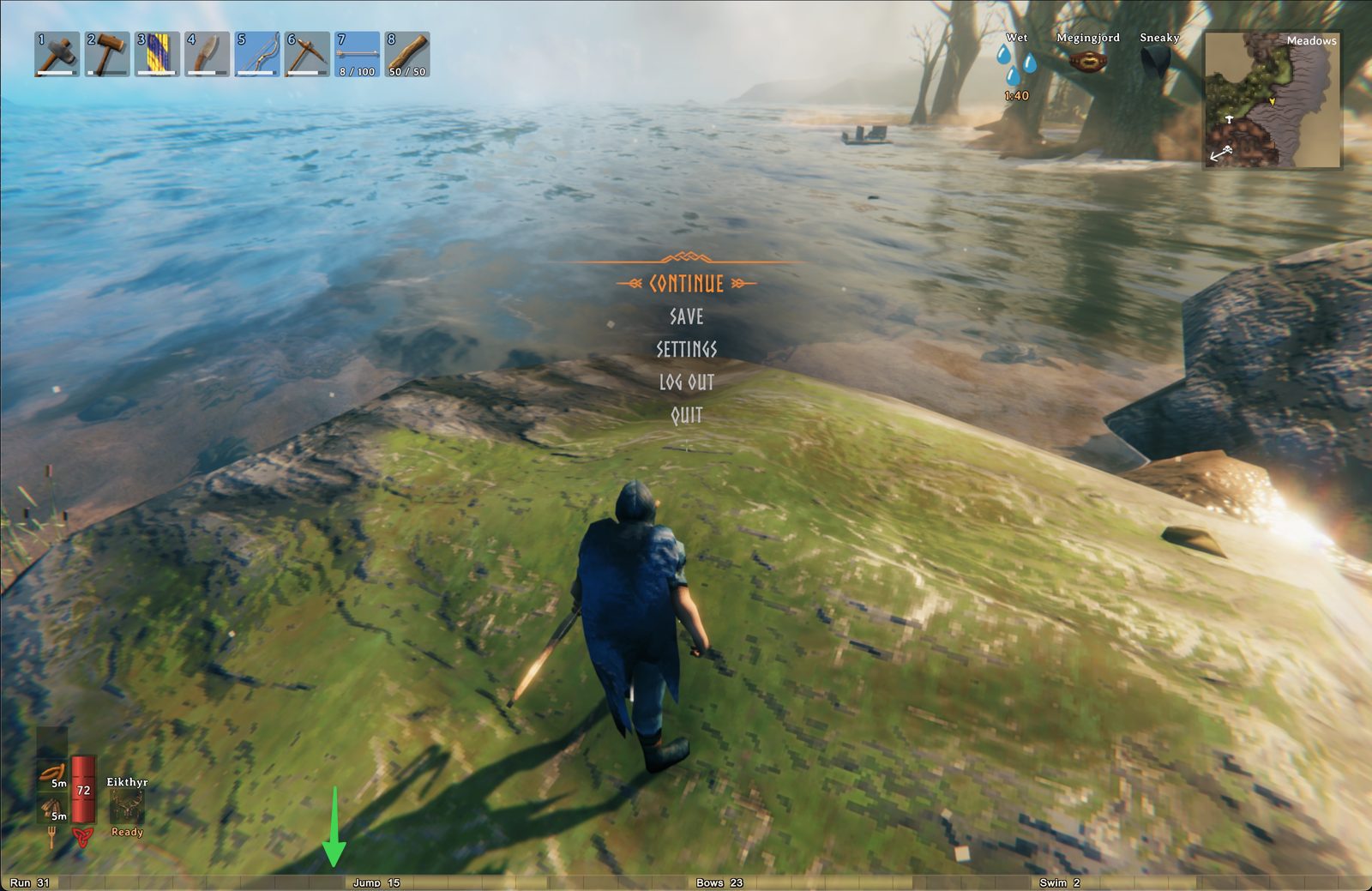
Shows the four most recently active skills as XP bars at the bottom of the screen. Bars turn red when you're missing the Rested buff.Recent XP Bars
Adds four small XP bars to the bottom of the screen showing your most recently active skills. As soon as you gain XP in a skill, a bar appears for it; the four most recent stay on screen.
Features
- Four bars tiled across the bottom edge of the screen — one quarter of the window width each
- Newest skill on the left, oldest on the right (LRU eviction when a fifth skill gains XP)
- Skill name + current level rendered with a black outline so it's legible against any background
- Bar fill = progress to next level (resets to ~0 after a level-up)
- Tick marks split each bar into ten equal segments for quick at-a-glance reading
- Cylindrical gradient look — bars appear rounded rather than flat rectangles
- Color flips to red when you don't have the Rested status effect — a quick visual reminder that you're missing the XP gain bonus
- Auto-scales to any window resolution (windowed and fullscreen both look right)
- Tracks gains on every skill tick — chopping a tree, blocking a hit, sprinting, crafting all update bars instantly
Configuration
A config file is generated at BepInEx/config/com.foxego.valheim.recentxpbars.cfg after the first launch:
| Key | Default | Description |
|---|---|---|
Enabled |
true |
Master toggle. |
VerticalOffsetPx |
0 |
Pixels above the bottom edge (1080p-reference units). |
BarWidthFraction |
0.25 |
Each bar's width as a fraction of window width. 0.25 = 1/4. |
UiScale |
1.0 |
Extra multiplier on top of resolution-based auto-scaling. |
Installation
Via Mod Manager (recommended)
Install with r2modman or Thunderstore Mod Manager. Subscribe to the BepInExPack Valheim dependency and this mod; the manager handles the rest.
Manual
- Install BepInEx for Valheim.
- Drop
ValheimRecentXpBars.dllinto<Valheim install>/BepInEx/plugins/. - Launch the game.
Notes
- The "Rested" status-effect lookup uses the same stable-hash key Valheim itself uses, so the red/gold color toggle matches the game's own rested-state check.
- No assets shipped — all visuals are generated procedurally with IMGUI, so the plugin DLL is under 15 KB.
- No hard dependency on other mods; only BepInEx is required.
Contact
Bug reports, feature requests, and feedback welcome on Discord: discord.gg/5JY7RHfHjF