

TortalPortal
Total Portal Control System for Valheim. Pick destinations from a map UI listing biome, distance, and owner. Features destination photos, PIN locks, tame teleportation, travel filters, and a procedural runic gateway.🌀 TortalPortal





"The old way was to carve a name into the stone and hope another bore the same. A tally of runes, scratched and rescratched, and still you stepped through blind. Better to know the road before you walk it, Viking."
Join the Mists of Avalor Open BETA find it only on [Hexium](https://valheim.hexium.gg/mods/Wubarrk/Mists_of_Avalor_BETA)
TortalPortal is a complete overhaul of Valheim's portal network. Vanilla's tag-pairing is gone — walk up to any portal and a framed window opens listing every portal in the world, with the great map beside it marking your chosen destination. Each portal keeps a photograph of where it comes out, so you can see the ground before you commit to it.
Lock your gates behind a PIN. Bring the wolves. Decide exactly what may and may not travel. And do it all through an interface built to look like it belongs in the game, carved entirely in code — the mod ships no bundles, no textures and no shaders.
⚔️ Features
🗺️ Every Portal in the Realm, Listed
Step into range and the destination window opens: every portal in the world, sorted by name, each showing its lock state, its biome, how far it is from you, and who raised it. Search by name to cut a long list down. Selecting a destination pins it on the Large Minimap, which opens alongside the window, so you always see the route in context rather than guessing from a tag.
The list is built by the server, which is the only machine that holds the whole world, and handed to each player as they log in — so it is complete from the first portal you touch. Install it on a world that has been running for months and the startup scan finds every gate already standing in it; you do not have to go and visit them first.
Every portal is marked on the great map while the window is open, labelled with its name, the one you have chosen drawn at twice the size — and the map centres clear of the window rather than behind it, so you are looking at the country around your destination instead of the back of a frame. The marks are never saved and vanish when the window closes; your own pins are your own business.
The markers are live: click one to select that portal, click the chosen one again to travel — pick your destination off the country itself rather than out of a list. By default they carry TortalPortal's own rune pin, a green glyph in a ring; PortalPinIcon swaps in any of vanilla's five icons, or your own TortalPortalPin.png dropped beside the plugin.
Walk away and the window closes itself. Arrive somewhere and it stays shut, so you are never greeted by a menu the instant you land — step off and walk back to bring it up again.
🔱 Favorites
Click the small heart on any row - it turns gold: starred. Favorites sort to the top — and once you have some, the window opens as a slender strip of just your favorites, one click to travel, with an arrow that expands to the full list when you want the whole realm. The gates you use fifty times a day cost one click; everything else is one more. Favorites are stored on your own machine, per world, and renaming a portal keeps its star.
📸 See Exactly Where You Are Going
Every portal quietly photographs its own destination when you raise it, on a wide-angle lens standing out in front of the gate, and stores the shot on the portal itself so every player on the server sees it. A background pass keeps the images current as the world changes around them, and portals that have never been photographed — every gate on a world that predates the mod — are shot first, so an established server fills its album in as people move about it.
The list shows each shot as a thumbnail — and clicking it opens the photograph full screen at your resolution, the portal's name across the top, captioned with the biome and coordinates. Arrows on either side (or the keyboard's arrow keys) flip through every portal's picture like an album without leaving the frame. Read the terrain, spot the tar pit, notice the Fuling camp, then decide.
No portal waits for a visitor. Valheim only builds the world around players, so a gate nobody has stepped near could never be photographed — until now. The camera quietly anchors one unphotographed portal at a time, streams in a small patch of world around it out where nobody is, waits for the terrain to genuinely finish, takes the shot, and lets it all unload seconds later. Works on hosted worlds and dedicated servers alike; an established server fills its whole album on its own, horizon and all.
🔮 Watch Through the Gate
Open a portal's picture full-size and the photograph gives way to a live view of the destination — real weather, real time of day, swaying trees, rendered by your own game through the same anchor the camera uses. Right-drag looks around, the wheel zooms (30°–100°). The still stands in while the far world streams in (going live... in the footer, then LIVE), and closing the album unloads everything within seconds — the feed's lifecycle is a deadman switch, so there is no exit path that leaves a camera running.
🖼️ A Frame Worth Looking At
Both portal windows are set in an ornate gilt frame: polished double rails, acanthus scrollwork mitring every corner, and a palmette crest struck into the top and bottom edges. It is drawn on a dark leather panel with gold-edged insets, and the destination list reads as a proper set of cards rather than a wall of text.
None of it is a shipped image. Every rail, flourish and crest is generated in code at runtime, lit by a single consistent light — which is why the mod adds no asset files to your install and cannot ever show you a missing-texture pink square.
If the text is too small or too large for your display, UITextScale moves it between 0.6× and 3×, UIFontSizeDelta adds up to +24 flat points on top, and the rows, fields, buttons and windows all grow with it so nothing clips. Changes apply immediately. The metal itself is yours too: UIGoldColour re-skins the entire frame — silver, bronze, verdigris — from one dial, live.
🔒 Lock Your Gates
Walk up to a portal you built and press E to open its configuration panel: set its name and toggle a PIN lock in one place. Anyone else selecting that destination must enter the PIN before the gate will take them.
Quick-launching a locked favorite (or clicking its map marker) gets the quick PIN window: the map closes, a small window opens with the keyboard already sitting in the field — type the PIN, hit Enter, and you are away. Wrong PIN says so on screen and clears the field for another try; Esc puts you back exactly where you were.
🐺 Bring the Pack — and Ride It Through
Your loyal companions travel with you. Any tamed creature following you steps through at your side (TameFollowRadius sets how wide a circle is gathered).
Riding? Stay in the saddle. Teleport while mounted and the beast comes with you — you are lifted out of the saddle for the trip, it is sent through beside the exit, and you are seated again the moment you land. Built against the game's mount interface rather than any one saddle, so custom saddle items and modded mounts (OdinMounts and friends) ride through exactly like a Lox. Ships and carts stay where you left them; only a tamed creature qualifies.
🚧 Decide What Travels
Admins get a dual filtering system beyond vanilla's flat metal ban. Populate the whitelist to create an exclusive "these may pass" list, and use the blacklist to further restrict specific items — or switch the whole thing to BypassAll and let everything through. All of it is server-synced, so the rules are the server's, not each client's.
✨ The Runic Gateway
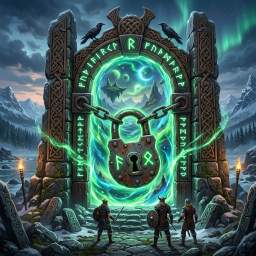
Vanilla's portal effects are gone entirely — every last flare — and in their place stands a runic gateway: small Elder Futhark glyphs drawn in off the edges of the opening, swirling around the gate's own axis and spiralling slowly inward, each one taking its own shade from a band either side of your chosen colour so the gateway shimmers through a range rather than glowing one flat tone. Around them stand two counter-rotating rune circles, a magic circle scribed across the threshold, slow embers rising through the site, and a swirling rune trail — an unseen point orbiting the pillars, weaving up and down, drawing a continuous glowing ribbon strung with runes behind it.
And it breathes with your approach. The gateway sits fully dormant — nothing drawn, nothing simulated — beyond VFXWakeDistance, and from there it does not switch on: it builds, strengthening the closer you come and bleeding gently away behind you as you leave. Walking off does not snap it shut; emission simply falls away and the runes already in the air drift out on their own, the way a flier's trail dissolves behind them. Any player drives it, so a friend walking up lights the gate for you too.
Two dials, and they move independently: VFXIntensity is how much gateway there is — density, rune spacing, ring thickness — while VFXBrightness is purely how hard it burns. Dim it to a smoulder without thinning it, or thicken it without the glare. VFXColour paints the lot, and every one of these applies live to portals already standing.
The gateway measures each portal's own arch and centres itself in it, so wood, stone and black marble portals all read correctly — and so will any portal a future update or another mod adds.
👑 Admin Supremacy
A built-in bypass lets admins ignore PIN locks, item filters and portal placement limits entirely.
🍗 Guide to Portals
- Place a portal — the game snaps a hidden high-resolution photo of its destination for the preview system.
- Configure it — walk up and press
E. Set its name and toggle a PIN lock. - Travel — walk into the portal's range. Pick a destination from the list — or click its marker on the map, and click it again to go. The picture opens full screen if you want a look first. Hit Teleport.
- Favorites — the heart on a row stars it - gold means starred. With favorites set, the window opens as a one-click launcher strip;
»expands to the full list. - Riding — stay in the saddle and hit Teleport; you and the mount arrive together and you are re-seated automatically.
- On arrival — the menu stays shut so you can get on with it. Step away and walk back to bring it up again.
- Typing — the destination window focuses its filter box as it opens, so you can just start typing a name. While any of the mod's fields has the keyboard your character stands still and hotkeys hold their peace.
Escapehands it back without closing the window.
🌱 Seeding a World
Two console commands ship with the mod — the same ones every 1.2.0 feature was shaken down with. Both are cheat commands: enable devcommands in the console first, which on a server means being on its adminlist.
tortal_scatter [count] [radius]— raises portals at random spots across the world. Default 25 within 2 000 m; up to 500 at a time, radius up to 10 000 m. Spots are spread evenly across the disc rather than crowding the middle, each gate is named for its biome and registered in the index like any hand-built portal, and every 5th one is PIN-locked with1234so locks have test subjects too.tortal_scatterclear— removes every portaltortal_scatterraised and nothing else: scattered gates carry a marker, hand-built portals are never touched. Run from a client it sweeps what is loaded around you and asks the server to sweep the whole world (admin-gated), reporting the total back to your console.
Together with remote snapshots this is a world-seeding tool: scatter a network across the map on day one — tortal_scatter 100 10000 covers the whole world — and the camera walks it on its own, portal by portal, until the server opens with a fully photographed network no player has ever visited. Keep the gates, or tortal_scatterclear when you have placed your own.
⚙️ Configuration
Settings live in wubarrk.TortalPortal.cfg.
Your settings survive updates. The file carries a layout version, and when the mod changes shape it is backed up beside itself and every value is carried over — a whitelist you spent an evening on does not evaporate because a setting moved sections. If something genuinely no longer exists, it is named in the log with its value and the path of the backup rather than vanishing quietly.
Server-synced (admin controlled)
| Setting | What it does |
|---|---|
FilterMode |
Vanilla, WhitelistBlacklist, or BypassAll. |
WhitelistItems |
Comma-separated. Any item here bypasses vanilla portal restrictions (e.g. adding Bronze lets you teleport with Bronze, but Iron remains blocked). |
BlacklistItems |
Comma-separated. Any item here is explicitly blocked, even if it normally would be allowed. |
MaxPortalsPerPlayer |
Limit how many portals each player can construct. Unlimited by default — 0 or any negative number means no cap at all. Set a positive number to enforce one. |
AdminBypass |
Lets admins ignore portal limits, PIN locks and item filters. |
AllowTames |
Whether tamed creatures follow you through. |
TameFollowRadius |
2–30 metres, default 10. How far around you following tames are gathered when you travel. |
AllowMountedTeleport |
Default on. Teleporting while riding brings the mount and re-seats you on arrival — vanilla saddles, custom saddle items and modded mounts alike. Off means dismount and walk through. |
MenuOpenDistance |
0.1–5 metres, default 0.8. How close you must be before the destination window and map open by themselves. The default means walking right into the gate; the window is something you go and get rather than something that meets you on the path. Measured horizontally, so a raised platform adds no phantom distance. The portal's visuals keep their own range regardless. |
EnableCustomVFX |
Replaces vanilla portal particles with the runic gateway. |
EnablePortalCameraShot |
Whether placing a portal captures a preview snapshot. |
SnapshotRefreshIntervalMinutes |
Default 5. How often already-photographed portals are re-shot, so a rebuilt or burnt-out destination stops showing the old view. 0 disables refreshes; portals with no picture are still filled in regardless. |
EnableRemoteSnapshots |
Default on. The camera walks the world on its own: portals nobody is near are briefly anchored, photographed and unloaded again — including over a dedicated server. Off means only portals loaded around players are photographed, as before 1.2.0. |
EnableLivePreviews |
Default on. Opening a photograph full-size streams a live view of the destination. Off means the album shows stills only. |
CameraResolution |
Dropdown: Res480p / Res720p (default) / Res900p / Res1080p. What the portal camera renders at — stored snapshots and live feed both. Stored pictures travel to every player, so higher resolutions cost real bandwidth; existing photographs keep the size they were taken at. |
AnchorZoneRing |
1–2, default 1. How much world a far shot loads: 1 = 3×3 zones (192 m), 2 = 5×5 (320 m). Hard-capped at 2 — a wider ring is a guaranteed hitch on any hardware. |
AnchorSettleBudgetSeconds |
10–120, default 40. How long a far shot may wait for the destination to settle before the attempt is skipped and retried a later lap. Also where the live preview stops waiting for perfection and goes live with what is standing. |
AnchorSettleRadius |
30–300 m, default 100. How far around the portal terrain must be finished rebuilding before a scene counts as settled. |
PortalIndexRefreshSeconds |
5–300. How often the server rescans the world and republishes the destination list — how quickly a new portal, rename or demolition reaches everyone. Only sent when something actually changed. |
Local to your game (not synced — set these however you like)
| Setting | What it does |
|---|---|
UITextScale |
0.6–3.0, default 1.05. Scales all portal UI text and the layout around it. Applies immediately, no restart. |
UIFontSizeDelta |
-6–+24 points added flat to every text size, after the scale. Default +6. Fatty shares this theme and this setting — match the numbers and the two mods' windows read identically. |
MenuCloseMargin |
0–5 metres, default 1. How much further out than MenuOpenDistance you must retreat before an open window closes itself — the hysteresis that stops it strobing on the boundary. |
ShowDestinationPreviews |
Default on. Off drops the photograph panel and narrows the window. Snapshots are still captured and shared either way. |
OpenFavoritesView |
Default on. When you have favorites, the window opens as the slim favorites strip; the » arrow expands it regardless. |
FocusSearchOnOpen |
Default off. Puts the text cursor straight in the search box as the window opens. Off because the window opens while you are still walking, and a focused field swallows WASD as typing. |
VFXOrbHeightOffset |
Metres to nudge the rune orb up or down inside the gate. The orb auto-centres on each portal's arch, so this is only for fine-tuning. |
VFXWakeDistance |
2–50 metres, default 25. How close a player must be before the dormant gateway wakes — far enough that a gate is already alive as it comes into view and builds as you walk in. |
VFXIntensity |
0.1–3, default 0.64. How much gateway there is: particle density, ring thickness, rune spacing in the swirl. |
VFXBrightness |
0.1–3, default 0.64. How brightly it burns, with no effect on how much of it there is. The materials are additive, so this climbs fast. Applies live. |
VFXSwirlDensity |
0.25–3, default 3. How thickly the runes trailing off the gateway are laid along their ribbon — higher packs them tighter along the same path. Independent of VFXIntensity. Applies live. |
VFXTintPortalFrame |
Default off. Tints the portal piece's own glowing panel and gate light to VFXColour, so the gate and the gateway read as one object instead of an orange portal wearing a coloured light show. Only emissive surfaces are touched; timber, stone and metal keep their own materials. Off because vanilla's warm light against cool runes is a look in its own right. Applies live. |
VFXColour |
The gateway's colour — veil, rings, sigil, motes and swirl all draw from it. Colour picker in ConfigurationManager. |
PinColour |
The Rune map pin's colour. Vanilla icons and Custom PNGs bring their own. |
UIGoldColour |
The window frames' metal. Shadow and highlight derive from it — silver, bronze or verdigris is one change, applied live. |
ShowPortalPinsOnMap |
Default on. Marks every listed portal on the large map while the destination window is open. Never saved, removed when the window closes. |
PortalPinIcon |
Default Rune — TortalPortal's own glyph-in-a-ring. Also vanilla's five icons, or Custom to use a TortalPortalPin.png placed beside the plugin DLL (falls back to Rune if missing). |
EnableDebugLogging |
Verbose logging for UI and teleport events. |
⚠️ Dependencies: BepInEx