

ImmersiveCameraEnhanced
Bring Valheim closer with Bodycam, custom crosshairs, Alt bow aiming, optical zoom, Advanced Camera, Camera Cull and configurable collision. Moving doors stay clear of your camera. Client-side; no server installation required.Immersive Camera Enhanced
Current release: 1.5.0
Bring Valheim closer: walk through your base in first person, keep the view clear in dense foliage, and shape your camera and reticle around the way you play. Everything runs on your client; your server and friends need no extra installation.
Features and demonstrations
Camera Cull — keep the action in sight
Clear obstructing foliage from the view while keeping its gameplay colliders intact. Leaves Only keeps trunks and branches visible; Movement Leaves Only activates it after you move toward the camera for the configured delay. Grass and small bushes stay visible. Trees can still be cut, harvested and fought around.
Cull Supports & Stone Arches is off by default, keeping those building parts visible. Enable it if you want them hidden when they obstruct the camera. Visual culling and camera pass-through are separate settings. Tune the culling volume, check interval and restore delay, and optionally retain hidden foliage shadows.
Demo: Camera Cull and selected-object pass-through.

Camera collision — move through your base comfortably
Enable New Camera Collision uses a custom cylinder to keep the camera on the character’s side of solid objects. Contact retracts the camera immediately; Camera Return Smooth Speed controls its return when the path clears. Turn New Camera Collision off to use Valheim’s native collision. Both modes respect the same object-ignore rules.
Choose pass-through for recognized vegetation, supports and arches, props and lights, entities, or boats. Boat masts and the hammer placement preview are always ignored. Structural walls, floors, roofs, terrain, rocks and ores stay solid.
New in 1.5.0: Ignore Moving Door Collision, enabled by default, lets the camera pass through a door while it opens or closes. The door becomes a camera obstacle again when fully open or fully closed. It works with custom and native camera collision and leaves player/projectile collision unchanged.
Native hammer-built construction colliders are fitted to visible model geometry across supported wear variants. Openings and compound parts are preserved; roofs, small props and modded pieces are excluded. These local collider fits also affect local player and projectile contacts. See the included construction audit.
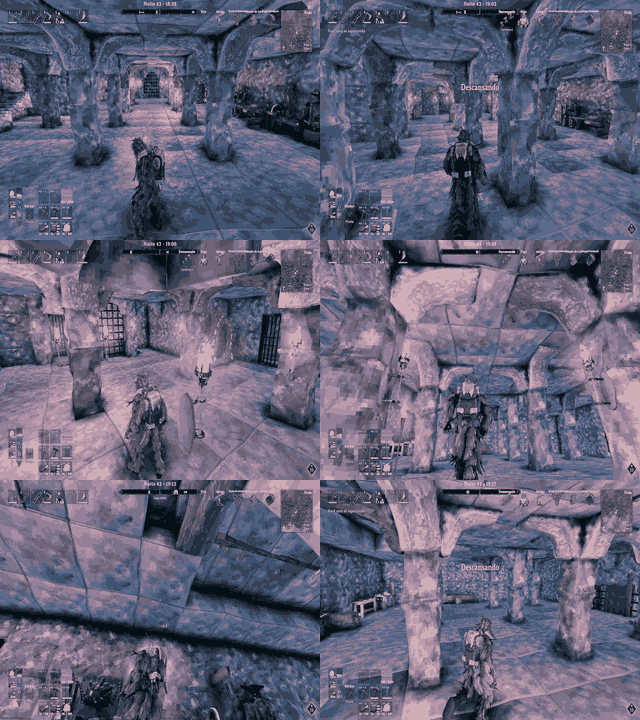
Demo: camera pass-through with the support/pillar option enabled.
Camera distance — choose your perspective
Scroll between a close view and a wide orbit, with separate maximum distances on foot and in boats. Set the distance per scroll step; Advanced Camera has its own step, default 0.75 m. Inventory scrolling does not change camera distance. Camera Base Position shifts the third-person pivot vertically and blends its strength by distance.
Collision Distance Cut can commit a shorter selected distance after two seconds of stable obstruction. It respects the minimum cut distance as a percentage of the configured maximum and the minimum reduction in metres. The optional Camera Distance HUD displays distance and marks an active cut.
Demo: changing camera distance from the character.

First person and Bodycam — step into Valheim
With Enable First Person on, scrolling to the 0.5 m minimum enters first person. Two outward scroll steps return to third person by default; disable Require Two Scrolls to Exit First Person for a one-step exit.
Bodycam, Bodycam Footsteps, Show First Person Body, and Show First Person Weapons and Tools default to on, with independent toggles. Bodycam follows the animated head; Footsteps includes native vertical motion and crouching. Turn Footsteps off for stable walking height. Enable First Person Crouch, default off, adds smooth crouch lowering when native head-height tracking is disabled. Optional camera sway replaces native head roll, and first-person FOV is configurable.
Body visibility shows the body and worn equipment while hiding the head, helmet, hair and beard with a sealed neck cut. Disable it for a weapon-only view; held weapons and tools have their own toggle. Animation updates per rendered frame, the body follows native view-facing rotation, and mouse response stays direct. A stable near plane and deck-relative sway support first person aboard boats.
Demo: first-person view with body display disabled.

Optical zoom — bring distant details closer
Hold Mouse4 and scroll to magnify in first or third person. Release Mouse4 to restore the normal view. Zoom has its own magnification, wheel step, transition speed, key and mouse sensitivity; it does not change the selected camera distance. First- and third-person FOV can be adjusted independently.
Demo: hold-to-zoom and magnification changes.

Advanced Camera — make room indoors
Advanced Camera activates from Valheim’s Shelter status and caps the indoor orbit at 3 m. After you leave Shelter, an overhead obstruction within the selected indoor distance can keep it active. Exit checks use the configured deactivation interval, default 3 seconds; overhead geometry alone does not activate it.
Advanced Height lets mouse input raise or lower the camera, limited to a fixed 50% of shared floor-to-ceiling free space. Corner clearance helps around height changes. Collisions shorten the route toward the character, and Advanced Camera works with either collision mode.
Alt free look — look around, keep your heading
Hold Left Alt to look around without changing your movement heading. Release it to return to the captured view. While drawing a bow or crossbow, Alt instead controls the mouse-aim feature described below.
Demo: looking around with Alt while retaining movement heading.

Crosshair and bow aiming — put your aim where you want it
Customize Default, Melee, Bow/Crossbow, Magic and Tools separately: percentage-based X/Y position from screen center, size, style and RGB color. Adjust thickness and center gap. Choose Classic, Dot, Cross, Cross Dot, Circle, Precision, Bow, Diamond, Chevron, Brackets, Holographic or Starburst, or load a transparent PNG up to 1024 × 1024 from the plugin, its Crosshairs folder or the supported BepInEx configuration folders.
Every weapon category follows the reticle’s viewing direction. Normal aiming selects no scenery or mob target. While drawing a bow/crossbow, hold Alt to steer the reticle with the mouse while keeping the camera still. Hold it for 2 seconds by default to latch aim for that draw; tap Alt again to unlock. Releasing an unlatched Alt restores camera control immediately. Set aim sensitivity, X/Y inversion and the post-shot delay.
During Alt aim, Aim Along Crosshair Direction off converges on the target under the reticle; on follows its direction. Bow reticle size contracts with the game’s draw/skill accuracy. Head Follows Camera Direction keeps the character looking with the camera rather than the offset reticle.
Show Vanilla Interaction Crosshair, default on, shows the original interaction marker alongside an offset custom reticle, so you can still see where to open a chest. It is visual only and hides when the markers coincide. The custom reticle hides on Esc and can remain visible over Configuration Manager. With Custom Crosshair off, Automatic Crosshair Position compensates for the third-person pivot offset.
Optional BowTrajectory compatibility adjusts its preview for live arrow speed and supported range modifiers, including Path of Valheiman’s range bonus. The compatibility toggle lets you return to BowTrajectory’s own preview.
Demo: custom reticles and mouse-guided bow aiming.

Damage direction — find the source of a hit
A local 3D arrow points toward the attacker or incoming hit direction. Configure duration, update interval, RGB color, size and separate first-/third-person positions. Fall and drowning damage do not produce an arrow.
Demo: the damage-direction indicator during combat.

Brightness — shape your local view
Optional day, night, fog and cave brightness controls are off by default. Signed values can darken the scene; values above 100 brighten it further. Lighting changes are local and do not change world simulation.
Demo: adjusting local brightness.

Water, building and diagnostics
While your character is swimming, the camera can follow below the surface. Otherwise Valheim’s water-level clamp remains active. Swim state follows the game, including compatible changes from mods such as BetterDiving. The mod adds no custom underwater-screen effect.
Building Hammer Behavior independently controls which features pause while the hammer is held. Disable Custom Crosshair defaults to on and restores the vanilla reticle during building. Custom collision yields to native camera collision; camera-distance scrolling is blocked by default while piece rotation remains available.
A General master switch restores temporary mod state when disabled. Debug options show the culling volume in green, the active collision volume in pink, and every contacted collider for 30 seconds after its latest contact. Verbose diagnostics are available for testing.
Quick controls
- Scroll: change distance; enter first person at the minimum. Two outward steps exit by default.
- Hold Mouse4 + scroll: change optical magnification. Release Mouse4 to reset zoom.
- Hold Left Alt: free look. While drawing a bow/crossbow, steer the aim reticle instead.
- Hold Alt for the latch duration: keep bow mouse-aim active for that draw. Tap Alt again to unlock.
- F1: open the optional Configuration Manager. Without it, edit the generated config file.
Requirements
Requires Valheim and BepInExPack Valheim 5.4.2333 or newer. Install on the client that wants the camera changes; dedicated servers and other players do not need it. Configuration Manager and BowTrajectory are optional, not required dependencies.
Optional companion mods
- Valheim Configuration Manager by shudnal (Nexus Mods): edit settings in game. The config file remains available without it.
- BowTrajectory by ModdedWolf (Nexus Mods): display a predicted bow/crossbow flight path. Enable Bow Trajectory Compatibility defaults to on and takes effect only when BowTrajectory is installed.
Installation
-
Thunderstore / r2modman / Gale: select your Valheim profile, install Immersive Camera Enhanced, and launch from that profile.
-
Manual / Nexus Mods: install BepInExPack, then extract this release into the Valheim game folder. The DLL should end up at
BepInEx/plugins/ImmersiveCameraEnhanced/ImmersiveCameraEnhanced.dll. -
Launch once to create
BepInEx/config/com.kimbauer.valheim.cameracull.cfg. Use F1 with Configuration Manager, or edit that file while the game is closed. Updating the DLL preserves saved choices; new defaults apply to new/reset settings.
Configuration
- 00 — General: master switch.
- 01 — Camera Cull: foliage/support culling, Leaves Only, movement activation, volume and timing.
- 10 — Camera Collision: custom/native collision, ignore rules, moving doors, distance cuts, recovery and debugging.
- 20 — Camera Improvements: Bodycam/first person, footsteps, body/equipment, crouch, FOV, camera distance/pivot, zoom, free look and Advanced Camera.
- 25 — Crosshair Position and Mouse Aim: enable switches, interaction marker, category positions/sizes, thickness/gap, Alt aiming, sensitivity, release delay and compatibility.
- 26 — Crosshair Appearance: category styles, PNG selection, draw-accuracy animation and colors.
- Damage / Visual / Performance and Debug / Building Hammer: hit indicators, lighting, diagnostic controls and hammer-specific behavior.
Compatibility and behavior
Custom and native camera-collision modes are alternatives; the mod does not run both solvers together. Their active queries share the ignore rules, including moving doors. Camera Cull preserves gameplay colliders; construction fitting is a separate local physics adjustment. Door animation filtering only changes camera-query acceptance. The mod does not edit saved worlds or server settings. Mods that replace the camera can conflict with camera features; features and optional BowTrajectory compatibility can be toggled separately.
Credits
Project by Xinelada Lendária.