

ValheimAudioControl
Client-side audio category and prefab mixer for Valheim.Valheim Audio Control
Client-side Valheim mod. It adds audio controls to the game's native Audio settings.
Features
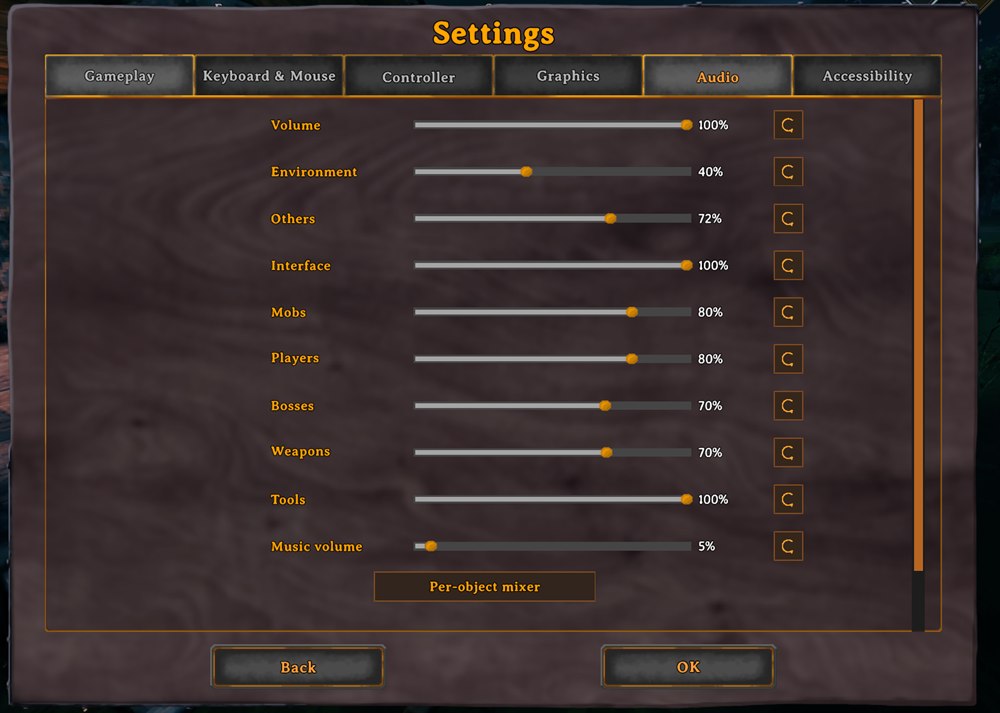
- Separate master volumes for environment sounds (including ocean ambience, wildlife, and fire), interface sounds, other unclassified game audio, mobs, players, bosses, weapons, and tools.
- Mob, player, and boss masters follow the owning character, so attached footsteps, attacks, abilities, equipment changes, and other emitter sounds share the correct category. Player equip and unequip sounds use the player master.
- The vanilla Volume dos Efeitos / SFX Volume control is hidden and kept at 100% so it cannot override category and prefab settings.
- A reset button beside every volume slider restores that control to its default (100%).
- A single scrollbar contains the complete Audio page. The category controls sit together below master volume, followed by the prefab mixer and the remaining vanilla music controls.
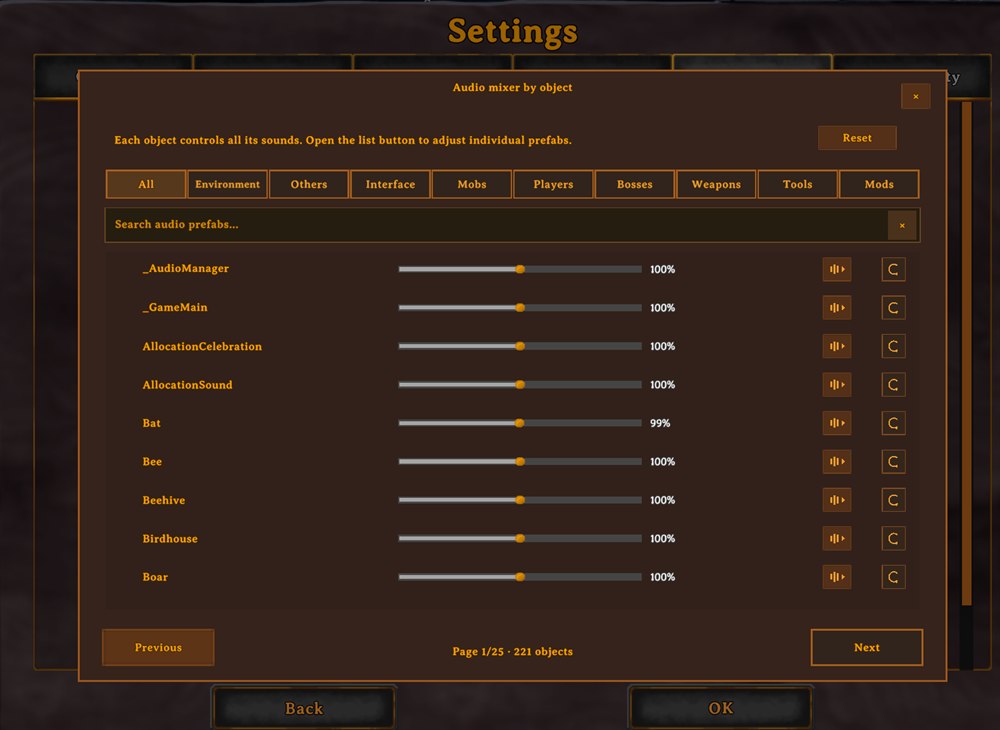
- A per-emitter mixer lists loaded
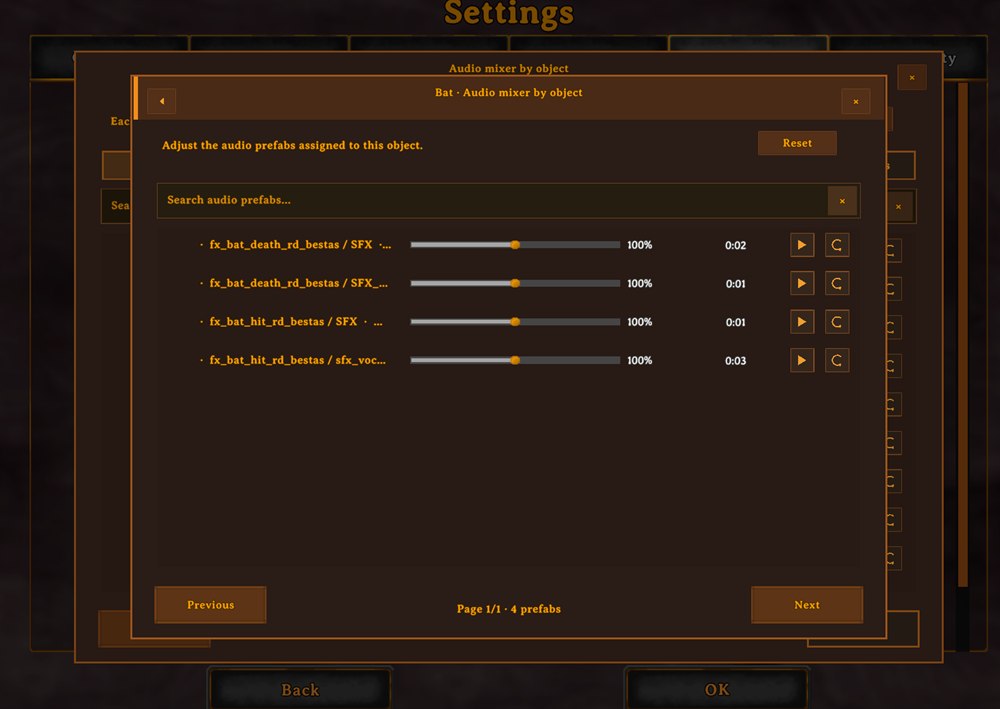
ZSFXprefabs and standaloneAudioSourceemitters from loaded game and mod registries, with tabs for all emitters, audio categories (including interface and others), and detected modded prefabs. It has accent-insensitive search, a clear button, a scrollbar, and nine rows per page. Search keeps keyboard focus, supports word deletion, and prevents game tab shortcuts while the modal is open. Each row shows the clip duration and a play/stop preview button; its volume is multiplied by the category master. Resetting a tab requires confirmation. - Optional audio diagnostics are off by default. When enabled, they log playing scene audio sources with category and effective volume; a second setting can hide sources at 0%.
- Labels and hover descriptions are translated for all 35 language identifiers supported by Valheim.
- Jötunn is optional. At startup, the catalog scans Valheim and Jötunn prefab registries and mod audio indexes across frames; late registry notifications trigger an incremental refresh. Live audio created dynamically by mods is registered when it starts playing, and direct sources are monitored once per second. Opening the mixer reuses the session catalog rather than rescanning everything.
Demonstrations
Audio settings
Per-object audio mixer
Object prefab controls
Settings
All settings are client-side. Category sliders range from 0% to 100%, and individual object/prefab sliders can reach 200%. Volume controls do not change pitch, reverb, filters, or Valheim's indoor/menu mixer snapshots. Up to 100%, they adjust the emitter's volume; the sample-gain component is enabled only when a setting boosts an emitter above 100%. The Features section in the BepInEx configuration has a switch for the audio mixer. Changing it requires a game restart; Configuration Manager marks it as restart-required, and its description repeats the notice for configuration editors that do not show that status.
The Audio Debug settings are opt-in diagnostic controls and do not scan audio sources while logging is disabled.
Installation
Install with r2modman/Thunderstore, or place AudioLODControl.dll in BepInEx/plugins/ValheimAudioControl/ and start Valheim through BepInEx.