

QStore
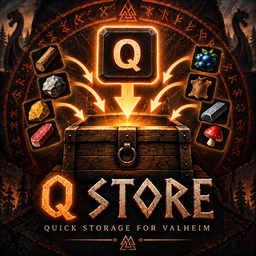
Quickly store matching items into the chest you're looking at without opening it. Press Q to store matching item types, with slot-based favorites to protect items.Q Store
Quick storage for Valheim.
Q Store lets you deposit matching items into the chest you're looking at without opening the chest.
Features
- Press Q while looking at a chest to store matching items.
- The chest does not open.
- Only the chest you are directly looking at is affected.
- Only item types that already exist in the chest are stored.
- Fills existing partial stacks.
- Creates a new stack when an existing stack is full and the chest has room.
- Shows a contextual [Q] Store matching items hint while looking at a valid chest.
- Shows a center-screen notification such as 2 item types stored after a successful transfer.
- Configurable store key.
Favorites
- Middle Mouse Button (MMB) over a player inventory slot toggles that slot as a favorite.
- Favorites are slot-based, so only the protected slot is excluded from Q Store.
- Favorite slots show a gold star.
- Favorite state persists per character.
- A small in-inventory star/help button explains the MMB control.
Installation
Install with Thunderstore Mod Manager, r2modman, Gale, or install manually.
For manual installation, place QStore.dll in:
Valheim/BepInEx/plugins/
Usage
Stand in front of a chest and look directly at it. Press Q.
Q Store will move matching item types from your inventory into that chest without opening it.
Example: if the chest contains Wood and Flint, pressing Q stores your Wood and Flint from your inventory, but does not move unrelated items.
To protect an inventory slot, hover the item and press Middle Mouse Button (MMB). Press MMB again to unfavorite it.
Requirements
- Valheim
- BepInExPack Valheim 5.4.2350
Compatibility
Q Store is designed for Valheim 1.0.x.
Credits
Created by Zancho.