

You are viewing a potentially older version of this package. View Latest Version
SeneaLHudLayout
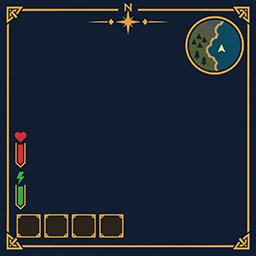
Moves SeneaL UI's hotbar to the bottom left and keeps compass, health, boss bars, and Passive Powers readable.SeneaL HUD Layout
Client layout companion for SeneaL UI. Moves SeneaL's hotbar cluster to the bottom left, lifts health/food above it, keeps the compass pinned to the top of the screen, and places Passive Powers next to the food column.
This mod does not replace SeneaL UI. Without SeneaL UI, it does nothing.
Requires
- BepInEx
- SeneaL UI
- Optional: Smoothbrain Passive Powers (for the two power icons)
Install on clients only. Dedicated servers do not need it.
What it changes
- Hotbar, action slots, and food quick slots → bottom left
- Health / food / guardian cluster raised above that hotbar
- Compass stays at the top (hotbar never drags it down)
- Boss bars nudged down a bit; slain/biome banners sit under the compass or boss bar
- Minimap cluster nudged left
- SeneaL's unused guardian-power circle and F hint can be hidden; Passive Powers sit beside the food column
[Powers] Scaleshrinks or grows those Passive Powers icons (0.5 to 1.5, default 1)- Item Drawer hover preview collapses to one slot (total count) instead of every stack
- Creature and player world health bars show
current/maxjust above the bar ([WorldHud] ShowHealthNumbers, on by default) - Optional always-visible stamina, eitr, and adrenaline bars (
[Vitals], all off by default) - Equipped items get a brighter blue frame (
[Slots] SelectionGlow) - Equipping or unequipping shows a white seconds countdown on the item (
[Slots] ShowEquipCue) - The login server-rules window is hidden (
[Notices] HideServerRules, on by default). Server limits still apply.
Turn [General] Enabled off to restore SeneaL's own placement.
Install
- Install SeneaL UI.
- Drop
SeneaLHudLayout.dllintoBepInEx/plugins. - Launch once. Config:
BepInEx/config/cjayride.SeneaLHudLayout.cfg.
Credits
SeneaL UI is by seneaL. This is a layout overlay by cjayride.


