
You are viewing a potentially older version of this package. View Latest Version
SeneaLHudLayout
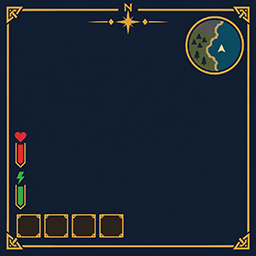
Moves SeneaL UI's hotbar to the bottom left and keeps compass, health, boss bars, and Passive Powers readable.SeneaL HUD Layout
A client-side layout and quality-of-life companion for SeneaL UI. Repositions HUD elements, improves readability, and adds configurable interface enhancements throughout Valheim.
Requires SeneaL UI. This mod does not replace it and does nothing without it.
Requirements
- BepInEx
- SeneaL UI
- Optional: Smoothbrain Passive Powers
Client-side only. Dedicated servers do not need this mod.
Features
HUD Layout
- Moves the hotbar, action slots, and food quick slots to the bottom-left corner.
- Positions health, food, and guardian power elements above the hotbar.
- Keeps the compass pinned to the top of the screen.
- Adjusts boss bars, center messages, and event banners to prevent overlapping.
- Shifts the minimap cluster to the left.
- Positions Passive Powers icons beside the food column.
- Optionally hides SeneaL UI's unused guardian power slot and F-key hint.
Vitals
- Optional always-visible stamina, Eitr, and adrenaline bars.
- Synchronizes Eitr and adrenaline bar sizes and positions with stamina.
- Configurable bar dimensions and positional offsets.
- Adjustable number font weight.
Creature & Player HUD
- Displays current and maximum health beneath creature and player health bars.
- Configurable name, health number, and bar sizes.
- Keeps level stars consistent in size at different viewing distances.
- Colors stars according to Creature Level and Loot Control effects:
- Green: Regenerating
- Red: Aggressive
- Blue: Armored
- Cyan: Curious
- Magenta: Quick
- White: Splitting
- Gold: No effect
Hotbar & Equipment
- Adds a soft gold glow to selected hotbar items and equipped gear.
- Adds a checkmark to selected and equipped items.
- Optionally fills magic item slots with their EpicLoot rarity color.
- Optional equip and gear countdown timers.
- Configurable highlight colors, sizes, and effects.
Character & Skills
- Displays the SkillsReworked level in the character window.
- Optionally displays the level beneath food timers, beside the health number.
Crafting & Building
- Adds an Items button to the crafting panel to open VNEI's item search.
- Allows crafting materials made at the current station to be clicked to open their recipes.
- Adds a Back option to return to the previous recipe.
- Preserves hammer piece-search text when closing the search to place a building piece and reopening it.
- Positions crafting stat values beside their labels.
Minimap & Status Effects
- Optionally hides wind direction and day/time indicators beneath the minimap while keeping the biome name visible.
- Can move SeneaL UI's status effect list to a screen corner with configurable offsets.
- Compact Status Squares retains control of status effects when enabled.
Inventory & Item Information
- Collapses the Grillspett Item Drawer hover preview into one slot displaying the total stored quantity.
- Prevents chest deposit operations from taking coins directly out of the coin purse.
- Positions stat values beside their labels in item tooltips and crafting panels.
Interface & Notifications
- Hides SeneaL UI's login server-rules window. Server restrictions still apply.
- Hides SeneaL UI's chat window so compatible chat mods can display messages.
- Adjusts center messages to avoid overlapping the compass and boss health bar.
- Improves the repair window layout to prevent unwanted text wrapping.
- Supports additional EpicLoot interface adjustments, including legendary set ability buttons.
Configuration
Configuration file:
BepInEx/config/cjayride.SeneaLHudLayout.cfg
Settings are organized by category. Key options include:
| Category | Setting | Default |
|---|---|---|
| General | Enabled |
On |
| Vitals | SyncVitalsSize |
On |
| Vitals | AlwaysShowStamina |
Off |
| Vitals | AlwaysShowEitr |
Off |
| Vitals | AlwaysShowAdrenaline |
Off |
| Vitals | NumberBold |
0.8 |
| Creature/Player HUD | ShowHealthNumbers |
On |
| Creature/Player HUD | NameTextScale |
0.75 |
| Creature/Player HUD | HealthTextScale |
0.94 |
| Creature/Player HUD | StarSize |
10 |
| Powers | Scale |
1.0 |
| Slots | Highlight |
On |
| Slots | CornerPip |
On |
| Slots | RarityFill |
Off |
| Crafting | ShowItemSearch |
On |
| Crafting | ClickMaterials |
On |
| Minimap | HideWindAndServerDay |
Off |
| Status Effects | MoveToCorner |
Off |
| Chat | HideChat |
On |
| Wallet | SplitForChest |
On |
Additional settings control positioning, sizing, colors, visibility, and other behaviors.
To restore SeneaL UI's original placement behavior, set [General] Enabled to false.
Installation
- Install BepInEx and SeneaL UI.
- Place
SeneaLHudLayout.dllinBepInEx/plugins. - Launch Valheim once to generate the configuration file.
- Customize settings in
BepInEx/config/cjayride.SeneaLHudLayout.cfg.
Install on each client that needs the layout changes.
Credits
- SeneaL UI: Created by seneaL.
- SeneaL HUD Layout: Created by cjayride.