

AdvancedPlanting
Plant along lines, arcs, circles, curves and filled shapes. Rows, jitter, live preview, vanilla costs.AdvancedPlanting






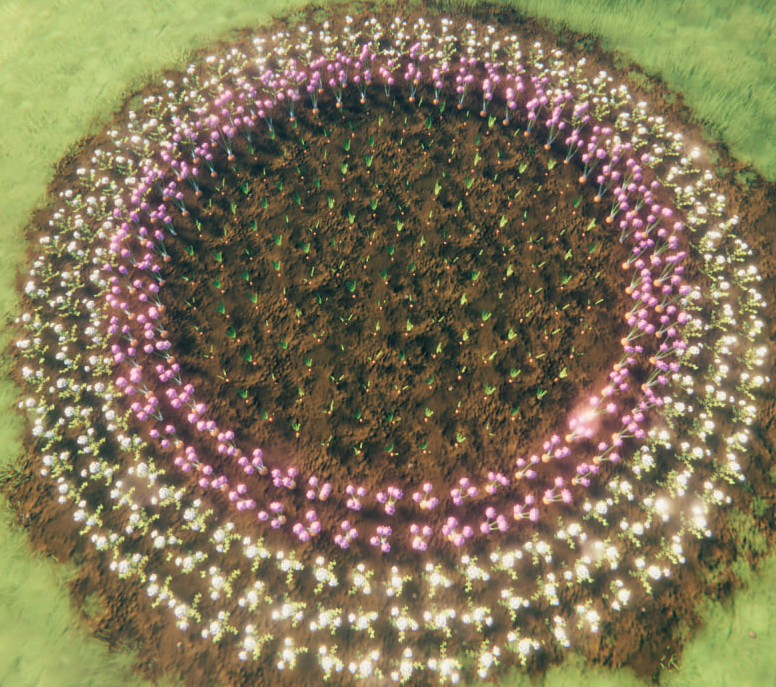
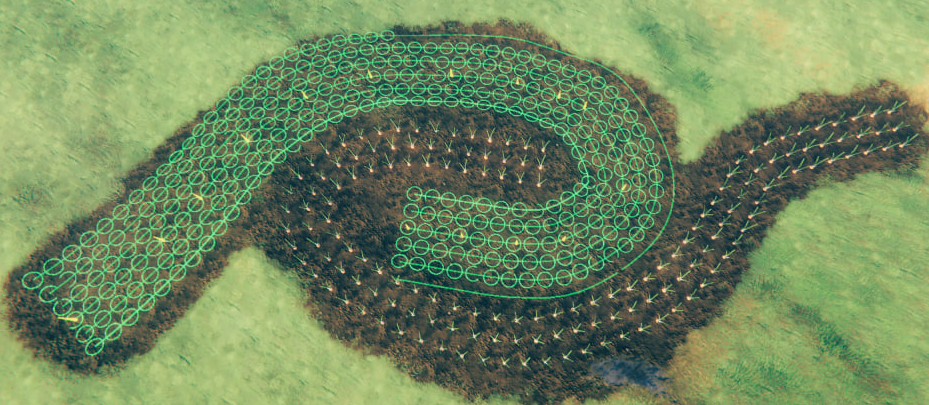
Plant a whole bed in one click: rows along lines, arcs, circles, free curves and closed shapes, with a live preview. Harvest it all back with Shift + E.
Quick start
- Equip the Cultivator and pick a seed. Figure mode is on by default.
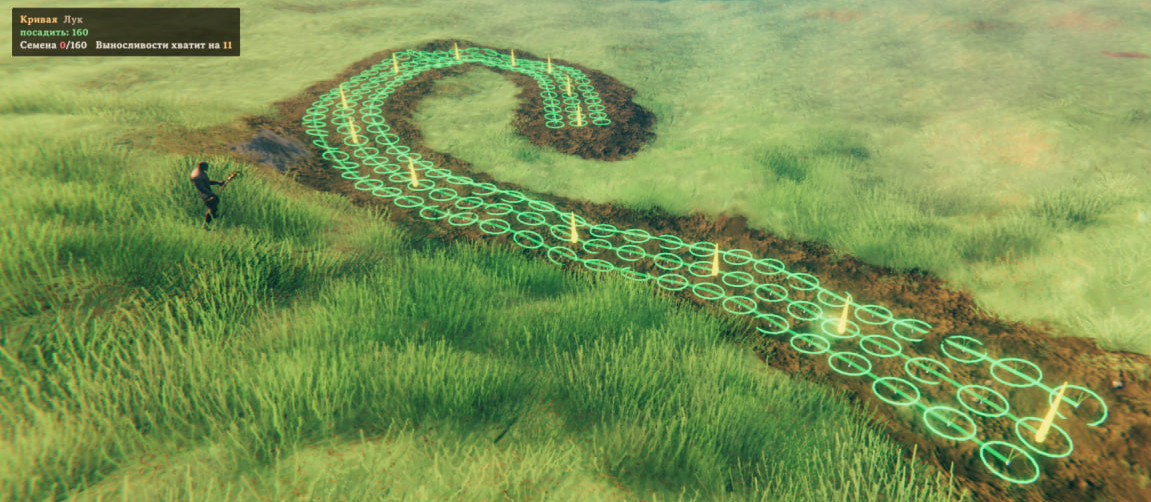
- Click to place points. The preview follows the cursor: ghosts where plants go, rings for their grow radius.
- Line, arc and circle finish by themselves. A curve or shape finishes when you click its last or first point again, or press
Z. - Mouse wheel adds or removes rows.
Gfills a circle or shape to the centre. - Click once more: the whole figure is planted.
- When it is ripe: hold
Shiftand pressEon one crop, and every ripe crop of that kind within 5 m is picked.
Shapes
| Shape | Clicks | Finishes |
|---|---|---|
| Line | start, end | by itself |
| Arc | start, middle, end | by itself |
| Circle | centre, edge | by itself |
| Curve | any number of points | click the last point again, or Z |
| Shape | 3 or more points | click the first point, or Z |

Controls
Cultivator in hand, seed selected:
| Key | Action |
|---|---|
LMB |
Place a point / plant the figure |
Mouse wheel |
Rows: more / fewer |
Z |
Finish a curve, close a shape |
G |
Fill a circle or shape: on / off |
Y |
Move the figure under the cursor / repeat the last figure |
Backspace |
Clear the figure |
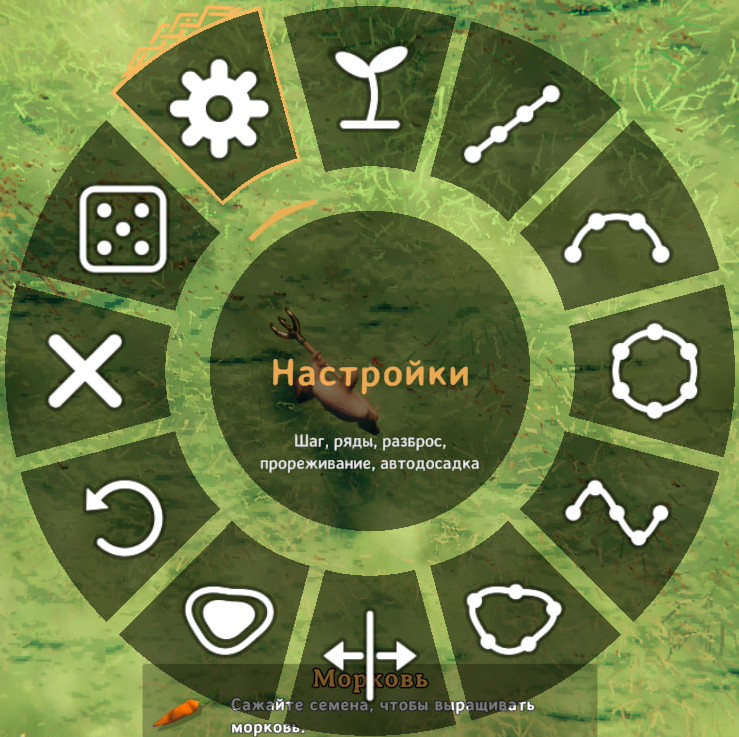
B |
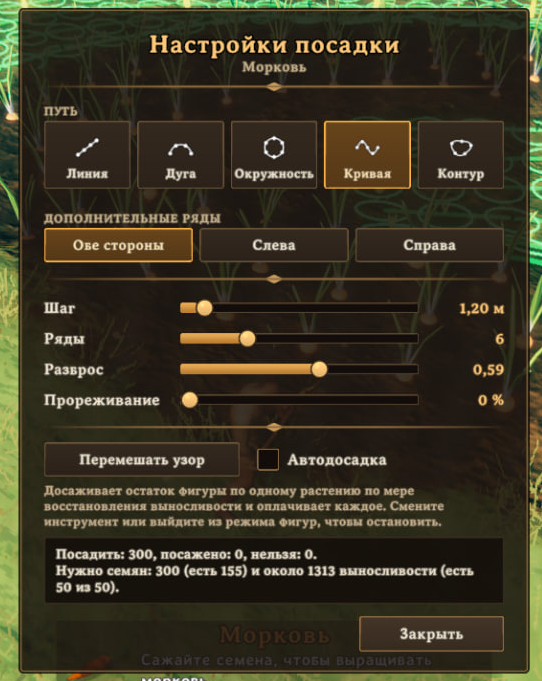
Planting menu: shape, side of extra rows, fill, undo point, settings |
Anywhere:
| Key | Action |
|---|---|
Shift + E on a ripe crop |
Pick every ripe crop of that kind within 5 m |
The keys for the current step are shown in game, bottom right.
Costs
- Every plant costs seeds, tool durability and gives skill, as in vanilla.
- Stamina per plant is half the vanilla cost.
- Short of stamina or seeds: the nearest plants go in first, the rest stay in the preview. Click again later, or turn on auto-continue in the settings window.
Settings
File: BepInEx/config/kepqa.AdvancedPlanting.cfg. All keys above can be changed there too.
| Setting | Default | Meaning |
|---|---|---|
MaxPlants |
500 | Plants per figure |
MaxFigureSize |
80 m | Largest figure |
StaminaCostFactor |
0.5 | Stamina per plant: 1 = vanilla, 0 = free |
[3. Harvest] Enabled |
on | Area harvest on / off |
[3. Harvest] Modifier |
LeftShift | Key to hold while picking |
[3. Harvest] Radius |
5 m | Area around the picked crop |
[3. Harvest] SameTypeOnly |
on | Off also picks berries, mushrooms, flint and other pickables |
[4. Server] EnforceOnClients |
on | On a server: players use its stamina, size and harvest settings |
Multiplayer
- Works client-side. Installing it on the server is optional and makes the server's settings apply to every player.
- Incompatible with other planting mods.
Translations
- English, Russian, Ukrainian, German, French, Spanish, Portuguese (Brazil), Polish, Chinese (Simplified), Japanese.
- Files:
Translations/<Language>.txt,key = value. New language: copyEnglish.txtunder the game's language name.
Feedback
- Bugs and ideas: GitHub Issues.
- For a bug, attach
BepInEx/LogOutput.log.