


Waystones
Build a waystone network, sit in front of one, locate with your gaze a distant place or another waystone and fast travel there. Nomap/noportals immersive alternative for regular portals.Waystones
Build a waystone network, sit in front of one, locate with your gaze a distant place or another waystone and fast travel there
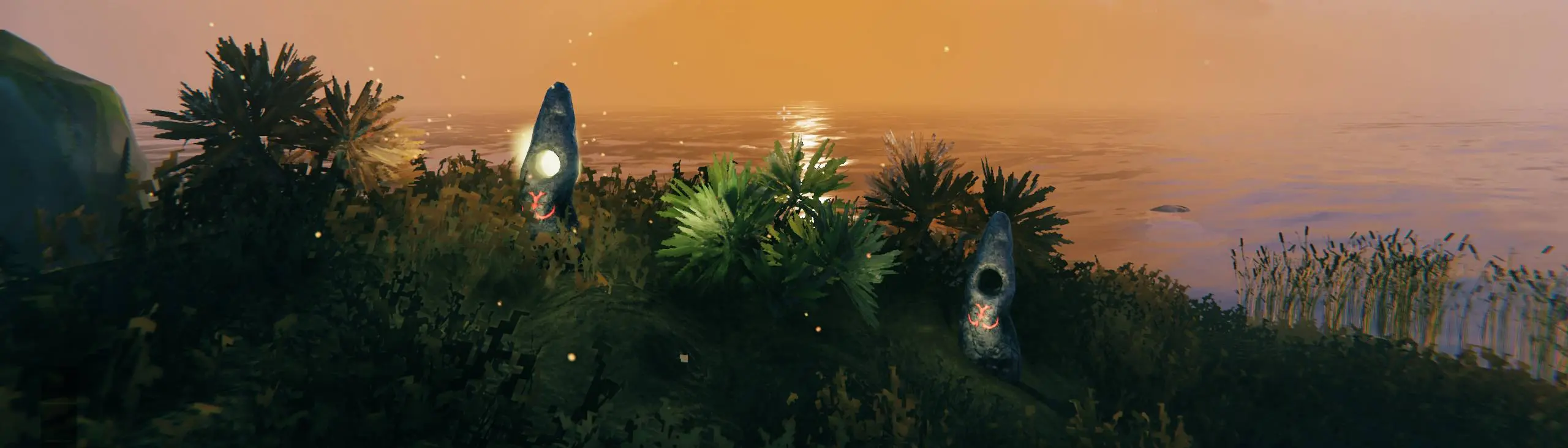
This mod allows you to build a waystone, new piece which you can use to fast travel to some fixed and dynamic locations and also other activated and tagged waystones. It supports cooldown-based travel, charge-based travel and orientation-only navigation mode.
This mod is meant mainly to use on nomap mode and/or noportals mode. In nomap mode it could be used for orientation and in noportals mode as an alternative way of fast travel. A waystone could be used as a landmark visible from afar and as an alternative to signs.
On your first approach a waystone the Hugin will hint you how to use it. If you disabled raven hints there will be no Hugin for you.
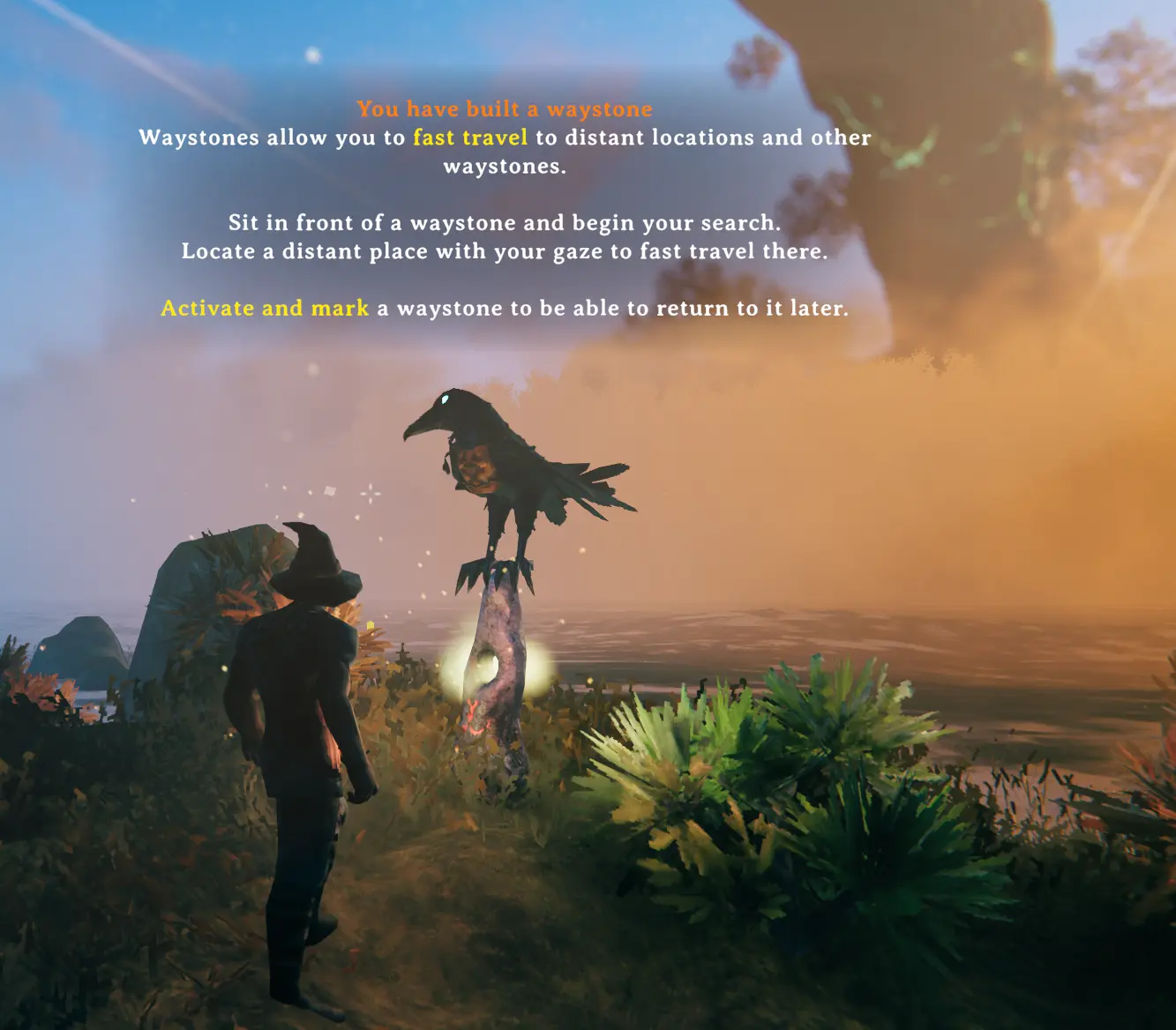
Direction search
After building a waystone sit in front of it and activate search mode.
Your screen will be darken, camera movement slowed and you will be able to hear and locate available distant places.
Sound pitch and screen brightness will reflect a distance between current look direction and distant place direction.
Available locations and player-built waystones can appear as precise screen-space icons. Each direction uses its corresponding map icon, becomes visible only within the configurable Search mode - Icons threshold and uses an angle-based fade curve: it is fully opaque only when your aim is almost exact and becomes increasingly transparent as the angle grows. If several directions overlap on screen, the target closest to the crosshair is drawn above the others.
"Touch" the direction with your gaze and you can start fast travelling there.
You can use Zoom buttons (mouse scroll) to change camera FoV and actually zoom in and zoom out the view to increase/decrease look sensitivity.
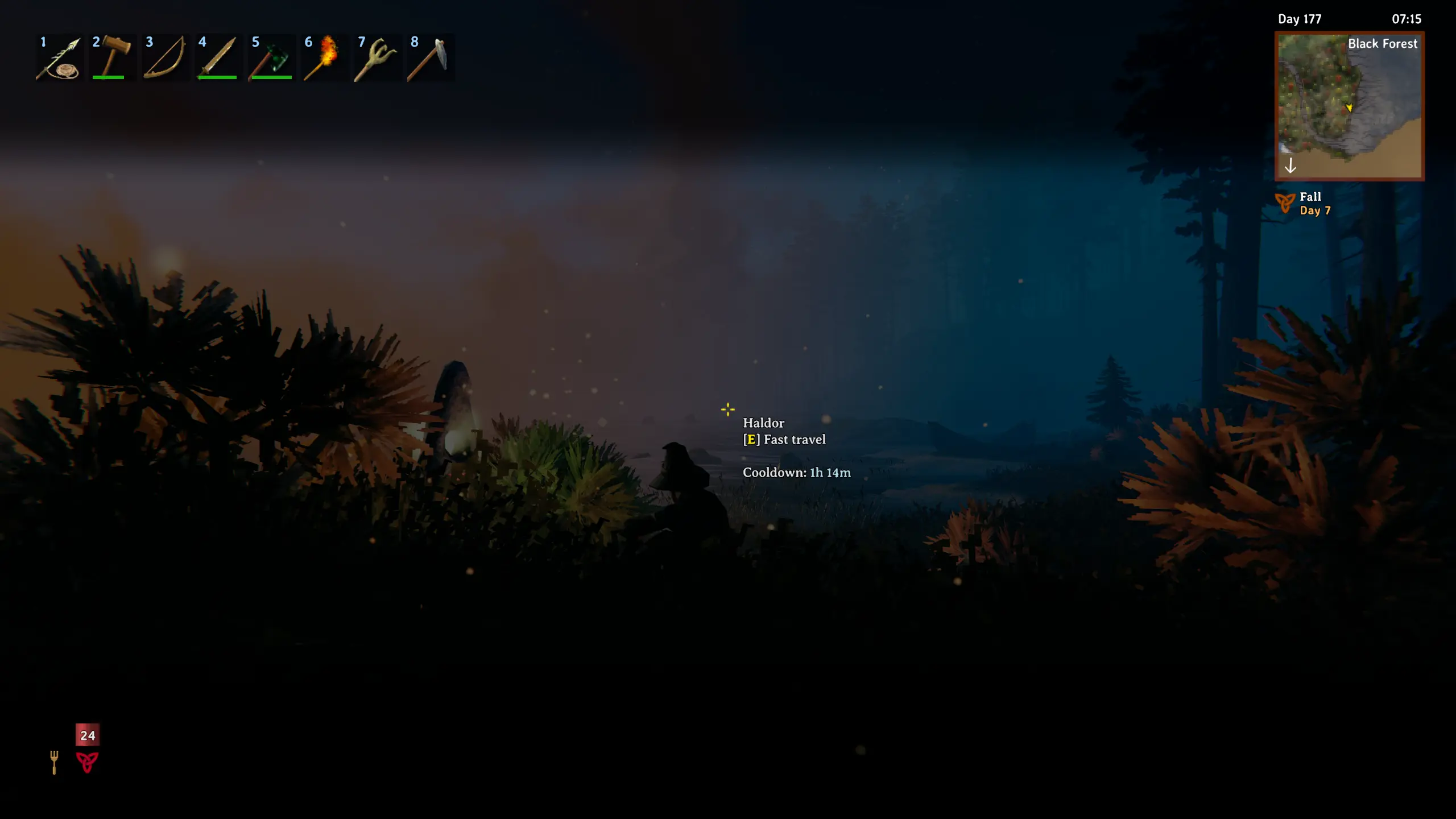
In singleplayer time flow will be slowed as well.
Cooldown mode
Fast travelling ability takes some time to recover. The length of that recovery depends on a travelling distance. Max and min distance and cooldown are configurable. In location hover in search mode you will see what cooldown will be set after fast travelling.
There is console command setwaystonecooldown [seconds] to manually set cooldown for test purposes.
Cooldown is based on a world time by default. It could be changed to use global real time instead.
Cooldown reduction
You can sacrifice items to waystone to reduce cooldown.
Create file shudnal.Waystones.reduce_cooldowns.json or shudnal.Waystones.reduce_cooldowns.yaml anywhere inside of the Bepinex config folder.
This file should consist of pairs itemname: cooldown. Item name could be set as prefab name (i.e. TrophyNeck) or item name (i.e. $item_trophy_neck)
JSON example:
{
  "TrophyNeck": 10
}
If you want several items to be sacrificed at once you can do it like this where 50 is amount of coins and 10 is amount of seconds.
JSON
{
  "Coins:50": 10
}
YAML entry can be set like this
'Coins:50': 10
Charge mode
Charge mode replaces travel cooldown with stored charge. Search mode requires a charged source, and successful fast travelling consumes charge based on travel distance.
By default, maximum charge is 100. Travel costs 20 charge at short distance up to 500 meters, and scales up to 50 charge at 5000 meters and beyond. Distance and charge cost limits are configurable in the Travel charge config section.
The same sacrifice config file used for cooldown reduction is used in Charge mode to add charge instead. Item values become charge values. For example, TrophyNeck: 10 adds 10 charge instead of reducing cooldown by 10 seconds.
If you want several items to be sacrificed at once, use the same stack syntax:
{
  "Coins:50": 10
}
Charge storage is configurable:
Waystone- items charge the interacted waystone, and travel consumes charge from the source waystone.Player- items charge the character in the current world data, and travel consumes character charge.
Waystone hover shows current charge or current cooldown depending on the selected mode. It can also show sacrifice items currently available to the character. If another mod extends accessible items, the hover can show both character inventory count and total available count.
Search hover shows travel cost and charge-related travel information:
- in
Waystonestorage mode, it shows arrival waystone charge and whether there is enough charge for return travel; - in
Playerstorage mode, it shows character charge after travel.
Additional Charge mode options allow:
- empty or full default charge for uninitialized waystones or characters;
- charge overdraft when current charge is positive but lower than travel cost;
- one-time overcharge when adding charge to a not-yet-full waystone.
Charge is consumed only after successful teleportation. Interrupted teleportation does not spend charge.
Orientation mode
Orientation mode disables fast travel and turns waystones into navigation landmarks.
Search mode still works, but it only shows direction and distance to available points of interest and waystones. You can use it to find distant landmarks without teleporting.
This mode is useful for no-map or immersive navigation playthroughs where waystones should guide the player without replacing travel.
Configurable options include:
- maximum waystone visibility distance;
- distance units shown in hover text;
- whether distant fixed locations can be shown beyond normal visibility distance;
- whether distant player-built waystones can be shown beyond normal visibility distance.
Available directions
Fixed locations
- start temple (Sacrificial stones)
- Haldor (if discovered)
- Hildir (if discovered)
- Bog Witch (if discovered)
Dynamic points
- current spawn point (bed or other spawn point)
- last death position (even after tombstone pickup)
- last ship position (saved when character stands on the ground for the first time after leaving a ship)
- last location from where you used fast travel last time
Waystone network
After activating search mode all waystones available for fast travelling will be temporary added to your map. You can open Map in search mode without breaking it.
A waystone should be tagged and activated by you for it to be added to map.
Removed, deactivated or waysone without tag will not be available for fast travelling.
Random point
Absolutely random (but not ocean) point in already discovered biome.
To fast travel to random point look at your feet. Camera should be looking straight down.
Fast travelling to random point will set a shortest cooldown.
Fast travelling
After choosing a direction and pressing Use hotkey fast travelling will be started.
The moment you initiate fast travelling nearby monsters will be agitated by the sound and light emitted by you. Any damage taken while channeling will add 1 second to teleporting process.
To break channeling manually you can press Block button.
Restrictions
There are several restrictions on fast travel and search mode usage.
- you should not be encumbered
- you should not have nonteleportable items
- you should not be wet
- you should not be sensed by enemies
- you should be sitting
All this restrictions are disableable via config.
You can also enable entering search mode just by pressing hotkey only without need of building a waystone.
Tag character limit is 15 by default. If you plan to use waystones as signs you can increase that limit.
Default waystone recipe is "SurtlingCore:1,GreydwarfEye:5,Stone:5" and is also configurable on the fly using configuration manager.
By default you have to touch and activate a waystone yourself to be able to fast travel to it. There is config "Allow all players to use activated waystones" to disable this behaviour.
Visual effects
Almost everything related to direction search mode and particles visual effect of fast travelling are configurable in case you struggle with performance (which should not be a case but whatever).
Notable configurable values:
- mouse sensitivity factor in search mode
- screen brightness and sound volume
- fov delta (how much you can zoom in search mode)
- screen and sound sensitivity threshold (an angle between location direction and look direction for effect to start showing)
- waystone direction icons and their screen size
Localization
To add your own localization create a file with the name Waystones.LanguageName.yml or Waystones.LanguageName.json anywhere inside of the Bepinex folder. For example, to add a French translation you could create a Waystones.French.yml file inside of the config folder and add French translations there.
Localization file will be loaded on the next game launch or on the next language change.
You can send me a file with your localization at GitHub or Nexus so I can add it to mod's bundle.
English localization example is located in Waystones.English.json file next to plugin dll.
Installation (manual)
copy Waystones.dll to your BepInEx\Plugins\ folder.
Conditional Config Sync
- Config values marked with [Synced with Server] are synchronized from the server by default. Most of them control shared travel behavior, available destinations or search rules, while local presentation and input preferences remain configurable by each client
- Server administrators can change the synchronization policy for policy-controlled settings in BepInEx/config/shudnal.ConditionalConfigSync/ConditionalConfigSync.SyncPolicy.cfg
- Prefix an exact setting or whole-section identifier with + to force server control or - to make it client-controlled. Exact-setting rules take precedence over whole-section rules
- Core shared mechanics such as the recipe, waystone mode, charge and cooldown calculations, access rules, sacrifice behavior and tag limits are always server-controlled and cannot be made client-controlled through policy
- Policy-controlled settings include available destinations, search restrictions, orientation visibility options and visual or travelling effects
- Logging, the local shortcut, local input and sound preferences, waystone sparks and sacrifice hover display are client-controlled by default, but server policy can force them to be server-controlled
- The sacrifice-item JSON or YAML data is synchronized as runtime state by the server and is not controlled by SyncPolicy.cfg
- Use shared modpack configs or distribute your config manually if you also want client-controlled settings to be identical for all players initially
- If you install this mod manually do not forget to install ConditionalConfigSync
Configurating
The best way to handle configs is Configuration Manager.
Or Official BepInEx Configuration Manager.
Dependencies
Install ConditionalConfigSync as a separate dependency; do not copy its DLLs into this mod's package.