

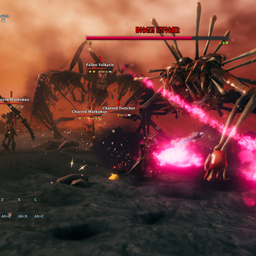
CreatureManager
Add 32 combat modifiers and launch live boss hunt events across dungeons and the open world. Clone and configure creatures, attacks, AI, equipment, appearances, and textures; inspect resistances and scale difficulty by biome, distance, or preset.CreatureManager
Add 32 combat modifiers and launch live boss hunt events across dungeons and the open world. Clone and configure creatures, attacks, AI, equipment, appearances, and textures; inspect resistances and scale difficulty by biome, distance, or preset.
Showcase
Combat Modifiers

Creatures roll modifiers independently and display their active effects beneath their nameplates. Levels above 3 appear as a star followed by the level number.
Offense
| Icon | Modifier | Effect with generated Global defaults |
|---|---|---|
 |
Enraged | Deals 15% more damage. |
 |
Fire | Adds Fire damage equal to 20% of the original hit. |
 |
Frost | Adds Frost damage equal to 10% of the original hit. |
 |
Lightning | Adds Lightning damage equal to 10% of the original hit. |
 |
Spirit | Adds Spirit damage equal to 5% of the original hit. Against players, its Spirit damage over time bypasses armor and resistance. |
 |
Armor Piercing | Ignores 30% of player body armor. |
 |
Staggering | Adds 60% normal-hit and block-stagger buildup. |
 |
Undodgeable | Ignores player dodge invulnerability but deals 25% less damage. Blocking and parrying still work. |
Defense
| Icon | Modifier | Effect with generated Global defaults |
|---|---|---|
 |
Armored | Takes 30% less damage. |
 |
Deathward | Cancels lethal damage and restores 20% of max health. Has a 10s cooldown and up to 3 activations. |
 |
Regenerating | Heals a configurable share of max health per second, capped at 20 health per second by default. Rate defaults are 1% for Global creatures, 0.2% for bosses, and 0.5% for Enforcers. |
 |
Reflection | Has a 50% chance on a direct melee hit to reflect 10% of the health actually lost, bypassing defense and resistance. Capped at 25 health per activation by default. |
 |
Vortex | Has a 50% chance to negate projectile damage, push, stagger, and status effects. |
 |
Adaptive | Remembers the dominant hit type for 5s and reduces matching damage by 50%. |
 |
Unflinching | Immune to normal-hit and perfect-parry stagger. |
 |
Chameleon | While alerted, gains one rotating damage-type immunity and switches it every 10s. |
Affliction
| Icon | Modifier | Effect with generated Global defaults |
|---|---|---|
 |
Exposed | Has a 50% chance to make the player take 20% more damage for 5s. |
 |
Weakened | Has a 50% chance to make the player deal 20% less damage for 5s. |
 |
Withered | Has a 50% chance to reduce healing received by 50% for 5s. |
 |
Crippling | Has a 50% chance to reduce movement speed and jump force by 50% for 5s. |
 |
Disruptive | Has a 50% chance to reduce stamina and Eitr recovery by 50% for 5s. |
 |
Adrenaline Drain | Has a 50% chance to remove 50% of current adrenaline and reduce adrenaline gain by 50% for 5s. |
 |
Corrosive | Has a 50% chance to increase durability loss to equipped gear by 50% for 5s. |
 |
Toxic Death | On death, poisons players within 4m for 30% of their max health. |
Special
| Icon | Modifier | Effect with generated Global defaults |
|---|---|---|
 |
Swift | Increases movement speed, acceleration, and turning speed by 40%. |
 |
Attack Speed | Increases animation speed by 30%; attack intervals become 76.92% of normal. |
 |
Vampiric | Heals for 30% of health removed by direct hits; delayed damage over time is excluded. |
 |
Reaping | Nearby kills heal 5% of base max health (up to 20 activations) and grant +10% max health, +1% damage, and +5% size per kill, capped at +200%, +20%, and +50%. No new size is gained in dungeons. |
 |
Blink | Teleports near its player target within 16m every 6s. By default, Blink and its extended attack range unlock 3s after the creature becomes alerted, even if no attack could start during that time. |
 |
Omen | Has a 50% chance when killed directly by a player or by unambiguously player-attributed poison, fire, or spirit damage over time to force an Enforcer check; cooldown blocking follows the server setting. |
 |
Juggernaut | Player hits have at least 150 push force. An actual push starts a 5s cooldown, and the creature is immune to attack push. |
 |
Blamer | Below 75% health, flees and adds 0.5 Karma per second up to 45 lifetime Karma. When exhausted, the modifier, icon, and flee behavior end. |
Modifier icons appear on creature and boss HUDs. The Valheim Compendium contains a CreatureManager page with modifier names, icons, and descriptions using the active global values.
When using WackyEpicMMOSystem, 1 - General → Adjust EpicMMO LevelBar Position is a server-synchronized switch, On by default. It places regular creature level labels at (70, -15), including recreated labels, without editing EpicMMO's configuration. This displayed position takes priority over EpicMMO's configured coordinates. Off restores the position recorded before adjustment. Boss, player, and mount HUDs are unchanged. The switch applies live and works independently of CreatureManager's level and modifier settings; clients without EpicMMO and dedicated servers do not adjust UI.
In-game Tools
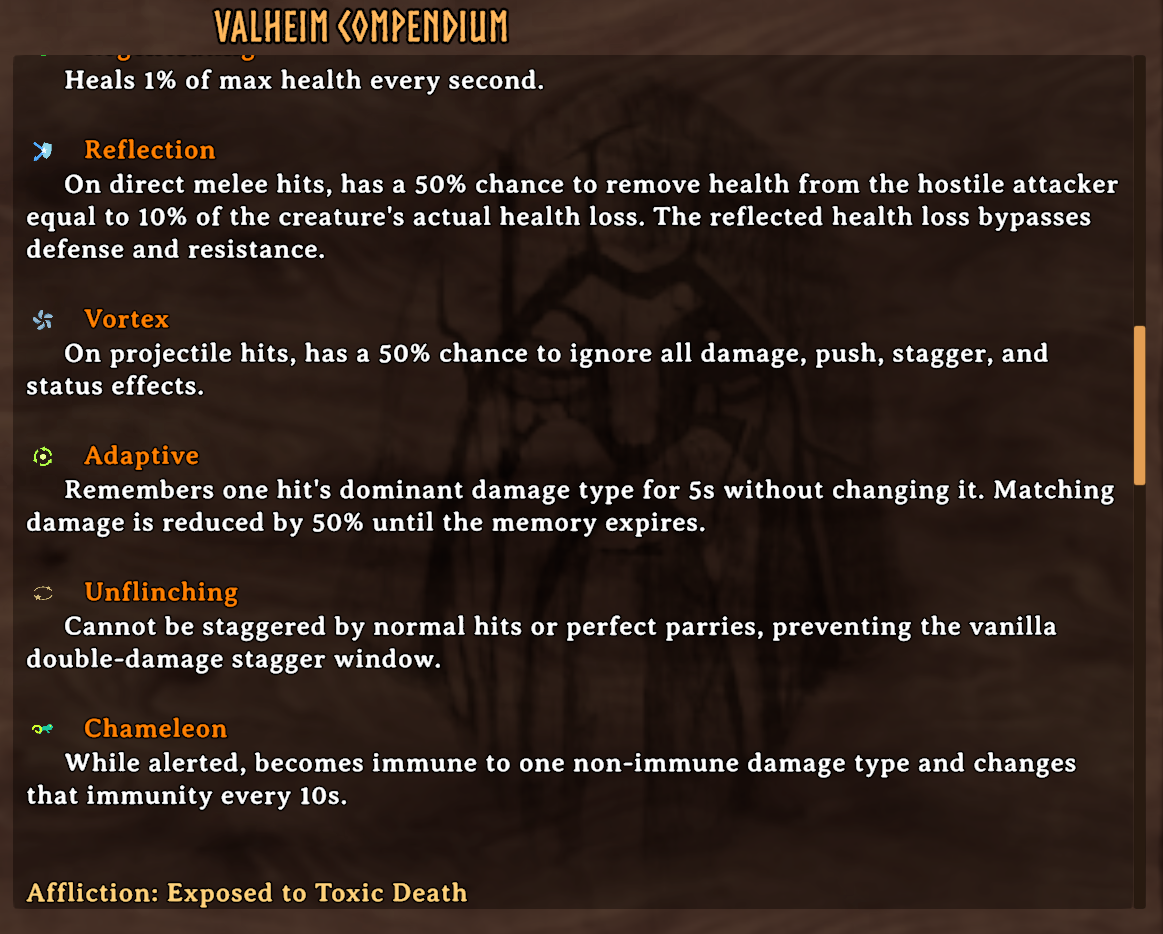
The in-game Compendium documents defensive modifiers and their exact behavior.
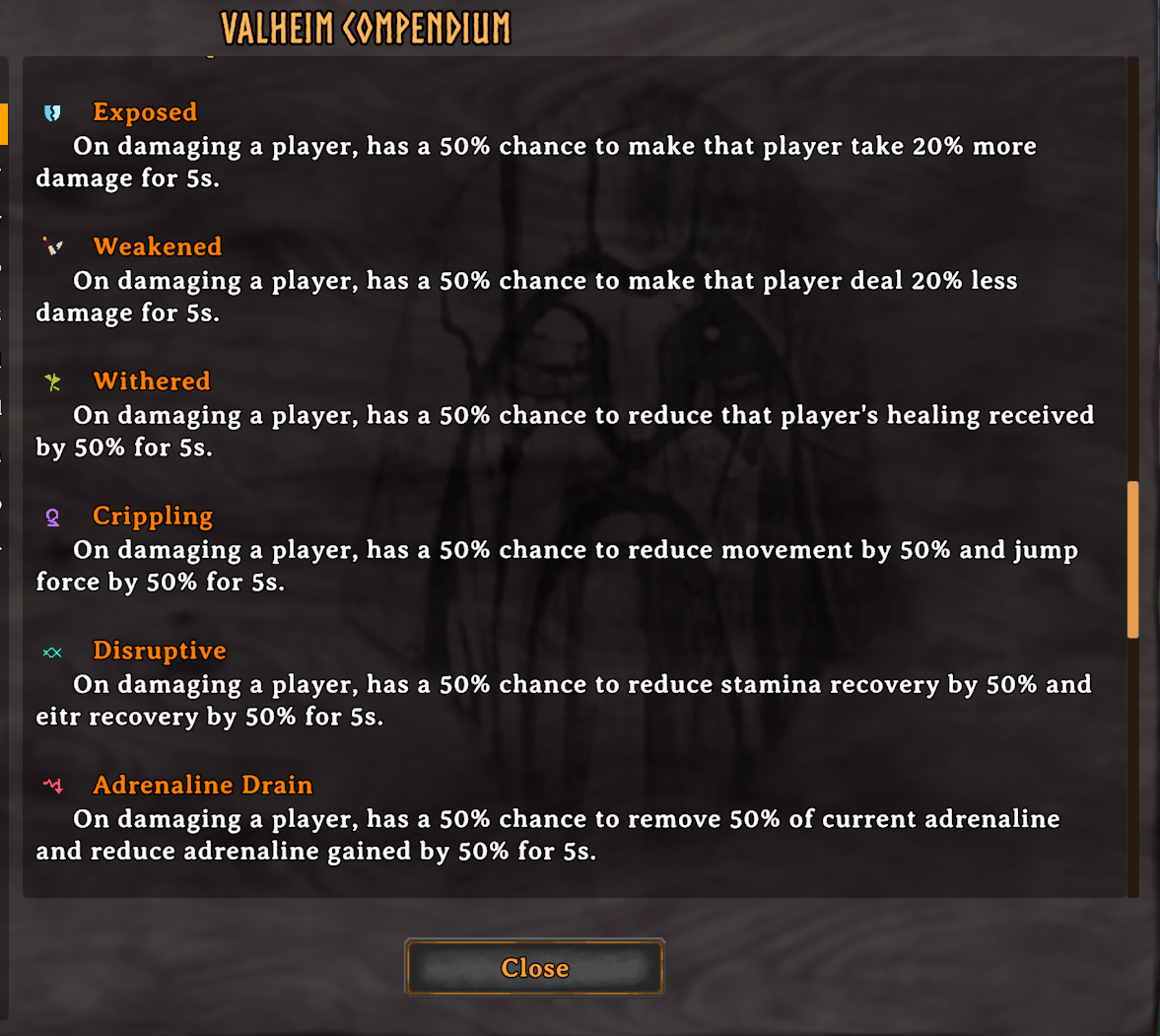
Affliction details are available in the same localized Compendium without leaving the game.
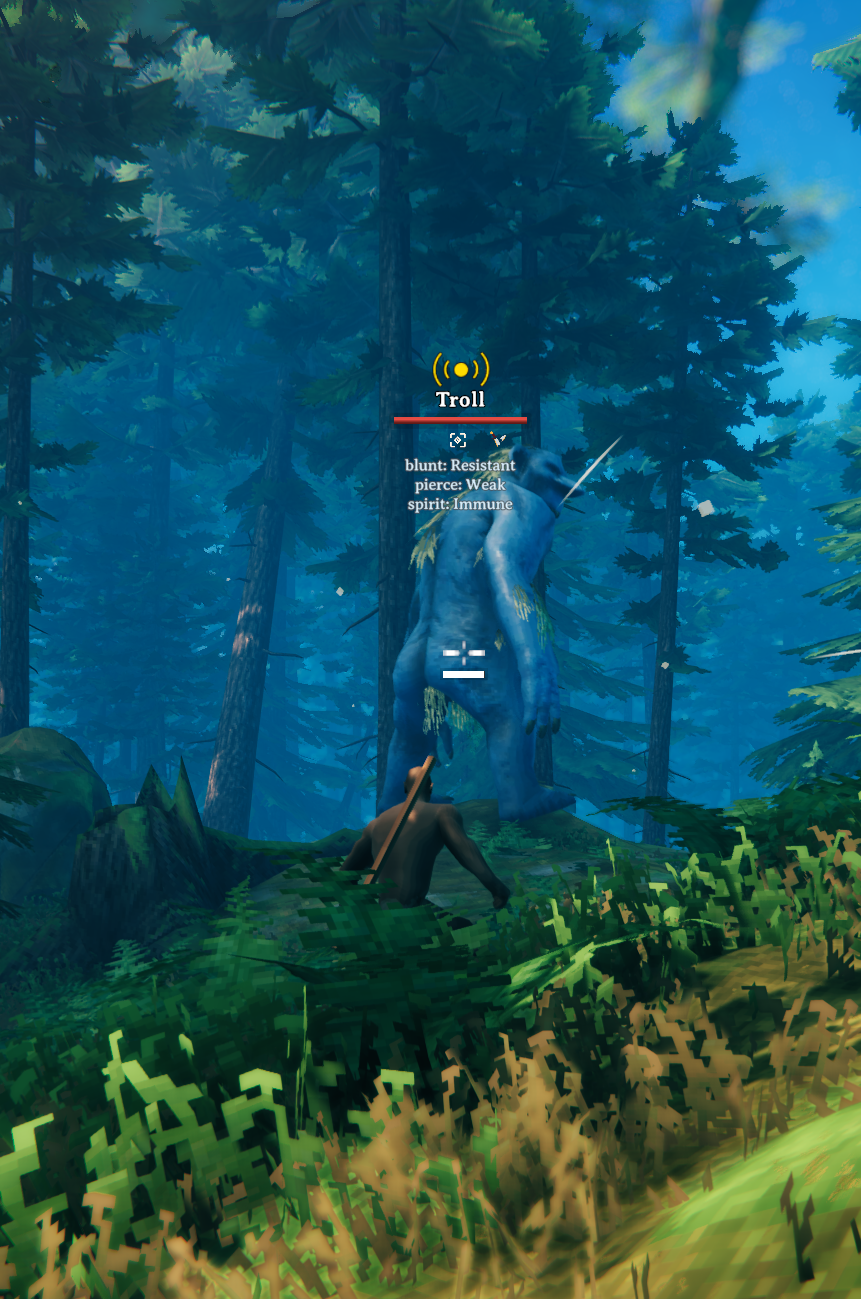
While sneaking, inspect a creature to view its effective resistances, weaknesses, and immunities beneath the target's nameplate.
Combat Modifiers gifs
Offense and Defense
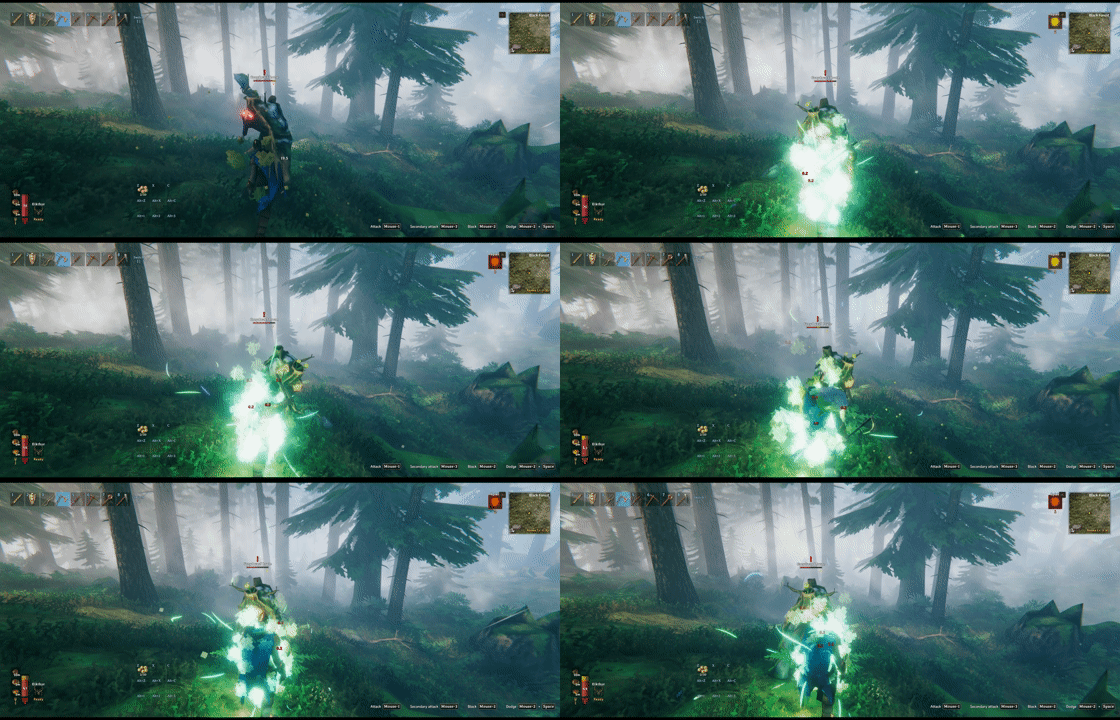
Spirit adds Spirit damage to the creature's attacks; against players, its damage over time bypasses armor and resistance.
Undodgeable attacks ignore dodge invulnerability, while blocking and parrying remain effective.
Deathward cancels a lethal hit and restores part of the creature's maximum health.

Reflection returns part of the creature's actual health loss to a direct melee attacker.

Vortex can negate a projectile hit together with its damage and secondary effects.
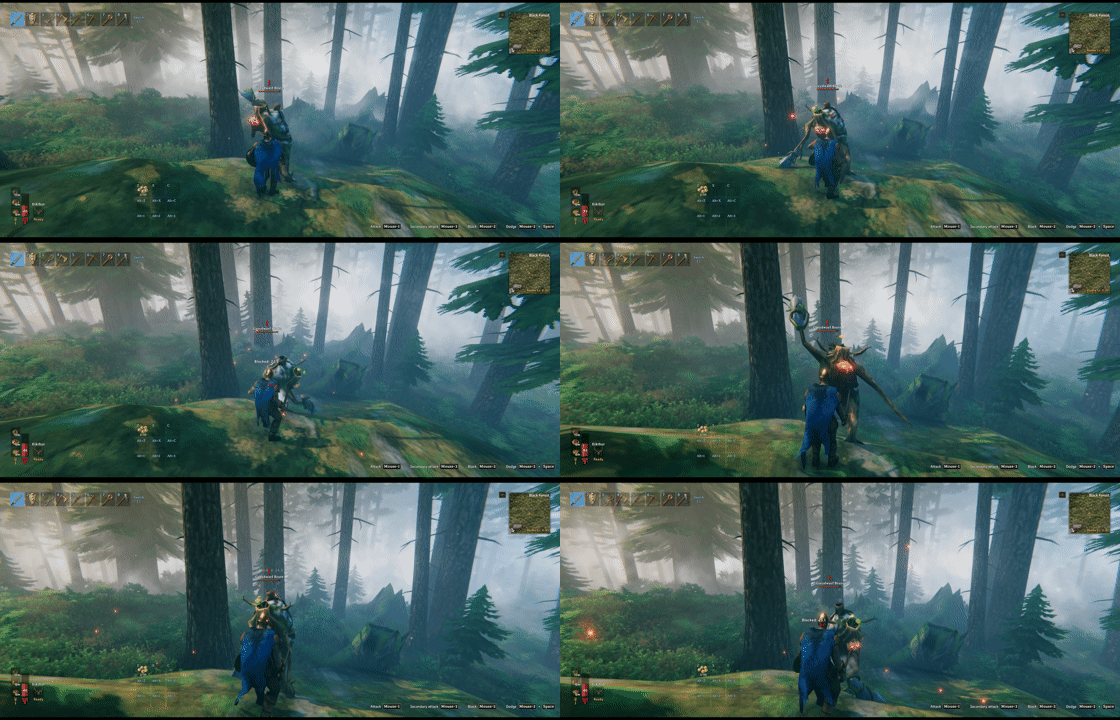
Unflinching prevents stagger from normal hits and perfect parries.
Afflictions

Timed Afflictions use distinct icons and counters so their remaining duration stays readable in combat.
Special
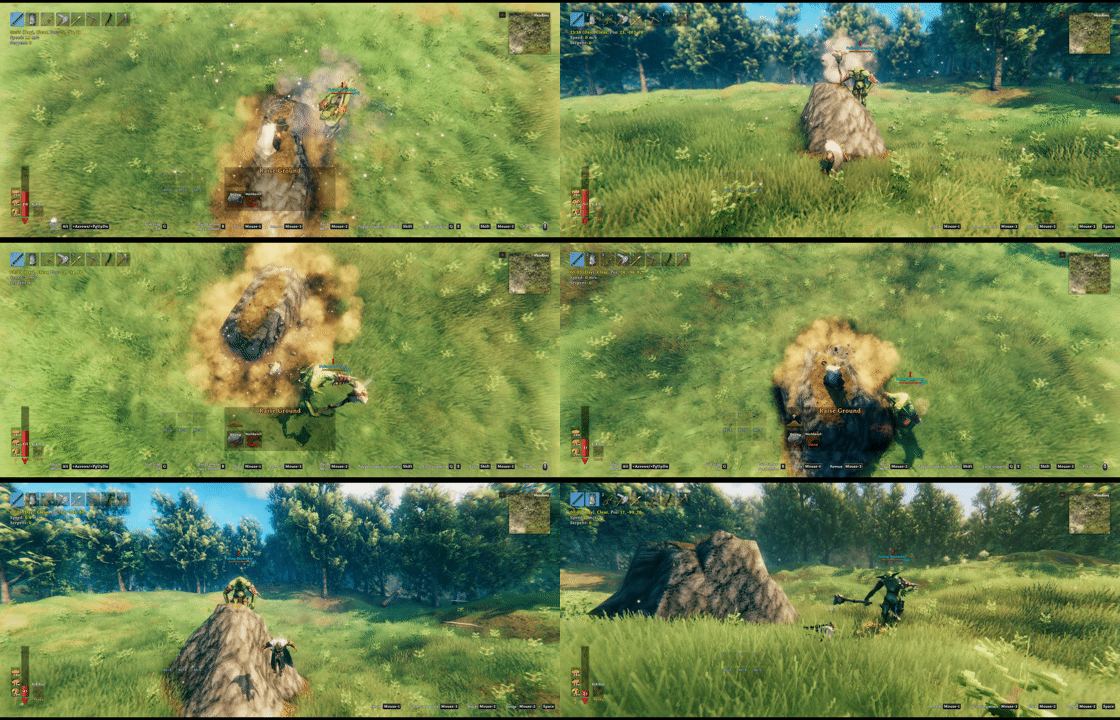
Blink teleports the creature near its target to close distance quickly. Blink Alert Grace Period (s) delays Blink and its extended attack range for 3 seconds after the creature becomes alerted by default; the timer still expires when no attack can start.
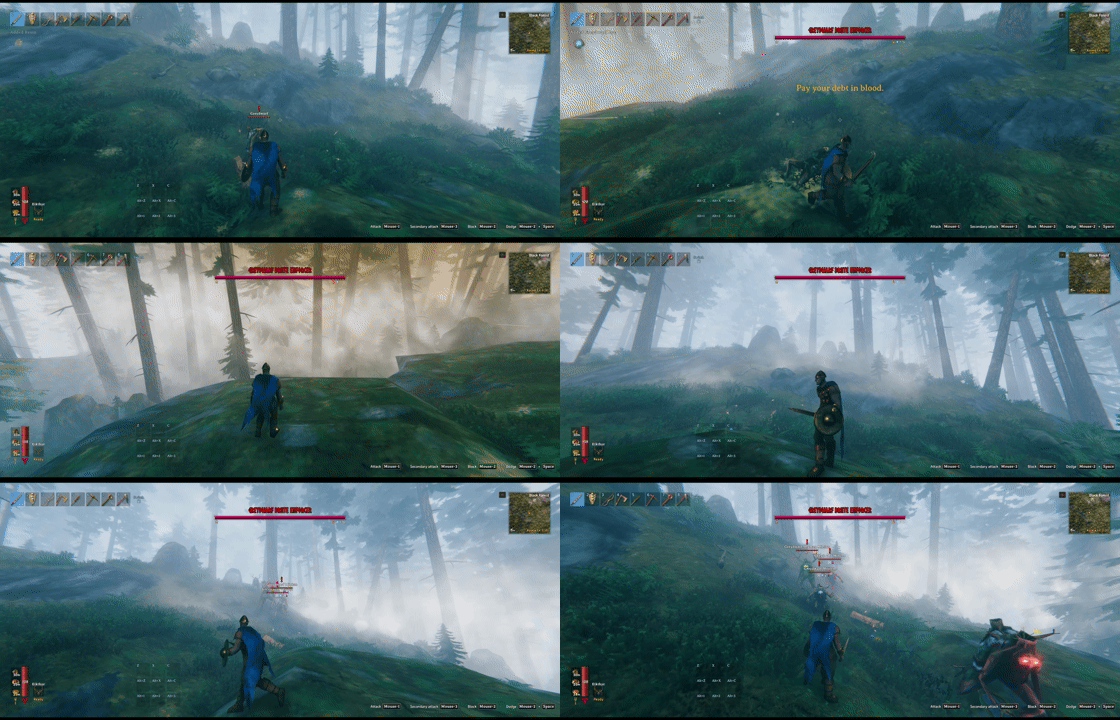
Omen can request an Enforcer encounter when the affected creature is killed directly by a player or by poison, fire, or spirit damage over time attributed unambiguously to a player.
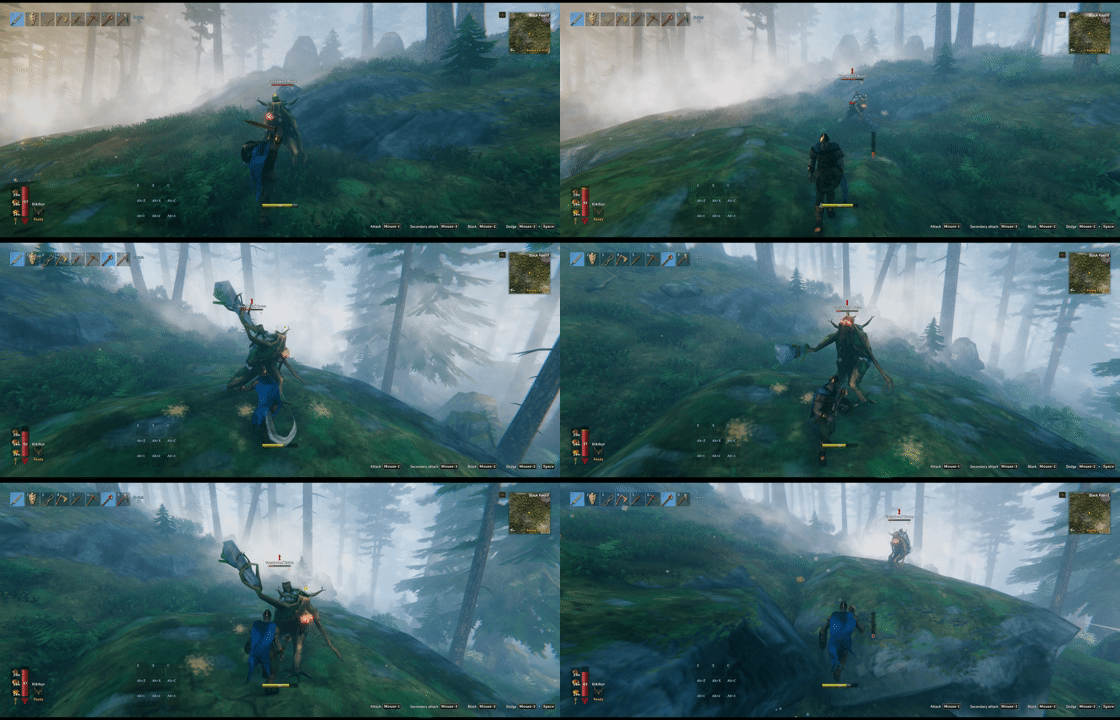
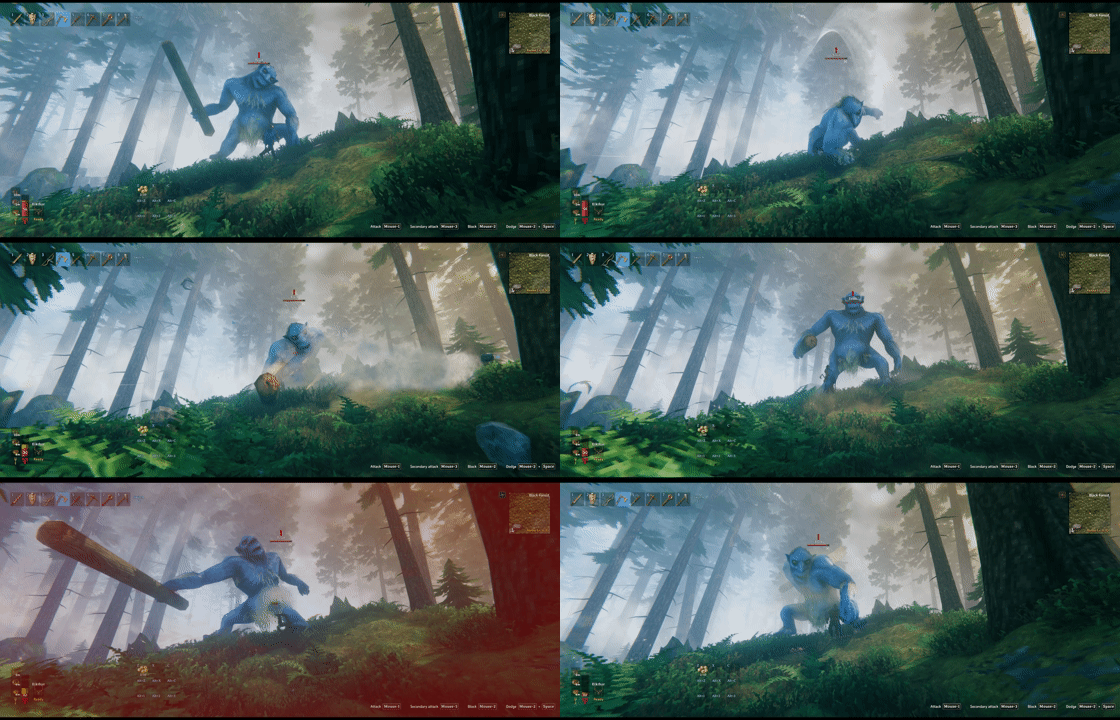
Juggernaut turns successful hits into heavy knockback while resisting attack push.

Blamer flees and raises regional Karma once its health drops below the trigger threshold, then expires when its Karma budget is exhausted.
Live Enforcer Hunts
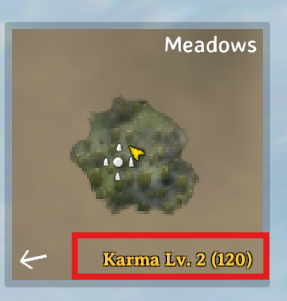
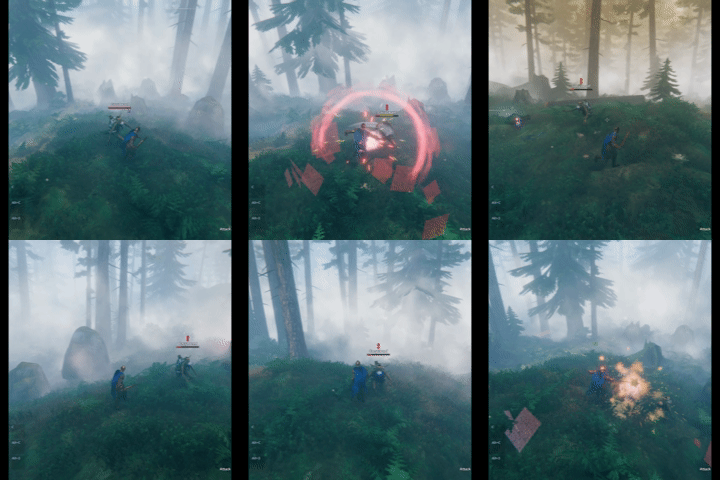
Killing creatures raises regional Karma, which can strengthen future spawns and trigger Enforcer encounters.
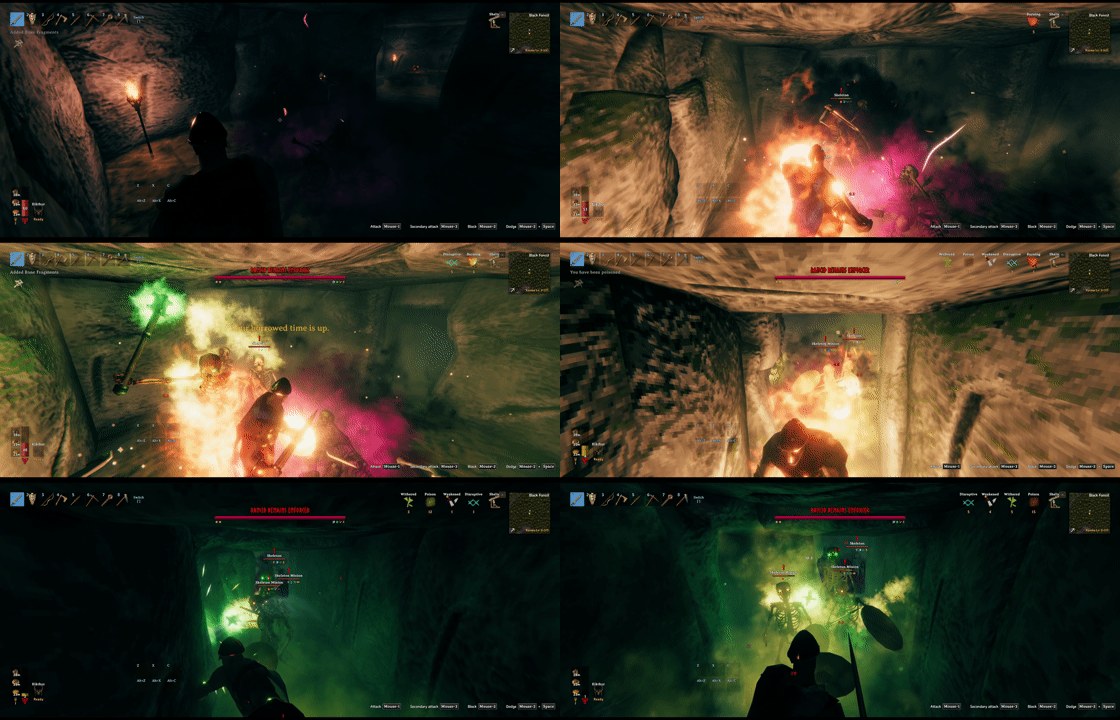
Karma accumulates faster in dungeons, so stay alert.
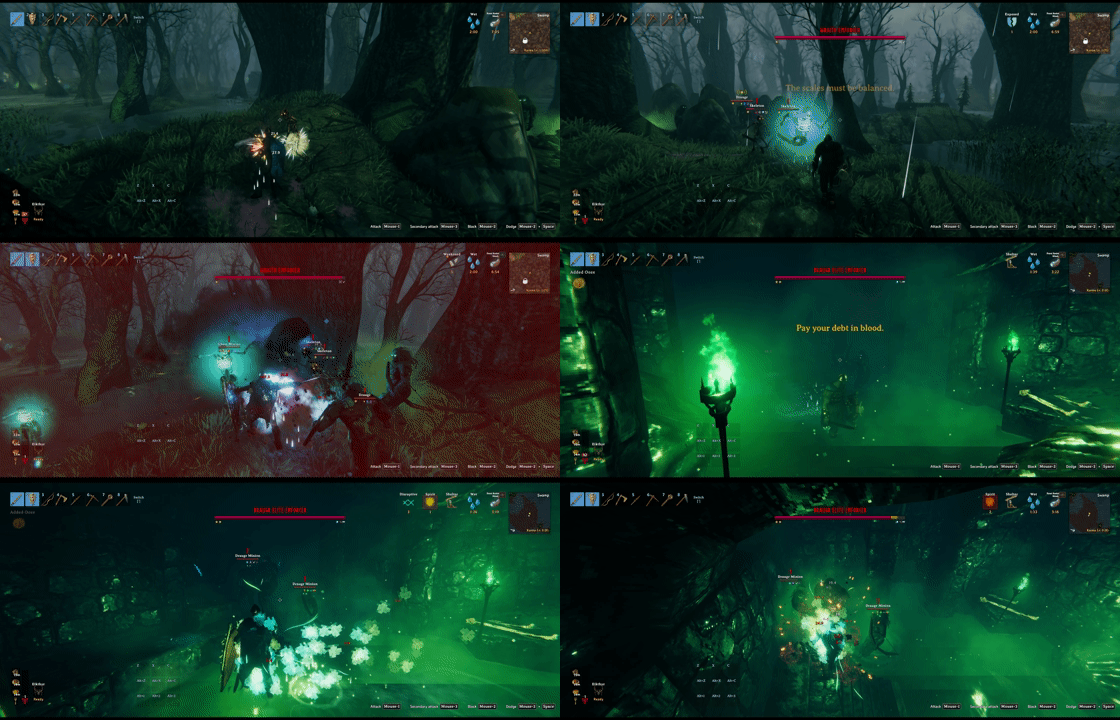
Outdoor and dungeon Enforcer encounters can be configured separately in karma.yml, including guaranteed bonus loot.
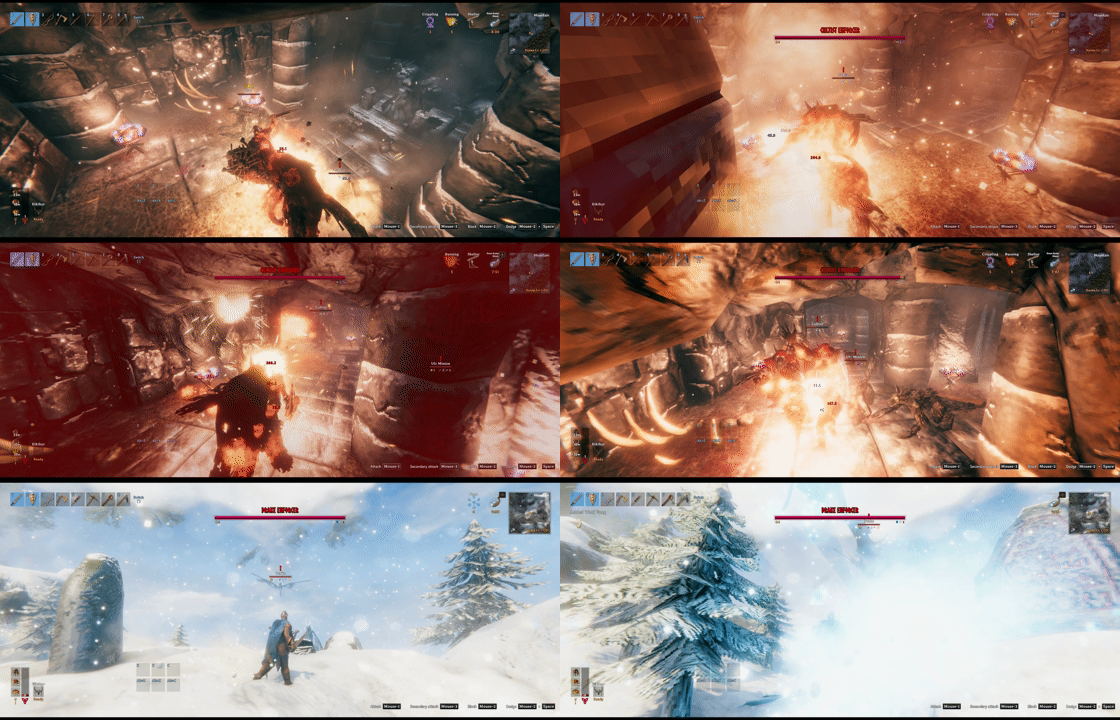
Enforcers spawn at higher levels, are more likely to carry modifiers, and may bring minions that hunt players down.
Creature Cloning and Customization
Existing creatures can be modified or cloned. For advanced examples, install MonsterLabZ and see creatures.sample.yml and attacks.sample.yml.
The following custom bosses were created with CreatureManager and MonsterLabZ.

Bonebeard is a melee boss who infuses every attack with poison.
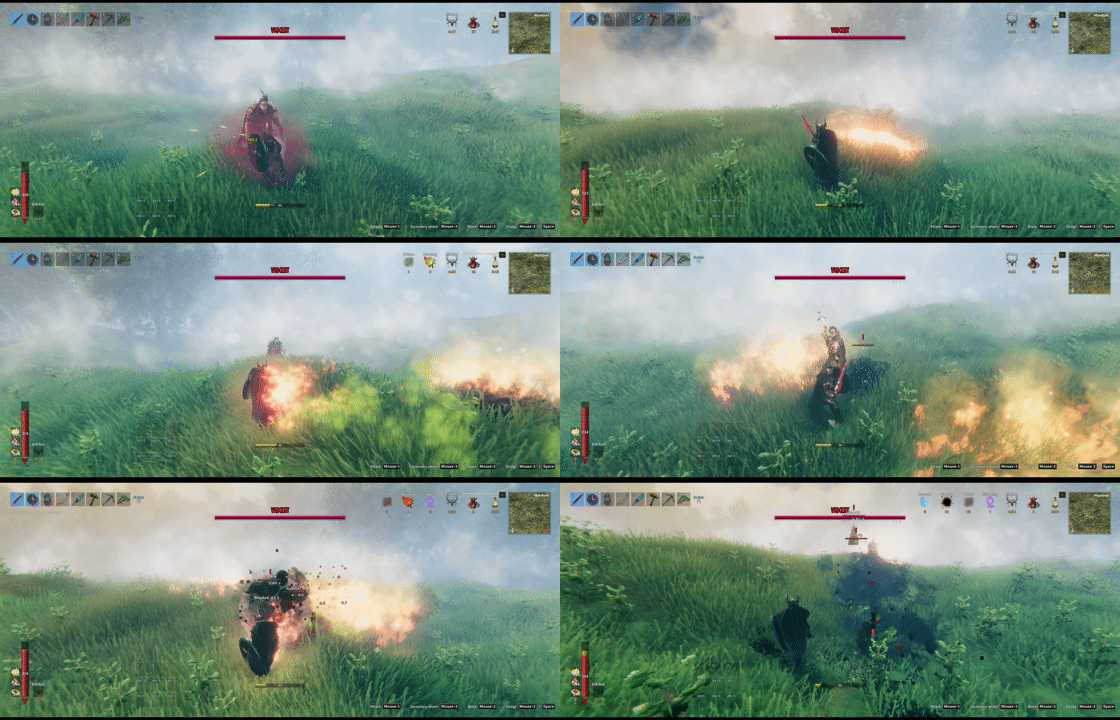
Vincent the Cunning is a ranged boss who fires a variety of projectiles.
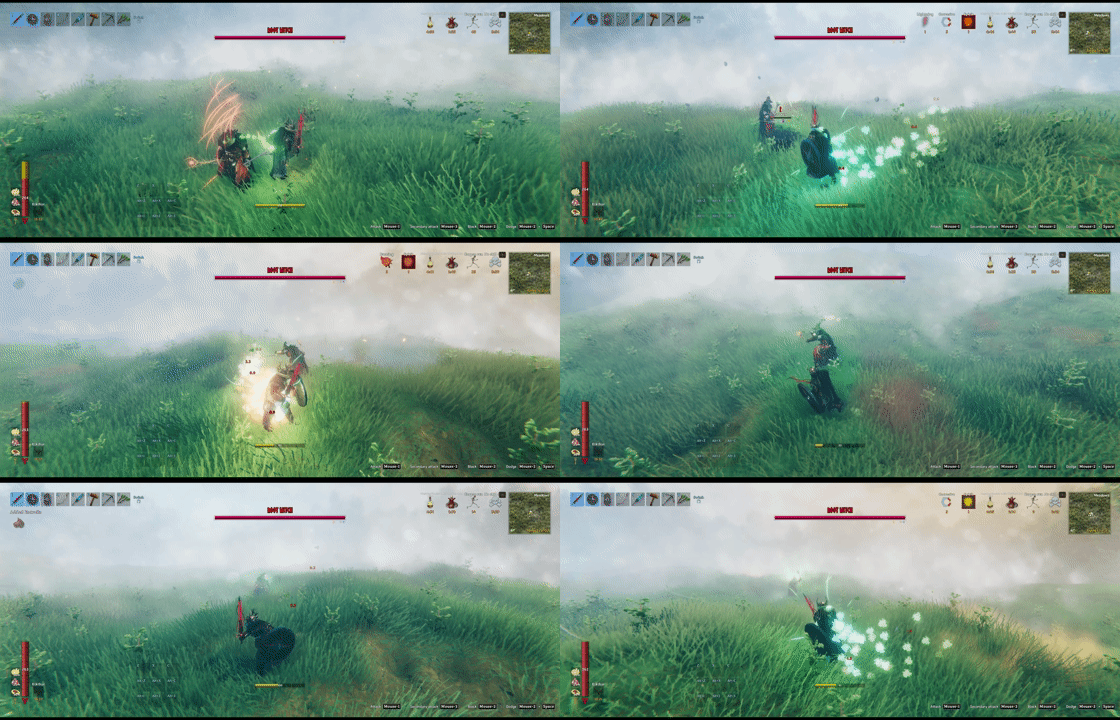
Root Witch is a spellcaster boss who casts a variety of spells.
Highlights
- Clone or edit vanilla and modded creature prefabs.
- Configure selected
CharacterandHumanoidfields, equipment, appearance, scale, and textures. - Clone and tune monster attack prefabs, including damage, animation, projectile, AI range, and attack status effects.
- Clone projectile prefabs and override
Projectile.m_spawnOnHit, weighted random on-hit spawns, orSpawnAbility.m_spawnPrefabwithout duplicating their remaining component state. - Build reusable
BaseAIandMonsterAIpresets, or borrow AI directly from another creature prefab. - Add and edit factions without mirroring unrelated game systems.
- Define weighted levels for global, boss, biome, group, and individual prefab rules.
- Scale health, damage, modifier chance, and visuals by level or world distance.
- Roll 32 combat modifiers across Offense, Defense, Affliction, and Special groups.
- Add regional Karma progression and configurable Enforcer encounters.
- Inspect loaded creatures, attacks, AI, loadouts, projectiles, textures, and level visuals through generated references.
- Hot-reload YAML and server-owned PNG textures; connected clients cache and apply the authoritative files automatically.
Getting Started
- Open
BepInEx/config/CreatureManagerafter the first launch. - Find the target prefab in a generated reference file.
- Copy the relevant entry or name into the matching active YAML file.
- Change only the fields you need.
- Save the file. Most YAML and texture changes reload automatically.
Saving an active YAML file updates synchronized templates and global rules without a restart. Already loaded creatures keep their creature fields, AI, equipped attack data, and completed level and modifier state; existing Enforcers keep their identity, level, loot, and modifiers. Creature GameObjects instantiated after the reload use the current templates; this includes persistent creatures loaded again after a zone unload. Projectiles and ragdolls are separate runtime objects, so ones created after the reload also use current templates even when their source creature already existed. Faction relationships, Karma economy and encounter checks, server localization, and shared texture visuals are live global or visual exceptions. Changing clonedFrom for an already registered clone requires a restart.
The generated YAML headers are the schema reference. This README intentionally does not duplicate their field-by-field examples.
Every modifier tuple requires chance first. Later values form an optional trailing suffix: stop after the last value you want to override. Omitted values inherit through the normal rule chain and otherwise use runtime defaults. Explicit 0 is a supplied value subject to normal field validation, while empty interior slots such as 10, , 5 are invalid.
Configuration Files
| File | Purpose |
|---|---|
creatures.yml |
Clone and edit creatures, humanoid loadouts, appearance, scale, textures, and AI assignment. |
attacks.yml |
Clone and edit monster attack item prefabs. |
creatures.sample.yml |
Inactive creature examples generated on the first launch. Copy selected entries into an active creature file, or rename it to creatures_sample.yml to activate it. |
attacks.sample.yml |
Inactive attack examples generated on the first launch. Copy selected entries into an active attack file, or rename it to attacks_sample.yml to activate it. |
projectile.yml |
Clone projectile prefabs and override fixed or weighted-random on-hit spawns and spawn-ability prefab references. |
ai.yml |
Override same-name creature AI directly or define uniquely named reusable AI presets. |
factions.yml |
Define and edit factions. This domain is intentionally single-file. |
levels.yml |
Configure level weights, stat scaling, distance scaling, visuals, and modifiers. |
karma.yml |
Configure regional Karma and Enforcer encounters. |
localization/<Language>.yml |
Define server-authoritative localized text using Valheim language names such as English.yml and Korean.yml. |
textures/ |
Store top-level PNG files used by creature texture overrides. The server synchronizes only files referenced by active creature definitions; clients keep verified SHA-256 content in cache/synced-textures. Release packages install the bundled cm_*.png samples here as ordinary files; the DLL does not generate them. |
The creature, attack, projectile, AI, and level domains load both .yml and .yaml base or split files, such as creatures.yml, creatures.yaml, and creatures_*.yaml. The generated creatures.sample.yml and attacks.sample.yml names do not match those active patterns, so the examples remain inactive. Copy selected entries into the active files, or install MonsterLabZ and rename them to creatures_sample.yml and attacks_sample.yml to activate the complete sample set. Bonebeard, Vincent, and Root Witch require MonsterLabZ. Vitrfell uses the packaged cm_boar2.png texture. Faction and Karma configuration intentionally accept only the single canonical files factions.yml and karma.yml.
Install the package's BepInEx folder too, including on dedicated servers that supply referenced PNGs to clients. DLL-only Debug updates do not install sample PNGs. Give personal texture replacements a separate filename, because package updates can replace bundled files. Existing configuration and sample YAML files are not rewritten: when adopting the renamed PNGs, update old texture references such as boar2 to cm_boar2, or retain the matching old PNGs.
Generated References
| File | Contents |
|---|---|
creatures.reference.yml |
Compact loaded creature information. |
creatures.full.yml |
Full creature scaffold generated on demand. |
attacks.reference.yml |
Loaded monster attack prefab candidates. |
ai.reference.yml |
Loaded creature AI values and reusable source prefab names. |
creatureLoadout.reference.txt |
Likely creature and NPC equipment prefabs. |
projectile.reference.yml |
Projectile, AOE, and spawn-ability candidates, their supported override fields, and reference-only usedByAttacks metadata. |
textures.reference.txt |
Loaded Texture2D names grouped by source. |
levelVisual.reference.yml |
Vanilla LevelEffects profiles generated on demand. |
References refresh automatically after Valheim's prefab databases are ready and only rewrite when their generated content changes. Treat them as discovery output rather than active configuration.
Core Systems
Creatures, Attacks, and AI
Creature definitions can modify an existing prefab or clone one with clonedFrom. An AI definition named after a loaded MonsterAI or AnimalAI creature applies directly to that prefab; a unique AI name remains a reusable preset and can use copyFrom for its baseline. A creature-level ai: assignment is only needed to select a reusable preset or borrow another creature prefab's AI, and takes priority over same-name direct application. Clones can also use cloned attacks, custom factions, humanoid equipment, and local texture overrides.
The supported surface is intentionally narrower than a full prefab database dump. It concentrates on fields useful for monsters and customizable NPCs while leaving drop-table editing, spawn tables, player prefabs, and large effect graphs to other domains or mods.
Levels and Progression
Level rules can target broad defaults or narrow content: global rules, bosses, biomes, named groups, and individual prefabs. Built-in biome presets provide a starting point, while explicit YAML rules replace only the values you choose.
The synchronized [2 - Levels] option Enable Level System accepts:
| Value | Automatic level assignment | Stat, distance, scale, and modifier rules |
|---|---|---|
On (default) |
CreatureManager level weights, biome presets, and Karma/Enforcer level bonuses | Enabled |
Vanilla |
Keep the level assigned by the game or another mod | Enabled, using that actual level |
Off |
Keep the level assigned by the game or another mod | Disabled |
Existing On/Off config values remain valid. With Vanilla, Biome Level Preset, Bosses Follow Biome Level Preset, and YAML level weights do not assign levels. Biome/group/prefab health, damage, per-level and distance multipliers, visual scale, and modifiers still follow the normal rule and spawn-source restrictions; the three modifier switches remain independent. Karma tracking and Enforcer encounters follow Karma System Mode, but their level bonuses are skipped. Loot settings remain independent. Explicit command levels (including cm:spawn) still work. Switching modes does not reroll or reset completed level/stat/modifier state on existing creatures; test automatic level assignment with new spawns.
Vanilla selects the source of levels, not a complete vanilla balance preset. The default Global.damagePerLevel in levels.yml remains 0.25, while vanilla uses 0.5. Change it to 0.5 if you want the vanilla per-star damage progression; other matching rules and modifiers still apply.
In Vanilla mode, if no matching rule supplies scalePerLevel, creatures use their prefab's original level sizes, including in dungeons and on saddle-able creatures. Level one and levels without a prefab size entry leave the current size alone. An explicit 0 keeps the original size without star growth; a positive value uses CM's existing size formula and dungeon/saddle restrictions. Color-state cycling remains enabled. Prefabs without level-size setups receive no automatic CM size adjustment when the rule is omitted.
New default YAML files leave Global scalePerLevel: 0.1 as a commented example and keep Boss scalePerLevel: 0.1 active. In On mode, an omitted scale rule still means no star-size increase, so new default files also omit Global size growth in that mode; uncomment the example to enable it. Existing YAML files are never rewritten: an existing Global scalePerLevel: 0.1 remains an explicit override until removed or commented. This does not migrate stored modifier sizes or automatically undo scale changes already made to loaded creatures.
Levels can control weighted star distribution, health, damage, visual scale, distance scaling, and modifier selection. damagePerLevel replaces vanilla's 50% monster damage growth per level: for example, damage: 1 and damagePerLevel: 0.2 make a level 6 creature deal 2x level-1 damage to character targets before distance, multiplayer, and modifier scaling. Vanilla level visual states rotate when a creature exceeds the visual states supplied by its prefab.
CreatureManager is spawn-aware. Natural hostile spawns receive the complete matching rule, while breeding, eggs, grow-up transitions, tamed restores, Blood Magic summons, and explicit console spawns preserve or restrict values according to their lifecycle instead of blindly rerolling every creature initialization.
FrozenKing_p2 is protected because its health drives the seven-Aspect encounter. CreatureManager skips level/stat scaling, the creature health override (including regeneration time), and all modifiers for this exact prefab, and leaves incoming encounter damage unchanged. cm:spawn accepts it only at level 1 without modifiers; modifier inheritance and snapshot restore reject it. Phase 1, phase 3, and the Aspects retain their normal rules. This prevents interference in new encounters; it does not repair previously altered health or recover a stalled fight. Other mods and direct game commands can still alter the encounter.
Star Loot Scaling
The synchronized [6 - Loot] settings in BepInEx/config/sighsorry.CreatureManager.cfg work independently of Enable Level System:
| Setting | Default | Behavior |
|---|---|---|
Character Loot System |
CalculateChance |
Replaces exponential star scaling for eligible item drops. Select Vanilla to preserve existing scaling. |
Chance For Additional Loot Per Star For Creatures |
50 |
Additional successful-drop amount percentage per star, from 0 to 100. |
Chance For Additional Loot Per Star For Bosses |
50 |
The same percentage for characters the game identifies as bosses. |
CalculateChance keeps an eligible item's base drop chance and scales its successful amount by 1 + stars * percentage / 100. Only the fractional remainder is rolled: with a base amount of 1 and 50%, one star gives 1 or 2 items, two stars give 2, and three stars give 2 or 3. This changes loot balance: vanilla increases both drop chance and amount by stars. Zero percent keeps the base chance and amount. The game's resource modifiers and 100-item per-entry cap still apply.
Only non-trophy items whose drop entry enables levelMultiplier are eligible. One-per-player rewards, non-item drops, player drops, and explicit Enforcer bonus loot retain their existing behavior. Ordinary Enforcer drops use the game's boss classification. Calculation happens on the creature's network owner; the existing death, ragdoll and item-spawn paths remain responsible for delivery. Settings affect newly generated loot, not loot already stored in ragdolls.
The default applies to new or missing settings. An existing saved Vanilla selection or custom percentage is preserved; change it explicitly to opt into the new defaults.
When DropNSpawn is loaded, CreatureManager automatically leaves loot scaling to DropNSpawn and logs a notice when CalculateChance is first used. Drop That alone does not disable CreatureManager's calculation: its configured items, conditions and base quantities remain in use, and CreatureManager replaces star scaling only on eligible entries with ScaleByLevel=true. Entries with ScaleByLevel=false are excluded. Drop That's quantity-limit postprocessing, stacking and ragdoll metadata paths remain in place. If your Drop That tables already set the complete reward for each level, set ScaleByLevel=false on those entries or select Vanilla in CreatureManager.
CreatureManager does not rewrite the selected setting or the other mod's configuration. Install the same gameplay mods on the server and all clients so ownership changes do not change which drop system is active.
Karma and Enforcers
Karma is a regional pressure system based on a sliding 3x3 neighborhood of vanilla zones. Outdoor and dungeon neighborhoods track independent Karma, levels, decay, and Enforcer cooldowns while sharing the configured thresholds and gain rules. Kills of untamed, non-player creatures by a player, a tamed creature, or another player-side creature raise Karma in the current neighborhood; runtime-summoned creatures, including Enforcers and their minions, do not. Higher thresholds can add levels to future natural spawns, and idle regions decay over time.
Enforcers turn high Karma into encounters. A biome or dungeon table can choose an Enforcer, minions, modifiers, level bonus, bonus loot, and location restrictions. Nearby overlapping player regions are evaluated as one connected check region to avoid duplicate rolls for the same group.
New default karma.yml files include three DeepNorth encounters: Barka alone outdoors, ElakingMole with one Elaking in TheHole01, and JotunWarrior with one BlobMork in MorkBorg. Each uses [40, 30, 2] for required Karma, consumed Karma, and additional level bonus, inherits the Enforcer modifier rules, and grants its Enforcer's trophy plus two Silver Necklaces as bonus loot. The level bonus is not a final star cap. Dungeon entries match the location prefab names, not the dungeon generator names. Existing karma.yml files are preserved; add a DeepNorth section manually to enable these encounters in an existing configuration.
Enforcer behavior can be used together with Karma levels or independently through BepInEx configuration. Current Karma appears near the minimap, and Enforcer events use localized center-screen messages.
Common Workflows
Tune an existing creature
Find it in creatures.reference.yml, copy its identity into creatures.yml, and add only the fields being changed.
Build a customizable humanoid NPC or creature
Generated references compact repeated prefab entries into this weighted notation while preserving their first-occurrence order. The generated usedByAttacks field is informational and is ignored in active configuration. Component blocks already identify their kind, so no type field is generated or accepted.
Install MonsterlabZ and refer to samples in creatures.sample.yml and attacks.sample.yml. Change those files name into creatures_sample.yml and attacks_sample.yml, respectively.
Create world progression
Use levels.yml for biome, group, prefab, boss, distance, and modifier rules. Keep broad defaults near the top and add narrow overrides only where needed.
Create regional encounters
Use karma.yml to tune Karma gain and decay, then assign outdoor or dungeon Enforcer tables by biome and optional location.
Reskin a creature
Inspect textures.reference.txt, place a PNG directly in the server's textures directory when needed, and reference it from the creature's texture slots. Rooted paths, subdirectories, traversal names, links, and non-PNG local files are rejected. The synchronized manifest is content-addressed, so clients request only missing hashes and keep the previous complete texture generation if a transfer or validation fails. CreatureManager creates a target-specific ragdoll prefab for configured scale, textures, or appearance instead of changing the shared source ragdoll. Texture entries are also attempted on matching ragdoll renderer names/paths; a ragdoll without a matching renderer logs a warning and leaves that slot unchanged. Existing EffectData scale flags run unchanged during creation, after which CreatureManager restores the exact configured scale on its target-specific ragdoll. Runtime texture property blocks keep configured body textures authoritative when appearance.modelIndex updates the ragdoll model.
Console Commands
| Command | Purpose |
|---|---|
cm:reference creature |
Regenerate the compact creature reference. |
cm:reference attack |
Regenerate the attack reference. |
cm:reference ai |
Regenerate the AI reference. |
cm:reference loadout |
Regenerate the creature loadout list. |
cm:reference projectile |
Regenerate projectile.reference.yml. |
cm:reference texture |
Regenerate the texture list. |
cm:reference levelvisual |
Generate the vanilla level visual reference. |
cm:full creature |
Generate the full creature scaffold. |
cm:spawn <prefab> [modifiers] [level] |
Spawn a test creature with up to four forced modifiers and an optional exact level. |
cm:karma |
Show the current outdoor or dungeon neighborhood Karma. |
cm:karma <value> |
Set the current outdoor or dungeon neighborhood Karma to a non-negative value. |
The spawn command supports prefab and comma-separated modifier completion. It is intended for testing and does not perform a normal level or modifier roll. cm:spawn and cm:karma are available to the local listen-server host and connected dedicated-server administrators; a dedicated-server console has no player position to target.
Git


