

CreatureManager
Add 32 combat modifiers and launch live boss hunt events across dungeons and the open world. Clone and configure creatures, attacks, AI, equipment, appearances, and textures; inspect resistances and scale difficulty by biome, distance, or preset.CreatureManager
Customize Valheim creatures with 32 combat modifiers, biome-based levels, regional Karma, and Enforcer encounters.
- Edit or clone creatures, attacks, projectiles, AI, factions, equipment, and textures.
- Tune levels, stats, loot, and modifier chances.
- Create outdoor and dungeon encounters with configurable enemies and rewards.
- Inspect resistances in game and use generated references to find prefab names.
- Reload YAML and server-owned textures without restarting for most changes.
Quick start · Settings · Compatibility · User guide
Showcase
Combat Modifiers

Creatures roll modifiers independently and display their active effects beneath their nameplates. CM shows three or more stars as a star followed by the star count. With compatible Path of Valheiman installed, CM combines PoV and CM effect icons into right-aligned rows of four and keeps its own star display.
Offense
| Icon | Modifier | Effect with generated Global defaults |
|---|---|---|
 |
Enraged | Deals 15% more damage. |
 |
Fire | Adds Fire damage equal to 20% of the original hit. |
 |
Frost | Adds Frost damage equal to 10% of the original hit. |
 |
Lightning | Adds Lightning damage equal to 10% of the original hit. |
 |
Spirit | Adds Spirit damage equal to 5% of the original hit. Against players, its Spirit damage over time bypasses armor and resistance. |
 |
Armor Piercing | Ignores 30% of player body armor. |
 |
Staggering | Adds 60% normal-hit and block-stagger buildup. |
 |
Undodgeable | Ignores player dodge invulnerability but deals 25% less damage. Blocking and parrying still work. |
Defense
| Icon | Modifier | Effect with generated Global defaults |
|---|---|---|
 |
Armored | Takes 30% less damage. |
 |
Deathward | Cancels lethal damage and restores 20% of max health. Has a 10s cooldown and up to 3 activations. |
 |
Regenerating | Heals a configurable share of max health per second, capped at 20 health per second by default. Rate defaults are 1% for Global creatures, 0.2% for bosses, and 0.5% for Enforcers. |
 |
Reflection | Has a 50% chance on a direct melee hit to reflect 10% of the health actually lost, bypassing defense and resistance. Capped at 25 health per activation by default. |
 |
Vortex | Has a 50% chance to negate projectile damage, push, stagger, and status effects. |
 |
Adaptive | Remembers the dominant hit type for 5s and reduces matching damage by 50%. |
 |
Unflinching | Immune to normal-hit and perfect-parry stagger. |
 |
Chameleon | While alerted, gains one rotating damage-type immunity and switches it every 10s. |
Affliction
| Icon | Modifier | Effect with generated Global defaults |
|---|---|---|
 |
Exposed | Has a 50% chance to make the player take 20% more damage for 5s. |
 |
Weakened | Has a 50% chance to make the player deal 20% less damage for 5s. |
 |
Withered | Has a 50% chance to reduce healing received by 50% for 5s. |
 |
Crippling | Has a 50% chance to reduce movement speed and jump force by 50% for 5s. |
 |
Disruptive | Has a 50% chance to reduce stamina and Eitr recovery by 50% for 5s. |
 |
Adrenaline Drain | Has a 50% chance to remove 50% of current adrenaline and reduce adrenaline gain by 50% for 5s. |
 |
Corrosive | Has a 50% chance to increase durability loss to equipped gear by 50% for 5s. |
 |
Toxic Aura | While alive and untamed, applies poison every second to hostile players within its body radius + 3m. Default poison strength is 10% of the player's max health before resistance; this is not immediate damage per second. Walls and floors block it. |
Special
| Icon | Modifier | Effect with generated Global defaults |
|---|---|---|
 |
Swift | Increases movement speed, acceleration, and turning speed by 40%. |
 |
Attack Speed | Increases animation speed by 30%; attack intervals become 76.92% of normal. |
 |
Vampiric | Heals for 30% of health removed by direct hits; delayed damage over time is excluded. |
 |
Reaping | Absorbs actual deaths within 24m, including players, tamed creatures and PlayerSpawned summons, regardless of killer or damage source. Each death can grant healing and configured stat growth once per surviving Reaping creature, within the existing limits. No new size is gained in dungeons. |
 |
Blink | Teleports near its player target within 16m every 6s. By default, Blink and its extended attack range unlock 3s after the creature becomes alerted, even if no attack could start during that time. |
 |
Omen | Can force an Enforcer check when killed directly by a player or by a lethal poison, fire, or spirit tick with a confirmed player contribution. Mixed damage qualifies; summon-only and unknown-only damage do not. Cooldown blocking follows the server setting. |
 |
Juggernaut | Player hits have at least 150 push force. An actual push starts a 5s cooldown, and the creature is immune to attack push. |
 |
Blamer | Below 75% health, flees and adds 0.5 Karma per second up to 45 lifetime Karma. When exhausted, the modifier, icon, and flee behavior end. |
Modifier icons appear on creature and boss HUDs. The Valheim Compendium contains a CreatureManager page with modifier names, icons, and descriptions using the active global values.
In-game Tools
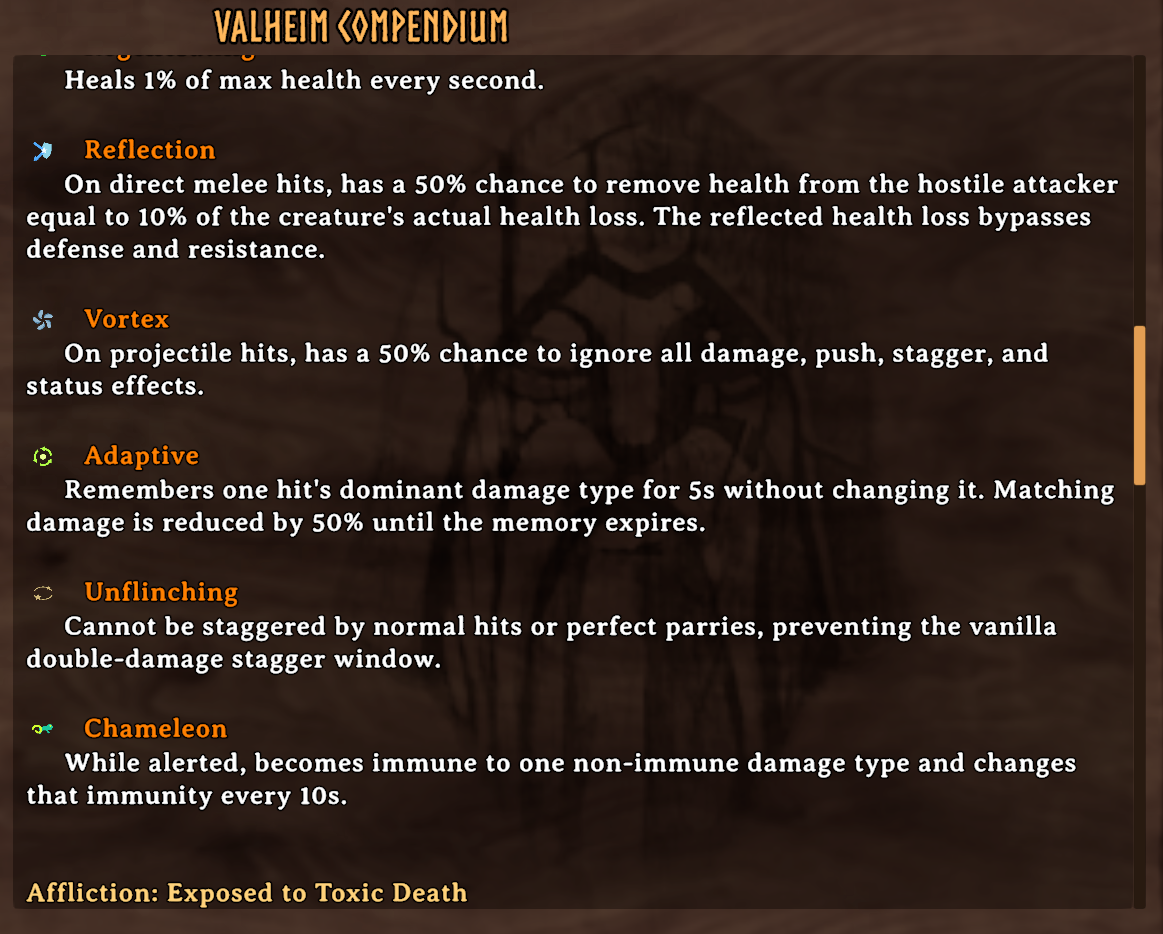
The in-game Compendium documents defensive modifiers and their exact behavior.
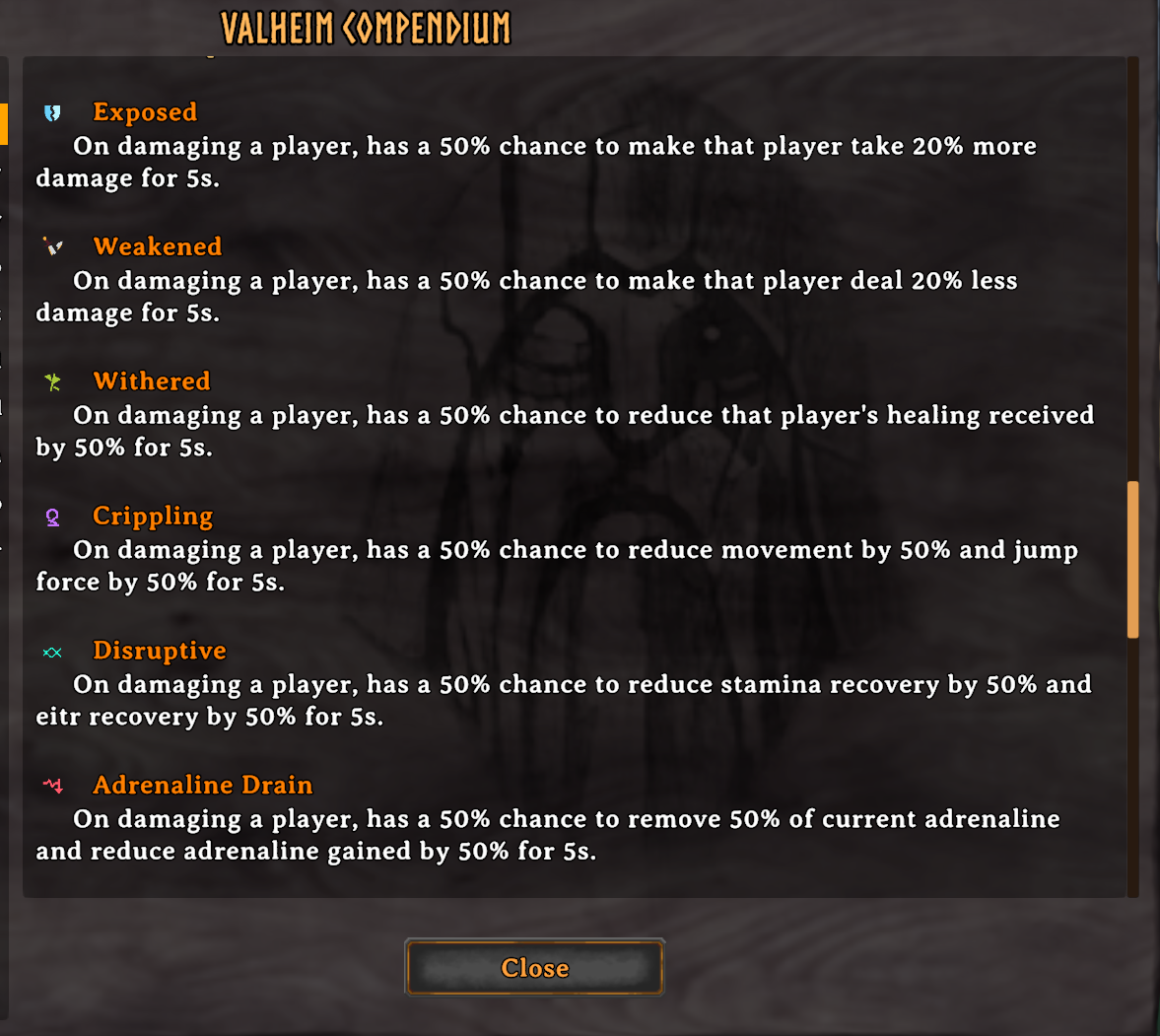
Affliction details are available in the same localized Compendium without leaving the game.
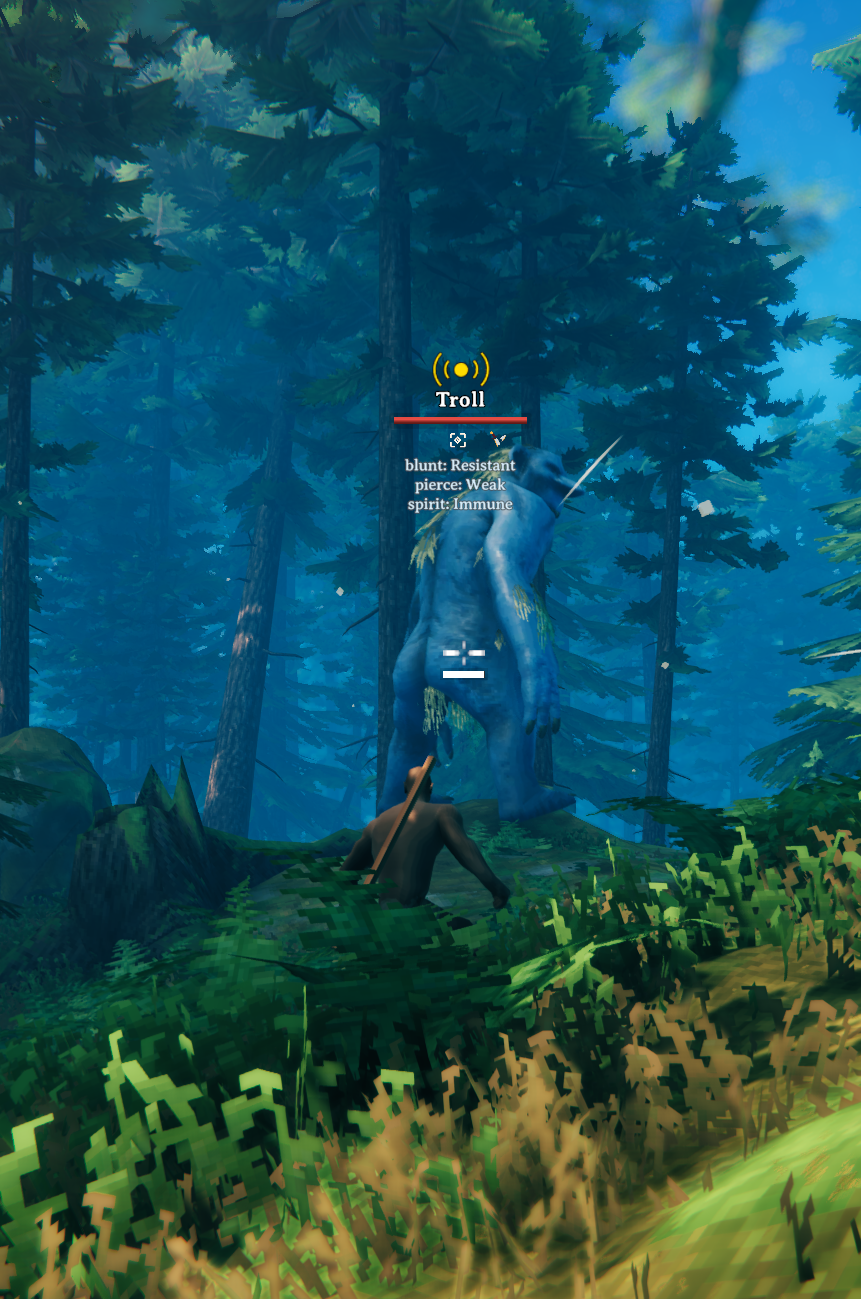
While sneaking, inspect a creature to view its effective resistances, weaknesses, and immunities beneath the target's nameplate.
Combat Modifier GIFs
Offense and Defense
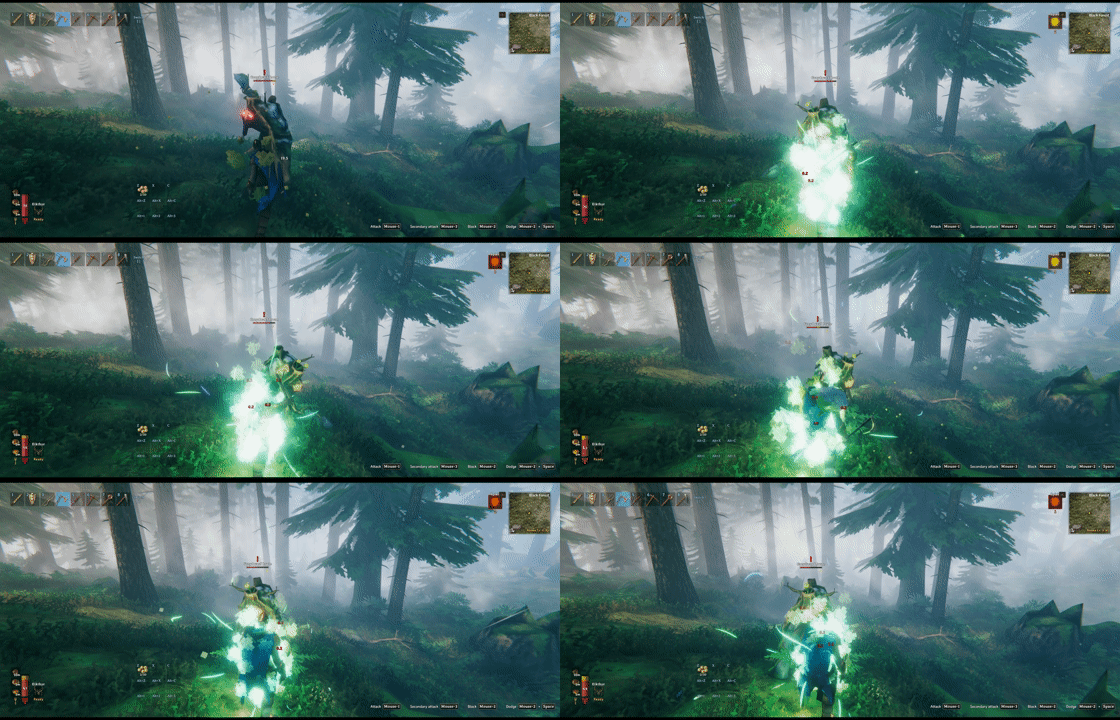
Spirit adds Spirit damage to the creature's attacks; against players, its damage over time bypasses armor and resistance.
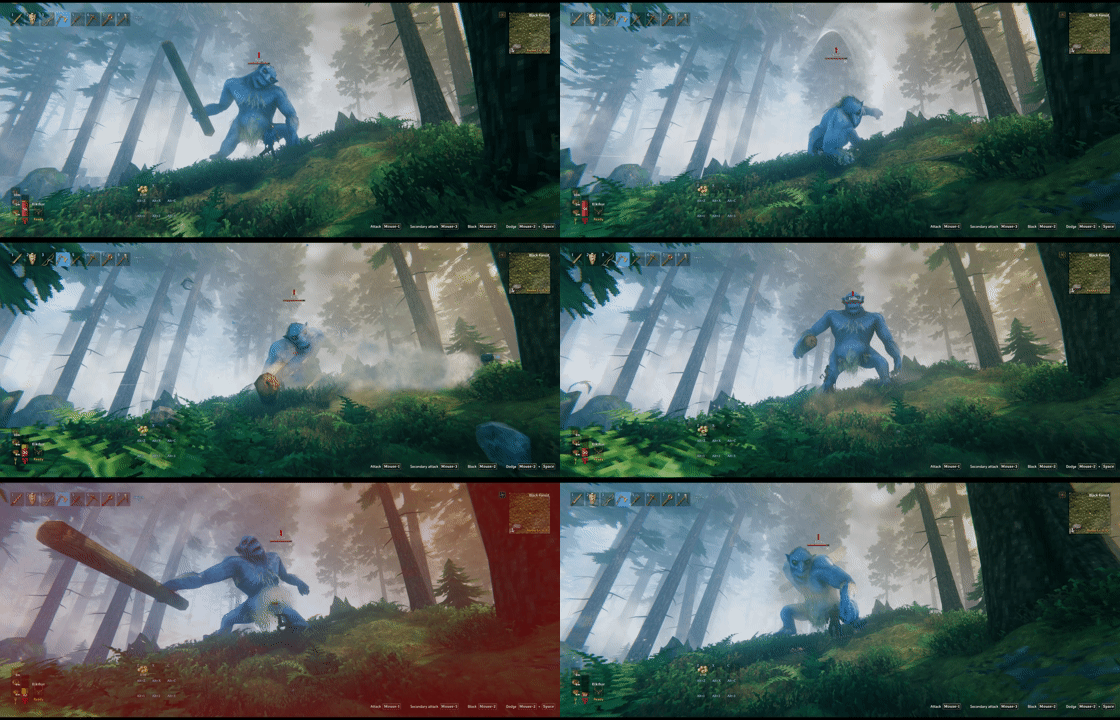
Undodgeable attacks ignore dodge invulnerability, while blocking and parrying remain effective.
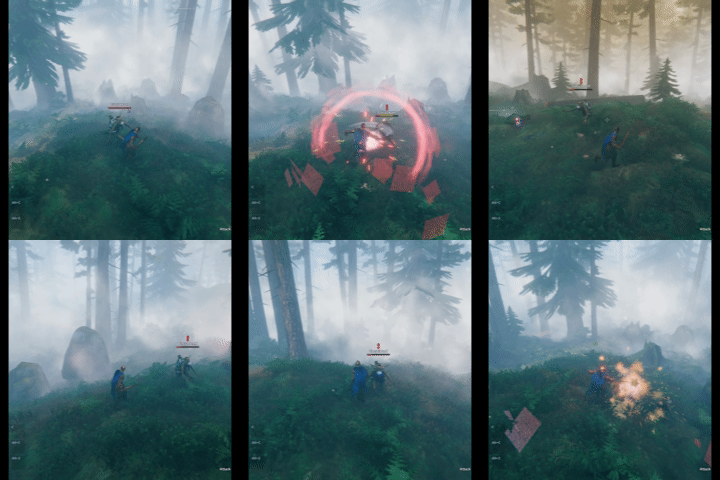
Deathward cancels a lethal hit and restores part of the creature's maximum health.

Reflection returns part of the creature's actual health loss to a direct melee attacker.

Vortex can negate a projectile hit together with its damage and secondary effects.
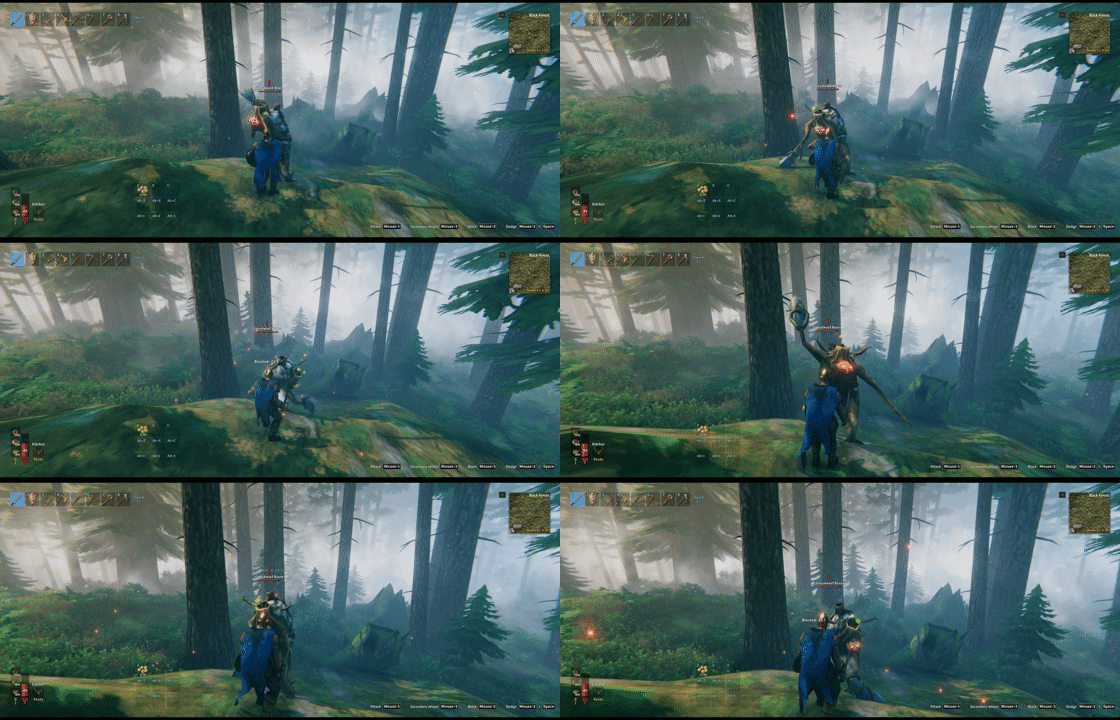
Unflinching prevents stagger from normal hits and perfect parries.
Afflictions

Timed Afflictions use distinct icons and counters so their remaining duration stays readable in combat.
Special
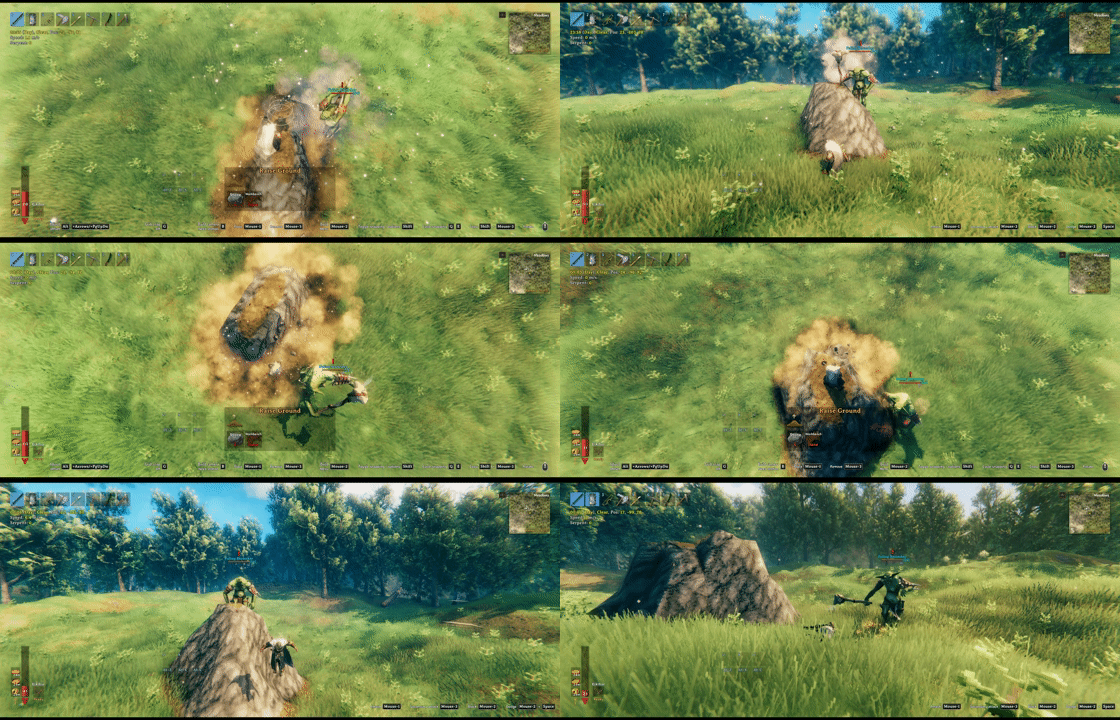
Blink teleports the creature near its target to close distance quickly. Blink Alert Grace Period (s) delays Blink and its extended attack range for 3 seconds after the creature becomes alerted by default; the timer still expires when no attack can start.
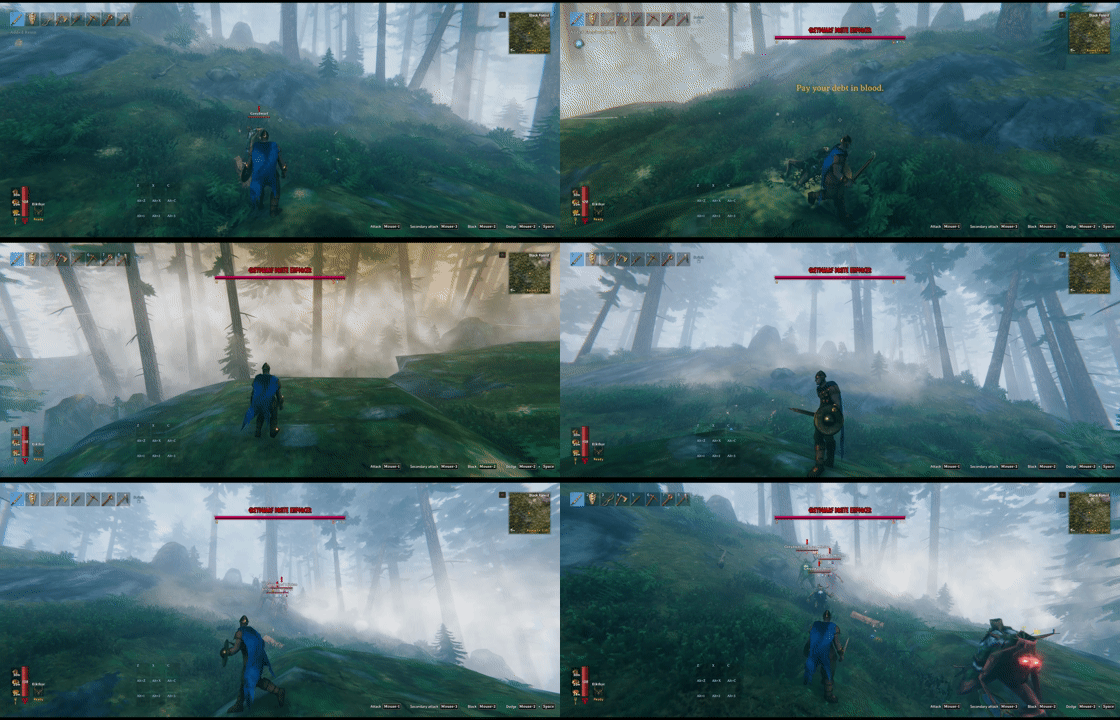
Omen can request an Enforcer encounter when the affected creature is killed directly by a player or by a lethal poison, fire, or spirit tick with a confirmed player contribution, including mixed damage.
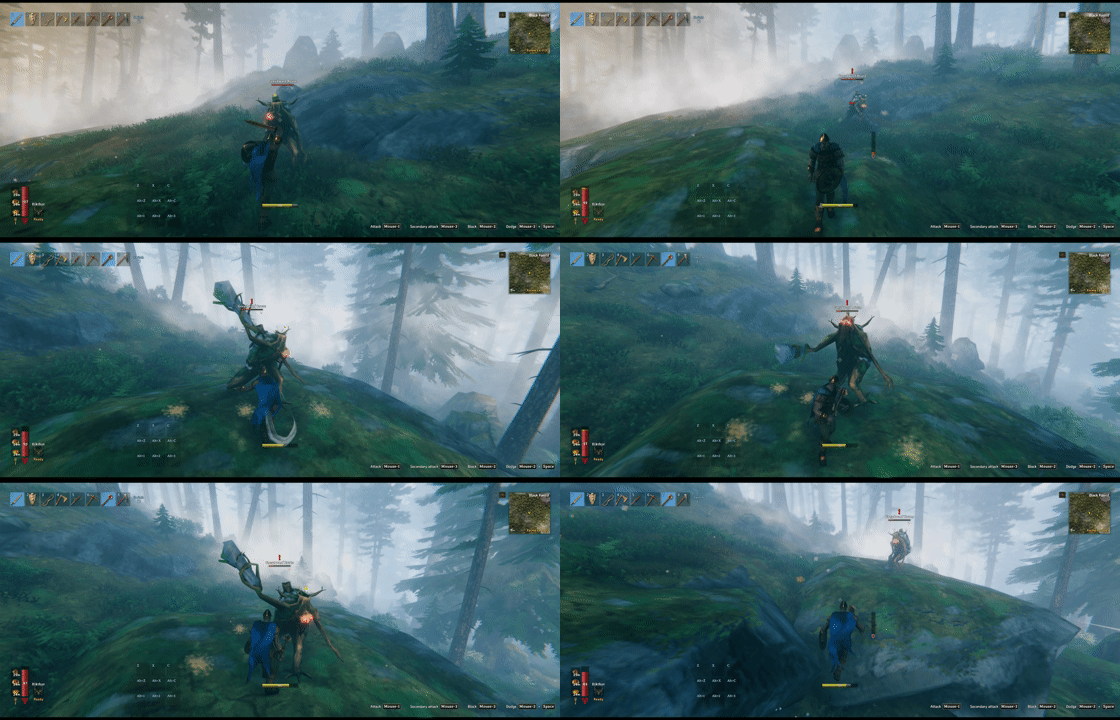
Juggernaut turns successful hits into heavy knockback while resisting attack push.

Blamer flees and raises regional Karma once its health drops below the trigger threshold, then expires when its Karma budget is exhausted.
Live Enforcer Hunts
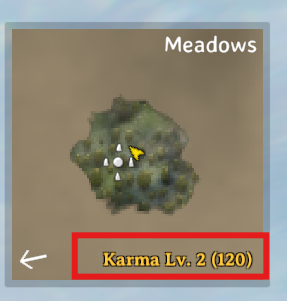
Killing creatures raises regional Karma, which can strengthen future spawns and trigger Enforcer encounters.
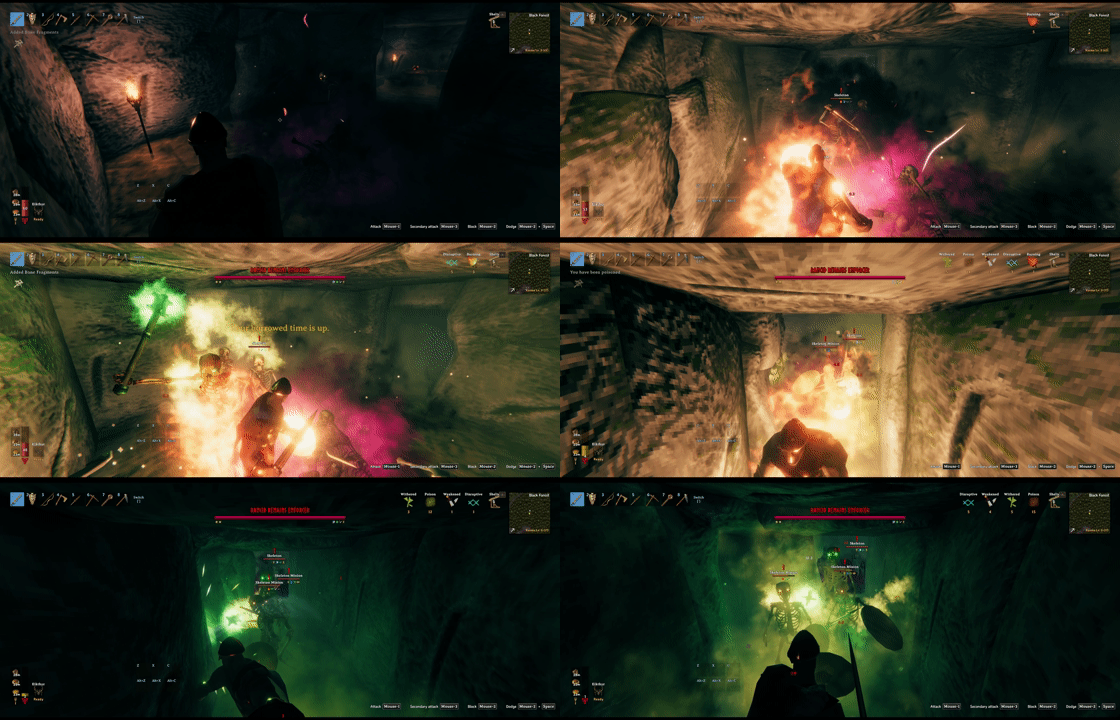
Karma accumulates faster in dungeons, so stay alert.
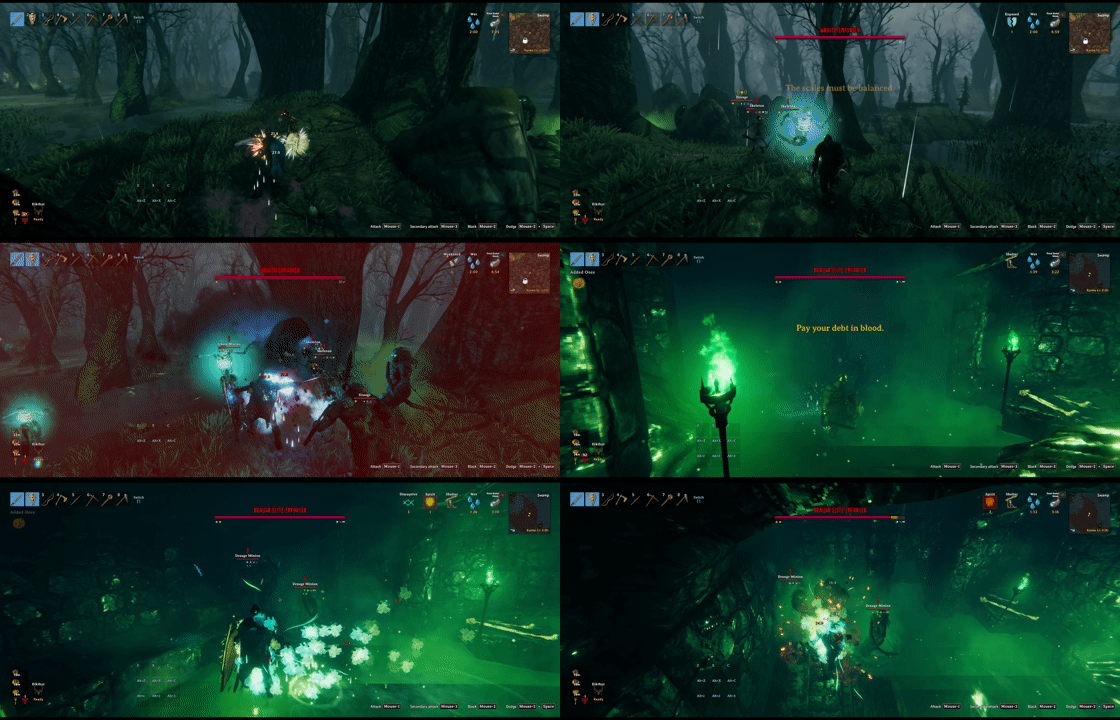
Outdoor and dungeon Enforcer encounters can be configured separately in karma.yml, including guaranteed bonus loot.

Enforcers spawn at higher levels, are more likely to carry modifiers, and may bring minions that hunt players down.
Creature Cloning and Customization
Existing creatures can be modified or cloned. For advanced examples, install MonsterLabZ and see creatures.sample.yml and attacks.sample.yml.
The following custom bosses were created with CreatureManager and MonsterLabZ.

Bonebeard is a melee boss who infuses every attack with poison.
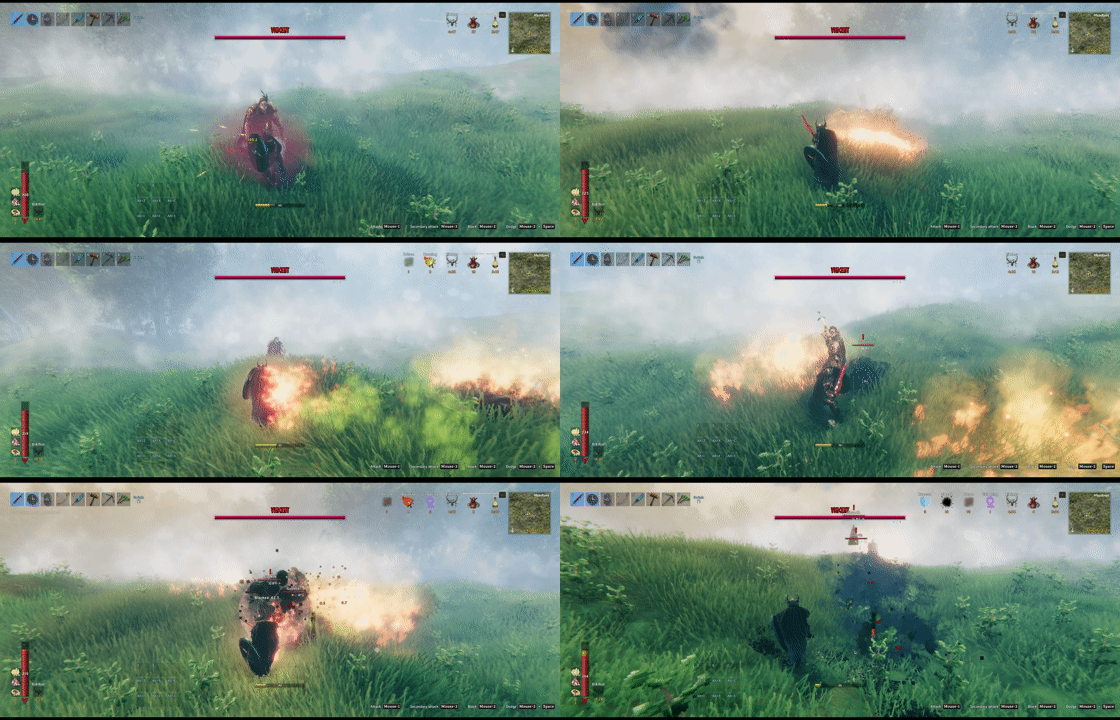
Vincent the Cunning is a ranged boss who fires a variety of projectiles.
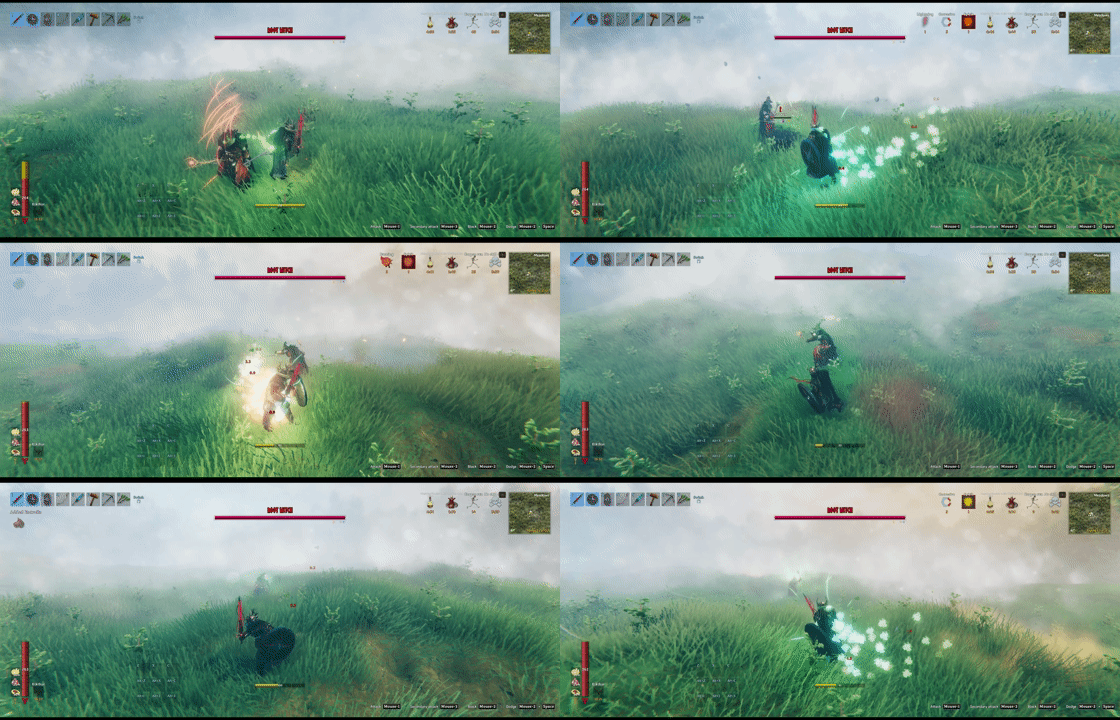
Root Witch is a spellcaster boss who casts a variety of spells.
Quick Start
- Install BepInExPack Valheim 5.4.2360 and CreatureManager on the server and every client. Use matching CreatureManager builds and keep the package's
BepInExfolder, including sample textures. - Launch once to generate
BepInEx/config/sighsorry.CreatureManager.cfgand the YAML files underBepInEx/config/CreatureManager/. - Change feature switches in the
.cfg. For creature edits, find the prefab in a*.reference.ymlfile and copy only the fields you want to change into the matching active YAML. - Save the file. Most changes reload automatically; in multiplayer, edit the server's configuration.
Existing YAML is preserved during updates. Loaded creatures generally keep their current settings, and completed level/modifier rolls are not rerolled. Test changes with new creatures; changing an existing clone's clonedFrom requires a restart.
See reload behavior and sample setup. The showcased Bonebeard, Vincent, and Root Witch examples require MonsterLabZ; the base mod does not.
Settings
Start in sighsorry.CreatureManager.cfg. These are the main controls; each option also has an explanation in the generated config.
| Setting | Default | What it controls |
|---|---|---|
Enable Level System |
Full |
Full assigns levels and applies stat/modifier rules. ExceptLevel keeps game/other-mod levels but applies those rules. Off disables this system, not the whole mod. |
Biome Level Preset |
Easy |
Choose built-in biome level weights, or None to use YAML weights without a built-in preset. |
Bosses Follow Biome Level Preset |
On |
In Full, bosses can fall back to biome level weights after explicit Boss/group/prefab level rules. |
Global Modifiers, Boss Modifiers, Enforcer Modifiers |
Max4 |
Set each category's automatic modifier limit, or choose Off. |
Karma System Mode |
KarmaLevelAndEnforcer |
Regional progression and Enforcer encounters; modes can enable either part separately. |
Character Loot System |
CalculateChance |
Adjust eligible star-scaled loot; Vanilla keeps the existing calculation. Creature and boss amounts default to +50% per star. |
Player Target Switching |
Off |
Let hostile monsters occasionally switch to another sensed player. |
ExceptLevel is not a fully vanilla combat preset: stat and modifier rules still apply. Karma, loot, AI, and creature overrides have their own controls. Level weights are base rolls, not final star caps.
Since 1.3.13: boss biome fallback includes top-level YAML level weights, even with preset None. With the default option On, existing biome YAML can now affect new bosses. Only level weights are shared, not biome stats/modifiers. See boss rules and upgrade notes.
YAML Files
Active files live under BepInEx/config/CreatureManager/. Reference files are for inspection, not editing.
| File | Use it for |
|---|---|
creatures.yml |
Creature edits/clones, equipment, appearance, textures, and AI assignment. |
attacks.yml, projectile.yml |
Attack edits/clones, projectiles, and spawn abilities. |
ai.yml, factions.yml |
AI presets and faction relationships. |
levels.yml |
Level weights, stat scaling, and combat modifiers. |
karma.yml |
Karma gain/decay, Enforcers, minions, and bonus loot. |
localization/<Language>.yml, textures/ |
Server text and custom PNG textures. |
Use the default YAML reference and configuration guide for fields, split files, and examples. The generated headers describe the accepted syntax; merge the settings you need instead of replacing a customized file.
Compatibility
- Multiplayer: install matching CreatureManager builds and the same gameplay mods on the server and clients. Server settings are synchronized.
- Do not combine with CLLC, StarLevelSystem, MonsterDB, or MonsterModifiers: these are declared incompatible.
- DropNSpawn / Drop That: CM yields loot scaling to DropNSpawn. With Drop That alone, CM can still adjust eligible star-scaled drops. Details.
- Path of Valheiman: supported integrations coordinate levels, health, loot, boss modifiers, and HUD icons. An unsupported integration logs a warning rather than assuming compatibility from the version number. Integration guide.
- WackyEpicMMOSystem:
Adjust EpicMMO LevelBar Positionadjusts ordinary-creature level labels; turn it Off to keep the original placement. Details.
More Help
- User guide: rules, examples, hot reload, and troubleshooting.
- Console commands: references,
cm:spawn, andcm:karma. - Default YAML and upgrade guidance.
- Changelog · Source.
GitHub main documents current source and may include unreleased changes; check each document's version notes.