
You are viewing a potentially older version of this package. View Latest Version
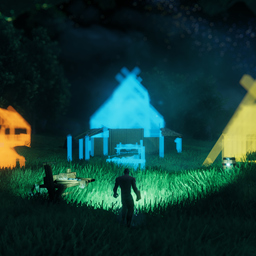

Homestead is the player-facing construction half of the Homestead/ZoneSavior split.
It adds native WearNTear blueprints, Area Save, Area Dismantle, a server-backed Blueprint Store, build camera controls, placement helpers, key hints, and Dvergr circlet quality-of-life features.

Homestead tab within vanilla hammer.
Area save to make a blueprint, Area dismantle to teardown the builds, blueprint shop to sell the blueprints

Use build camera and area save to make blueprints.

Place your blueprint and put according materials into blueprint chest and confirm it. (Stations are needed to)

Alt+click your blueprint and put it on the ground and put a price on your blueprint and list in on blueprint store

You can offer price for blueprints and get notifications for blueprints being enlisted and for offers being accepted/declined/suggested

Buy the blueprints and pay the price for it. And if you have sold your blueprints you can withdraw that from the store.
.

No more clicking all the pieces or using sledge hammer to teardown the build. You can use the tool area dismantle (Only dismantles what each player has built, respectively)

Build camera, dvergr circlet attached to build camera, dvergr circlet light adjustment, lock in pov (freefly feature), position adjustment
Jotunn is a hard dependency. Homestead uses it for the custom hammer tab/category, pieces, localization, and blueprint UI integration.
Optional integrations:
BepInEx/config/Homestead/.Homestead uses one normal BepInEx config file plus a data folder under BepInEx/config/Homestead/.
BepInEx/config/
  sighsorry.Homestead.cfg
  Homestead/
    Blueprints/
    ServerBlueprints/
      PlanGhosts/
      Store/
        catalog.yml
        *.hsbp.yml
sighsorry.Homestead.cfgMain BepInEx config.
Important sections:
01 - General
02 - Client
03 - Blueprint
04 - Blueprint Store
05 - Build Camera
06 - Placement Controls
08 - Dvergr Circlet
Homestead/Blueprints/Client/local blueprint folder.
Area Save writes .hsbp.yml files here. These are the player's own saved blueprints and are shown in the Homestead hammer tab.
Saved blueprint files include:
Homestead/ServerBlueprints/PlanGhosts/Server-side temporary blueprint payload folder.
On a dedicated server, a client can place a blueprint ghost/chest for a blueprint that exists only on that client. Homestead uploads a bounded, compressed blueprint payload so the server can keep enough information to confirm the build, restore ghost visuals while loaded, and clean up stale plan data.
These files are temporary server state, not the player's normal blueprint library.
Homestead/ServerBlueprints/Store/Server-backed Blueprint Store folder.
It contains:
catalog.yml: listings, offers, notifications, purchase counts, balances, and store state.*.hsbp.yml: blueprint bodies owned by active store listings or temporary store drafts.The server owns this data. Clients request summaries, icons, previews, offers, and purchase payloads through Homestead RPC instead of directly reading the server files.
Homestead adds a custom Homestead hammer category.
Use Area Save to capture a group of WearNTear pieces as a native Homestead blueprint.
Typical flow:
Homestead -> Area Save.Default area tool controls:
Wheel: rotate the rectangleAlt + Wheel: scale width and depth together while keeping the current ratioMouse3 + Wheel: adjust depthMouse4 + Wheel: adjust widthSelection policy is controlled by Area Save Creator Mode:
AllCreators: save any WearNTear in the area.OwnedAndCreatorless: save your own plus creatorless WearNTear.OwnedOnly: save only your own WearNTear.Area Save skips invalid/non-build recipe prefabs. The in-game overlay marks which pieces will be saved and which will be skipped.
Use Area Dismantle to remove player-owned WearNTear in a rectangle and return build materials as item stacks.
It is intended for player cleanup, not admin griefing:
Default controls match Area Save:
Wheel: rotateAlt + Wheel: scale width and depth together while keeping the current ratioMouse3 + Wheel: adjust depthMouse4 + Wheel: adjust widthSaved blueprints appear as build pieces in the Homestead hammer tab.
Typical flow:
Default confirm hotkey:
Alt + E
The blueprint chest only accepts required materials up to the amount still needed. If AzuCraftyBoxes is installed and enabled, Homestead can pull missing materials from nearby containers on confirm, or on open and confirm depending on config.
Terrain support is optional. Terrain Support = Off places only structures. On restores saved terrain support contacts for everyone. AdminDebug restores terrain support only for admin/debug/no-cost placement.
Homestead uses several temporary chest-like pieces:
Cleanup behavior:
Blueprint Chest Timeout Minutes.Blueprint Chest Map Icon Size controls map icons for your active Homestead blueprint/store chests.Max Active Blueprint Chests Per SteamID limits spam. If Steam/platform identity cannot be resolved, Homestead falls back to Valheim player ID.The Blueprint Store lets players trade Homestead blueprints through server-backed listings.
Store supports:
From the Homestead hammer tab:
Blueprint Store List Modifier Key plus click.The server stores the listing in ServerBlueprints/Store/catalog.yml and keeps the listing blueprint body as a store .hsbp.yml file.
After purchase, the buyer receives the blueprint payload and the seller gets a store balance. The seller can withdraw the balance as payout chests.
Players can make material offers on listings. The seller can accept or decline. Accepted offers remain visible as alternate prices unless removed by store actions/config policy.
Blueprint Store Notification Mode controls notification display:
Off: hide the notification button and disable fallback polling.BadgeOnly: show the notification button and unread count, but do not open the panel automatically.AutoOpenPanel: open the notification panel when a new unread notification arrives.Blueprint Store Anonymous Notifications can hide buyer/seller/offer actor names in notification messages.
Homestead includes BuildCameraCHE-style build camera controls.
Use it when:
Main behavior:
If the standalone BuildCameraCHE mod is installed, disable Homestead's build camera to avoid overlap.
Homestead adds construction helpers for ordinary hammer pieces and Homestead tools:
G.Homestead can extend the Dvergr circlet with:
Default controls:
L: toggle lightIf Circlet Extended is installed, Homestead leaves circlet handling to that mod.
Homestead is mostly UI-driven. It currently adds one admin maintenance command.
hs_clearchestsDeletes Homestead blueprint-related chest ZDOs from the world.
Targets:
Syntax:
hs_clearchests [dry]
Examples:
hs_clearchests dry
hs_clearchests
Notes:
dry or dry-run counts matching chests without deleting them.Hammer -> Homestead -> Area Save
Select structure -> click preview -> save name
Hammer -> Homestead -> your blueprint
Place blueprint chest -> add materials -> Alt+E confirm
Hammer -> Homestead
Hover saved blueprint -> list modifier + click
Place store price chest -> enter price -> list
Hammer -> Homestead -> Blueprint Store
Select listing -> Buy
Place purchase chest -> deposit price -> confirm
hs_clearchests dry
hs_clearchests
Homestead and ZoneSavior are separate mods.
Install Homestead for construction features. Install ZoneSavior for server zone maintenance.
When both are present, Homestead-created blueprint pieces are marked so ZoneSavior's WearNTear counter can count them consistently, including safety cases where creator data is missing.
