
You are viewing a potentially older version of this package. View Latest Version
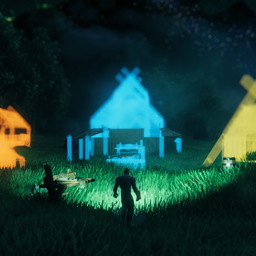

Homestead is a Valheim building mod focused on saving, rebuilding, trading, and cleaning up player structures. It brings blueprint workflows into the hammer tab, with Area Save, Area Dismantle, a Blueprint Store, build camera controls, placement helpers, and Dvergr circlet quality-of-life features.

Homestead tab within vanilla hammer.
Area save to make a blueprint, Area dismantle to teardown the builds, blueprint shop to sell the blueprints

Use build camera and area save to make blueprints.

Place your blueprint and put according materials into blueprint chest and confirm it. (Stations are needed to)

Alt+click your blueprint and put it on the ground and put a price on your blueprint and list in on blueprint store

You can offer price for blueprints and get notifications for blueprints being enlisted and for offers being accepted/declined/suggested

Buy the blueprints and pay the price for it. And if you have sold your blueprints you can withdraw that from the store.
.

No more clicking all the pieces or using sledge hammer to teardown the build. You can use the tool area dismantle (Only dismantles what each player has built, respectively)

Build camera, dvergr circlet attached to build camera, dvergr circlet light adjustment, lock in pov (freefly feature), position adjustment
Homestead tab.Area Save.Default confirm hotkey:
Alt + E
Homestead hammer tab.Blueprint Store from the Homestead tab.The purchased blueprint is saved to the buyer's blueprint list.
Area Save and Area Dismantle use the same rectangle controls:
Wheel: rotate the area.Alt + Wheel: scale width and depth together.Mouse3 + Wheel: adjust depth.Mouse4 + Wheel: adjust width.Area Dismantle is intentionally conservative:
Blueprint placement uses a temporary blueprint chest. The chest shows missing requirements, accepts only needed materials, and finalizes the build when everything is ready.
The Blueprint Store lets players trade saved Homestead blueprints.
Store actions include:
Notifications appear for store events such as new listings, offers, accepted offers, and purchases.
Build camera helps with tall, wide, or awkward builds by letting the camera move away from the player while building.
It supports:
Homestead adds small controls that make regular building less fussy:
Homestead can extend the Dvergr circlet with per-item light controls:
Build camera code from https://github.com/AzumattDev/BuildCameraCustomHammersEdition
https://github.com/sighsorry1029/Homestead
