
You are viewing a potentially older version of this package. View Latest Version
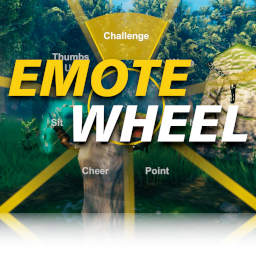
This mod adds an user interface for emote animations to let them be used in an easier and faster way. The menu will be visible by holding the 'T' key (can be changed).
To trigger an emote animation release the Hotkey after selecting an emote. (When TriggerOnRelease = true)
To trigger an emote animation press the left mouse button after selecting an emote. (When TriggerOnClick = true)
Info: This mod should only be installed on the client side.
BepInEx Modloader must be installed. Can be found here: https://valheim.thunderstore.io/package/denikson/BepInExPack_Valheim/
To install the mod just move the downloaded EmoteWheel.dll to the <valheim-folder>\BepInEx\plugins\ folder.
A config file will be created after running the game once while the mod is installed:
<valheim-folder>\BepInEx\config\virtuacode.valheim.emotewheel.cfg
[General]

## Hotkey for opening emote wheel menu
# Setting type: String
# Default value: t
Hotkey = t

## Releasing the Hotkey will trigger the selected emote
# Setting type: Boolean
# Default value: true
TriggerOnRelease = true

## Click with left mouse button will trigger the selected emote
# Setting type: Boolean
# Default value: false
TriggerOnClick = false
Of course you can have both TriggerOnRelease and TriggerOnClick set to true if you want.
