

NoRequiredMods
Collection of quality of life and other features including bug fixes only enabled by Host player. No required mods. F5 in-game to adjust.TLDR: To install, download Gale Mod Manager and install this pack within Gale.
Choose "Launch game" option in top-left corner within Gale window.
Accept Steam launch options confirmation.
Press F5 in-game to adjust mod settings, including keybinds:
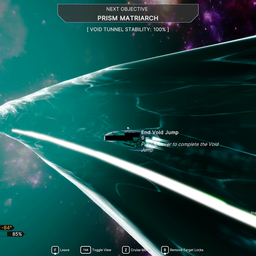
VoidJump: G
retriggerGunKey = E
retriggerGunOffKey = 1
retriggerGunOnKey = 2
Escort: 3
Minefield: 4
Most gameplay altering: Delayed Shards and Thin Hull.
Delayed Shards and Booster need to be disabled to join Vanilla sessions.
Includes exclusive Mobile Rave Party Flashlight!
Gale is superior to r2modmanager, which itself is superior to using Overwolf/Thunderstore.
New to modding or Void Crew modding? Check out my Steam guide!
If you're looking for a modpack usable in all sessions without altering gameplay significantly, try another of my modpacks: AnySession. I recommend installing modpacks to separate profiles.
Mobile Rave Party Flashlight no longer overwrites configs other than flashlight if you had one or more of the configurable mods already installed to the profile as of 1.0.3 and is now a separate profile from the default flashlight.
Create a new profile than default before adjusting the default flashlight if you want to be able to enable the stock flashlight again easily without reinstalling the original default flashlight cfg.
Hosting with the host-side bug fixes included within VoidFixes (enable or disable within VoidManager F5 settings menu) does not mark your session as Modded. Your session will be marked as having Client-Side mods if any member is using a client-side mod, AFAIK.