
This package has been deprecated and may no longer be maintained. We recommend looking for an alternative.
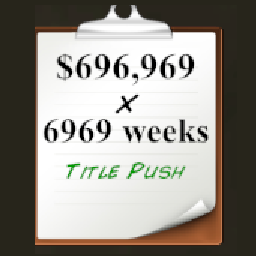
ContractEditor
This mod lets you to modify the wrestler contract through a text fileContract Editor
This mod lets you to set the wrestler contract in a text file and load them in the game. Works similar to my other editor mods.
In the mod directory open the CustomContract.txt in a text editor and put your custom contract settings there. Once done, save the file and in roster menu press - (rebindable in the config file) to load them in game.
List of clauses and templates/examples are provided below and in the text files.
Contract settings:
weeks:(optional) sets the weeks left on the contract. Example:weeks: 10.salary(optional) sets the weekly wrestler salary. Example:salary: 2500clause(optional) sets the contract clause. Exampleclause: 5
Clauses:
Clauses:
-6: Immediate Start (Will be available without delay)
-5: Overtime (Cannot refuse additional responsibilities) / (Expected to work several times per show)
-4: Incentive (Only paid for winning matches)
-3: Enhancement Talent (Only paid for losing matches) / (Not expected to win matches)
-2: No Compete (May not sign with a rival promotion)
-1: No Creative Control (May not make or refuse any changes)
0: No clause
1: Creative Control (Right to make or refuse any changes)
2: Iron Clad (Cannot be terminated prematurely by either party)
3: Win Bonus (Wins pay more and losses pay less)
4: Downside Guarantee (Paid each week no matter what)
5: Health Insurance (Compensated for any health issues)
6: Favoured Nations (Pay rises to match any other employee)
7: Nepotism (Existing relationships are signed to the same deal)
8: Title Push (Promised to be booked as or against a champion)
9: Part Time (Scheduled to work fewer dates)
Tutorial template:
# salary sets the weekly salary

salary: 696969

# weeks sets the remaining weeks left on the contract

weeks: 6969

# clause sets the contract clause

clause: 8

# Once you are done, go into the roster screen and while selected the person, press the - button on numpad
# (rebindable in the separate config file) and you should see the changes once clicked on someone else and back.