

You are viewing a potentially older version of this package. View Latest Version

Core Keeper Ultra Wide
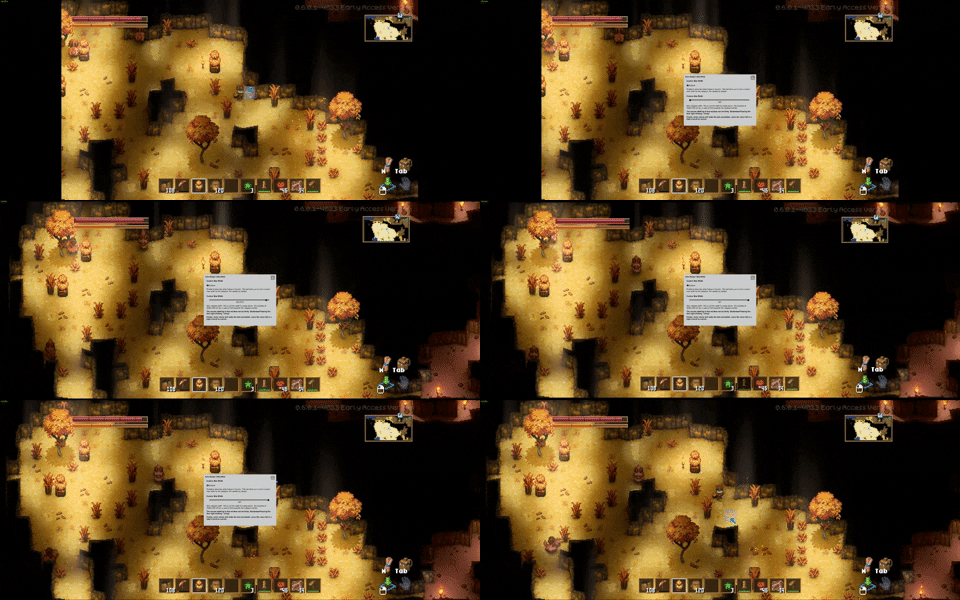
Removes pillar boxing in menus and expands the viewport. Viewport width is customizable to find a balance between width and seeing the world de-spawn around you...CoreKeeper Ultra-wide Fix
Features
- Removes pillar boxing in the menus.
- Expands viewport width. Note you will see world spawn/de-spawning near the edges of the screen. Most likely be worse the wider the aspect ratio.
- The viewport width is adjusted automatically, but a custom width can be set.
- Press F1 to bring up the configuration window in game. Only needed if you want to change the width manually - it defaults to your aspect ratio by default.
(The menu has some quirks grabbing the mouse, works best when paused.)
Notes
- This uses a custom build of BepInEx from here should it need updating in the future.
- The game is also an IL2CPP game, so first start (and after any game updates) will be a little longer while it generates assemblies.
Installation
- Install using r2modman or Thunderstore Mod Manager.
Manual Installation
- Install BepInExPack_Core_Keeper first.
- Extract the contents of the release zip in to the game directory.
(e.g. "steamapps\common\CoreKeeper" for Steam).
Donate
If you enjoy the mod, please consider a donating here or using the Buy Me a Coffee button below. Alternativly, hit that thumbs up button!

Community
Feel free to join me on my own Discord for a look at my other work (Sun Haven, Graveyard Keeper, Roots of Pacha, Potion Permit and a growing list of Ultra-wide mods).
Changelog
0.0.2 - 12/5/2023
- Added simple configuration UI. This can be accessed by pressing F1 in game.
0.0.1 - 12/5/2023
- Initial release.