
EnhancedSpectator
Split-screen spectating, audience emotes and bets, freecam, first-person, cinematic and indoor travelling cameras, thermal view, customizable ghost models, and spatial voice.Enhanced Spectator


中文


观战分屏
  |


谁在说话
 |


视角与热成像
 |
观众席
 |
表情
 |
观众竞猜
 |
同事评估
 |
结算界面
 |
观战视角
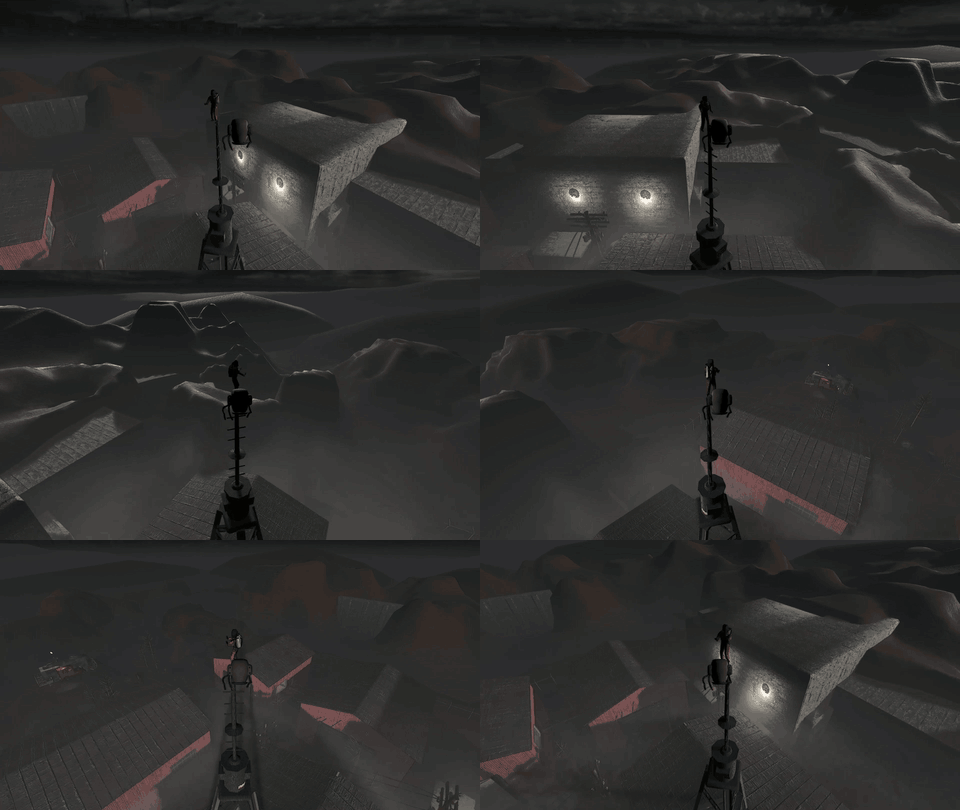 自身第三人称 |
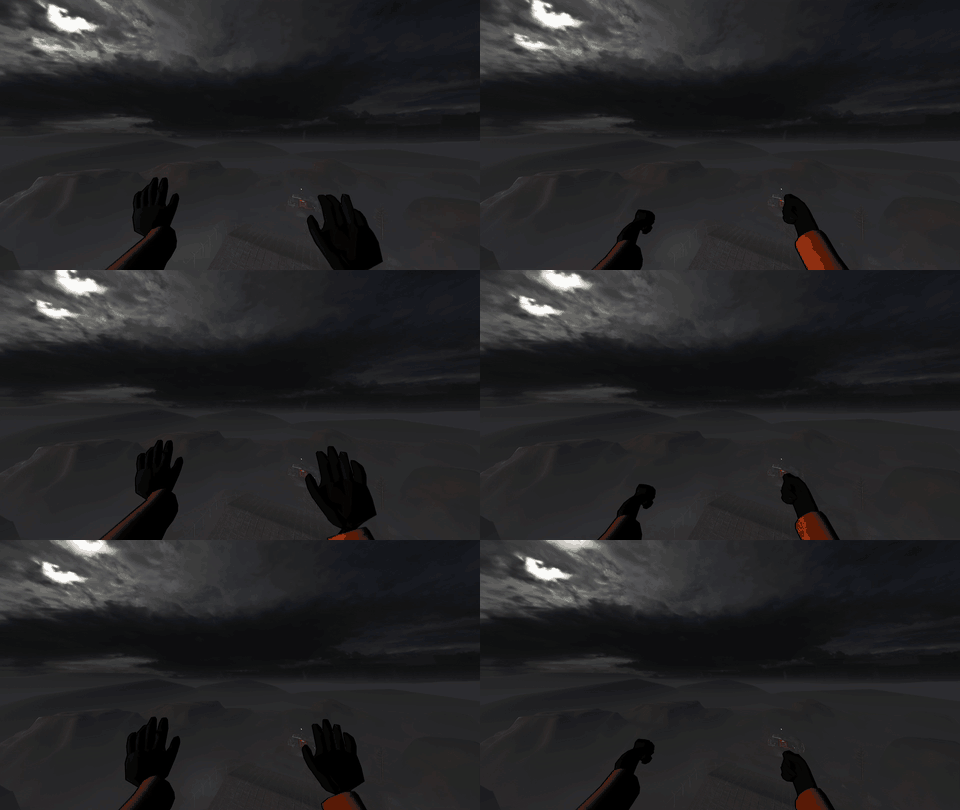 队友第一人称 |
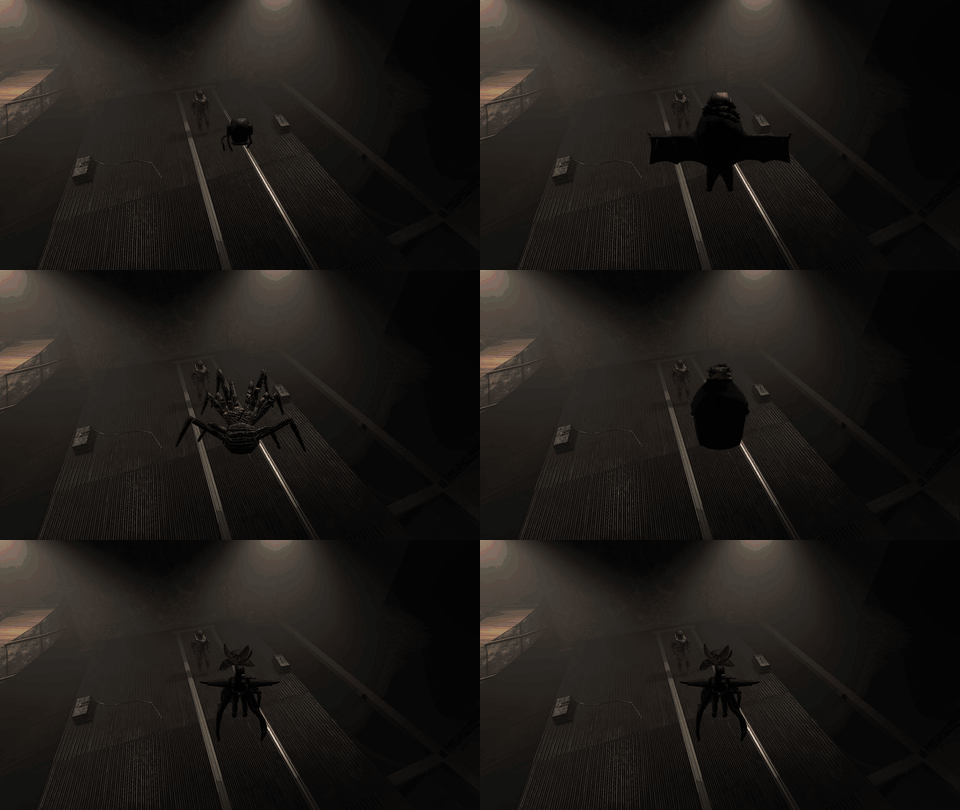 第三人称恐惧模型 |
|
运镜模式
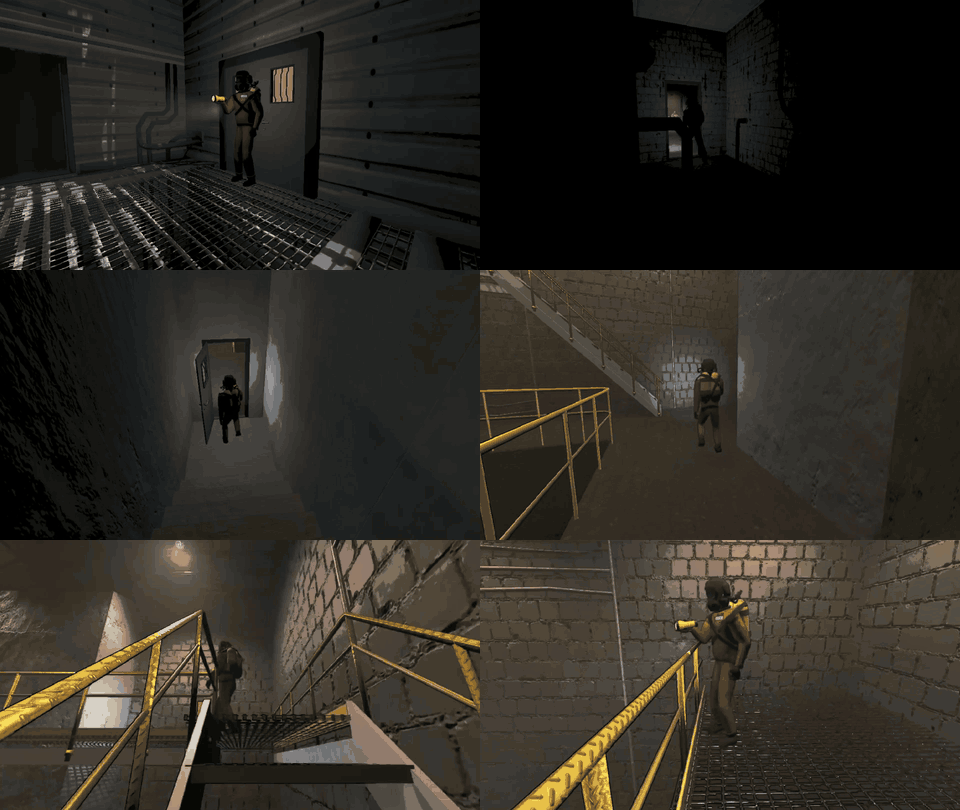 穿梭运镜 · 工厂 |
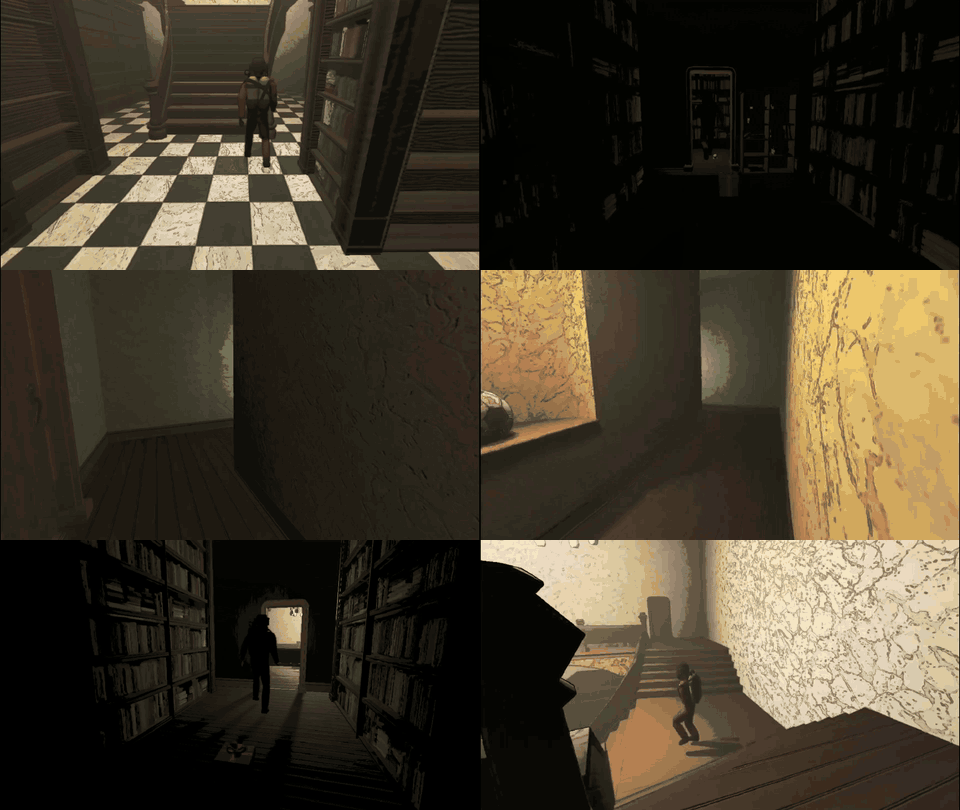 穿梭运镜 · 豪宅 |
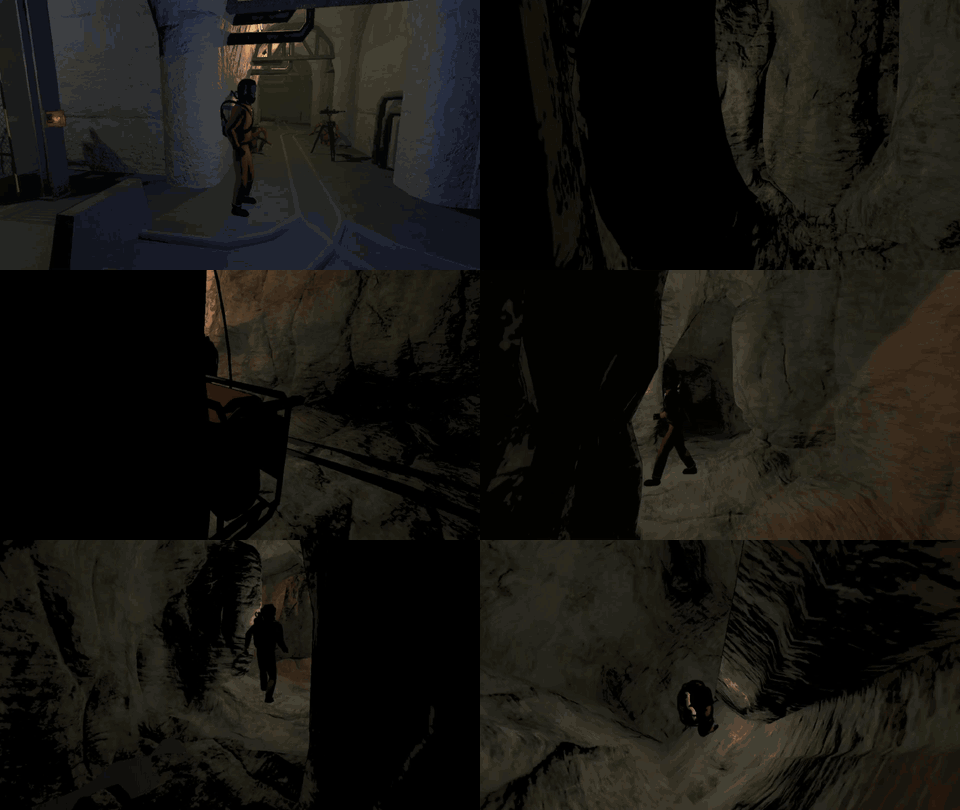 穿梭运镜 · 矿井 |
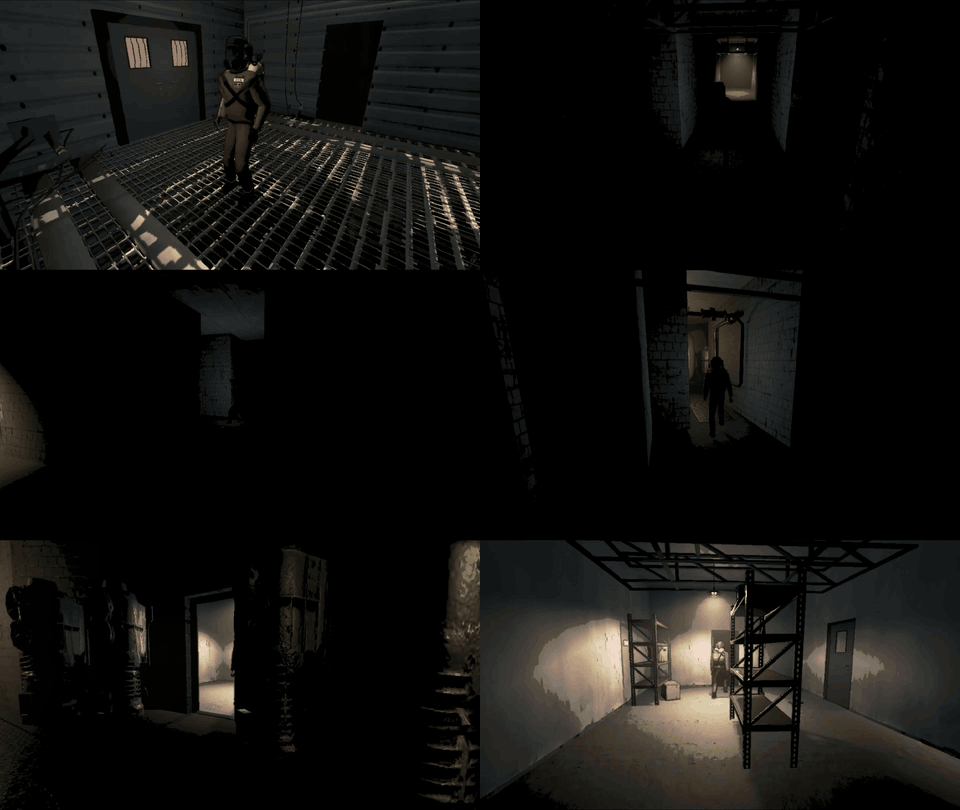 监视器 · 工厂 |
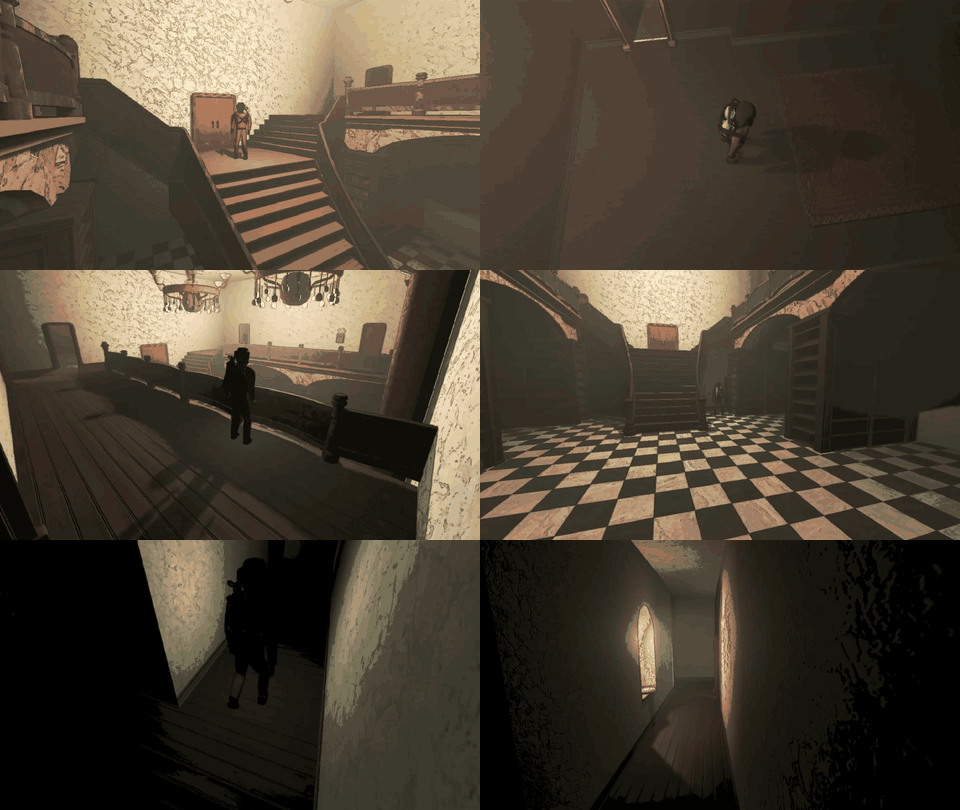 监视器 · 豪宅 |
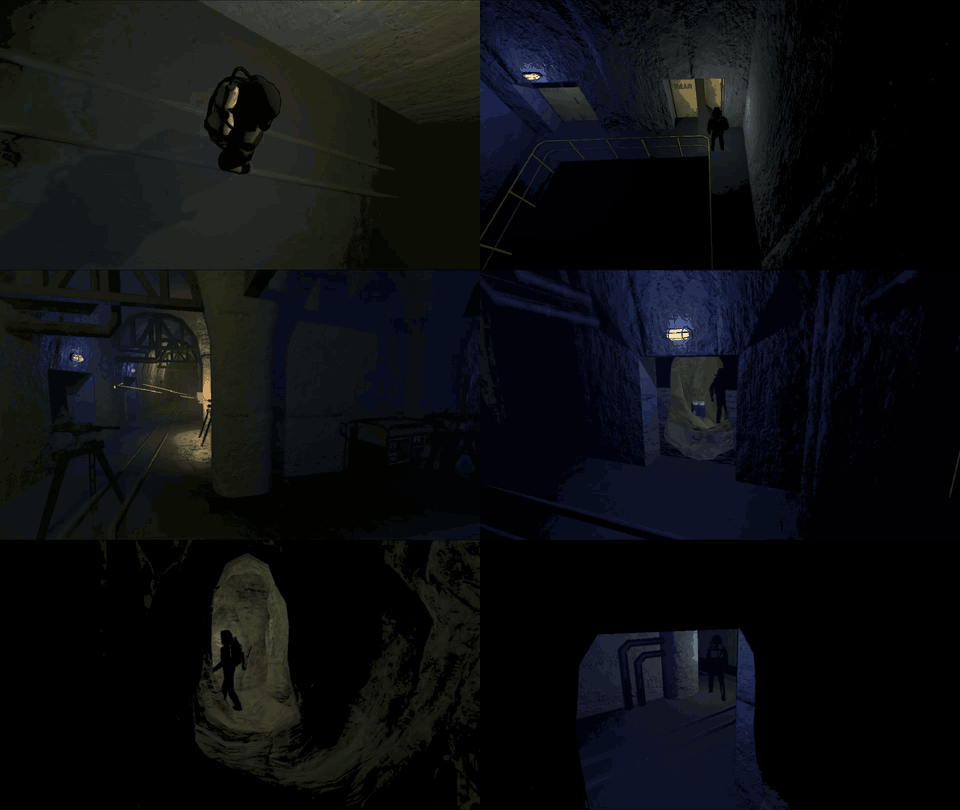 监视器 · 矿井 |
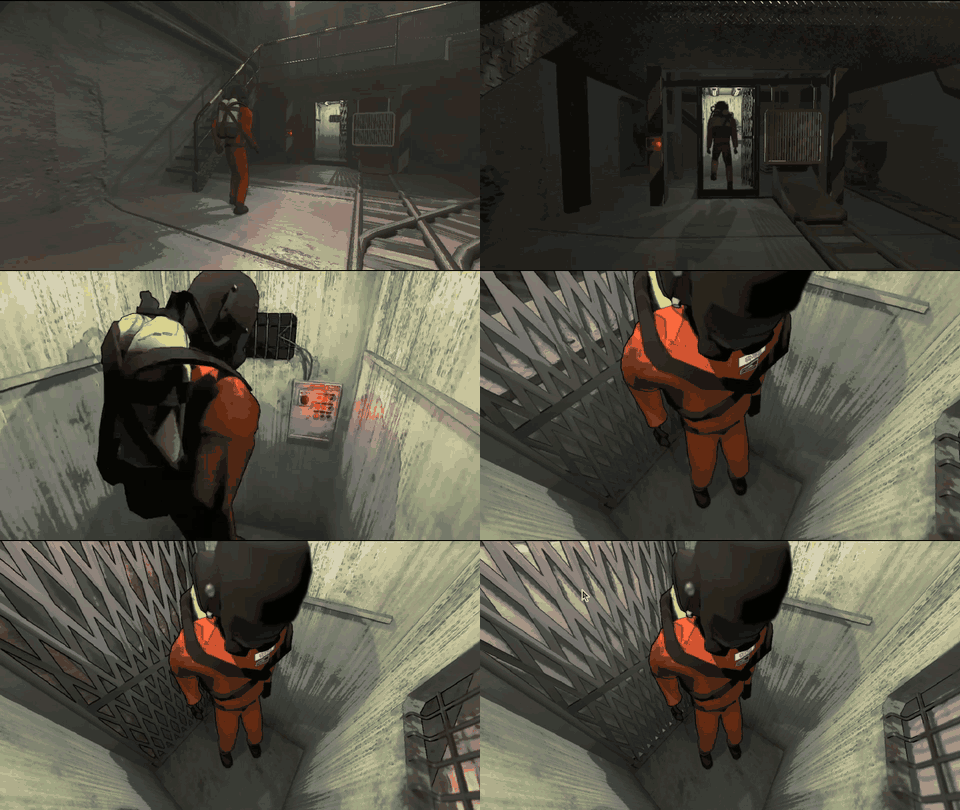 电梯镜头 |
||
观战面板
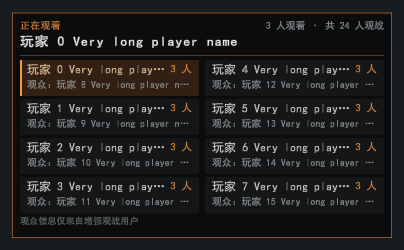 ① 按 O 打开观战面板 |
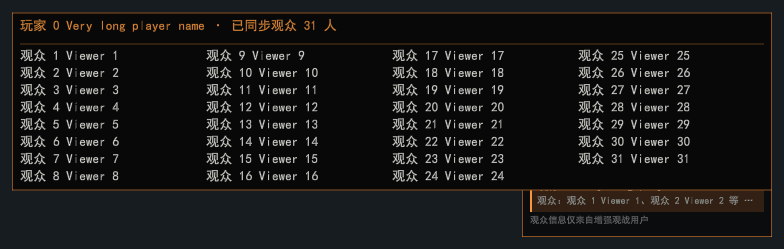 ② 按 P 显示光标,悬停查看完整观众名单 |
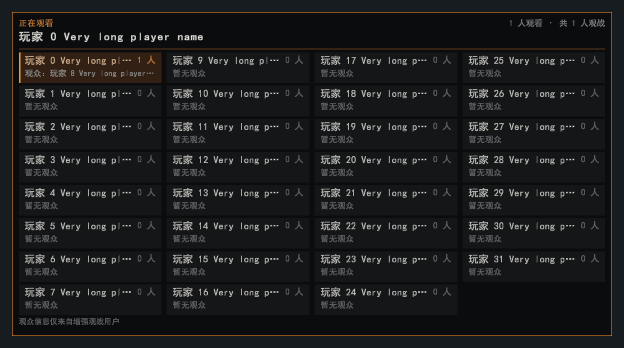 ③ 最多支持 32 人大厅 |
|
ESC 菜单
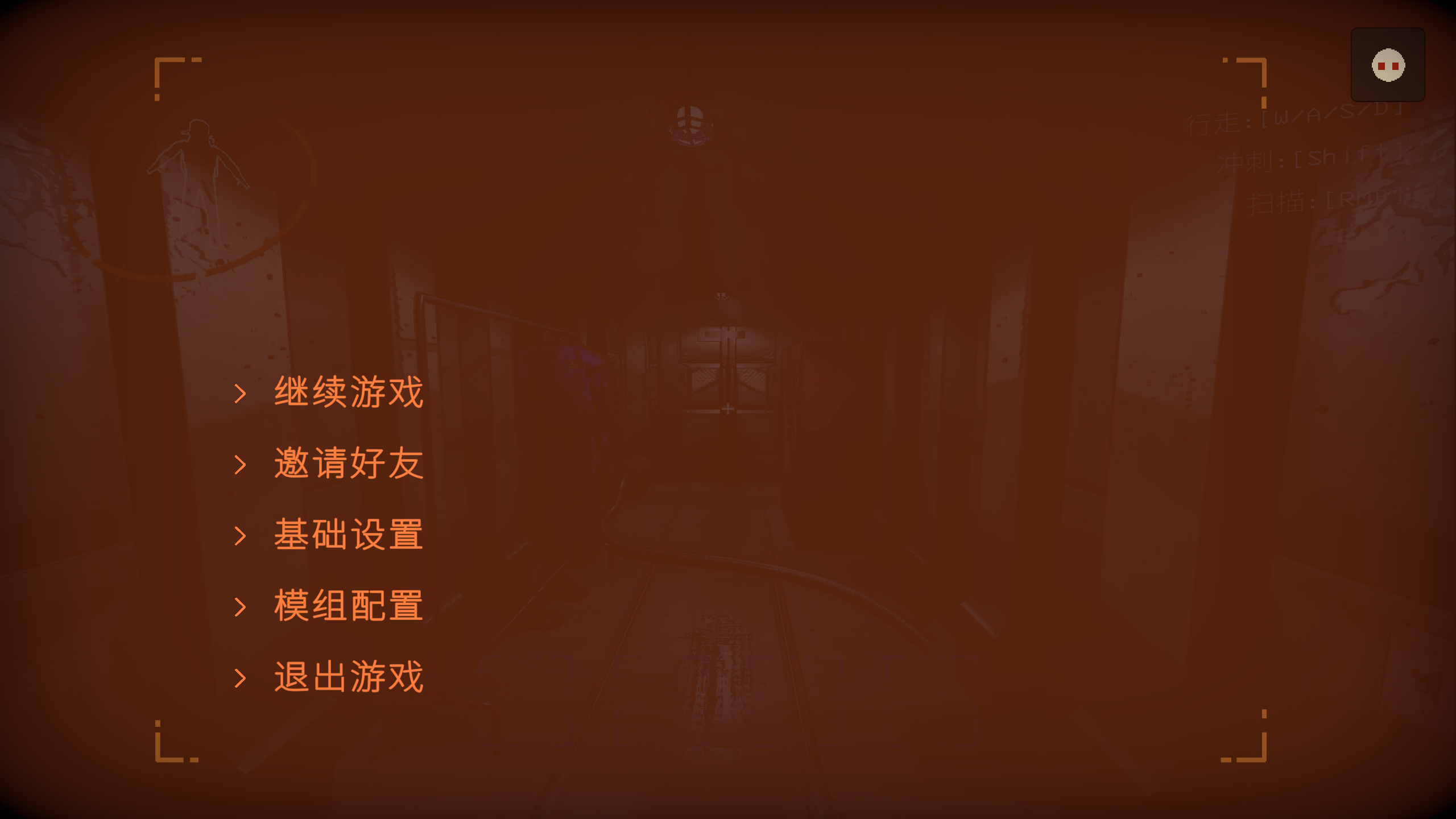 ① ESC 菜单右上角入口 |
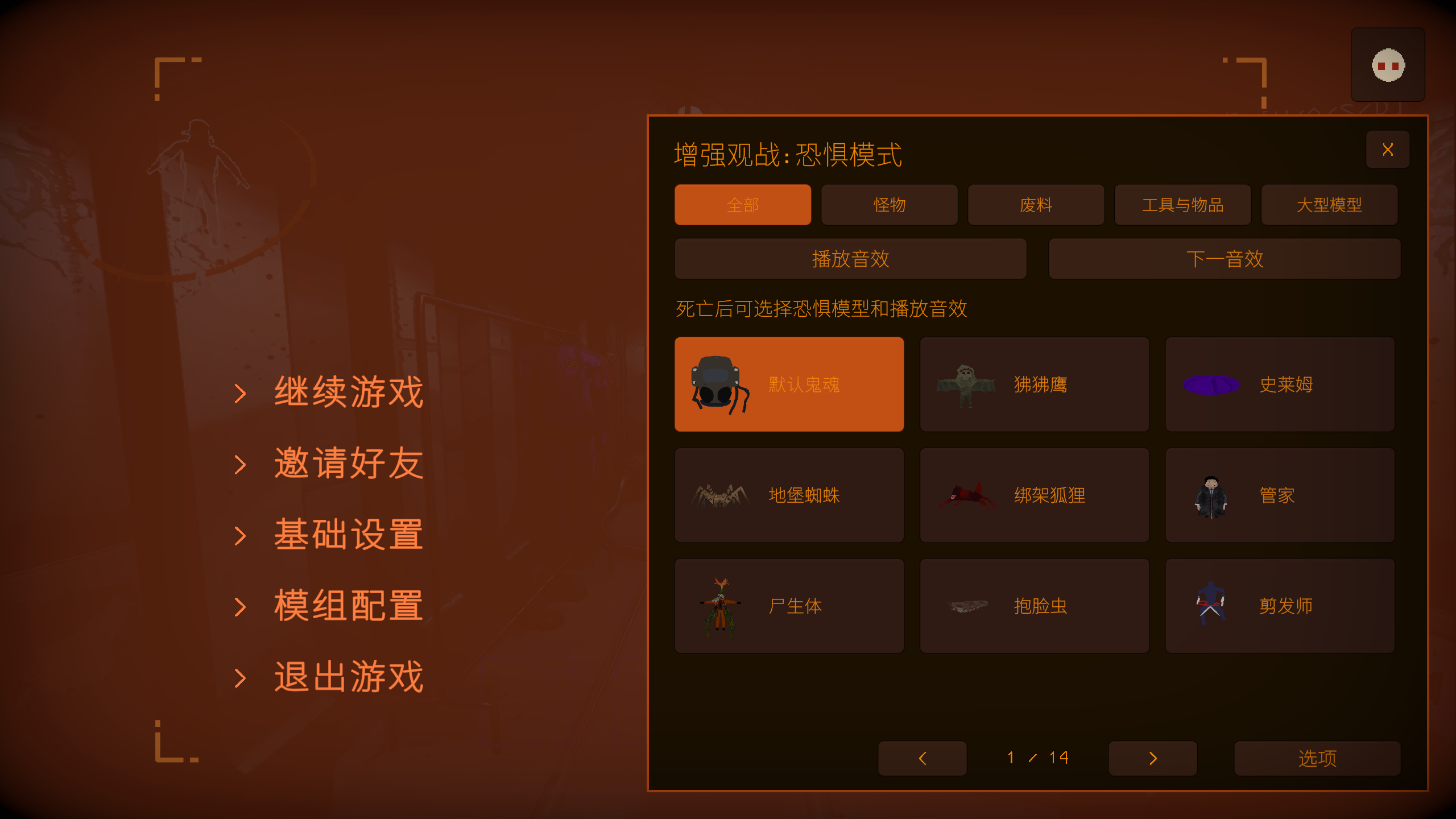 ② 分类选择模型与音效 |
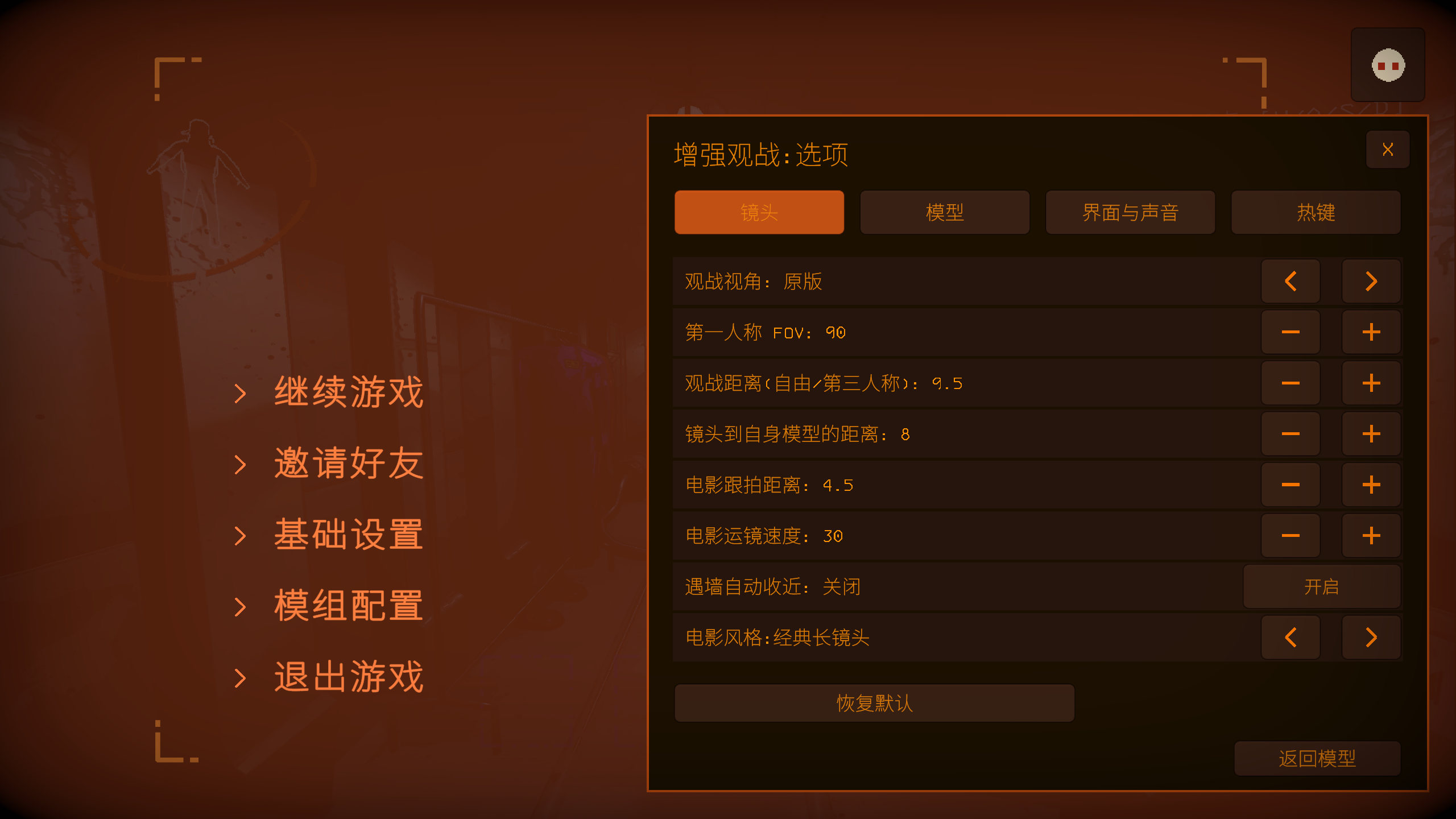 ③ 在选项中调整镜头、模型、声音和热键 |
|
默认操作
| 操作 | 按键 |
|---|---|
| 自由视角 / 返回原版 | F6 / F7 |
| 自身第三人称 / 队友第一人称 / 电影跟拍 | F3 / F4 / F5 |
| 运镜模式 / 热成像 | F1 / F9 |
| 移动 / 上升 / 下降 | W A S D / Space / Left Ctrl |
| 加速 / 减速 / 回正位置 | Left Shift / Left Alt / R |
| 观战距离 / 自身镜头距离 | 滚轮 / Alt+滚轮 |
| 上一模型 / 下一模型 / 切换运镜风格 | ← / → |
| 播放或停止音效 / 下一音效 | Z / X |
| 观战分屏 / 分屏时钟 | B / T |
| 放大窗口、换人或返回平铺;观众席一起观看 | 鼠标左键 |
| 表情 / 观众竞猜 / 同事评估 | Y / U / I |
| 发送表情 | 数字键 1–6 |
| 观战面板 / 光标与镜头切换 | O / P |
| 显示按键提示 / 隐藏观战界面 | H / F2 |
所有按键都可在 ESC → Enhanced Spectator → 选项 → 热键 中修改。
安装
通过 r2modman / Thunderstore Mod Manager 安装,需要 BepInExPack 5.4.2100。手动安装时,将发布包中的 EnhancedSpectator.dll、EnhancedSpectator.CameraRuntime.dll 及随附许可文件一起放入 BepInEx/plugins/EnhancedSpectator/。
配置保存在 BepInEx/config/Auuueser.EnhancedSpectator.cfg,高级设置位于同名 .Advanced.cfg 文件。
兼容
- LC_Chinese_Project:自动切换中文界面与配置,并修复玩家名称。
- Player_Status_Bars:状态条在每个分屏窗口中都正对镜头。
- MoreCompany:第一人称观战时隐藏遮挡镜头的装饰。
- LCBetterClock:观战名称避让时钟,起飞时间沿用它的时间格式。
- NiceChat:观战聊天面板正常使用。
- SpectatePreviousPlayer:分屏中右键不再切换窗口。
- HDLethalCompany:关闭后处理时模型渐显正常。
遇到问题请在 Issues 附上复现步骤、模组列表及 BepInEx/LogOutput.log。项目采用 GPL-3.0 许可。
English
Split-screen spectating
 |
Who is speaking
 |
Cameras and thermal
 |
Audience row
 |
Emotes
 |
Audience bets
 |
Colleague reviews
 |
Round report
 |
Spectator cameras
Self third person |
Teammate first person |
Third-person fear models |
|
Camera choreography
Travelling · Factory |
Travelling · Mansion |
Travelling · Mineshaft |
Monitor · Factory |
Monitor · Mansion |
Monitor · Mineshaft |
Elevator shot |
||
Watch panel
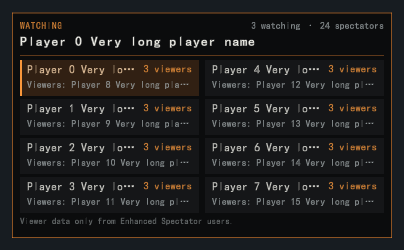 ① Press O to open the watch panel |
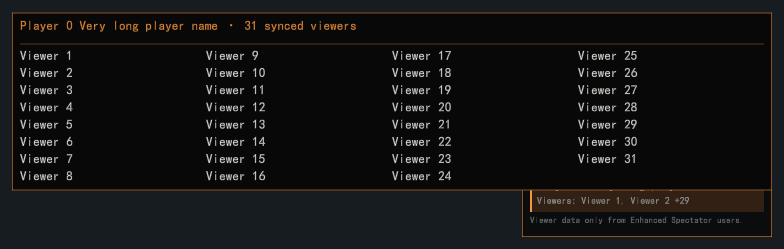 ② Press P for the pointer and hover to see every viewer |
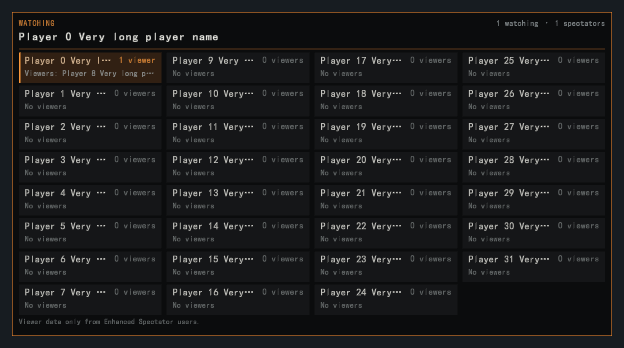 ③ Supports lobbies of up to 32 players |
|
ESC menu
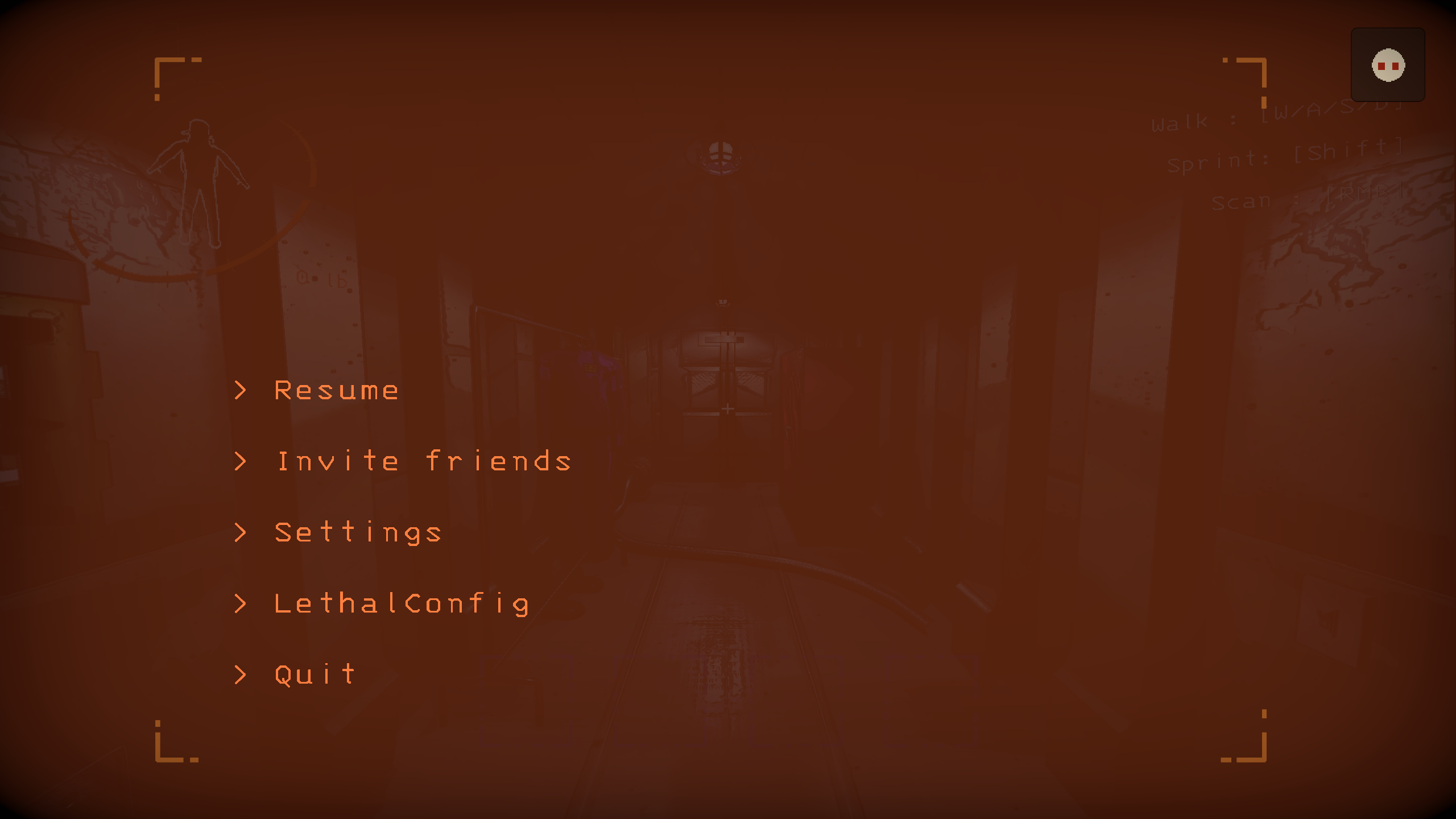 ① Open the top-right ESC menu entry |
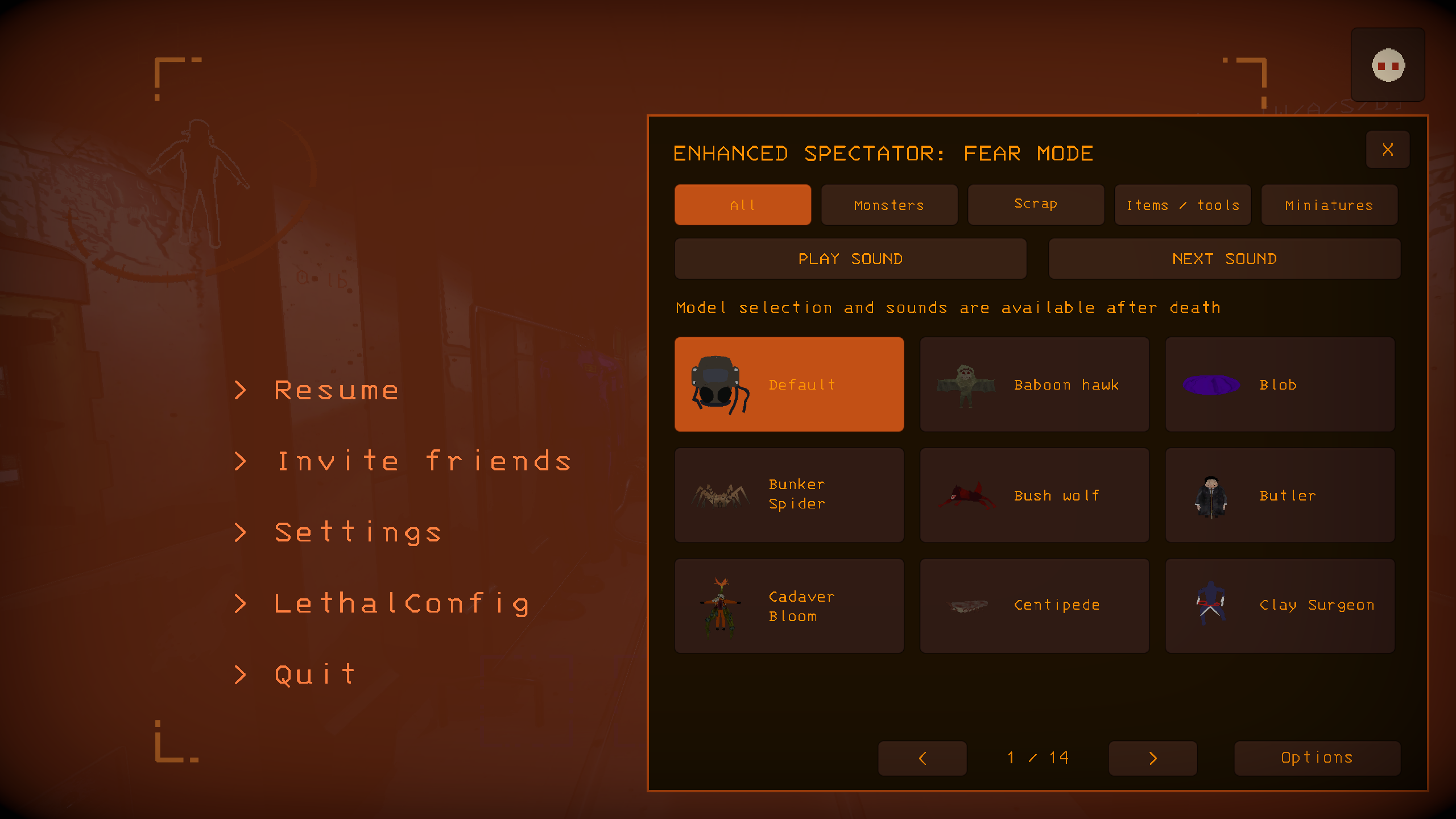 ② Browse models and sounds by category |
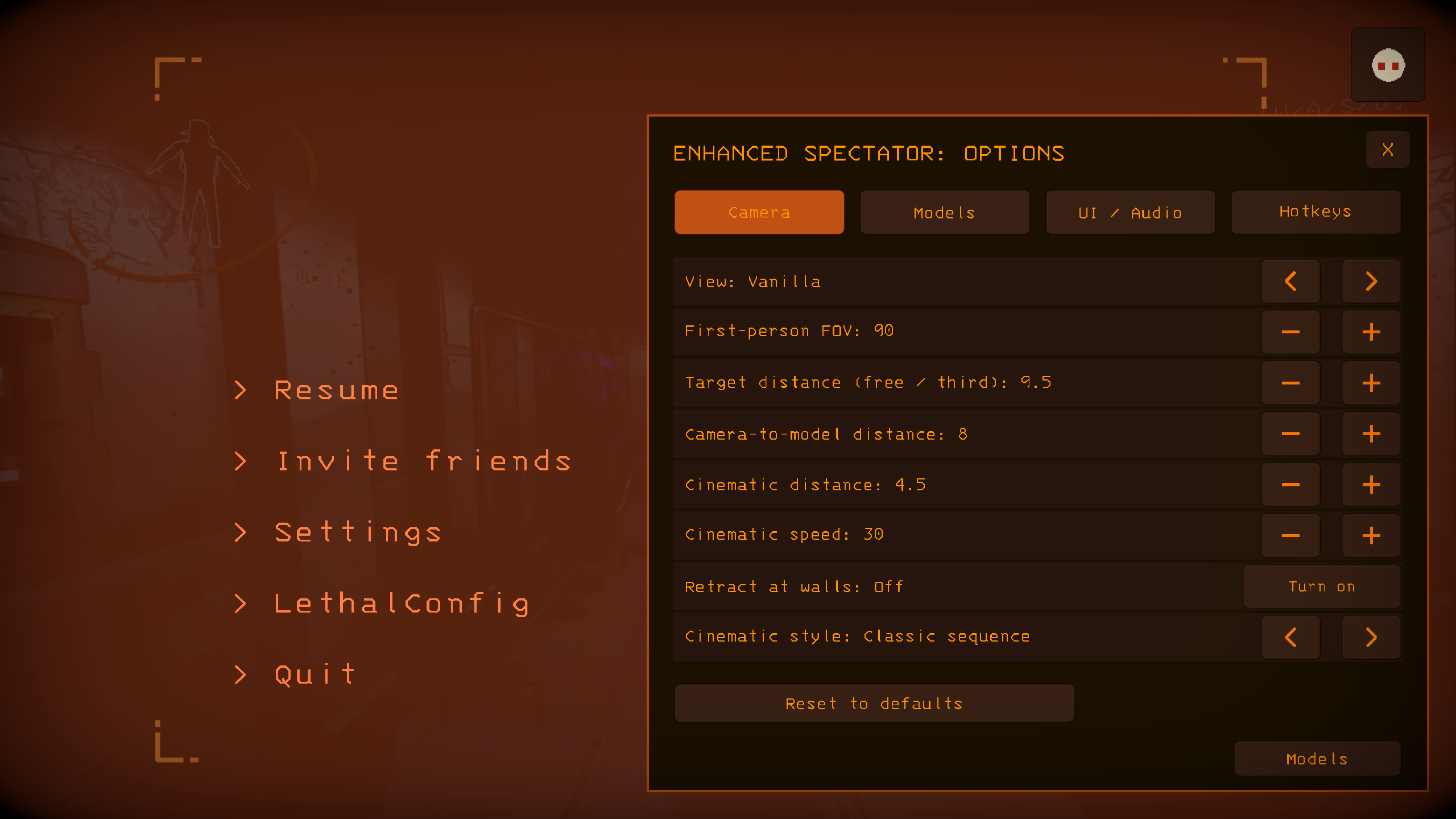 ③ Adjust cameras, models, audio and hotkeys in Options |
|
Default controls
| Action | Key |
|---|---|
| Freecam / return to vanilla | F6 / F7 |
| Self third person / teammate first person / cinematic tracking | F3 / F4 / F5 |
| Camera choreography / thermal imaging | F1 / F9 |
| Move / ascend / descend | W A S D / Space / Left Ctrl |
| Fast / slow / recenter | Left Shift / Left Alt / R |
| Spectator distance / self camera distance | Scroll wheel / Alt + wheel |
| Previous / next model / switch camera style | Left / Right |
| Play or stop sound / next sound | Z / X |
| Split-screen / split-screen clock | B / T |
| Enlarge a view, change players or return to the grid; watch along from the audience row | Left click |
| Emotes / audience bets / colleague reviews | Y / U / I |
| Send an emote | Number keys 1–6 |
| Watch panel / pointer or camera control | O / P |
| Toggle key hints / hide spectator HUD | H / F2 |
Every key can be changed under ESC → Enhanced Spectator → Options → Hotkeys.
Installation
Install through r2modman / Thunderstore Mod Manager. Requires BepInExPack 5.4.2100. For a manual install, place EnhancedSpectator.dll, EnhancedSpectator.CameraRuntime.dll and the bundled license files from the release package in BepInEx/plugins/EnhancedSpectator/.
Settings are saved to BepInEx/config/Auuueser.EnhancedSpectator.cfg; advanced settings use the matching .Advanced.cfg file.
Compatibility
- LC_Chinese_Project: automatically selects Chinese UI and configuration and repairs player names.
- Player_Status_Bars: status bars face the camera in every split-screen view.
- MoreCompany: hides obstructing cosmetics during first-person spectating.
- LCBetterClock: keeps the spectator name clear of the clock, and the departure time uses its format.
- NiceChat: works with the spectator chat panel.
- SpectatePreviousPlayer: right-click no longer switches views in split-screen.
- HDLethalCompany: model fades work with post-processing turned off.
Report problems through Issues, including reproduction steps, your mod list and BepInEx/LogOutput.log. Licensed under GPL-3.0.