

HolsteredItemPositions
[v81] Attaches holstered items to the player modelHolsteredItemPositions
An updated version of ReservedSlotPositionsForInventory. Compared to the original, this version:
- Comes with most of ReservedCustomPosition built in
- Does not rely on ReservedItemSlotCore with a bunch of jank setup
- Syncs the visible items on players after joining
- Uses DawnLib's
NamespacedKeysfor items, allowing any item to have their own custom position, even items with the same name - Provides a custom GUI for anyone to easily create their own positions, which can be enabled in the config under
General->Enable Setup HUD. PressF10after loading into a lobby to access the GUI.
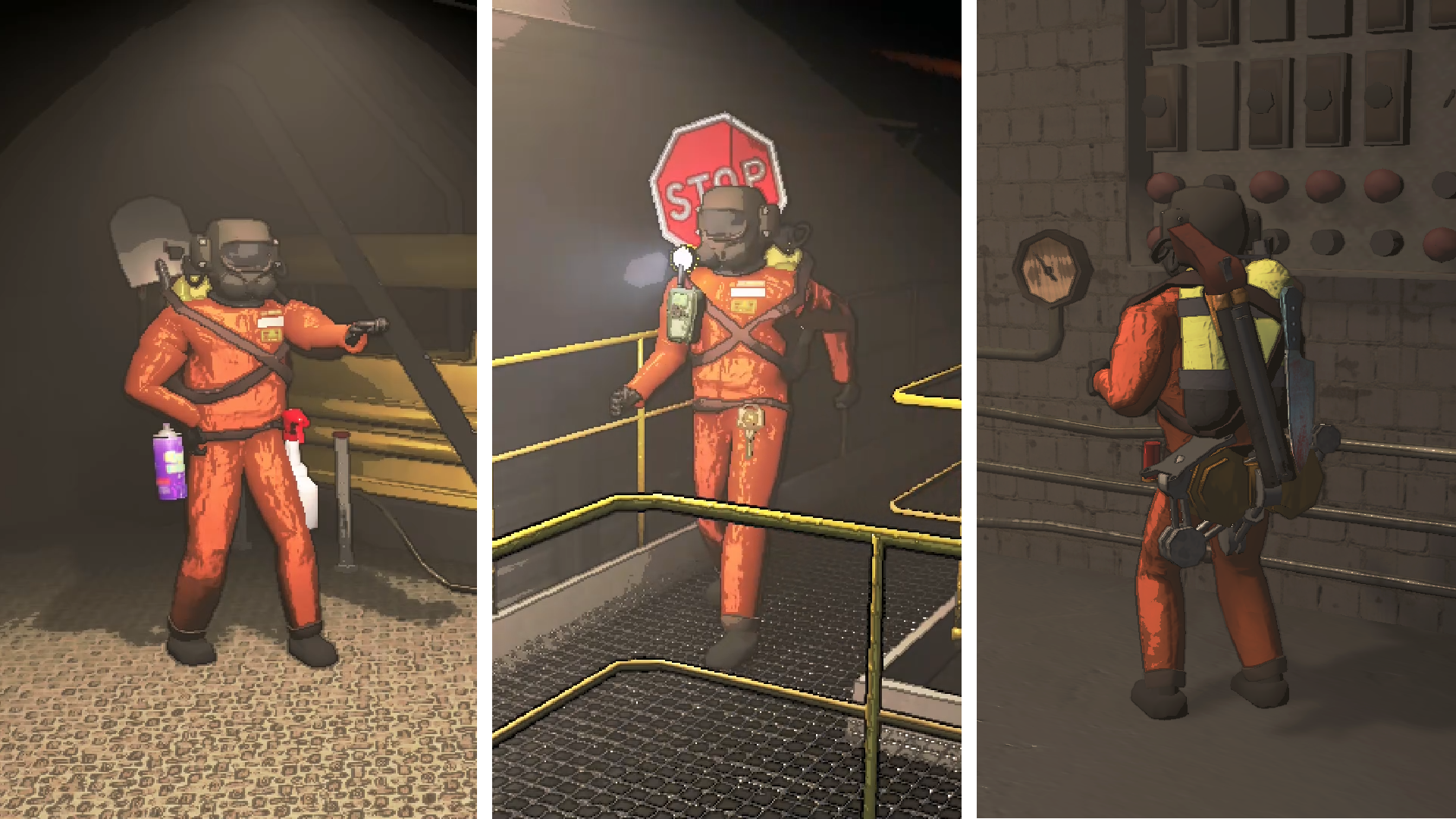
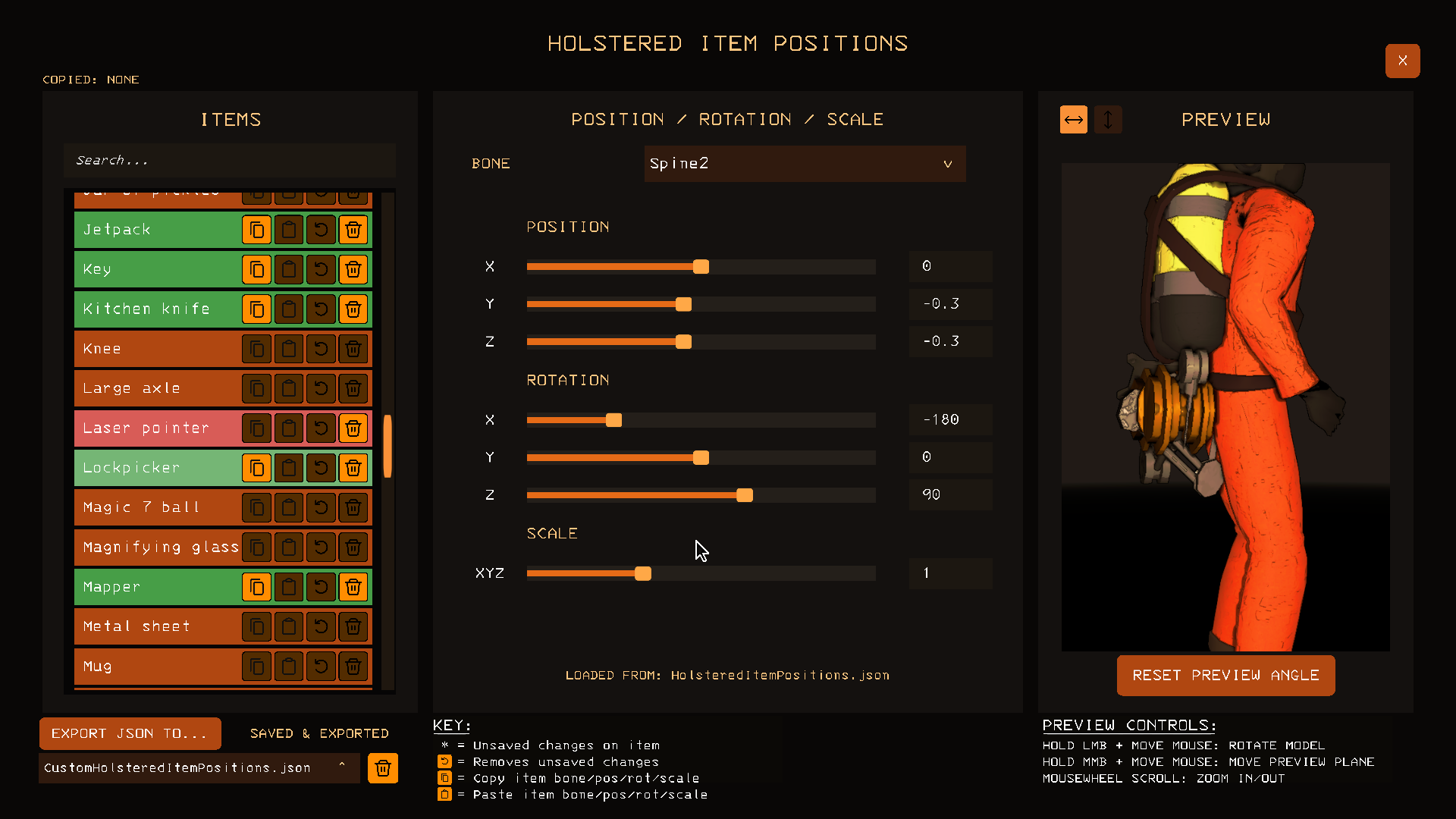
Custom GUI
This GUI exists to help make the creation of .json files bearable. To use the custom GUI, simply enable the config under General -> Enable Setup HUD and load into a lobby and press F10.
For more advanced users, the path you will find the .json files at is \profiles\<profile_name>\BepInEx\config\HolsteredItemPositions. In this folder:
HolsteredItemPositions.json- These are the item positions that install with
HolsteredItemPositionsby default. Deleting this will cause it to re-download whenever you download or updateHolsteredItemPositions.
- These are the item positions that install with
CustomHolsteredItemPositions.json- These are the item positions that are set through the ingame custom GUI, any entries in here will override anything in
HolsteredItemPositions.json.
- These are the item positions that are set through the ingame custom GUI, any entries in here will override anything in
<AnyCustomJsonFileName>.json- These are item positions from a
CustomHolsteredItemPositions.jsonfile that has been renamed by other users to upload on thunderstore.
- These are item positions from a
The .json files have a load order, from highest priority to lowest priority:
CustomHolsteredItemPositions.json<AnyCustomJsonFileName>.json- alphabeticallyHolsteredItemPositions.json
Example of syntax in CustomHolsteredItemPositions.json:
{
  "lethal_company:flashlight": {
	"bone": "Spine3",
	"position": {
	  "x": 0.2,
	  "y": 0.25,
	  "z": 0.0
	},
	"rotation": {
	  "x": 90.0,
	  "y": 0.0,
	  "z": 0.0
	},
	"scale": {
	  "x": 1.0,
	  "y": 1.0,
	  "z": 1.0
	}
  },
  "metalitemvariants:golden_flashlight": {
	"disabled": true
  }
}
Compatibility
🟢 Explicit Compatibility:
- ReservedItemSlotCore (specifically version
2.0.55)- Fixes a bug in the mod with player join syncing for the utility slot
- Disables their item positions in favour of this mod
- TooManyEmotes
- Supports emoting
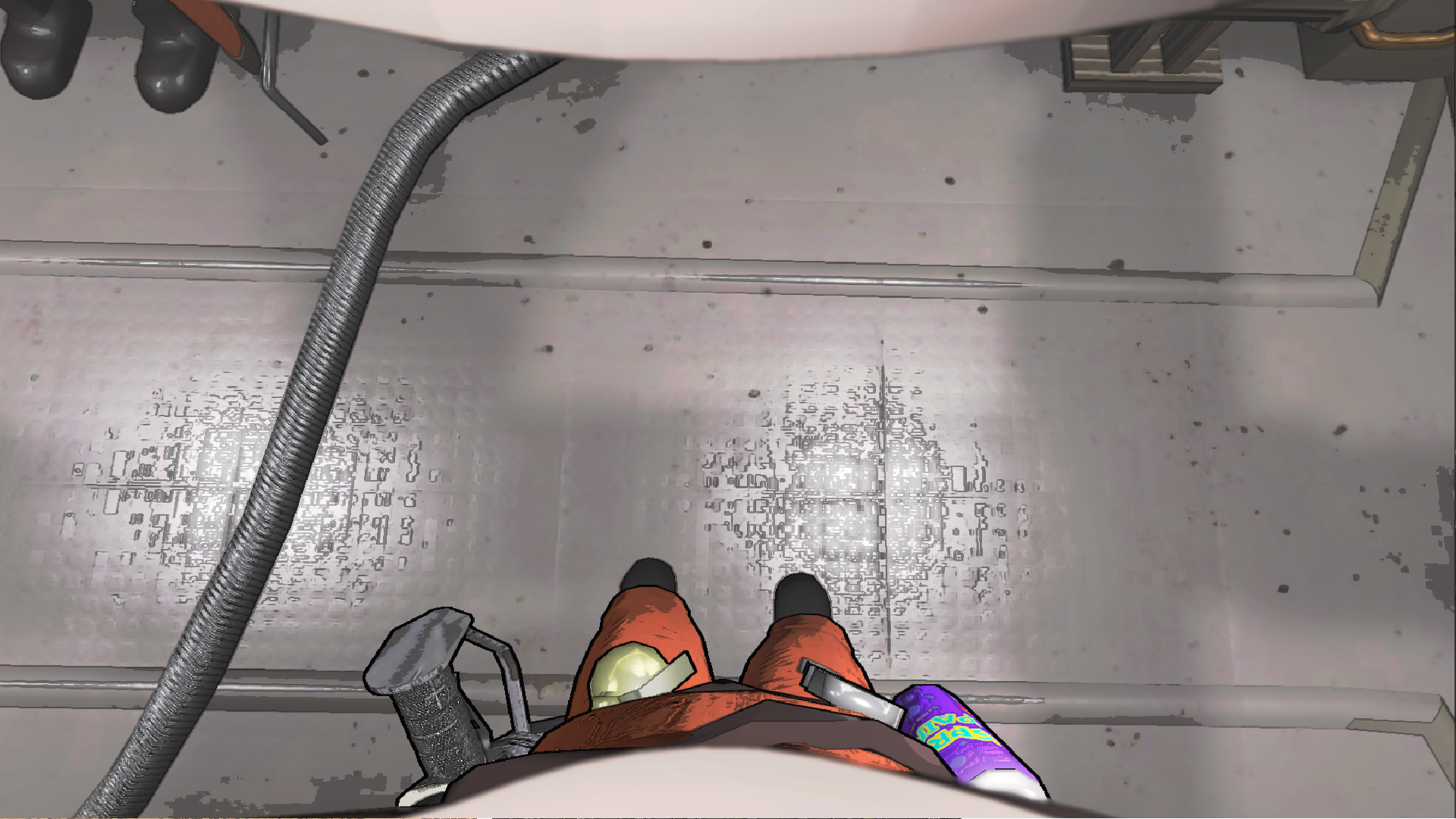
- First Person View
- Shows holstered item positions in first person
-
Screenshot
🟡 Partial Compatibility:
- HotbarPlus
- Will have sync issues with extra inventory slots, I will not be adding explicit compatibility due to the mods syncing issues. 4 slots with other settings enabled should cause no issues
🔴 No Compatibility:
- None that we're aware of yet
⚪ Unknown Compatibility:
- NicheTweaks
Pick up items in orderconfig optionPut two handed items in slot oneconfig optionRearrange inventory after droppingconfig option
Credits
- XuXiaolan and contributors for creating DawnLib
- Moroxide for the custom positions from ReservedCustomPosition and the mod icon
- debbicar for testing, creating custom positions for various items and screenshots
- Lunxara for creating custom positions for flashlights
- FlipMods for ReservedItemSlotCore, which originally housed this idea
- ThecheeseXD for playing DOOM: Eternal on the clock
- Trash Can Icon, authored by
artcoholic, licensed underMIT License - Undo Icon, authored by
krystonschwarze, licensed underCC Attribution License - Copy Icon, authored by
Konstantin Filatov, licensed underCC Attribution License - Paste Icon, authored by
Konstantin Filatov, licensed underCC Attribution License - Arrow Up Down Icon, authored by
Catalin Fertu, licensed underCC Attribution License