

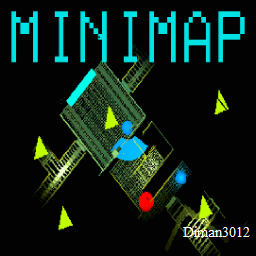
minimapa diman3012
Minimalist Lethal Company mod that adds an always-on minimap to the HUD. Shows players and objects, rotates with view direction, and is lightweight and unobtrusive.MIniMap




Minimalist minimap mod for Lethal Company. Displays the ship radar directly on your HUD so you can track teammates, scrap, and threats without returning to the ship monitor.
Inspired by LethalCompanyMinimap by tyzeron; reworked into a lightweight HUD overlay with BepInEx config and custom target-switching logic.
Download on Thunderstore · GitHub
Features
- HUD overlay — radar view in the top-right corner of your screen.
- Persistent state — toggle on/off with
F2; preference saved in BepInEx config. - Auto-rotate — map rotates with the current target's view direction.
- Icon correction — map icons and compass rose stay upright when the map rotates.
- Target locking — prevents the game from auto-switching your radar target while the minimap is active.
- Manual cycling — switch between valid radar targets with a hotkey.
- Death support — follows your spectated player when dead; returns to you on respawn.
Controls
| Action | Key | Description |
|---|---|---|
| Toggle minimap | F2 |
Show/hide minimap and save state to config |
| Switch target | F3 |
Cycle to the next valid radar target |
Minimap is disabled by default. Press
F2once after installing to enable it.
Installation
Thunderstore Mod Manager (recommended)
- Install r2modman or Gale Mod Manager.
- Search for minimapa diman3012 by SHLUHA.
- Install and launch the game through the mod manager.
Manual
- Install BepInEx Pack for Lethal Company.
- Download
MIniMap.dllfrom Thunderstore or build from source. - Place the DLL in:
Lethal Company/BepInEx/plugins/
- Launch the game once to generate the config:
BepInEx/config/com.diman3012.minimap.cfg
Configuration
| Option | Default | Description |
|---|---|---|
Enabled |
false |
Whether the minimap is visible (also toggled with F2) |
Additional settings (size, zoom, offsets, hotkeys) are defined in code in MinimapData inside MinimalMinimap.cs.
Building from source
Requires .NET Framework 4.8 and a local Lethal Company install with BepInEx.
- Open
MIniMap.slnxin Visual Studio or Rider. - Update
HintPathreferences inMIniMap/MIniMap.csprojto point to your game folder. - Build in Release configuration.
- Copy
MIniMap/bin/Release/MIniMap.dlltoBepInEx/plugins/.
Technical details
| Plugin GUID | com.diman3012.minimap |
| Plugin name | Minimal Minimap |
| Version | 1.1.0 |
| Namespace | MIniMap |
Key files:
MIniMap/MinimalMinimap.cs— BepInEx plugin, config, network prefab registration.MIniMap/MinimapPatch.cs— HUD overlay, hotkeys, target switching, death/spectator logic.MIniMap/ManualCameraRendererPatch.cs— map camera zoom, auto-rotate, icon correction.
Changelog
See CHANGELOG.md.
License
This project is licensed under the GNU Affero General Public License v3.0. See LICENSE for details.
Русский
Минималистичная миникарта для Lethal Company. Радар корабля выводится прямо в HUD — можно следить за картой, не возвращаясь к монитору на корабле.
Возможности
- Миникарта в правом верхнем углу экрана.
- Включение/выключение по F2, состояние сохраняется в конфиге.
- Автоповорот карты по направлению взгляда цели.
- Фиксация цели радара — игра не переключает её сама.
- F3 — ручное переключение между игроками.
- При смерти карта следует за наблюдаемым игроком; после возрождения возвращается к вам.
Установка
- Установите BepInEx Pack.
- Скачайте мод с Thunderstore или соберите из исходников.
- Положите
MIniMap.dllвLethal Company/BepInEx/plugins/. - Запустите игру и нажмите F2, чтобы включить миникарту.
Конфиг: BepInEx/config/com.diman3012.minimap.cfg
Author: Diman3012 · Based on: LethalCompanyMinimap by tyzeron