StoreRotationConfig
[v81] Configure the number of items in each store rotation, show them all, remove purchases, sort them, and/or enable sales for them. Also includes a fix for the terminal scrolling too far and skipping lines.StoreRotationConfig


Configure the number of items in each store rotation, show them all, remove purchases, sort them, and/or enable sales for them.
Description
Simple mod that adds configurability to the number of items that show up in the store every quota.
Intended for when there's a large number of modded items (suits, furniture, etc.) in the store, and the vanilla store rotation makes it too unlikely to ever see a desired item in stock.
Compatible with v81. Downgrading to v2.6.1 is required if intending to play on v73 and below.
Configuration
Rotating store
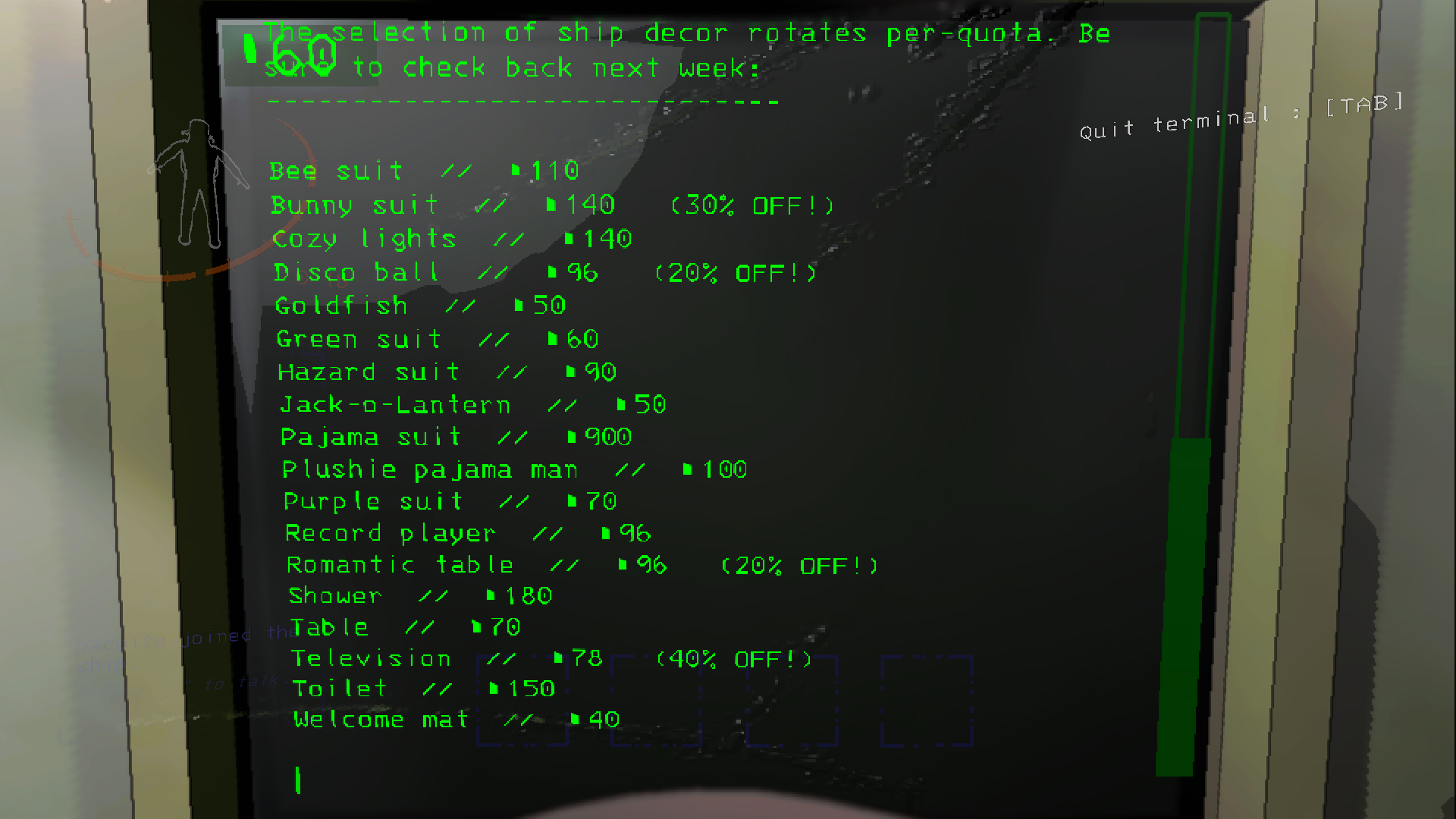
By default, the number of available items in the store is increased from 4-5 (vanilla) to 8-12, but this range can be configured via the minItems and maxItems config settings. Alternatively, the showAll setting (off by default) can be enabled to simply add every purchasable item to the store rotation.
Enabling the removePurchased setting (on by default) will prevent already-purchased items from showing up in future store rotations, and will also immediately remove newly-purchased items from the current rotation.
To guarantee an item showing up in the store rotation, its name can be added to the comma-separated itemWhitelist setting, which adds the specified items to every store rotation separate from the range of items defined by the minItems and maxItems settings. Likewise, to prevent items from ever showing up in the store rotation, their name can be added to the comma-separated itemBlacklist setting.
The store rotation can be displayed in alphabetical order by enabling the sortItems setting (off by default).
Rotation sales
Items in the rotating shop can be configured to occasionally go on sale, just like regular store items!
The saleChance setting (33% by default) controls the percentage chance for rotating items to go on sale, with the sales system disabling itself completely if set to 0. The number of items that can be on sale at a time can be configured by the minSaleItems and maxSaleItems settings (1-5 by default), and the amount that can be discounted can be configured by the minDiscount and maxDiscount (10-50% by default). Whether or not discounts should be rounded to the nearest ten, like the regular store, is determined by the roundToNearestTen (on by default) setting. The displayAdDiscounts setting (on by default) determines if discounts should show up in advertisements, like regular tools.
Terminal scrolling
For cases where having too many items in the store rotation causes scrolling to skip over several lines, either with stockAll enabled or with a high minItems/maxItems value, enabling the relativeScroll setting (on by default) will adapt scrolling to a certain number of lines at a time, determined by the linesToScroll setting (20 by default), and relative to the length of the currently shown terminal page.
These settings are not synced with the host, and can be freely modified without causing any issues.
Issues & Bug Reports
If any issues or incompatibilities are found, feel free to drop a message in the relevant thread in the Lethal Company Modding Discord server. Feedback, ideas, and suggestions are also welcome!