
LootLens
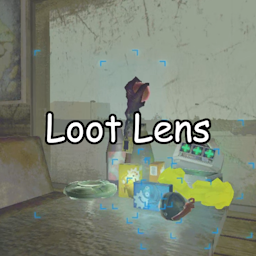
Shows info boxes on valuables, enemies, items and more when you look at them — boxes stay visible as long as you have line of sight. Fully configurable.Fork of Valuables Scanner by Kistras — all credit for the original mod goes to them.
Updated for R.E.P.O. v4.0.2 — mod version 4.0.3.
What does it do
Look at a valuable, an enemy, an item or a cosmetic box — an info box appears automatically. No button, no cooldown. The box stays visible as long as you have line of sight to the object and disappears when you look away or a wall blocks the view. Items loaded into a cart won't show a box.
If Multiplayer RPC is enabled, valuables discovered for the first time will appear on both your minimap and your friends', should you be playing multiplayer.
Also capable of detecting enemies, dead teammates and equippable items, although they will not appear on your teammates' minimap even if Multiplayer RPC is enabled. All of this can be disabled (or enabled) on demand.
Configuring
Use your mod installer, BepInEx's config or REPOConfig.
You can change:
- Scan radius (10 by default)
- Multiplayer RPC discovery (enabled by default)
- Valuable items discovery (enabled by default)
- Only scan already discovered valuables (disabled by default)
- Enemies discovery (enabled by default)
- Dead teammate's heads discovery (enabled by default)
- Equippable items discovery (enabled by default)
- Cosmetic boxes discovery (enabled by default)
- Carts and vehicles discovery (disabled by default)
- Custom discovery (enabled by default)
- Box fill opacity (0.15 by default)
There are overrides for discover radius:
- Override radius for valuables (0 to use main radius, 0 by default)
- Override radius for enemies (0 to use main radius, 0 by default)
- Override radius for dead teammates (0 to use main radius, 0 by default)
- Override radius for equippable items (0 to use main radius, 0 by default)
- Override radius for cosmetic boxes (0 to use main radius, 0 by default)
- Override radius for carts and vehicles (0 to use main radius, 0 by default)
- Override radius for custom discoveries (0 to use main radius, 0 by default)
Installation
- Make sure you have BepInEx installed.
- Download the LootLens package.
- Extract the contents to the game's
BepInEx/pluginsdirectory.
Or use Gale / r2modman — dependencies are installed automatically.
Required dependencies
- BepInEx
- CustomDiscoverStateLib — provides distinct colours for each object type
Known issues
- Items inside closed cabinets may still show a box since cabinet doors use trigger colliders that raycasts pass through.