
Citizen File Popups
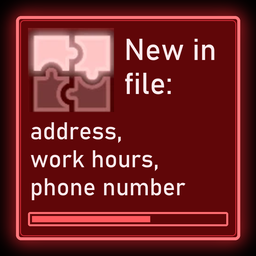
The citizen file popup now says what you learned, not just that the file changed: "New in file: address, work hours, phone number".Citizen File Popups
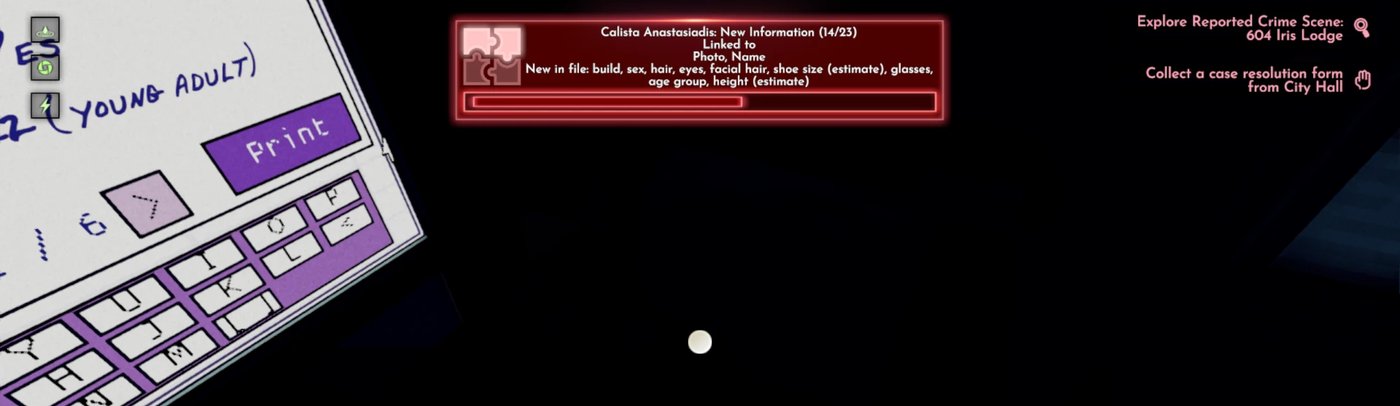
A BepInEx (mod loader) plugin for Shadows of Doubt. The citizen file popup now says what was added, not just that something was.
If it saves you a few trips into the file, a like on its Thunderstore page is always appreciated. Donations are welcome too:


Part of the Quality of Life and Complete modpacks.
What it does
When you learn something about a citizen, the game only tells you that their file changed. This mod adds one line to the popup that says what you learned:
New in file: build, hair, eyes, shoe size (estimate), height (estimate)
No more opening the file to find out.
Features
- Only what is new. The popup lists just the details you learned this time, even right after loading a save.
- The right person. Two citizens with the same name are kept apart.
- No clutter. Name variants and the pieces the popup already shows under "Linked to" are left out.
- Plain words. Details read like "work hours", "phone number" or "shoe size (estimate)".
- Works with the base game, no other mods needed.
Config
After one launch, edit with the game closed:
BepInEx/config/sm3gm.citizenfilepopup.cfg
| Setting | Default | Meaning |
|---|---|---|
Popup.MaxDetailsShown |
0 | How many details to list before the rest is shown as "+N more". 0 lists them all |
Good to know
The game sometimes merges several updates about the same person into one popup. The line then covers all of them, which is why it says "New in file".
Install
Install with a mod manager (Thunderstore Mod Manager or r2modman), or put the CitizenFilePopup folder in BepInEx/plugins. Needs BepInExPack IL2CPP.
Also by sm3gm
All Sm3gm mods are on Thunderstore.
Support
This mod is free and always will be.
Likes are greatly appreciated, so if you enjoy it, please leave one. You give a like on the mod's Thunderstore page while logged in to Thunderstore. If you installed through a mod manager, open that page in your browser to find the button.
If you'd like to support future mods, or just send a friendly thought, you can do so here:
Bug reports and ideas help as well. Post them in this mod's thread in the mod-releases channel on the official Shadows of Doubt Discord: https://discord.gg/shadows
Thanks for playing.