
ControllerFix
Controller and click fixes: one press per click on keypads, phones and elevators, the map's floor buttons step one floor, steady case board clicks, Y closes the top card, and a cursor that survives switching input.Controller Fix
A BepInEx (mod loader) plugin for Shadows of Doubt. Fixes for playing with a controller, a trackpad or a mouse: one click is one press, the map's floor buttons step one floor, case board clicks do what you mean, Y closes the top card on the case board, and the cursor survives switching input.
Formerly Button Fix. Same mod and same settings, with a better name for what it has grown into.
If it saves you from retyping a door code, please leave a like on its Thunderstore page. It keeps me motivated to make more mods. Donations are welcome too:


What it does
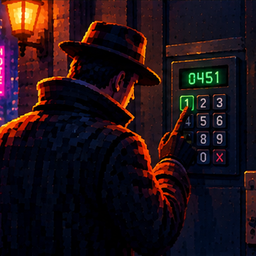
- One press per click: on keypads, phone keys and elevator panels, the game could press the same key several times for one click, especially at low or uneven frame rates. Codes came out wrong and elevators stopped at the wrong floor. Now each click presses its key once. Entering a code you already know still fills in every digit.
- Presses what you point at: with a controller, a click could press a button that was selected earlier, somewhere else on the screen. The selection now follows the cursor.
- Map floors, one at a time: the map's floor up and down buttons could take one controller press twice and skip a floor.
- Steady case board clicks: a click that wobbles a few pixels no longer drags the note away; it opens it. Hovering no longer flickers between moving and opening.
- Y closes a card on the case board: B closes the whole board, so with a controller there was no quick way to close one card. Point at an empty spot on the board and press Y: the card on top closes. Over a card or a pin, Y does what it always did.
- Switching input on the case board: going from controller to mouse or back kept no working cursor until you left the board. Now the right cursor comes back at once.
- Phone calls: switching between controller and keyboard during a call no longer lets the view drift, and the view is yours again when the call ends.
- Text fields and lists are left alone: search boxes, typing fields and drop-down lists work as normal.
Works with mouse, trackpad and controller. Tested at 15 and 120 fps.
Config
After one launch, edit BepInEx/config/sm3gm.sod.controllerfix.cfg with the game closed. Coming from Button Fix, your settings carry over.
| Setting | Default | Meaning |
|---|---|---|
| Buttons / OnePressPerClick | true | Keypads, phone keys, elevator buttons and the map's floor buttons take one press per click. |
| Buttons / ClickWindowSeconds | 0.6 | How long after a click the game may still press the key (the hand moves to it first). |
| Buttons / SelectUnderCursor | true | The button under the cursor becomes the selected one, so a controller click presses what you point at. |
| CaseBoard / DragThreshold | 24 | How far (in pixels at 1080p) the cursor must move with the button held before a click becomes a drag. The game uses 10. 0 = leave the game's value. |
| CaseBoard / YClosesTopCard | true | On the case board with a controller, Y with nothing under the cursor closes the card on top. |
| Phone / KeepViewOnPhone | true | On a phone call the view stays put when you switch between controller and keyboard. |
| Debug / LogBlocked | false | Write a line to the log for every repeated press that was stopped. |
Install
Use Thunderstore Mod Manager or r2modman and install as normal. BepInEx is installed automatically. If you have Button Fix, you can remove it; only one of the two runs anyway.
To install by hand:
- Install BepInExPack IL2CPP version 6.0.755.
- Put
SoDControllerFix.dllinBepInEx/plugins/ControllerFix/inside your existingBepInExfolder. Remove the oldButtonFixfolder if you have one.
Pairs well with Turn Speed Fix - Steady Turning, which makes controller turning the same speed at any frame rate, and Quick Menu, one menu for all my mods on D-pad Down.
Feedback
Found a bug or have an idea? Post it on the official Shadows of Doubt Discord: https://discord.gg/shadows
Also by sm3gm
All my mods are on Thunderstore.
Support
This mod is free and always will be.
Likes are greatly appreciated and keep me motivated to release more mods, so if you enjoy it, please leave one. You give a like on the mod's Thunderstore page while logged in to Thunderstore. If you installed through a mod manager, open that page in your browser to find the button.
And if you love what I do and want to support future projects, or just want to send a friendly thought, you can do so here:
Thanks for playing.