

Carturs Map Pins
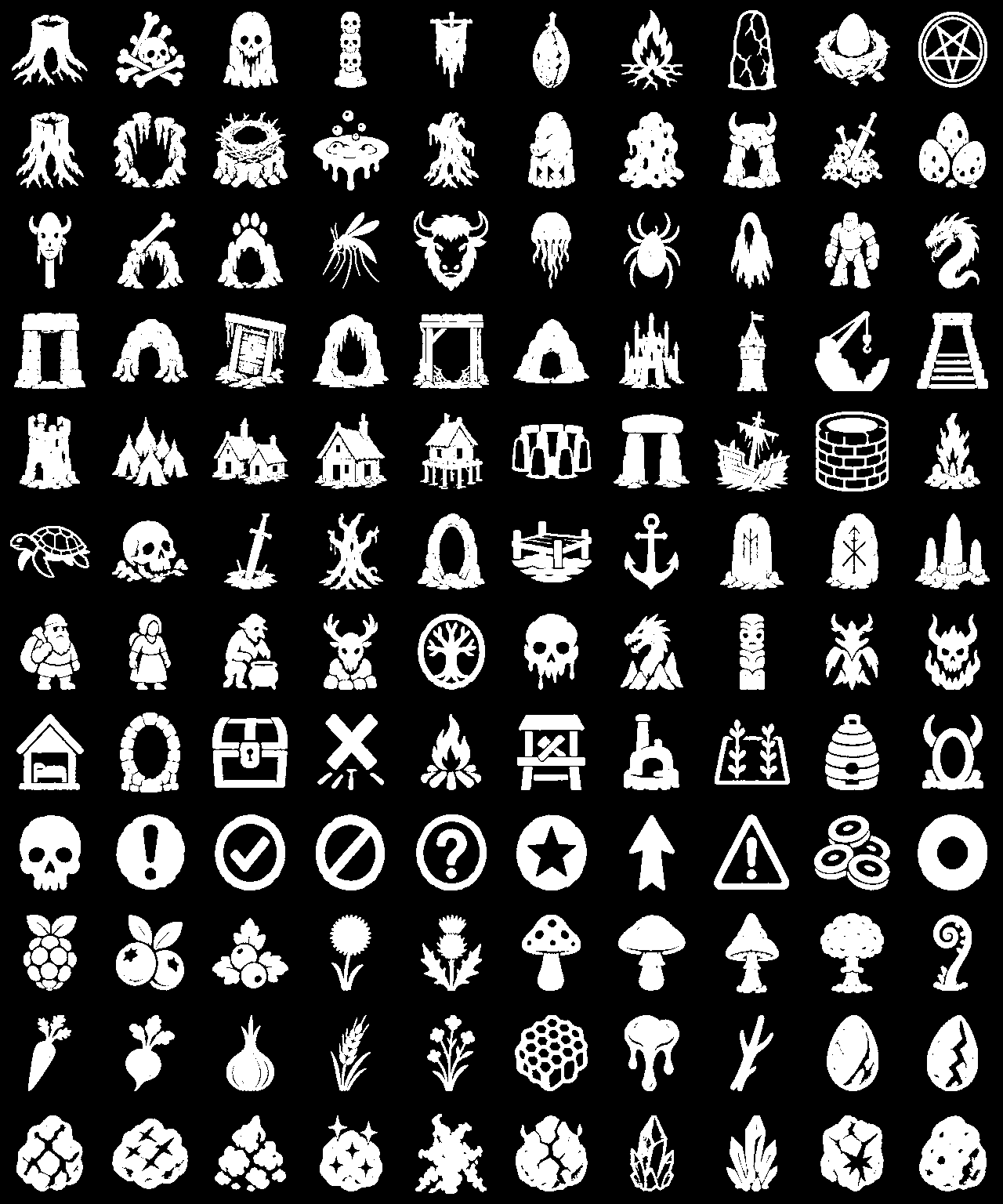
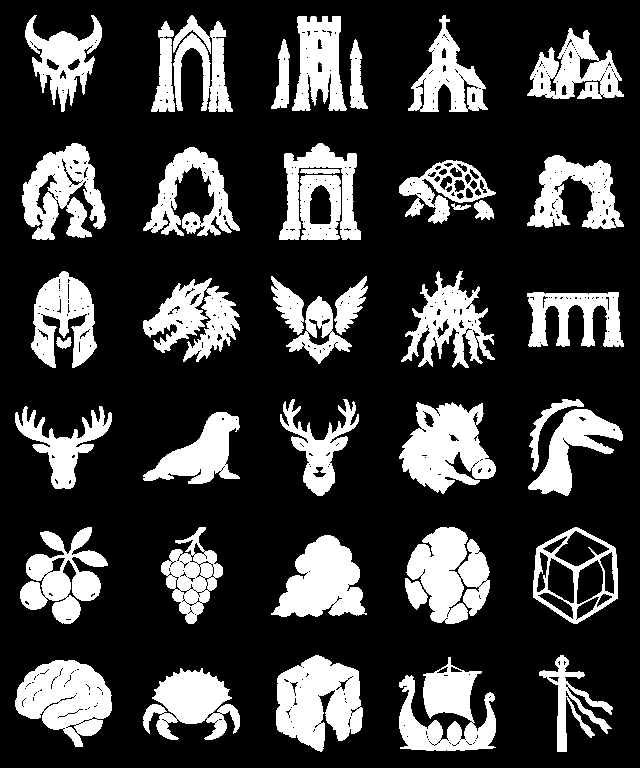
Drops labelled map pins on ore, dungeons, camps, chests, minibosses and more as you find them. 153 icons, a switch for every kind, and your bed marked as home.Cartur's Map Pins
Free, and always will be — if it improved your game you can tip me on Patreon.
More from Cartur: HD Blood · Follow Command · Compass and Clock · Safe Stamina
Pins the world onto your map as you explore it, labelled, so you can find your way back to things without writing them down.
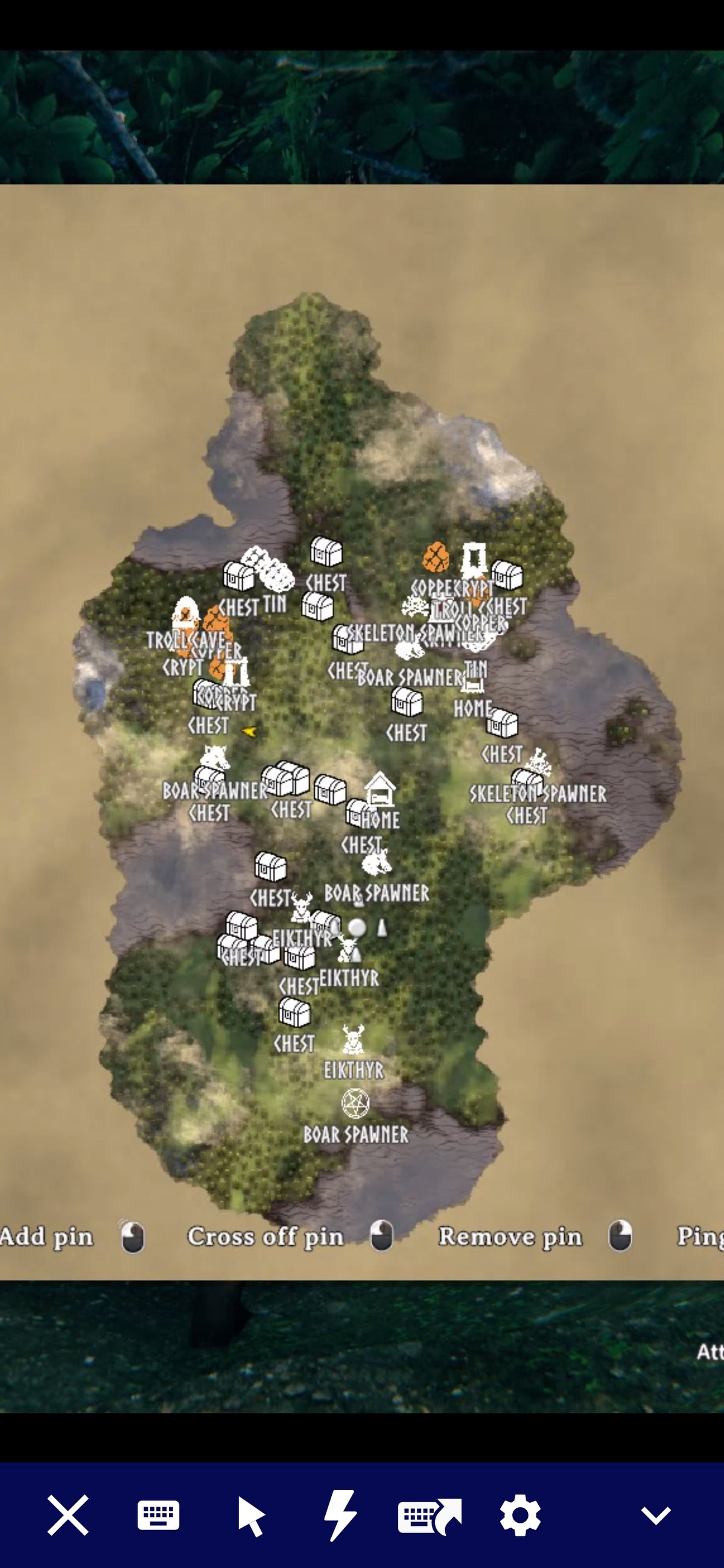
Walk near an ore deposit, a crypt entrance, a wild beehive, an abandoned chest — it lands on your map with a name on it. The pins are saved to your character like hand-placed ones, and they stay put after you clear the node, so you can tick them off yourself when you're done.
What gets pinned
Ore deposits · dungeon and cave entrances · Fuling villages, Greydwarf camps and Charred fortresses · wild beehives · runestones · abandoned chests · named minibosses · leviathans · traders · maypoles · your bed, as home · spawners · wisp fountains · high-value pickables (surtling cores, Yggdrasil shoots, eggs) · boss altars · Deep North dungeons by name.
Every category is a switch. Turn off what you don't care about.
Berries, mushrooms, crops and surface flint are off by default — they would carpet the map and bloat your save. Turn them on if you want them.
Changing a pin's icon
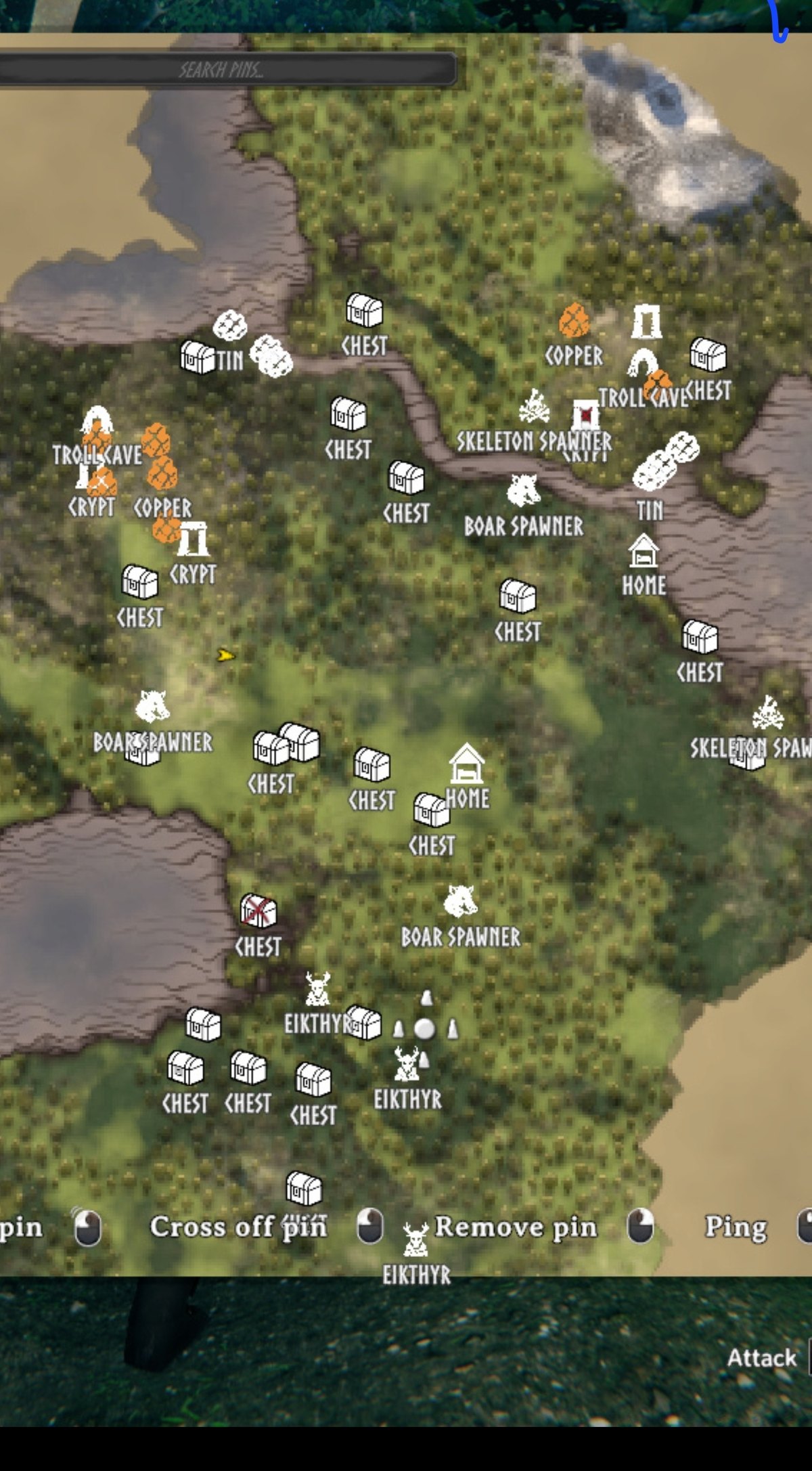
Shift-click any pin on the map to open an editor beside it: rename it, pick a different icon, choose a colour, set its size and opacity, then confirm - or cancel and nothing changes. It works on pins this mod placed and on pins you placed yourself.
Ore pins are already coloured by what the ore is, so copper reads as copper without you doing anything.
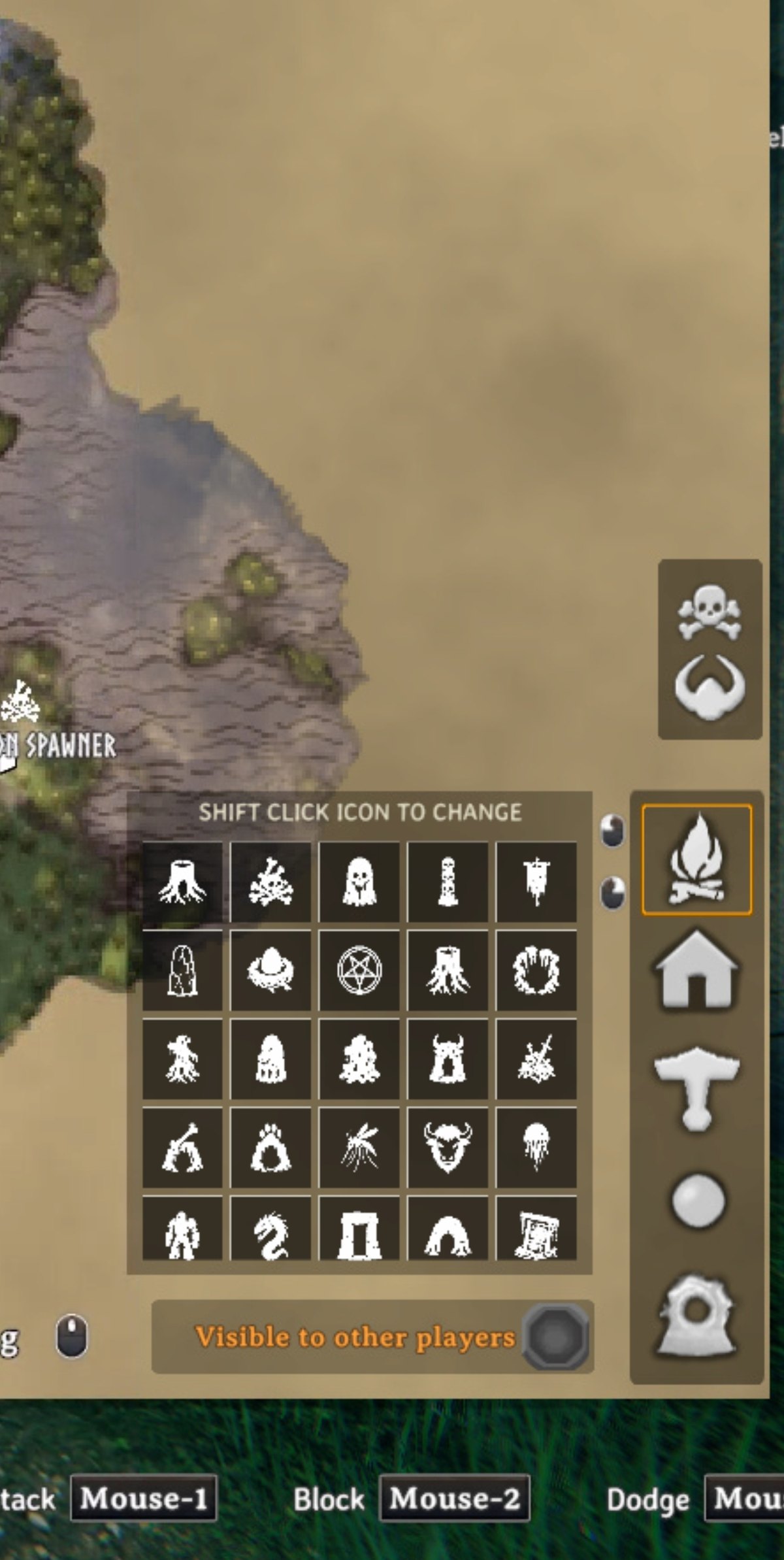
There is also an icon grid on the large map, next to vanilla's own row of pin buttons, for choosing what a pin you place by hand will look like. The old icon set is still in that grid, below the current one — pins you placed before the art changed keep exactly the picture you gave them, and you can still pick those icons if you prefer them. Nothing chooses them for you.
Finding a pin
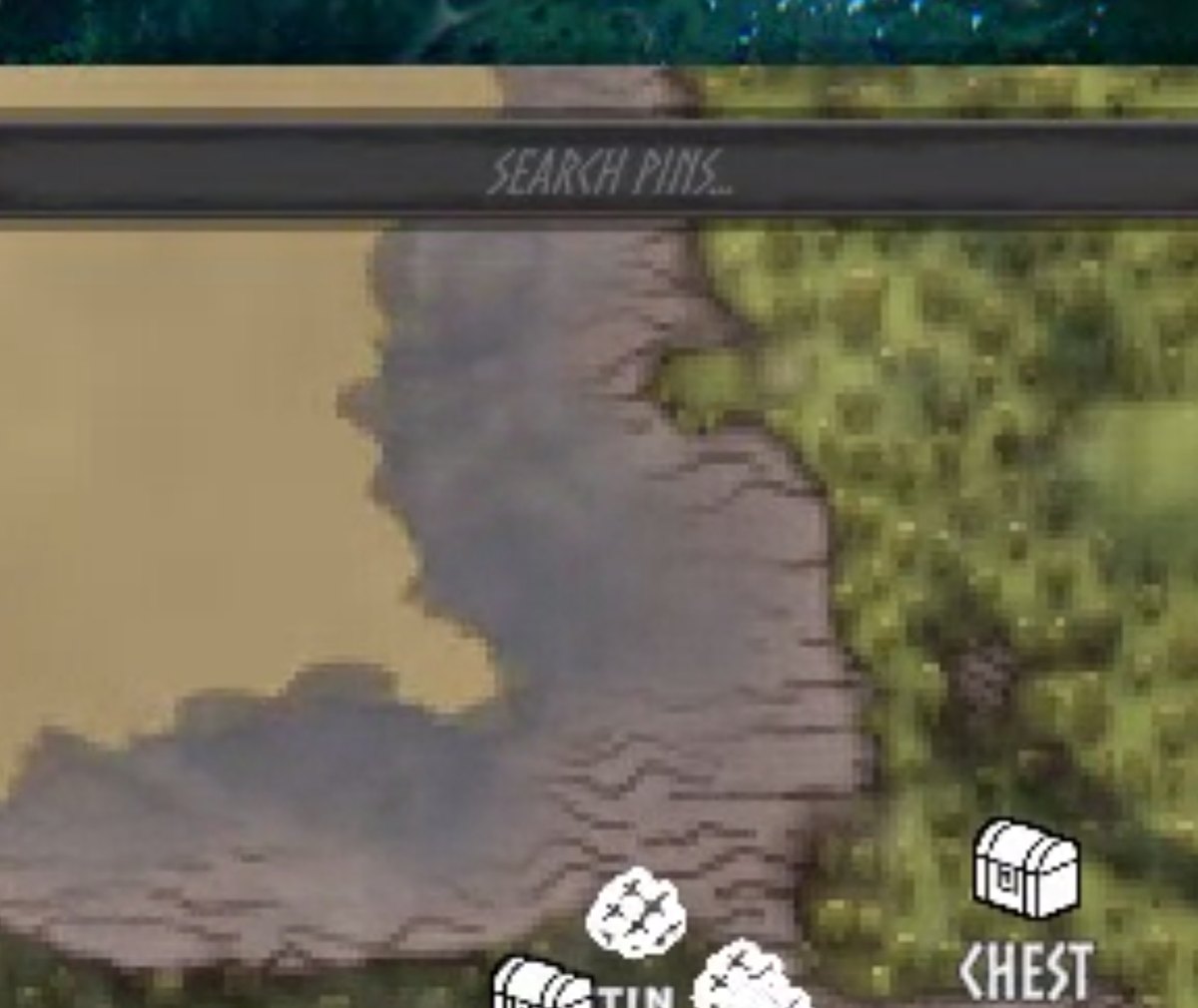
Type in the search box across the top of the map. Everything that does not match fades, so you can see where the copper is without losing the shape of the map around it.
Notable bits
- Emptied chests change icon. Loot a chest and its pin switches to a looted marker, so cleared ones are obvious at a glance. Refill it and it switches back.
- 153 icons to pick from. Every category and every kind under it takes its own icon, so you can set ore, dungeons, chests and the rest to whatever reads best for you. Vanilla pin types still work if you'd rather stay with them.
- Mined-out ore pins remove themselves. Deposits never respawn, so a pin on a worked-out node is a walk to an empty hole. Only pins this mod placed, and only while the game has that area loaded.
- Crowded pins get out of each other's way. Pins stacked on one spot shrink, never below half, and where two names overlap the rarer one is kept - CHEST appears forty times and says less than CRYPT. Point at a pin and its name always shows.
- Dungeons tick off once you have emptied them — every chest empty and every mud pile mined, shown with the same tick you would use by hand.
- Dungeon interiors don't leak. Valheim builds crypt interiors 5000m straight up, sharing their surface zone's coordinates. Without a height gate a crypt full of ore would dump a cluster of pins on the zone centre. This checks.
- Nothing is hardcoded to a prefab name. The list of what counts as ore, a beehive, or a pickable is built at runtime by looking at what components an object has — so it survives game updates, and picks up modded content for free.
- Named labels, properly translated. Names are stored as the game's own localisation tokens, so a crypt reads "Burial Chambers" in your language.
Commands
carturpins_clear— removes every pin this mod placed.carturpins_reicon— resets every pin this mod placed to its category's current icon. Useful after changing icon settings. Hand-placed pins are left alone.carturpins_count— how many are on record.carturpins_forget_missing— forgets records whose pin is gone, so those places can be pinned again.carturpins_clear— removes every pin this mod placed.carturpins_reicon— resets every pin this mod placed to its category's current icon. Useful after changing icon settings.
Install
Use a mod manager (r2modman / Thunderstore / Gale) — it pulls in BepInEx for you.
Manually: drop CarturMapPins.dll into BepInEx/plugins.
Config
BepInEx/config/com.jekkle.valheim.carturmappins.cfg, written on first run.
DiscoveryRadius(60) — how close you have to get before something pins. Things load from further away than you can see, so this stops the map filling in behind you.- Per category:
Enabled, its icon, and aDedupeRadius— how far apart two of the same thing have to be to earn separate pins. Chest / LootedIconIndex— the icon an emptied chest switches to. Set it to -1 to leave looted chests alone.
Boss altars are off by default. Vanilla already pins them. Its version is weaker — unsaved, unnamed, no hover label — so turn this on if you want a proper named pin, and leave it off if you'd rather not have two markers stacked.
If you use badgers Valheim Skies
That mod opens its menu on a hotkey and does not check whether you are typing, so a letter typed into the search box - or into vanilla's own pin-name field - fires it. There is an optional download on this page that fixes it; install it only if you use that mod.
Compatibility
Client-side only. The server doesn't need it and neither do the people you play with. Pins go into your own map data.
Pairs with Cartur's Compass and Clock, which puts these same pins on a compass bar and drops the ones you've ticked off or emptied.


