
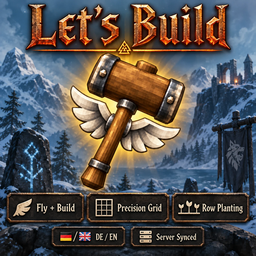
LetsBuild
Builder's hammer that never wears out, loose build camera, grid snapping and fine rotation, area repair, planting in rows with bulk harvest, more to plant, and faster growth in rain and near bees. Works with BetrValheim (F11).Changelog
0.7.7
No more crash with other farming mods
- Fixed: together with another mod that works out how long plants take to grow, the game could crash as soon as the plants around you loaded, for example when starting your own server. Rain still makes plants grow faster.
0.7.6
Bugs and ideas
- Found a bug or have an idea? Tell us on the forum: forum.dezzycode.de
0.7.5
Builder's hammer
- Free building and flight are for admins only now.
- Everyone can use the loose camera (P). For players who aren't admins, the character stays where it is, visible to all, and the camera goes up to 64 m away. Admins keep the old camera without a limit.
- Lose admin while holding the hammer and free building and the camera end right away.
- If the server makes area repair cost something, each piece costs what a normal repair costs.
- Other mods' rotation steps for other tools are no longer reset.
Server rules
- On a server, the server decides the hammer recipe, whether grid planting costs stamina and wear, and everything about area repair. In single player your own settings count.
- Switching the recipe off hides it for everyone, even players who made the hammer before.
Key hints
- The key hints now sit on the right of the screen, centred, lined up with the game's own hints.
Planting
- Picked mushrooms, thistle, dandelions, smoke puffs and fiddleheads leave a stump until they grow back (after 240 minutes, fiddleheads 300). Aim at it to see when.
- Stumps of plants you planted can be smashed with any weapon or tool to remove them. Wild ones stay.
- Vines are planted one at a time against a wall again, like in the game.
- The grid no longer misses saplings nearby when checking for room.
Rain and bees
- Rain makes everything you planted grow twice as fast while it rains on it, even when nobody is around. Under a roof there's no rain.
- Plants within 20 m of a working beehive grow a third faster. More hives don't add up.
- Weather set with World Control by DezzyCode counts too.
- The hover text shows how much faster a plant grows right now and why, for example Growth ×3 (rain ×2, bees ×1.5), and when it'll really be ready.
- Each can be switched off and adjusted; the server decides.
BetrValheim
- Fully compatible with BetrValheim by DezzyCode: with it, every Lets Build setting has its own tab in the F11 window, and the server's settings are for admins only.
- BetrValheim's bee boxes speed up growth like beehives, once a queen lives in them and it's warm enough.
Smoother
- Planting and the key hints use less of your computer's power.
0.7.4
- Planting a grid works with seeds from nearby chests, if another mod lets you build from them. Before, only the first plant could be paid that way.
- Fixed an error that showed up every time the planting preview was shown.
0.7.3
- Picked thistle, dandelions, mushrooms, smoke puffs and fiddleheads no longer look pulled out. A small sprout stays until the plant grows back. Can be switched off.
0.7.2
Area repair
- Repairing a piece with a hammer also repairs every damaged piece around it, nearest first. No workbench needed. Radius and on/off in the settings; free by default.
Planting
- A new bed next to another kind keeps its own spacing; only the seam between the two beds is wider.
- Spots keep enough room for saplings around them once those have grown.
- Wild plants and debris stand much closer: mushrooms 0.5 m, dandelion and thistle 0.75 m, cloudberry, smoke puffs and fiddleheads 1 m, berry bushes 1.5 m, branches, flint and stones 0.5 m. Each can be changed.
- Wild plants are only refused where their stem would stand inside something, not where leaves touch.
0.7.1
- Fixed 0.7.0 not starting properly: planting rules, wild plants, debris and decorations were missing.
0.7.0
- The preview shows what the grid costs. Spots your seeds don't cover turn red and are skipped, and the build menu flashes red when you're short.
- Plant branches, flint and stones with the cultivator.
- Plant decorations: small bushes, shrubs, young firs and beeches, a young yggdrasil shoot and the ashlands fern. They cost as much wood as chopping them can give back, so planting and felling never pays off.
- Monsters no longer attack wild bushes, mushrooms and flowers as if they were buildings, unless a player planted them.
0.6.10
- Crops stand closer where they can: kale 0.96 m, carrots, onions and turnips 0.70 m.
- Tree saplings stand a bit further apart (beech 3.4 m, oak 5.2 m), so a tree that grows first no longer takes the room of the one beside it.
0.6.9
- Plants in a grid stand as close as they can while every one still grows, including next to a different kind.
0.6.8
- The building grid follows what you look at: it lines up with turned floors, roof slopes and slanted walls. On terrain it runs north/south and east/west.
0.6.7
- Every piece in the build menu now snaps to the grid, fires included.
- Past the edge of a beam or floor, pieces stay on the grid instead of dropping off.
- No grid on water.
0.6.6
- With the grid on, pieces snap only to the grid, not onto neighbouring pieces. Q/E still pick which point sits on the grid.
0.6.5
- Press O with the hammer to switch free building and flight on or off. Off, it's a normal hammer that never wears out.
- The loose camera (P) works either way.
0.6.4
- The grid stays flat on the surface you aim at instead of dropping onto whatever lies below.
0.6.3
- At most 200 plants per click, so big grids no longer make the game stutter.
0.6.2
- Bushes, mushrooms and flowers can't be planted into rocks, trees, buildings or other bushes any more.
0.6.1
- The grid and fine rotation now only work with the hammer. With the hoe and cultivator, building is like in the game.
0.6.0
- The planting grid now starts lined up with the world.
0.5.9
A big update: Lets Build is now a building and farming mod, not just a hammer.
Builder's hammer
- A hammer lost because you played without Lets Build once comes back. Hammers in chests are never doubled.
- A new icon, and messages in your language.
Precision building (with the hammer)
- H grid on/off, N grid size (0.125–2 m), J rotation step (90° down to 1°), U snap to corners or cell centres.
- With the grid off, building is exactly like in the game.
Planting (with the cultivator)
- Plant in rows and columns with the arrow keys; H lines up with plants already standing.
- The spacing is exactly what the game needs, so every plant grows.
- Spots where a plant can't grow are red, with the reason.
- Every plant costs seeds, stamina and wear and trains farming, as if planted one by one.
- Shift + E harvests everything ripe around you, beehives too. Replanting after harvest is optional.
- The hover text shows how far a plant has grown.
More to plant
- Berry bushes, mushrooms, thistle, dandelion, smoke puffs and fiddleheads.
- New saplings: ancient (swamp tree), yggdrasil, autumn birch and ashwood.
- Only what a player planted can be removed, and nothing is refunded, so nothing can be duplicated.
Everyone needs it, the server and every player.
0.4.0
- With the loose camera, your character comes along unseen, so you can build from wherever you fly.
0.3.1
- Fixed an error when leaving a world with the hammer in hand.
0.3.0
- A loose build camera on P.
0.2.0
- Build while flying the camera around.
0.1.1
- Fixed the mod not loading at all.
0.1.0
- First release: a builder's hammer that never wears out. While you hold it, building is free and you can fly.