
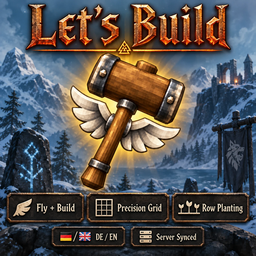
LetsBuild
Builder's hammer that never wears out, loose build camera, grid snapping and fine rotation, area repair, planting in rows with bulk harvest, more to plant, and faster growth in rain and near bees. Works with BetrValheim (F11).Lets Build
Found a bug or have a wish? Report it on the forum: forum.dezzycode.de
A builder's hammer that never wears out, precision building with the hammer, and planting in rows and columns.
The mod speaks the game's language: German in a German game, English in every other one.
Works with BetrValheim by DezzyCode: fully compatible, every setting of Lets Build in a tab of its own in BetrValheim's F11 window, and its bee boxes make plants grow faster too.
Made by DezzyCode.
At a glance
| Builder's hammer | Never wears out; for admins, free building and flight while it is in your hands |
| Loose camera | P frees the camera to build from any angle |
| Precision building | Grid from 0.125 to 2 m and rotation steps down to 1°, for every piece in the build menu |
| Area repair | Repair one piece and everything damaged around it is repaired too, 10 m around |
| Planting in rows | Rows and columns with the cultivator, as tight as the game lets plants grow |
| More to plant | Berry bushes, mushrooms, flowers, branches, flint, young trees and four new saplings |
| Bulk harvest | Shift + E picks everything ripe within 5 m |
| Rain and bees | Plants grow twice as fast in the rain and 1.5 times as fast near working beehives and BetrValheim's bee boxes |
| Growth in the hover text | How far a plant has grown, when it is ready and what speeds it up |
| Alone or together | In single player your own settings count; on a server the server's, for everyone |
| BetrValheim | Fully compatible; with it, every setting in a tab of its own in the F11 window, the server's for admins only |
Every number here is a default and can be changed in the settings.
The builder's hammer
Make it at the workbench for 1 wood. (A server can switch the recipe off.)
Never wears out. Not by having a huge durability number — by having none at all, so there is no bar quietly draining either.
Free building and flight while held - if you want it, and if you are an admin. With creative building on, equipping it switches on the game's own devcommands, debug mode, free placement and flight, and unequipping puts every one of them back. Press O with the hammer in hand to switch creative building off: then it is an ordinary hammer that never wears out, and you build and walk like everyone else. Your choice is kept.
Back, not off. If you had flight or free building on before you picked the hammer up, putting it away leaves them on. It restores what it found rather than switching things off, so it cannot cancel something you asked for yourself.
Flight ends when you land. Cutting flight in mid air would be a fall you did not agree to, so it waits for solid ground. Until then you build normally and can still fly.
A loose camera for building. With the hammer in hand, press P and the camera comes loose - with creative building on or off. Fly it with WASD, jump and crouch, and build exactly as you always do. Press P again, or put the hammer away, and the camera is back behind you. For an admin the character goes along unseen, so building reaches from wherever the camera is. For everyone else the character stays where it stood, visible to all, the camera goes up to 64 m from it, and building reaches as far as from the character.
It comes back if it was lost. The game throws away any item whose mod is not loaded when a character is loaded — one session in a mod profile without Lets Build, and the hammer was gone for good. The mod now remembers how many hammers you carried and hands back any that were lost that way.
Your normal hammer is untouched. This is a separate item; the game's own hammer stays as it is.
Area repair. With the hammer - the game's and the builder's - repairing a piece also repairs every damaged piece around it, nearest first. The radius (10 m by default) is set in the settings, and area repair can be switched off there - on a server, by the server. No workbench or other crafting station needs to be near. The extra pieces are free, or, if the server sets it so, each costs the stamina and wear of a single repair.
Precision building
With the hammer (the game's and the builder's hammer):
| Key | What it does |
|---|---|
| H | Grid on / off |
| N | Grid size: 0.125 · 0.25 · 0.5 · 1 · 2 m |
| J | Rotation step: 90° · 45° · 22.5° · 15° · 5° · 1° |
| U | Snap to grid corners or to cell centres |
- With the grid off, building is exactly the game's own: its 22.5° rotation step, and N, J and U do nothing. Your choices are kept for the next time you switch it on.
- The keys are shown on the right of the screen, centred top to bottom, in the game's own key hint style.
- Every piece in the build menu snaps to it. The grid lies on whatever you aim at: floors and terrain, and along walls too - but not on water.
- It follows what you look at: aimed at a building piece it takes that piece's turn and tilt and lines up with its edges - a turned floor, a roof slope, a slanted wall. Aimed at terrain it runs north/south and east/west from the world's centre, so foundations placed far apart still line up.
- While the grid is on, pieces snap to the grid only - not onto neighbouring pieces. Q/E still choose which point of the piece sits on the grid.
- The grid lies flat in the plane of the surface you aim at and never runs over anything else.
Planting
With the cultivator and a plant selected:
| Key | What it does |
|---|---|
| ↑ / ↓ | More or fewer rows |
| → / ← | More or fewer columns |
| H | Line up with the plants already standing: on / off |
| Shift + E | Pick everything ripe around what you pick — crops, bushes, beehives |
- Exactly the spacing the game needs. The distance between plants is worked out from the game's own growth rule, so a grid is as tight as it may be and every plant grows.
- Red where it would not grow. Wrong biome, no sky, too little space, ground not cultivated — checked the way the game checks it, before you plant. The reason is shown.
- Continues existing rows in the direction they run.
- Next to another kind the new bed keeps its own spacing; only the seam between the two beds is wider, just as much as both kinds need to grow.
- Every plant is paid for. Seeds, stamina, cultivator wear and farming skill count for each plant, exactly as if you had placed them one by one. If something runs out, planting stops there.
- The cost shows before you plant. Spots your seeds no longer cover turn red and stay empty, and the build menu shows what the whole grid costs.
- Replant on harvest (off by default): the seed goes straight back into the ground.
- Growth in the hover text: how far a plant has grown and when it is ready; when a picked bush bears again.
More to plant
- Wild plants: raspberry, blueberry, cloudberry and lingonberry bushes, mushrooms, thistle, dandelion, smoke puffs and fiddleheads. What you plant is the game's own object. Only what a player planted can be taken away again, and the cost is not refunded, so nothing can be duplicated. Picked ones grow back like in the wild. They stand close together (mushrooms 0.5 m, bushes 1–1.5 m), and you can set the distance for each kind. A picked flower or mushroom leaves its stump until it grows back, and the stump tells you when.
- Debris: branches, flint and stones. Branches and flint grow back after picking.
- Decorations: small bushes, shrubs, young firs and beeches, a young yggdrasil shoot and the ashlands fern. They cost as much wood as chopping them can give back at most, so planting and felling never pays off. Icons are rendered from the models.
- New saplings: ancient (swamp tree), yggdrasil shoot, autumn birch and ashwood.
Rain and bees
- Rain makes everything planted grow faster — twice as fast while it rains on it. It goes by the game's own weather where the plant stands, so rain counts while nobody is there too. At the border of two biomes rain from either side within 16 m counts. Weather set for the whole world with World Control by DezzyCode counts as it is set. Under a roof there is no rain.
- Bees shorten the grow time of everything within 20 m of a beehive whose bees are working — the right biome and enough open space above the hive, as the game wants for honey: a third less time. BetrValheim's bee boxes count too, once a queen lives in them and it is warm enough. More hives do not add up.
- The hover text shows how much faster a plant grows right now and why, for example Growth ×3 (rain ×2, bees ×1.5). The time left counts the rain still to come — the weather ahead is as fixed as the weather gone by — so it says when the plant will really be ready. Rain and bees can each be switched off and adjusted in the settings.
Rules the server decides
Where crops and trees grow, whether they need cultivated ground, open sky and space, how fast they grow, how much rain and bees speed them up, what can be planted and what the wild plants and debris cost — set on the server, synced to everyone.
Worth knowing
Everyone needs it: the server and every player. The new saplings are things a player without the mod couldn't even see, and the planting rules come from the server. If something is missing, you're told when you connect.
The builder's hammer turns on cheats. That's the point of it. Valheim remembers that a game used cheats, and achievements know about it.
Free building and flight are for admins. On someone else's server only an admin gets them; everyone else has a hammer that never wears out, plus the loose camera. In single player and on your own game you're always admin.
Settings
Most settings are just for you: keys, grid, planting comfort. The ones that decide what players may do — the hammer recipe, what planting costs, area repair, rain and bees, and all planting rules — come from the server and count for everyone. In single player your own values count. You can also set how close wild plants and debris stand in a grid.
With BetrValheim installed, every setting is in its F11 window, in a tab of its own; the server's settings can only be changed by admins there. Without BetrValheim you change them in the mod's settings file.
Requirements
- BepInExPack Valheim
- Jötunn 2.30 or newer
DezzyCode
Lets Build is made by DezzyCode.
- All my mods: https://thunderstore.io/c/valheim/p/DezzyCode/?section=all
- Forum, bug reports and ideas: https://forum.dezzycode.de