

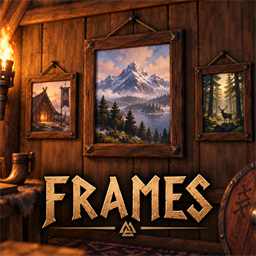
ValFrames
Framed pictures for your walls; drop in any .fbx to add one. Server synced. By DezzyCode.ValFrames 0.5.0
Author: DezzyCode
Framed pictures for your walls. All of them are built at a workbench and found under Furniture in the build menu. Names are included in English and German.
Included pictures
| Picture | Cost |
|---|---|
| AA (2 × 2 m) | 4 Fine wood + 2 Resin |
| Cleo | 4 Fine wood + 2 Resin |
| Dennis | 4 Fine wood + 2 Resin |
| Dezzy | 4 Fine wood + 2 Resin |
| Dezzy Icon | 4 Fine wood + 2 Resin |
| Exo | 4 Fine wood + 2 Resin |
| MistVale (2 × 1 m) | 4 Fine wood + 2 Resin |
Adding your own pictures
Every .fbx file next to ValFrames.dll becomes a picture in the build menu at startup.
Its icon has the model's name with _icon added, e.g. castle.fbx → castle_icon.png
(.jpg works too). The build menu name comes from the file name: my_castle.fbx becomes
"Framed picture: My Castle".
- Models are built at their original size, with the back against the wall.
- Do not rename a file once pictures have been built with it. The file name identifies the piece in the world, and renamed pictures disappear the next time the world loads.
- The server and every player need the same files. Players without a file won't see that picture.
Each frame is pure decoration and holds no items. The frames are based on the wall-mounted item stand and inherit its placement, wear, repair and removal, but use their own FBX models and embedded textures.
Server
The mod must be installed on the server and for every player. Everyone needs a compatible version so that the same pieces exist on all machines.
Installation
Install BepInExPack_Valheim by denikson and Jotunn 2.30.0 or newer. Then install the ValFrames package through Thunderstore/r2modman, or copy the package files into your BepInEx plugins folder.
The included pictures sit next to ValFrames.dll:
aa.fbx/aa_icon.pngcleo.fbx/cleo_icon.pngdennis.fbx/dennis_icon.pngdezzy.fbx/dezzy_icon.pngdezzyicon.fbx/dezzyicon_icon.pngexo.fbx/exo_icon.pngMistVale.fbx/MistVale_icon.png
If a model is missing, its frame is not added. If an icon is missing, the build menu shows the default icon.