

DigDug
Precision excavation and terrain building tool. Dig or raise lines, rectangles, trenches, and walls with real-time rotation sync, workstation checks, and creative mode support.DigDug - Precision Excavation & Terrain Building Tool
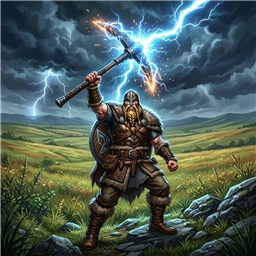
DigDug is a Valheim mod designed to make large-scale excavation and terrain building easy, fast, and precise. Instead of chipping away at the ground piece by piece, you can dig flat-bottomed pits, trenches, lines, or build protective earth walls of any size, aligned exactly with your look direction.
Features
- Draggable & Repositionable UI: Freely click and drag the window anywhere on screen from any frame or background area so it never blocks your blue preview ghost or HUD. Window position is clamped to your display bounds and automatically saved across sessions.
- Pickaxe Integration: Triggers naturally by right-clicking while holding any pickaxe.
- Precision Alignment & Cardinal Snapping: Shows your precise yaw angle in whole degrees and compass direction at the top of the screen and window. Includes one-click Snap to Cardinal (N/E/S/W) and Snap to 45° buttons to instantly align your excavation flush with the world grid and building pieces.
- Configurable Rotation & Toggle Keys: Smoothly rotate your character, camera, and the blue preview outlines in clean 1° increments (hold to rotate continuously at 30°/second) for micro-adjustments using your configured keys (default: Left/Right Arrow keys). Optionally configure a custom MenuHotkey to toggle the menu.
- Excavation & Building Modes:
- Line: Digs a long, straight line of custom depth, length, and width.
- Rectangle: Digs a flat solid rectangular pit of custom depth, length, and width.
- Trench: Digs a hollow perimeter trench (2 meters thick) of custom depth, length, and width around a base plot, keeping the inner ground untouched for quick defense perimeters.
- Wall: Raises a solid flat-topped dirt wall/mound of custom height, length, and width.
- Smart Painting Options: Automatically paint the excavated floor with Dirt, Paved Stone, Grass, or leave it as No Change.
- Real-Time Resource & Cost Calculation:
- Shows estimated pickaxe swings, stamina costs, and total pickaxe durability (accounting for and utilizing all pickaxes currently carried in your inventory).
- Dynamically calculates the Stone Cost for raising terrain or building walls.
- Terrain Height Modification Safety & Limits:
- Performs a pre-scan validation to prevent stamina, pickaxe durability (across all carried pickaxes), and resource loss if you try to dig or build beyond Valheim's limits where no actual height changes are possible.
- Clamps the UI depth/height fields dynamically based on the configurable
MaxTerrainOffsetlimit (default: 8.0m).
- Creative Mode & Mod Compatibility:
- Natively integrates with chest-building mods (like Craft From Containers). If you have enough resources in nearby chests, they will be used and consumed automatically.
- Vanilla Restriction Integrity:
- Automatically respects system-generated no-build zones (such as spawn/Forsaken stones, boss altars, and trader bubbles). Attempting to modify terrain inside these areas is blocked and displays the native "A mystical force in this area stops you" HUD warning.
- Automatically respects active player-placed Wards. If you do not have permission, DigDug blocks excavation and displays the native "The ward stops you" HUD warning.
- Blocks terrain modification inside dungeons and caves.
- If any check fails, the DigDug UI automatically closes to flash the HUD warning clearly.
Workstation Dependencies
To keep gameplay balanced, building actions require local workstations:
- Wall Mode: Requires a Stonecutter bench nearby.
- Raising Terrain (negative depth): Requires a Workbench nearby.
- Excavation (positive depth) / Trench: Does not require any workstation.
Controls
- Equip any pickaxe.
- Press your Menu key (default: Right-click / Mouse1) while holding any pickaxe to open the DigDug Excavation window.
- Move/Reposition Window (Optional): Click and hold on any frame or empty background area to drag the window anywhere on your screen. The new position is automatically saved.
- Align your facing direction:
- Use your configured rotation keys (default: Left/Right Arrow keys) to rotate your character, camera, and the blue layout preview box in 1° increments.
- Click Snap to Cardinal (N/E/S/W) to lock directly onto the nearest North, East, South, or West direction.
- Click Snap to 45° to snap to diagonal angles.
- Set your desired dimensions:
- Length: Bounding size forward/backward.
- Depth/Height: How deep to dig, or how high to raise the wall.
- Width: Bounding size left/right.
- Choose your alignment Direction (Forward, Backward, or Centered relative to your position).
- Click Dig! or Build! to execute.
- Press Escape or click Cancel to close the window without making changes.
Configuration
The configuration file is located at BepInEx/config/com.antigravity.valheim.digdug.cfg (or accessible through r2modman / Thunderstore Mod Manager):
General
- EnableStaminaDrain (default:
true): If true, performing a batch dig/build will consume player stamina. - IgnoreDurabilityLoss (default:
false): If true, pickaxes will not lose durability when batch digging. - IgnoreStoneRequirement (default:
false): If true, raising terrain will not consume stones from your inventory or nearby chests. - StoneCostMultiplier (default:
1.0): Multiplier for the amount of stones required to raise terrain. - MaxTerrainOffset (default:
8.0): The maximum height/depth change limit in meters from the original base height. Vanilla Valheim is 8.0m. Increase this if you use mods that extend terrain height limits.
UI
- WindowPositionX (default:
-1): Screen X coordinate for the DigDug window. Set to-1to automatically center horizontally. Automatically updated when you drag the window. - WindowPositionY (default:
-1): Screen Y coordinate for the DigDug window. Set to-1to automatically center vertically. Automatically updated when you drag the window.
Keybinds
- RotateLeftKey (default:
LeftArrow): Key to rotate player, camera, and preview counter-clockwise. - RotateRightKey (default:
RightArrow): Key to rotate player, camera, and preview clockwise. - MenuHotkey (default:
Mouse1): Key or mouse button to open/toggle the DigDug menu while holding a pickaxe. Defaults to Right Mouse Button (Mouse1). If reassigned to a keyboard key (e.g.G), Right Mouse Button is freed up to perform its native pickaxe blocking and dodge rolling.
Installation
- Install BepInEx for Valheim.
- Extract
DigDug.dlland place it in yourBepInEx/plugins/directory (or install directly via r2modman/Thunderstore).
Discord
Join our Discord Server for discussion, suggestions, and bug reports!