
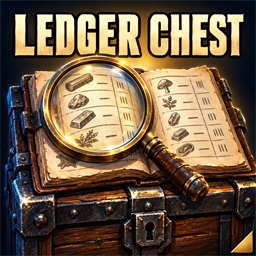
Quads Ledger Chest
A chest you build that shows everything in every chest around it, with a search: search all your chests and storage, and take anything from wherever it is.1.2.3
- On a server without Ledger Chest, the Ledger Chest is gone from the hammer, and a message says why: the server would delete a Ledger Chest, and what was in it, built there. Server owners can change what a Ledger Chest costs ("Building", Cost; today's cost, 10 wood, 4 fine wood, 4 leather scraps and 2 resin, is the default); in multiplayer the server's cost applies, and a cost with a mistake in it keeps the last good one. Edits to the config file now apply while the game runs. It snaps by the corners of its base now (to floor corners, wall ends and other Ledger Chests); hold the alt-place key (Shift) to place it freely.
1.2.2
- Its windows no longer fill the log with "The LiberationSans SDF Font Asset was not found": each text is given the game's font before it starts (it looked for TextMeshPro's default font, which the game doesn't have, every time a text was made). Nothing changes on screen.
1.2.1
- Its build piece now also clears destroyed pieces left in the hammer's list by other mods when it registers: after a mod is reloaded at the main menu, a leftover one made every change to your bag throw an error half-way (crafting gave the item without taking the cost) until the game was restarted.
1.2.0
- Now in your language: English, Russian, German, Chinese (Simplified), Portuguese (Brazil), Spanish, French, Polish and Turkish, following the game's own Language setting. The game's own names are used for its things (items, creatures, lands, stations). The translations were made with AI: to correct a line, or add a language, put a file in BepInEx/config/translations/com.quad.ledgerchest/ named after the game's name for the language (German.json...) with only the lines you change, copied from translations/English.json on GitHub. Search finds items by their names in your language.
1.1.0
- The Ledger Chest's search, its Clear and order buttons, the category buttons and the notes under the list are now made from the game's own interface (its text box, buttons and tabs on a board of its wood), follow the game's interface scale and look like the rest of the chest window. Fixed: it never takes from or puts into the game's Obliterator (what is in it burns when the lever is pulled), a Ledger Chest or the Arena's chests; only ordinary storage chests count.
1.0.4
- A clearer page: what it does, who needs it in multiplayer, how it gets on with other mods, and where to report a bug. The game itself is unchanged.
1.0.3
- A new id, com.quad.ledgerchest (it was com.dhack.ledgerchest): your settings move over by themselves the first time it starts, and the old settings file is kept as a backup. Restart the game after this update. If an old copy is still installed beside it, this one stands down and says which file to delete, so the two never both run. The DLL now says it was made with AI, as Thunderstore asks.
Earlier
-
Things that fit in no chest and not in your inventory either stay in the Ledger Chest, and now you're told so. The page now says plainly that the server and every player need the mod (a game without it deletes the Ledger Chests with what is in them), and a problem drawing its look can no longer stop it being registered.
-
Fix: no more stutter every 5 seconds. Looking for Claude Tools searched everything the game had loaded; it now asks BepInEx's list of mods.
-
First version: the Ledger Chest. Open it to see and search everything in the chests around it, by category (a button for each kind of thing), and take what you need. It keeps nothing itself: put things in it and they go on to the chest assigned them (QualityOfLife's chest assignments), else to a chest with nothing assigned, else back to you.