

Quads Party HUD
A party HUD with party frames: health bars, stamina and distance for every player in your group, with Steam portraits and an arrow pointing to each teammate, live and at any range. A group UI for multiplayer.🧑🤝🧑 Quad's Party HUD
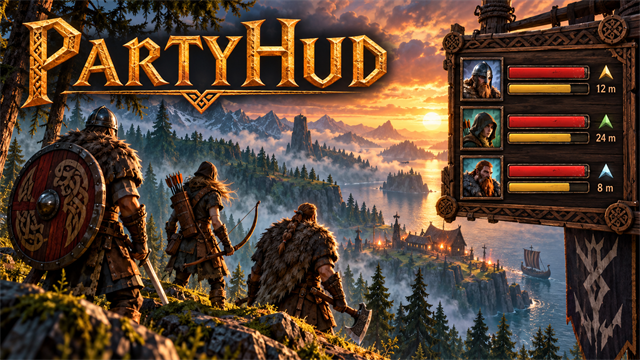
A party HUD with party frames: health bars, stamina and distance for every player in your group, with Steam portraits and an arrow pointing to each teammate, live and at any range. A group UI for multiplayer.



Source code · Report a bug · Discord


✨ Features
A party HUD: health bars, stamina and distance for every player in your group, live and at any range, on the right of the screen.
What it shows
- Each player's Steam picture, name, health, stamina and distance, live, at any range.
- Each picture has a ring that is green, amber or red by how healthy that player is, and an arrow next to their distance points the way they are, relative to where you are looking. F8 hides or shows the panel (handy for screenshots). It hides itself while menus are open.
Settings apply while you play: size, width, row spacing, member text size, background opacity and transparency of the whole HUD. Anchor it to any corner using OnLeft and AnchorBottom, then adjust its edge offsets. Move the party title and change its font size separately. Optional FitToScreen and KeepOnScreen keep the panel visible on smaller screens. Choose how many players to show, compact mode, portraits, food, buffs, distance and direction arrows. While you steer a ship the panel moves out of the way of the ship display.
- With the AICompanion mod: each player's companion shows under them (health, distance, what it is doing).
📸 Screenshots
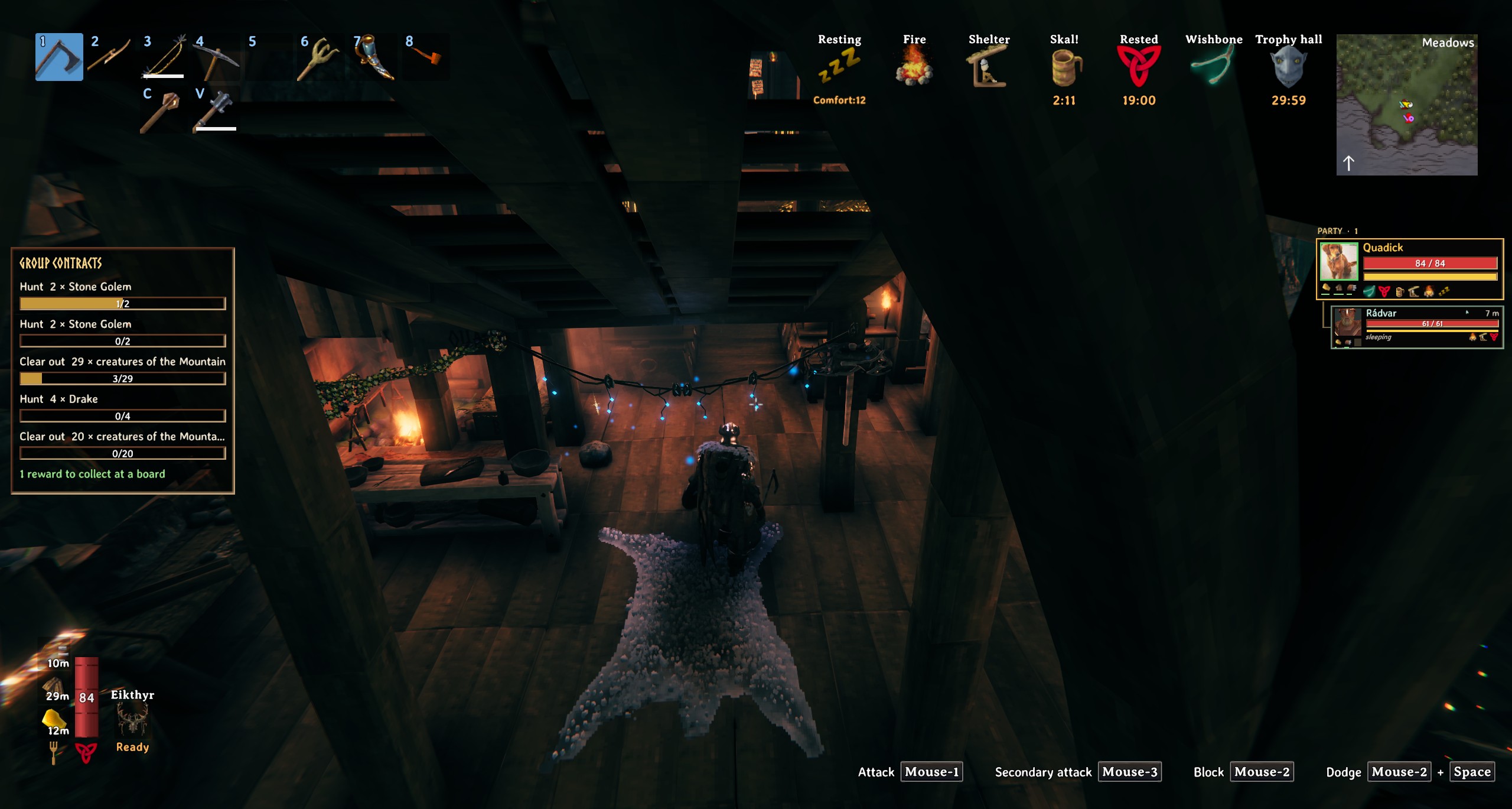
The party panel on the right of the screen
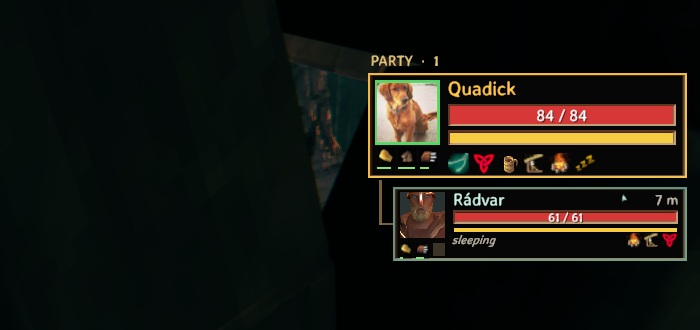
Close up: health, stamina, distance and the arrow to each player
🎮 How to use
| Key | What it does |
|---|---|
| F8 | Show or hide the party panel |
Open F7 ? Mod settings ? PartyHud (or edit BepInEx/config/com.quad.partyhud.cfg). Changes apply while you play and are personal to each player.
- Transparency:
Layout/Opacitychanges the wood and carved frame.Appearance/HudOpacityfades everything, including portraits, text and bars. Both accept 0 (clear) to 1 (solid). - Placement:
Layout/OnLeftandAnchorBottomchoose the corner;OffsetXandOffsetYset the gaps from those edges.KeepOnScreencorrects offsets that would move the panel outside the screen. - Size:
Layout/Scaleresizes everything.Width,CompactWidthandRowSpacingadjust the rows;Appearance/TextScaleadjusts member text.FitToScreenshrinks oversized panels to fit. - Party title:
Header/OffsetXmoves it left or right andOffsetYmoves it up or down.FontSizeandWidthcontrol the title's size and room for its text. The current defaults are X 36, Y 10, font size 15 and width 76.
🧩 Other mods
Goes well with
 |
 |
 |
 |
|---|---|---|---|
| Map Share | Bounty Board | Portal Hub | Companion |
Known clashes: none known.
Better together
- With Quad's Companion: each player's companion shows under them (health, distance, what it's doing).
Found a clash with another mod? Tell us which one and what happened.
👥 Multiplayer
Who needs it: Only the players who want it.
Players with the mod share their exact health, stamina, Eitr, food and buffs at any distance (ShareMyStats is each player's own choice); players without it show what the game shares nearby. The host decides whether stats are shared at all (AllowSharing, for PvP servers).
🌍 Languages
English, Русский (Russian), Deutsch (German), 简体中文 (Chinese), Português do Brasil (Portuguese), Español (Spanish), Français (French), Polski (Polish), Türkçe (Turkish). It follows the game's own language setting.
The translations were made with AI, so a few words may be off. To correct one, or to add your language, put a file in BepInEx/config/translations/com.quad.partyhud/ named after the game's name for the language (German.json, Italian.json, Japanese.json...) with only the lines you change, copied from English.json (it wins over the built-in one). Or tell us the better words and we'll put them in for everyone.
⚙️ Settings
In BepInEx/config/com.quad.partyhud.cfg, made the first time the game runs with the mod. r2modman and Thunderstore Mod Manager edit it under Config editor.
Appearance
| Setting | Default | What it does |
|---|---|---|
HudOpacity |
1 |
Opacity of the entire HUD, including text, portraits, icons and bars: 0 = invisible, 1 = fully visible. |
TextScale |
1 |
Size of member names, distances, status text and bar numbers. Header/FontSize controls the party title separately. |
General
| Setting | Default | What it does |
|---|---|---|
Enabled |
true |
Show the party panel. |
ShowSelf |
true |
Include yourself in the panel. |
ShowPortraits |
true |
Show each player's Steam profile picture. Off (or no picture available) = a coloured initial. |
ShowDistance |
true |
Show how far away each player is. |
HideInMenus |
true |
Hide the panel while the inventory, crafting window, build menu, trader or big map is open, so it doesn't overlap them. |
MaxPlayers |
8 |
Most players to show (you first, then the rest alphabetically). |
ToggleKey |
F8 |
Press to hide or show the panel (handy for screenshots). |
ShowDirectionArrow |
true |
Next to each player's distance, an arrow pointing the way they are, relative to where you are looking. |
ShowFood |
true |
Show three food slots under each player's picture: what they are eating and how long it has left. Only for players who also have this mod. |
ShowStatusEffects |
true |
Show each player's buffs and debuffs (food, rested, wet, poison...) as small icons under their bars. Only for players who also have this mod. |
ShowCompanions |
true |
With the AICompanion mod: show each player's companion under them (health, distance, what it is doing). |
Header
| Setting | Default | What it does |
|---|---|---|
OffsetX |
36 |
Position of the party title's text box from the panel's left edge. Smaller values move it left; larger values move it right. |
OffsetY |
10 |
Position of the party title's text box from the panel's top edge. Smaller values move it up; larger values move it down. |
FontSize |
15 |
Size of the party title and count before the whole HUD's Scale is applied. Long translated titles shrink to fit their text box. |
Width |
76 |
Width of the party title's text box. Increase this with FontSize when a larger title needs more room. |
Layout
| Setting | Default | What it does |
|---|---|---|
OffsetX |
10 |
Gap from the chosen left or right edge, in UI pixels before Scale is applied. |
OffsetY |
300 |
Gap from the chosen top or bottom edge, in UI pixels before Scale is applied. |
Scale |
1 |
Size of the whole HUD (1 = normal, 1.25 = bigger). |
OnLeft |
false |
Anchor the panel to the left edge instead of the right. |
AnchorBottom |
false |
Anchor the panel to the bottom edge instead of the top. OffsetY is then the gap from the bottom. |
Compact |
false |
Use smaller portraits and thinner bars. |
Width |
320 |
Width of each member row in normal mode, before Scale is applied. |
CompactWidth |
252 |
Width of each member row in compact mode, before Scale is applied. |
RowSpacing |
3 |
Gap between member rows, in UI pixels before Scale is applied. |
FitToScreen |
true |
Shrink the HUD when necessary to fit its width and height inside the screen. |
KeepOnScreen |
true |
Keep the HUD inside the screen when an offset would push it outside. |
AvoidShipHud |
true |
Move the panel away from the ship display while you steer. |
Opacity |
0.85 |
Opacity of the wood and carved frame: 0 = clear, 1 = solid. Text, portraits and bars stay visible. |
Sharing
| Setting | Default | What it does |
|---|---|---|
ShareMyStats |
true |
Send your health, stamina, Eitr, food and buffs to the other players who have this mod (a few times a second, at any distance). Off: they only see what the game itself shows of you when you are near. |
AllowSharing |
true |
Players with this mod share their exact health, stamina, Eitr, food and buffs with each other at any distance. A PvP server may want this off (each player then sees only what the game shows of players near them). In multiplayer the server's value applies. |
🤖 Made with AI
Made with the help of Claude (Anthropic), with Claude Code: designed, written and checked together, and tried in the game.
💬 Join us on Discord
Come hang out with the people who make and play these mods. In the Quads Lab Discord you can:
- 🛠️ Get help and report bugs straight to us
- 👀 See new mods first, and help test them before they're released
- 🗳️ Suggest ideas and vote on what we make next
- 🏰 Share your builds, bases and arena runs
- 🤖 Talk AI coding and vibe coding with people building things with AI, the way these mods are made
🧪 About Quads Lab
Quads Lab is where Quad H (HardHeadHackerHead) builds software with AI, of every kind: these Valheim mods are one of its projects. Each mod is designed by a player, written with Claude Code and tested in our own world, with bobisme as our tester.
- 🌐 quadslab.io
- 🧰 All Quads Lab mods on Thunderstore
- 💻 Source code on GitHub
- 💬 Discord
- ☕ Buy me a coffee
- 🐞 Found a bug? Open an issue on GitHub
☕ Support my mods
Every Quads Lab mod is free, and it stays that way. If one of them made your game better and you'd like to say thanks, a coffee helps me make new mods and keep improving the ones you already play. It's 100% optional, and always appreciated!
📜 Recent changes
- 1.12.0 More personal HUD settings: overall transparency, fully clear backgrounds, normal and compact widths, member text size, row spacing, top or bottom placement, and the party title's own position and font size. Every setting applies while you play, with slider ranges in configuration editors. Optional screen fitting and position clamping keep large parties and offsets visible. Existing settings and the current artwork are kept.
- 1.11.1 The party title now flows into a continuous outer frame through a curved, sloping shoulder. Rounded borders and flowing Nordic corner knots replace the rigid rectangular title tab and angular corner plates.
- 1.11.0 A new carved Nordic party HUD: dark textured wood, bronze and gold player frames, green companion frames, larger portraits and names, framed food slots, and beveled red and gold live bars. Companion rows now share the full panel width with a dedicated status and buff band. Compact mode remains available, and tall party lists shrink to fit above the bottom of the screen. Artwork is embedded in the DLL; no separate texture install is needed.
Every change is on the Changelog tab.