
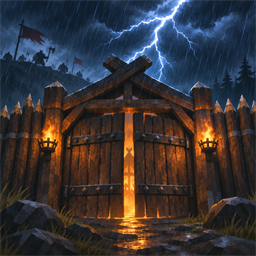
SiegeNights
Nighttime settlement sieges with thunderstorm warnings, escalating waves, repair breaks and shared coin rewards. Configurable difficulty and objectives. Public preview; automatic raids are opt-in.Siege Nights
A warband is gathering beyond your settlement. Storm clouds rise, lightning flashes, and thunder gives you time to prepare. When night falls, the attackers advance in increasingly large waves.
Hold the settlement, repair between assaults, and earn a shared coin reward.
Public preview 0.2.1. Automatic sieges are opt-in. After your first launch, enable Automatic = true in the configuration to add random sieges to normal play. You can also start a siege manually.
The siege
- A dramatic lightning opening and native Valheim thunderstorm weather announce the threat near the settlement.
- The default warning lasts at least 10 minutes. The first wave always waits for nightfall.
- Raiders approach from different directions between waves. Their creature types follow the settlement's biome.
- Attackers have 60% of their normal health by default. Larger waves arrive in small groups, with a limit of 14 living raiders at once.
- A persistent HUD shows the warning, wave progress, repair time and outcome.
- Each wave allows 240 seconds by default. A 35-second break gives you time to repair and regroup.
- All waves must be defeated before dawn. Daybreak or a wave timeout ends the siege without a victory reward.
- The siege pauses while no living player is near the settlement.
- Nearby ambient monster spawns and overlapping random raids are suppressed during the siege. Existing wild creatures and siege raiders ignore each other.
Storm lightning is a visual effect. The native rain and weather affect players normally. Attackers can damage gates and structures according to the selected objective.
Difficulty
| Preset | Attackers per wave | Default objectives |
|---|---|---|
| Easy | 5, 7, 9 | Defenders |
| Normal | 6, 9, 12, 15 | Defenders, then closed gates |
| Hard | 8, 12, 16, 20, 24 | Defenders, then gates, then structures |
MaxWaves caps the selected preset. Objectives can override it with Defenders, Gates or Structures. When no suitable structure is available, attackers can engage defenders.
Settlements
A qualifying settlement needs a player-built workbench, at least three base objects in total, and at least six structural pieces near the workbench. A workbench, bed and campfire cover the base objects. Walls, floors, roofs, beams, poles and gates count toward the structural requirement.
Stand near the workbench and run siege check in the F5 console to check eligibility. Dry, open approaches give raiders room to spawn. Islands, cliffs, trenches and obstructed terrain can prevent a successful approach.
Rewards
Siege raiders drop no ordinary loot. Defeating every wave can award 120 shared coins at the workbench by default.
Players must deal strictly more than half of the effective damage to earn the coins. Damage from pets and environmental hazards contributes to the total. Player fire, spirit and poison damage contributes to player credit. The reward is one shared payout for the settlement.
Manual test sieges pay no coins by default. Set RewardManualTests = true to test the payout.
Installation
Install Siege Nights through Thunderstore Mod Manager or r2modman with its BepInExPack Valheim dependency. For a manual installation, copy BepInEx/plugins/SiegeNights/SiegeNights.dll from the archive into the corresponding folder in your game or mod-manager profile.
For co-op, install the same version on the host or dedicated server and every client. Version matching is not enforced by this preview. The host's settings control the event.
This release was built against Valheim 1.0.31 and BepInExPack Valheim 5.4.2360 on Windows. A complete Normal siege passed an in-game automated test: four waves, 42 raiders, three repair breaks, nighttime thunderstorm, victory HUD, and exactly 120 physical coins picked up into the test character's inventory. No ordinary raider loot or duplicate payout appeared. The test used a 20-second warning, a fixed nighttime clock, god mode and automated player-attributed hits through the native damage API. Manual combat balance and a two-machine co-op/dedicated-server playtest remain unverified.
Configuration
BepInEx creates BepInEx/config/serge.valheim.siegenights.cfg on first launch. Edit the host's file while the game is closed, or run siege reload after editing it. Wave settings are captured when a siege begins.
| Section | Setting | Default | Effect |
|---|---|---|---|
| Sieges | Automatic | false | Enable random sieges |
| Sieges | Difficulty | Normal | Easy, Normal or Hard |
| Sieges | Objectives | Preset | Preset, Defenders, Gates or Structures |
| Sieges | MaxWaves | 0 | Preset wave count, or a cap of 1–5 |
| Sieges | MaxAlive | 14 | Live raider limit, 3–30 |
| Sieges | DailyChancePercent | 25 | Chance on each eligible in-game day |
| Sieges | CooldownDays | 3 | Minimum in-game days between scheduled sieges |
| Sieges | WarningSeconds | 600 | Minimum preparation time, 20–1200 seconds |
| Sieges | WaveSeconds | 240 | Time per wave, 60–900 seconds |
| Sieges | RepairSeconds | 35 | Time between waves, 10–180 seconds |
| Settlement | MinimumStructures | 6 | Nearby structural requirement, 3–80 |
| Combat | RaiderHealthMultiplier | 0.6 | Fraction of normal raider health, 0.15–1 |
| Rewards | VictoryCoins | 120 | Shared payout, 0–999 coins |
| Rewards | RewardManualTests | false | Enable payouts for test sieges |
Automatic scheduling requires an occupied qualifying settlement and respects the world's disabled-raid setting. It rolls at most once per eligible day and observes the configured cooldown. The preparation countdown pauses with the siege when the settlement is unoccupied.
Commands and a quick test
Enable the F5 console with the -console launch option.
| Command | Action |
|---|---|
siege status |
Show the current event, objective, time and weather |
siege check |
Check the settlement near the local host |
siege start easy |
Start a regular siege with the full warning and normal reward rules |
siege test easy |
Start a test with a minimum 20-second warning and wait for nightfall |
siege omen |
Preview the warning and storm locally for 20 seconds |
siege reload |
Reload the host's configuration |
siege stop |
End the siege and remove remaining attackers |
siege outpost |
Build a small wooden test fort on open, flat ground with devcommands enabled |
start and test accept easy, normal or hard. Event-changing commands are restricted to the world host. Starting a siege from a console requires a local player, so dedicated servers use automatic scheduling. siege omen is a local visual preview available outdoors.
For a quick first run, use a test world, build a small settlement, run siege check, then siege test easy. At night, the first wave begins after the short warning. Use siege stop to end the run.
Compatibility and removal
Siege Nights uses vanilla creature and item prefabs. Mods that change raid scheduling, AI, creature health, loot, weather or damage handling may interact with its behavior. Such combinations have not been exhaustively tested.
Event progress and raid markers are saved in the world. To remove the mod, run siege stop, save and quit, then uninstall it from all participants. Removing the plugin during an unfinished siege can leave its vanilla attackers in the world.
Credits and license
Created by Serge. Code and the store icon were developed with AI assistance. The icon is illustrative store artwork. In-game visuals use procedural effects and Valheim's existing weather and creatures.
MIT license.