

LivingMap
Your bases, roads, fields and cleared forest on the map and minimap as you build, a detailed map when you zoom in, and, new in 0.17.0, bases in the mountains that the game's map used to hide. No server needed.LivingMap
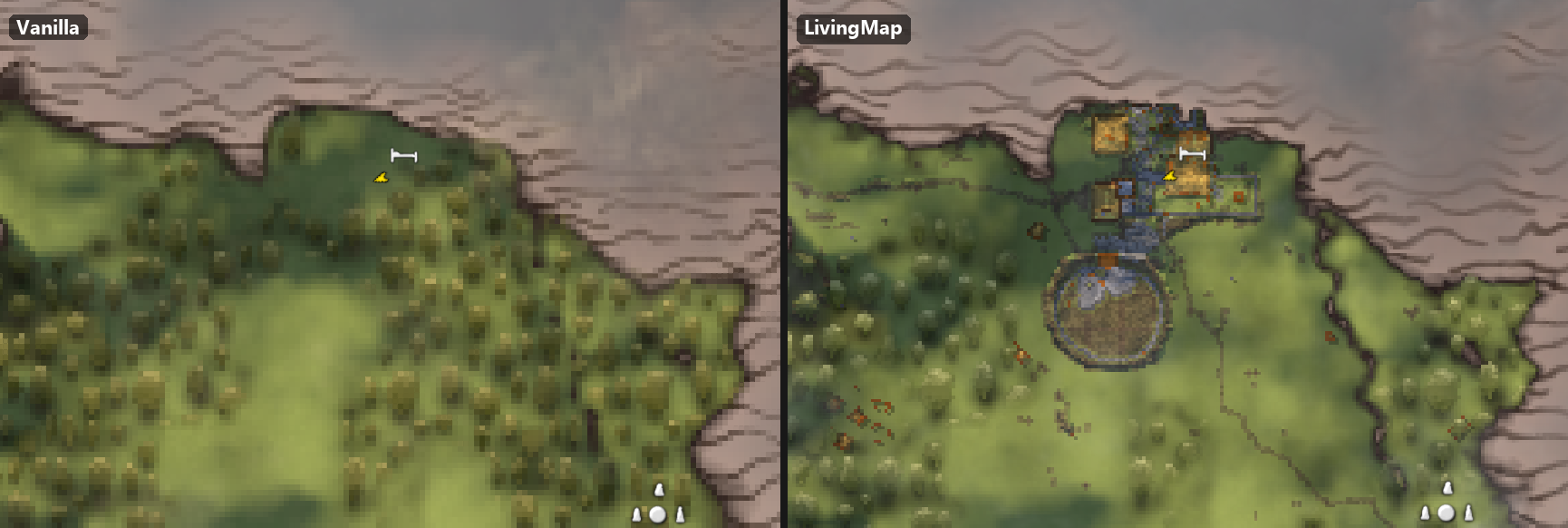
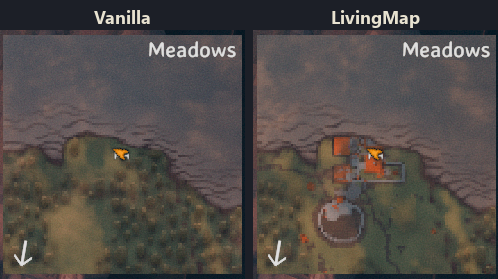
The vanilla map shows the world as it was generated. LivingMap shows the world as you've changed it.
Your bases, roads, fields and the forest you've cut down appear on the map and the minimap, right where they are, and update as you keep building.
🆕 New in 0.17.0: your base in the mountains is on the map
Above about 95 metres the game's own map covers the ground with its rock pattern, and anything drawn under it was simply gone - a mountain base was not on the map at all. Now it shows: in full when you zoom in, and as a marker layer on the minimap and the zoomed-out map.
The map also opens without a stutter and fills in faster, and the settings worth knowing are no longer hidden: Map sharpness (raise it if buildings look smeared), Building outline, Building colours: brightness.
Experimental, off by default: the host's map for its players. When you host, players on your server who have Living Map can get your map - buildings, paths, cleared forest - but only where their own map is explored. Nothing new is revealed. The host turns on
ShareWithPlayers, the player turns onUseHostMap.New in 0.16.0: the detailed map (experimental)

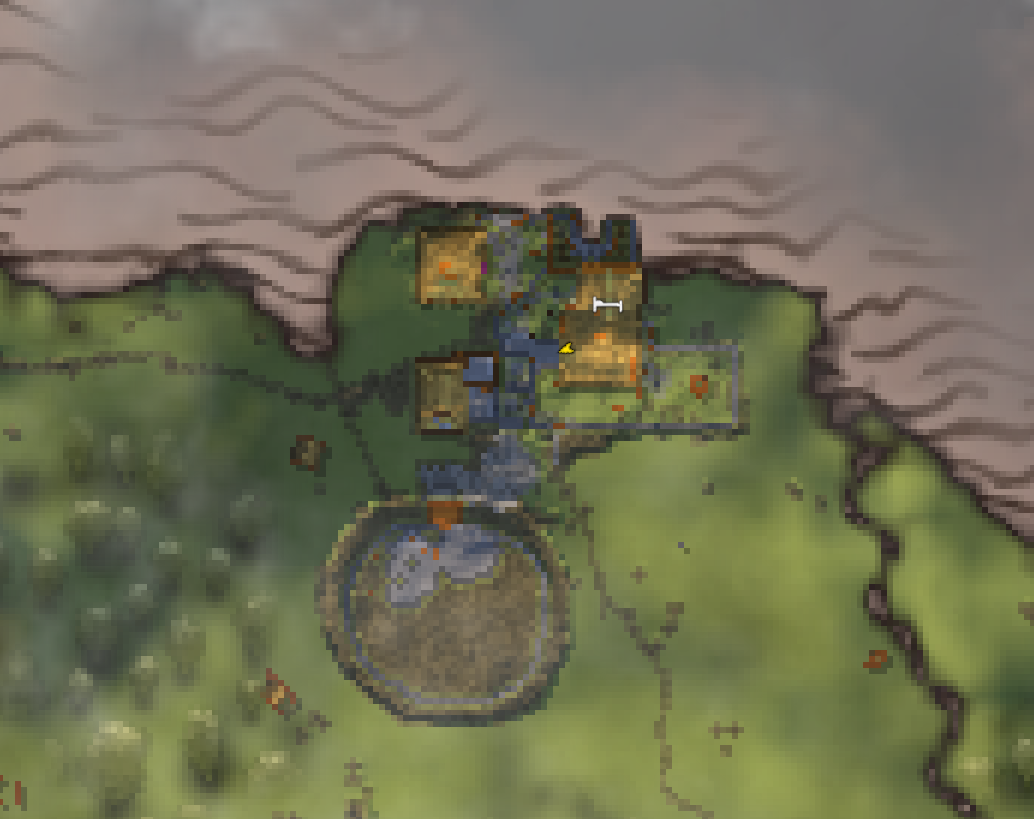
Zoom the big map in and it is now drawn in detail, in the vanilla map's own style: buildings with their roofs, paths, fields and cleared forest. The closer you zoom, the finer it gets.
It's experimental — if something looks wrong, please report it. The first time you open the map, a short note asks whether to keep it on. You can turn it off any time in
BepInEx/config/j1ga.livingmap.cfg, section[08 Detail]:DetailEnabled = false.
What you'll see
- Your buildings, coloured by material — wood, stone, iron, marble… — and roofs by their kind: thatch, darkwood, turf, slate.
- Roads and fields: hoe paths, paving and farmland.
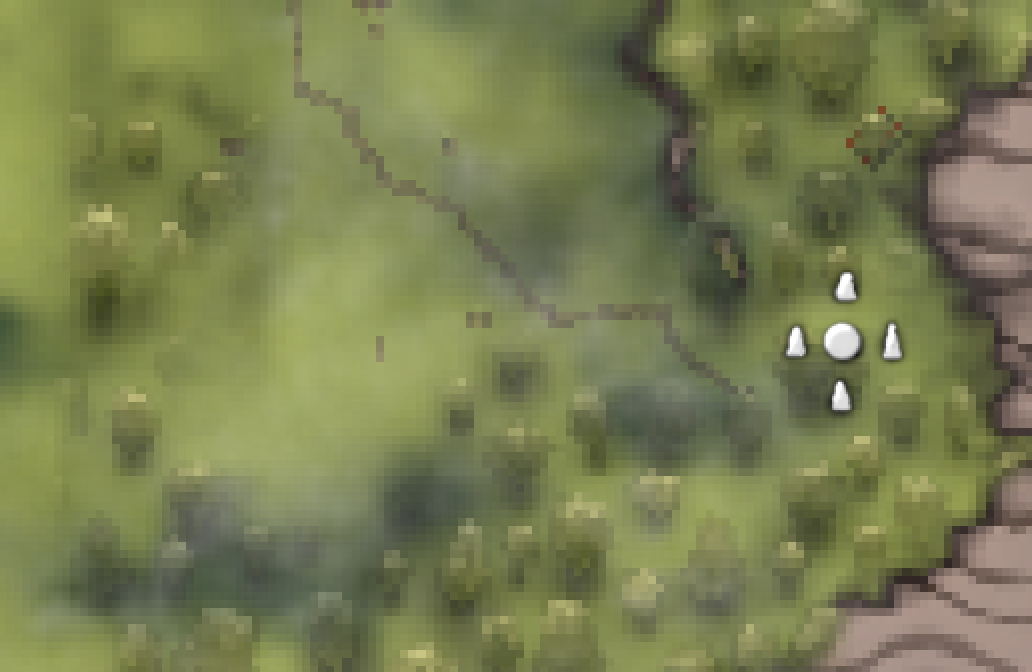
- Cleared forest: where you've chopped the trees down, the map stops showing forest. Plant a grove and it appears.
- Everything respects the fog of war and sits under your pins and markers, on the big map and the minimap.
The detailed map, close up
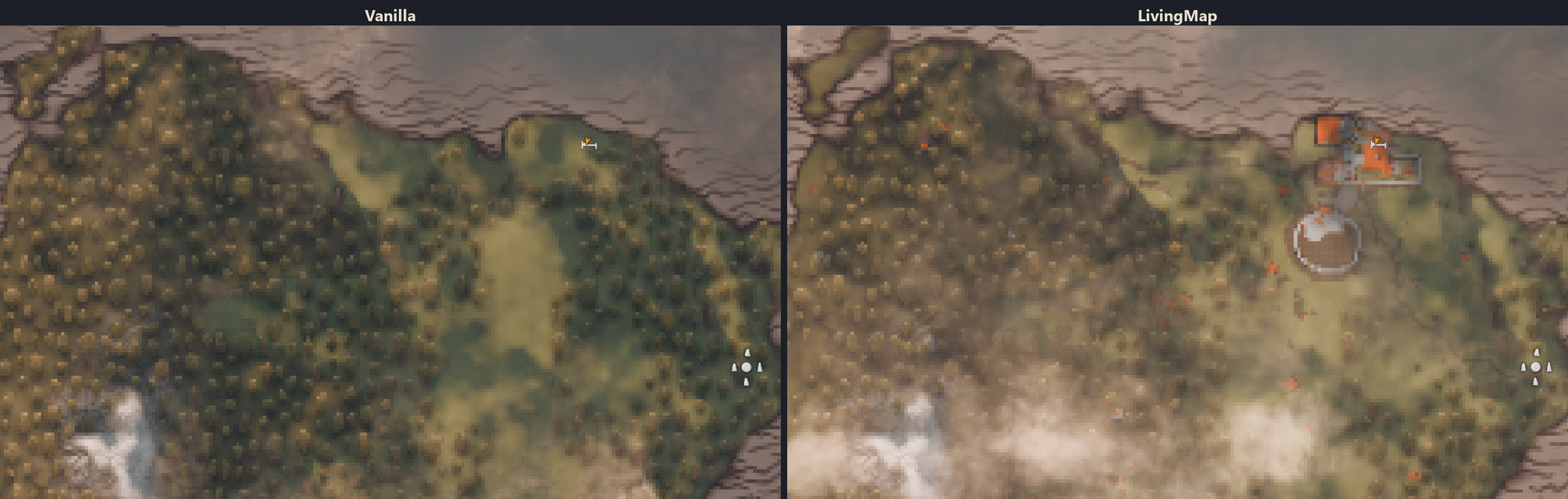
- It looks like the vanilla map — the same paper, forest, water and light — just with more detail. Switching to it as you zoom in is seamless.
- Buildings keep their real shape and direction, with textures (planks, masonry, straw…), shaded edges and shadows. Roof slopes catch the sun, so you can see the shape of a roof.
- Paths, paving and fields get their own textures, soft at the edges.
- The light follows the time of day like the rest of the map, and the clouds drift over it.
- The minimap and the zoomed-out map are not changed by it.
Performance. It only works while the big map is open and zoomed in; closed, it costs nothing. Until a part of the map is ready you see the normal map there, so a slower computer shows the detail a little later rather than lagging. The background threads it uses are chosen from your processor, and they stop the moment you close the map.
Memory. The map here is a texture, so it lives on your graphics card: 16 to 256 MB
depending on Map sharpness, which by default is picked from what your card reports
having - 1 under 3 GB, 2 under 7 GB, 4 above. The mountain layer costs the same again, and
only from the moment you build above 70 m. livingmap status in the console prints exactly
what is in use.
What it doesn't do
- It doesn't reveal unexplored areas: if you haven't explored it, you won't see it.
- Zoomed out, coastlines, mountains and biome colours stay exactly as in vanilla.
Multiplayer
- Friends without the mod aren't affected, and a dedicated server doesn't need it.
- As the host or in single player you see every building in the world at once.
- On a server hosted by a player with Living Map, the host can hand you its map on every
bit of ground you've already explored. New in 0.17.0 and still experimental, so it starts
off: the host turns on
ShareWithPlayers, you turn onUseHostMap(section 4. Multiplayer). - On a dedicated server you see what's around the places you've visited; the map remembers them between sessions.
Settings
Everything works out of the box. With ConfigurationManager (F1 in game) the settings are grouped:
- 1. Map layers — turn buildings, paths and fields, cleared and planted forest on or off.
- 2. Close-up detail — the detailed map on or off, how far out it starts (a slider), clouds (smooth / exact / off), building textures.
- 3. Colours — every material, roof kind and kind of ground.
The technical settings are marked advanced and hidden unless you tick "Show advanced
settings". Without ConfigurationManager, everything is in BepInEx/config/j1ga.livingmap.cfg.
Compatibility
Tested with Valheim 1.0.16, BepInEx 5.4.23.5 (BepInExPack_Valheim 5.4.2351). Mods that replace or resize the map texture may clash with it.
Bugs and feedback
GitHub Issues: https://github.com/tbsj1ga/LivingMapValheim/issues — please attach
BepInEx/LogOutput.log, and for the detailed map a screenshot and the output of the console
command livingmap status (F5).
More mods by j1gA
| Mod | |
|---|---|
 |
StationSpeed — Faster smelters, kilns, fermenters and crops — consistent even for players without the mod. |
 |
WeaponArts — One key, one active ability per weapon: stagger, taunt, heals, berserk, crits. |
 |
ExtendedBosses — Raid-style boss fights: phases, adds, nests, shields, marks — built from vanilla parts. |
 |
HostOwner — The host takes ownership of stations and bosses near it, so its mods work for everyone. |
 |
HudLayout — Move, resize and restyle your HUD with the mouse: bars, food, hotbar, minimap, even other mods' HUD. |
 |
HealthPulse — Low health warning: the screen edges pulse red like a heartbeat, faster as your health drops. |
Source, full documentation and the changelog: https://github.com/tbsj1ga/LivingMapValheim
Developed with the help of an AI assistant (Claude by Anthropic); the design decisions, verification against the game code and in-game testing are the author's.