


OCDheim
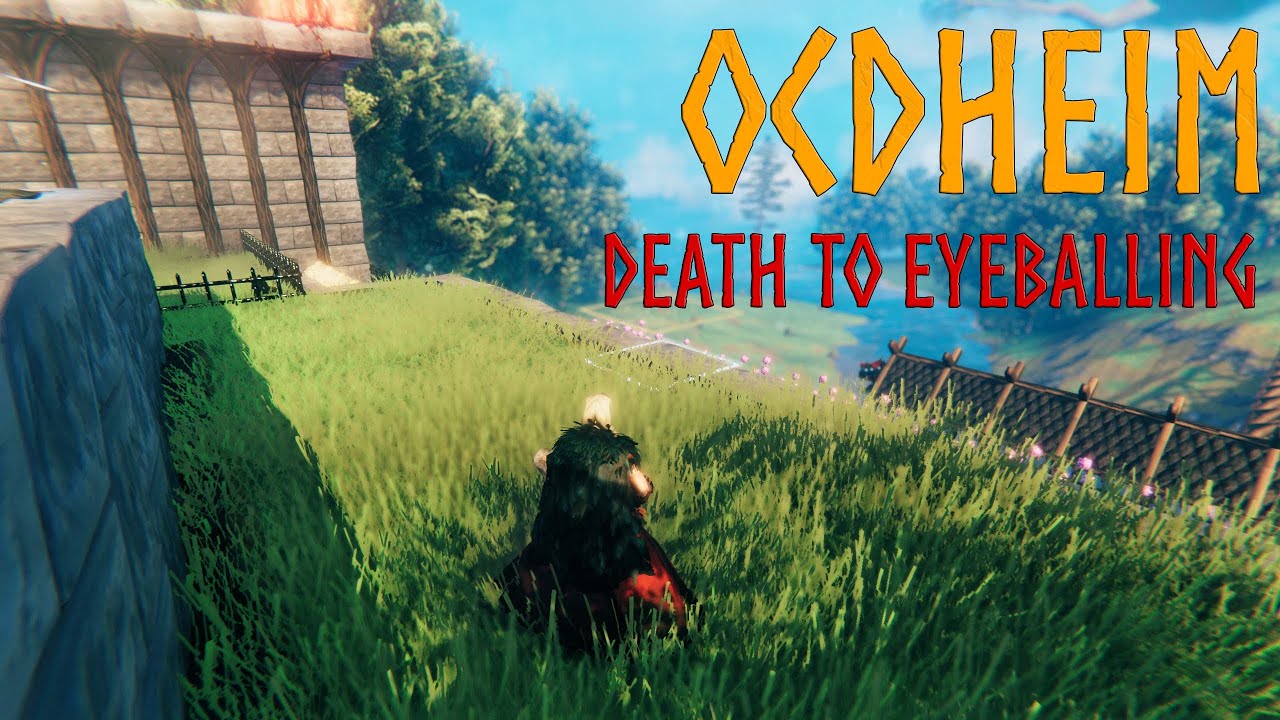
OCDheim is an opinionated collection of building and terraforming tools that bring 22nd-century-level laser precision to... your merry Viking settlement of 'Stokhölm' 🍻❤️OCDheim - DEATH TO EYEBALLING!

The purpose of this mod is for me, a person suffering from severe OCD, to be able to enjoy Valheim in its full Glory™ while keeping noninvasive, consistent and respectful of the intended OG experience.
OCDheim is an opinionated collection of building and terraforming tools that bring 22nd-century-level laser precision to... your merry Viking settlement of 'Stokhölm' 🍻❤️
Do you bleed from every orifice while trying to eyeball a line of torches, a wall of chests, or pin trophies on a wooden pole?
Do you suffer a violent seizure while trying to level a ledge?
Then this is the mod for you.
Propaganda Movie
clickedy-click! click! To Play on YouTube... C'mon clickedy!
HOW to install OCDheim?
- Ensure BepInEx is properly installed
- Ensure Jötunn is properly installed
- Download OCDheim from your preferred mirror:
- Extract the contents of the OCDheim .zip file to the BepInEx/plugins subdirectory of your Valheim installation
- Typical Windows path: C:/Program Files (x86)/Steam/steamapps/common/Valheim/BepInEx/plugins
- Typical Linux path: ~/.steam/debian-installation/steamapps/common/Valheim/BepInEx/plugins
WHY install OCDheim?
ADDITIONAL SNAP POINTS
- Furniture Pieces[^1] snap to Construction Pieces![^2]
- if [PRECISION MODE] is DISABLED → insert additional Snap Points every ~1.0m
- for example: a 2m x 2m Wood Floor would receive 5 additional Snap Points (not only in the corners, but also in the middle of the sides as well as in the middle of the piece)
- for example a 4m Log Pole would receive 3 additional Snap Points
- if [PRECISION MODE] is ENABLED → insert additional Snap Points every ~0.5m
- for example: a 2m x 2m Wood Floor would receive 21 additional Snap Points
- for example a 4m Log Pole would receive 7 additional Snap Points
- if [PRECISION MODE] is DISABLED → insert additional Snap Points every ~1.0m
- Construction Pieces receive additional Snap Points while snapping with other Construction Pieces
- if [PRECISION MODE] is ENABLED → insert additional Snap Points every ~0.5m
- if [PRECISION MODE] is DISABLED → no additional Snap Points
- Furniture Pieces snap to select other Furniture Pieces
- Table
- Round Table
- Long Heavy Table
- Black Marble Table
- I'm open to other proposals
GRID MODE (press ALT [RS] to toggle)
- The World Grid is visually imposed over terrain

- The Hoe and The Cultivator become tools of divine precision
- The terrain modification AoE snaps to the World Grid
- The terrain modification AoE visualization works under Ground Level (incl. under Sea Level)
- The terrain modification AoE visualization is razor sharp, with well-defined borders (visualized FULLY over affected tiles AND ONLY over affected tiles)
- The terrain modification AoE is applied uniformly over the affected tiles (doesn't dissolve closer to the border)
- The tile position (x, y, h) is overlayed over the terrain modification visualization for player convenience
- Especially useful when: leveling or cultivating ledges without spilling over slopes or corners
MOUSE WHEEL SCROLL ↑ or ↓[LT+D-PAD ↑orLT+D-PAD ↓] whenRaise Groundis active to precisely fine-tune the intensity of the effect- Especially useful when: the vicinity of your keep is TOO perfect and TOO even from the extensive use of
Level Groundin GRID MODE 😉
- Especially useful when: the vicinity of your keep is TOO perfect and TOO even from the extensive use of
- All Build Pieces snap to the World Grid (as opposed to other Build Pieces)
- Especially useful when: laying down the foundation piece of your build so that the whole build resides on the World Grid
- All Seeds snap to the World Grid
- Especially useful when: well... quickly sowing while efficiently utilizing available terrain
PRECISION MODE (press Z [X] to toggle)
- Multiple Additional Snap Points
- if [GRID MODE] is ALSO enabled + The Hoe is equipped → no effect (since the minimal sensible AoE for terrain modification is a 1m x 1m tile)
- if [GRID MODE] is ALSO enabled + The Hammer is equipped → The World Grid density is increased from 1m x 1m tiles to 0.5m x 0.5m tiles
Remove Terrain Modifications (Hoe Tool)
Especially useful when:
- re-naturalizing your build
- covering up silver node excavation sites
- covering up "one click too many" crime sites 😉
Vertical Stacking of... Stacks
- Perhaps somewhat ironically stacks[^3] (or piles, or barrels) in Vanilla Valheim do not... well... erm... stack (or pile, or... erm... barrel?)
Well now they do:

Additional Build Pieces
- Aesthetically Pleasing "Stone Floor 2x2"-inspired drop-in alternatives to:
- Stone Pillar 1x2 → Smooth Stone Pillar
- Stone Wall 1x1 → Smooth Stone Wall 1x1
- Stone Wall 2x1 → Smooth Stone Wall 2x1
- Stone Wall 4x2 → Smooth Stone Wall 4x2
- (no equivalent) → Smooth Stone Wall 2x2
Config File
- Manually modifiable in
${VALHEIM_DIR}/BepInEx/config/dymek.dev.OCDheim.cfg(requires running Valheim with OCDheim once) - Automatically modifiable by pressing
F1while Configuration Manager is installed - Keybindings → every Key & Gamepad Button mentioned above is merely a default
- Every Key/Gamepad Button may be bound to a different Key/Gamepad Button
- Unbind (set to
None) theGrid Mode Key/Grid Mode Gamepad Buttonto DISABLE [GRID MODE] - Unbind (set to
None) thePrecision Mode Key/Precision Mode Gamepad Buttonto DISABLE [PRECISION MODE] - To re-ENABLE [GRID MODE] or [PRECISION MODE] a restart of Valheim is required
- Functionalities
Additional Snap Points→ ENABLED by default[^5]Additional Build Pieces→ DISABLED by default[^4]Remove Terrain Modifications→ ENABLED by default[^5]Vertical Stacking/Piling of Stacks/Piles→ ENABLED by default[^4]Hover Info(show World Coords in [GRID MODE]) → ENABLED by default[^5], DISABLE for no-map runs
- Terrain Modification
Raise Terrain Limitaka "How far terrain may be raised above its original level?" →8mby default (as in Vanilla Valheim)[^4]Lower Terrain Limitaka "How far terrain may be lowered below its original level?" →8mby default (as in Vanilla Valheim)[^4]Raise Terrain LimitandLower Terrain Limitare applied only to NEW terrain modifications (OLD terrain modifications are preserved)
- Logging
Logging Level→WARNINGby default
Compatibility with other Players
- NEITHER The Server NOR other Players need to run OCDheim, however:
- if the first Player in proximity of Additional Build Pieces does NOT run OCDheim → the construction will collapse
- if the first Player in proximity of a Vertical Stack of Stacks does NOT run OCDheim → the construction will collapse
- if the first Player in proximity of a terrain chunk does NOT run OCDheim -> terrain modification falls back to Vanilla Valheim (even for Players who DO run OCDheim)
- if the first Player in proximity of a construction built on terrain modified beyond 8m does NOT run OCDheim → the construction will collapse
- ...however OCDheim will NOT collapse a construction built on terrain modified beyond its own terrain modification limits[^6]
- if The Server runs OCDheim → EVERYONE who runs OCDheim MUST run the same minor version (
v0.3.0will connect withv0.3.1vsv0.3.0will not connect withv0.4.0)
Compatibility with other Mods
- The primary focus as for now is to improve the functionality offered by OCDheim.
- No major effort to ensure cross-mod compatibility has been possible for now.
Considered Possible Improvements
- Add
Smooth SlopeTool → The Hoe (MOUSE WHEEL SCROLL ↑ or ↓to precisely fine-tune the Slope °) - if [GRID MODE] is ENABLED + The Cultivator is equipped → visualize The World Grid vs Terrain Type Grid drift (they do not fully overlap)
- if [GRID MODE] is ENABLED + The Pickaxe is equipped → visualize on The World Grid where The Pickaxe is going to land
- if [PRECISION MODE] is ENABLED → increase the rotation precision of Build Pieces
- if [PRECISION MODE] is ENABLED → visualize Snap Points
- Aesthetically Pleasing Crafting Stations superseed inferior Crafting Stations
- Workbench → Artisan Table
- Smelter → Blast Furnance
- Forge → Black Forge
- Unlock Dvergr Build Pieces to enable full restoration of Dvergr structures
- Performance improvements if proven necessary
- Revise compatibility issues with other mods
Known Issues
https://github.com/java-devil/OCDheim/issues
Acknowledgments
- My Wife.
- My Wife once more.
- Seriously Guys, my Wife. She screened my ideas. Helped test them. Helped with the GUI elements. Recorded the hilarious promotional video for you to enjoy. Provided me with back rubs and brain rubs... not to mention two kids and more love than I would possibly know what to with.
- ...also the Valheim developers for providing us with this, dunno... MASTERPIECE OF A GAME
- ...and the Jötunn developers for being more helpful than is permissible by law (seriously if you ever decide to mod Valheim - look up their Wiki and their Discord)
Feedback


Donations
If you enjoy my work please consider a second to donate 😉

[^1]: Every Build Piece that is NOT snappable in Vanilla Valheim (think: a Torch, a Forge or a Forge Cooler) - corresponds to the Misc Crafting and Furniture Tabs
[^2]: Every Build Piece that is snappable in Vanilla Valheim (think: a Wood Floor, a Darkwood Pole or a Black Marble Column) - corresponds to the Build and Heavy Building Tabs
[^3]: Every Build Piece suffixed with "Stack", "Pile" or "Barrel". Wood Stack, Corewood Stacks, Finewood Stacks, Bone Stacks, Stone Piles, Coal Piles, Coin Piles...
[^4]: The Server decides for Everyone if The Server is running OCDheim. Everyone decides for themselves otherwise.
[^5]: Every Player decides for themselves (even if The Server is running OCDheim)
[^6]: Modified by:
- other Players running different mods
- other Players running different settings of OCDheim
- this Player running more restrictive settings of OCDheim than previously