

ValheimPerformanceOptimizations
Rendering, logic, and loading time optimizations for both client and server versions of Valheim.ValheimPerformanceOptimizations
Rendering and logic optimizations for both client and server versions of Valheim.
VPO does not disable, throttle or change vanilla gameplay. You can install it on the client, the server, or both.
Introducing the Indirect renderer
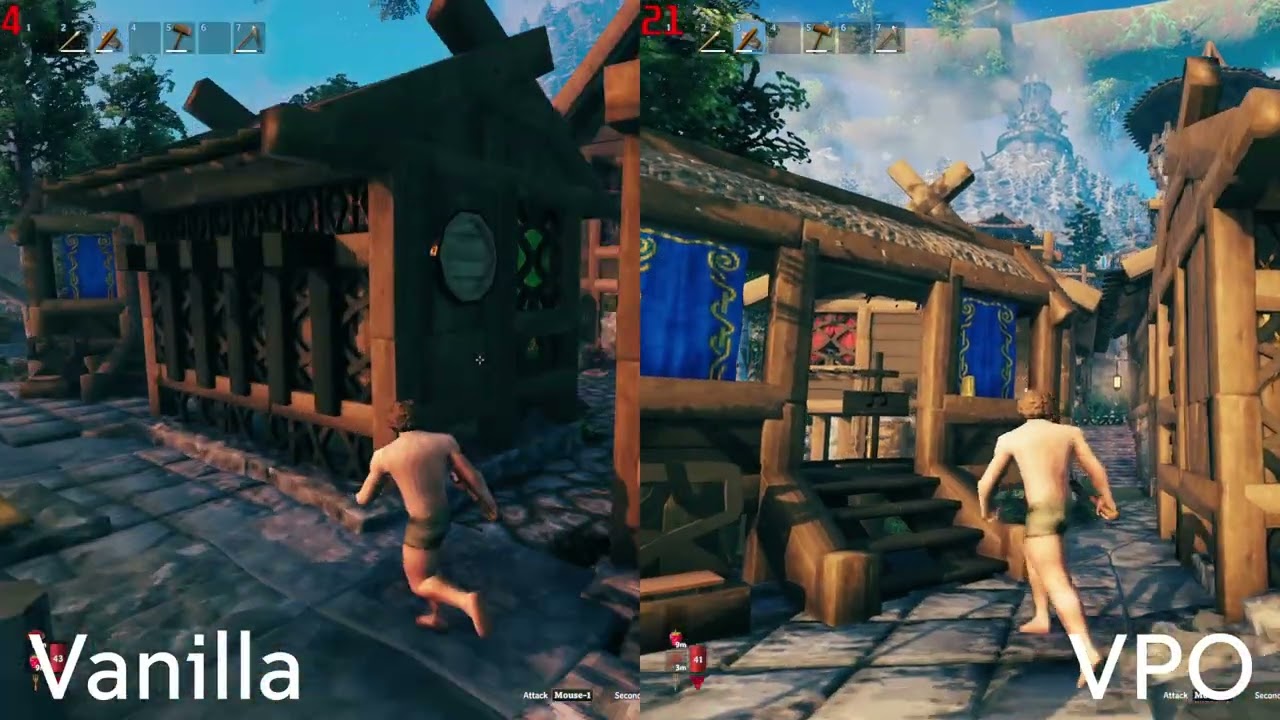
Version 2.0 adds a new way of rendering that takes work off the CPU:
- Much less CPU time spent preparing each frame, especially around thousands of building pieces
- Objects off screen cost the CPU almost nothing, because the GPU skips them on its own
If the CPU is what limits your FPS, this can raise it. If the GPU is the limit, or you are in one of the cases below, it may not.
It draws:
- Building pieces
- Trees, rocks and other destructibles
- Pickables, such as berry bushes and mushrooms
- Items lying on the ground
Everything else including modded content is drawn vanilla
Press F8 in game to switch the indirect renderer on and off. This lets you compare it against vanilla right where you are standing.
Limitations
The indirect renderer is not always faster than vanilla. Some scenes can run slower:
- Dense forests may see no gain, because the indirect renderer skips sorting objects front to back to keep the number of draw calls low.
- Bases with many shadow-casting lights get slower the more of those lights are active.
Press F8 to switch to vanilla rendering at any time if your FPS drops.
Other things to know:
- Some objects always stay on vanilla rendering: pieces showing snow, pieces that change their look at runtime, and objects using shaders the renderer does not support.
- Mods that change the materials or shaders of buildings, trees or items may not look right. If something looks wrong, turn the indirect renderer off and report it on GitHub.
How the indirect renderer works
Every frame, before Unity draws anything, it goes through each visible renderer and collects its data: its position, its mesh and materials, its lighting and so on. Unity repeats this for the camera and for every shadow view. With thousands of pieces, this collection step costs more CPU time than the drawing itself.
The indirect renderer skips this step. It uploads each object's data to the GPU once, when the object appears, and only updates it when the object moves. Skipping this collection is where most of the CPU savings come from.
Why point light shadows are slow
A point light, like a torch or a fire, casts shadows in every direction. To do that, the game draws the scene around it six times, once for each side of a cube. Each light with shadows multiplies the number of draw calls by six.
Unity checks on the CPU which objects each side of the cube can see, and only sends draw calls for those. The indirect renderer can not do that, because only the GPU knows which objects are visible. The CPU has to send a draw call for every kind of object, for every side of the cube, for every light, even when most of them end up drawing nothing.
That adds up fast. A base with many shadow-casting lights needs a huge number of draw calls, and sending them is slow. This is why such bases can run slower than vanilla.
Why dense forests can be slow
Unity sorts objects front to back before drawing them. When the closest objects are drawn first, the GPU can skip the pixels of everything hidden behind them.
The indirect renderer draws all copies of the same object, like every birch tree, in a single draw call. This keeps the number of draw calls low, but the trees are no longer drawn from nearest to farthest. The GPU ends up drawing many pixels that later get covered by trees in front of them.
In a dense forest, trees hide each other a lot, so this wasted work adds up and can eat the CPU savings.
Other optimizations
- Rewritten world object streaming for less overhead when moving through the world
- Burst-accelerated water and terrain generation
- Threaded terrain collision baking - almost entirely eliminated stuttering when loading new terrain
- Structural integrity caching - better performance in large bases
- Audiosource culling for distant looping sounds
- Culled light flicker updates for off-screen lights
- Time-sliced reflection probes
- Particle culling / GPU instancing improvements
- Faster server ownership handoff scans
- Optional physics step cap for denser bases
The full list of changes is in CHANGELOG.md.
Installation
- Unzip the VPO download.
- Copy the
BepInExfolder from the zip into your Valheim folder. - Copy the
valheim_Datafolder from the zip into your Valheim folder. - Start the game.
Updating from 1.x
Version 2.0 moved its files into BepInEx/plugins/VPO. Delete the old ValheimPerformanceOptimizations.dll,
ValheimPerformanceOptimizations.pdb and VPOBurst_* files from BepInEx/plugins before installing.
Configuration
The config is stored in BepInEx/config/dev.ontrigger.vpo.cfg. It is created the first time you start the game.
Most optimizations do not change gameplay, but some of them may cause compatibility issues with other mods.
Indirect Renderer
-
Enabled (default: on)
Draws objects with the indirect renderer. Turn it off to go back to vanilla rendering.
-
Toggle shortcut (default: F8)
Switches the indirect renderer on and off in game.
-
Minimum screen percentage (default: 0.1)
Skips objects that are smaller on screen than this percentage of the screen size. Higher values draw fewer tiny, far away objects. Set to 0 to draw everything.
General
-
Threaded terrain collision baking
Experimental: if enabled, terrain collision is generated in parallel, which reduces lag spikes when moving through the world. If you see terrain disappear, please report it on GitHub; disabling this option will likely fix the issue.
-
Max physics updates per frame
The engine can run physics many times per frame, which is often the most expensive part of Valheim. Lowering this (default 8, range 5–15) can significantly boost FPS in bases at the cost of less accurate physics.
Contributors
- ontrigger
- MSchmoecker