
Compass
Yet another Compass. Performant and configurable. See players, pings and shouts at any distance. Pins with text. Compatible with aedenthorn's png files.Compass
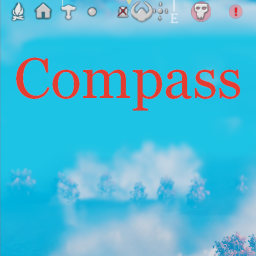
Yet another Compass mod showing map pins in the middle top part of your screen.
Features
- you can use files from aedenthorn's Compass compatible mods
- configurable conditions based on distance to change pin scale and alpha
- an option to hide checked pins
- an option to hide shared pins
- name filter using wildcards with * and ? support
- red cross on checked pins
- configurable pin type flags
- every change of config or files update compass on the fly
- an option to hold key to see shouts, player pins and pings at any distance
- an option to hold key to see pin text (or see it at all time with other config)
- anchor position option to place compass relative to top or bottom side of the screen
- detailed mode with a separate customizable image set
- optional per-image server synchronization through Conditional Config Sync
- player icon colors assigned by the server, with 20 default colors and 10 extra color slots
Player colors
Install Compass on the server and on each client to show the same player colors on every compass. The Player colors section contains settings controlled by the server. Map icons are not changed.
Enabled is on by default. The server gives each player a color when they connect. It uses the next unused color in palette order. If all colors are in use, it repeats the palette in order. A player who disconnects releases their color. Assignments last for the current server session and reset when the server restarts.
Random assignment is off by default. Turn it on to choose a random unused color for each new connection. If all colors are in use, the server repeats the palette in order. Changing this setting does not change the colors of players who are already connected.
Color 01 through Color 20 have these defaults:
| Setting | Color | RGB hex |
|---|---|---|
| Color 01 | Crimson | #CC6464 |
| Color 02 | Frost blue | #84B4D4 |
| Color 03 | Gold | #DCCC64 |
| Color 04 | Emerald | #4CBC7C |
| Color 05 | Amethyst | #A48CD4 |
| Color 06 | Amber | #E4A454 |
| Color 07 | Teal | #3CA494 |
| Color 08 | Heather | #CC64BC |
| Color 09 | Ivory | #DCD4BC |
| Color 10 | Moss | #A4BC64 |
| Color 11 | Cobalt | #4D7BC1 |
| Color 12 | Rose | #E9A0C6 |
| Color 13 | Clay | #C5907F |
| Color 14 | Ice cyan | #91E4E0 |
| Color 15 | Lavender | #CDC0EE |
| Color 16 | Ember orange | #E87B4F |
| Color 17 | Slate | #899CA8 |
| Color 18 | Peach | #F0B69A |
| Color 19 | Mint | #A1D6AC |
| Color 20 | Lime | #C7DF78 |
Color 21 through Color 30 are unused by default. Set a color with alpha greater than 0 to use an extra slot. Set alpha to 0 to disable a slot. Other alpha values keep the original icon transparency. Duplicate RGB colors count as one color.
Color changes apply while the game is running. Players keep their assigned slots when you edit a color. If you disable an assigned slot, its players receive another available color. Disable all slots, or turn off Enabled, to use the regular icons.
The colored icons keep the original outline, details, and transparency. They use the usual distance, size, and visibility settings. Pin style / Color does not tint these icons. Players with a hidden position stay hidden.
Pin style conditions config
Pin style conditions define how pin should look like depending on distance.
While distance to pin increases at first it will be smaller and smaller and then after reaching certain threshold it will be more and more transparent.
Config value for this condition consists of 4 variables in form of Vector4.
It allows you to define how scale and alpha of pin will be set with different distances.
Default value is (1, 20, 250, 550).
- X - Minimum distance to show pins.
- Y - Distance where pins will start to become smaller. Size is at maximum. Alpha is at maximum.
- Z - Distance where pins will start to become more transparent. Size is at minimum. Alpha is at maximum.
- W - Maximum distance to show pins. Size is at minimum. Alpha is at minimum.
It means if pin is between 1(X) and 20(Y) distance it will have maximum configurable size and alpha (transparency). If pin is between 20(Y) and 250(Z) distance its size will be gradually lowered with distance and its alpha will be maximum. If pin is between 250(Z) and 550(W) distance its size will be at the configured minimum scale and its alpha will decrease with distance. If pin is at 550(W) distance, both its size and alpha will be at their configured minimum values.
So basically first and last variables is pin visility filter.
Custom files
On the launch mod will create ...\BepInEx\config\shudnal.Compass folder.
Original files will be put at config directory after first launch of the game.
On every launch, missing bundled normal or detailed image files are restored to this directory.
File names to load from config directory:
- compass.png
- compass_bottom.png (used when Anchor position = Bottom)
- center.png
- center_bottom.png (used when Anchor position = Bottom)
- mask.png
- compass_detailed.png
- compass_detailed_bottom.png
- center_detailed.png
- center_detailed_bottom.png
- mask_detailed.png
- overlay.png
- underlay.png
Both image sets are loaded at startup. Changes to any listed PNG are applied on the fly, and switching Detailed mode immediately selects the corresponding compass, center, and mask images.
Server image synchronization
The Server image sync config section contains a separate server-controlled toggle for every listed PNG. All toggles are disabled by default.
When a toggle is enabled, the server reads that PNG from its own BepInEx/config/shudnal.Compass directory and sends it to compatible clients through Conditional Config Sync. The synchronized image temporarily overrides the client's local file while connected to that server.
Changes to an enabled PNG on the server are validated and sent again automatically. If an enabled optional file such as overlay.png or underlay.png is absent on the server, it is also hidden on clients. Disabling the toggle or leaving the server restores each client's local file.
Installation (manual)
Install Conditional Config Sync, then extract Compass.dll into your BepInEx\Plugins\ folder.
Configurating
The best way to handle configs is Configuration Manager.
Or Official BepInEx Configuration Manager.
Dependencies
Install ConditionalConfigSync as a separate dependency; do not copy its DLLs into this mod's package.