FeedLikeGrandma
Feed creatures by hand to tame, grow, heal, and level them up. Capture and carry tames in Taming Orbs with creature icons, or automate feeding with Feed Barrels. Supports custom foods, modded creatures, stacked fed time, and riding improvements.FeedLikeGrandma
Feed creatures by hand to tame, grow, heal, and level them up. Capture and carry tames in Taming Orbs with creature icons, or automate feeding with Feed Barrels. Supports custom foods, modded creatures, stacked fed time, and riding improvements.
Showcase
Feed-driven progression

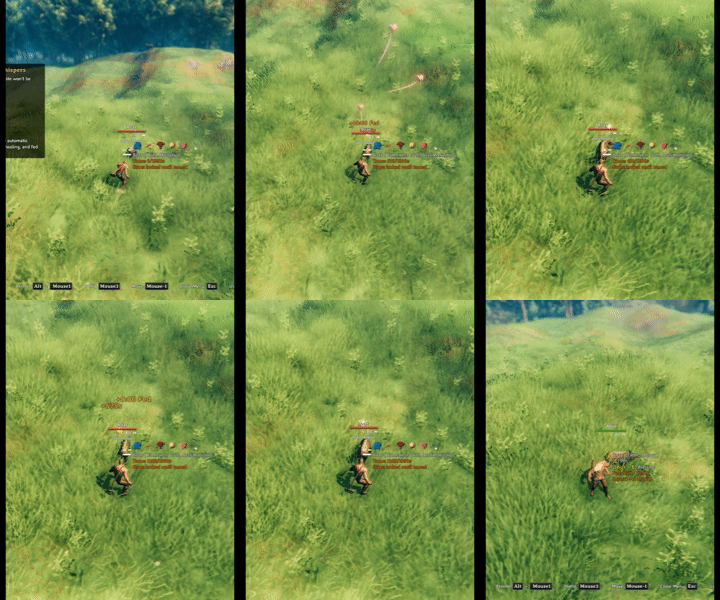
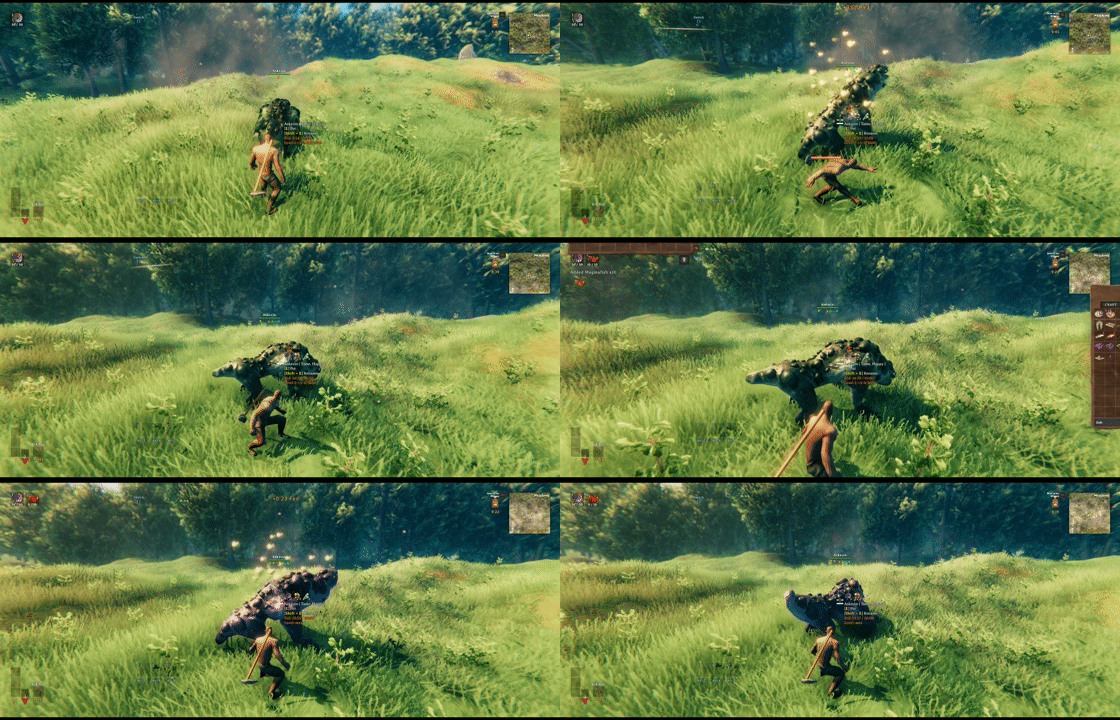
Turn food into taming progress and complete the full wild-to-tamed journey by hand.

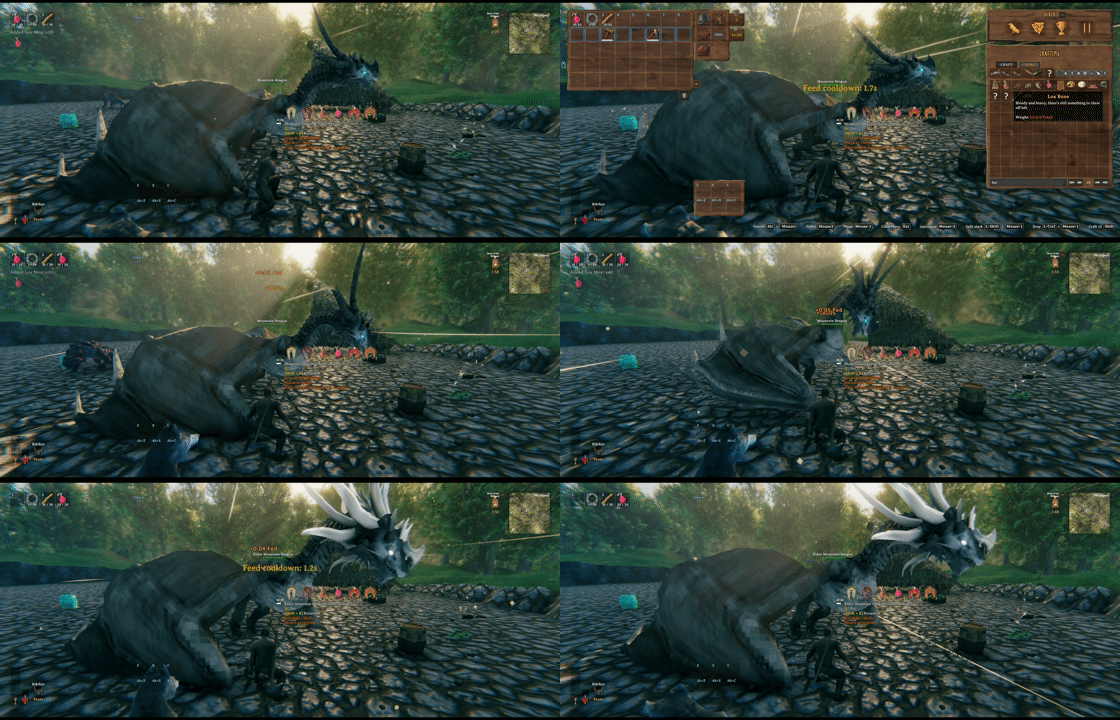
Feed a tamed juvenile to advance its growth timer and raise it into its adult prefab.

Once growth is complete, feeding advances level progress and raises the creature one level at a time.

Feed creatures directly from your inventory and see the accepted foods, taming gain, and stacked fed time immediately.
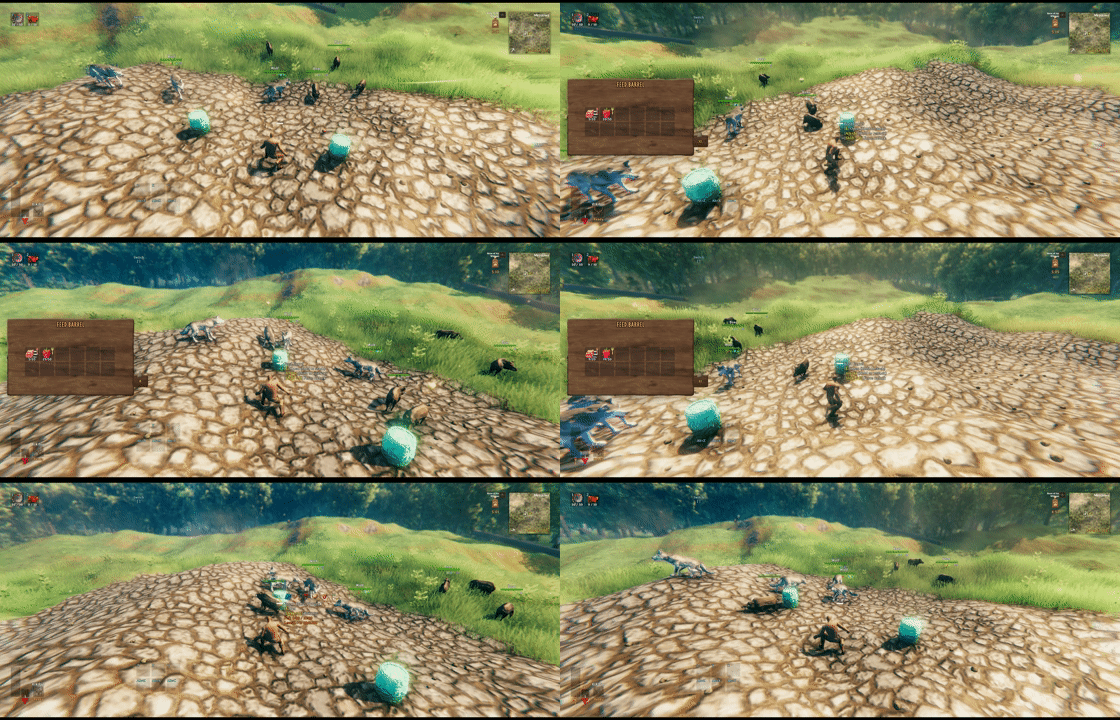
Automatic feeding

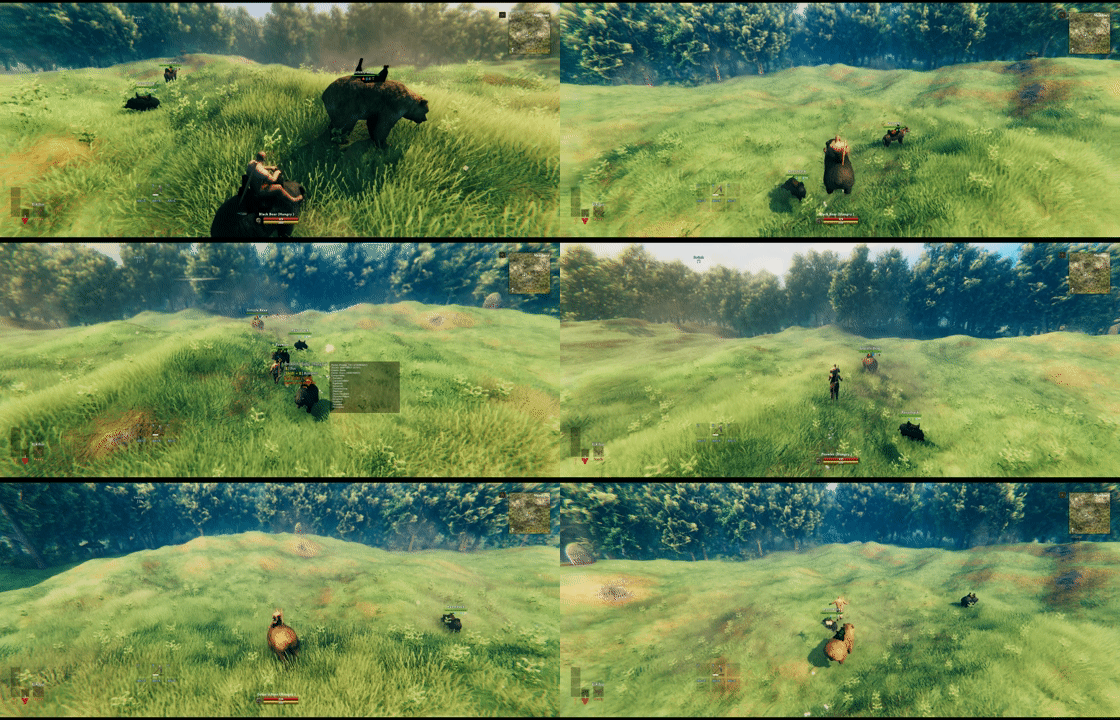
Hungry tameables walk to real food supplied from a nearby Feed Barrel, preserving normal pathfinding and eating behavior.

Build the dedicated Feed Barrel with a configurable recipe, material, and container size.
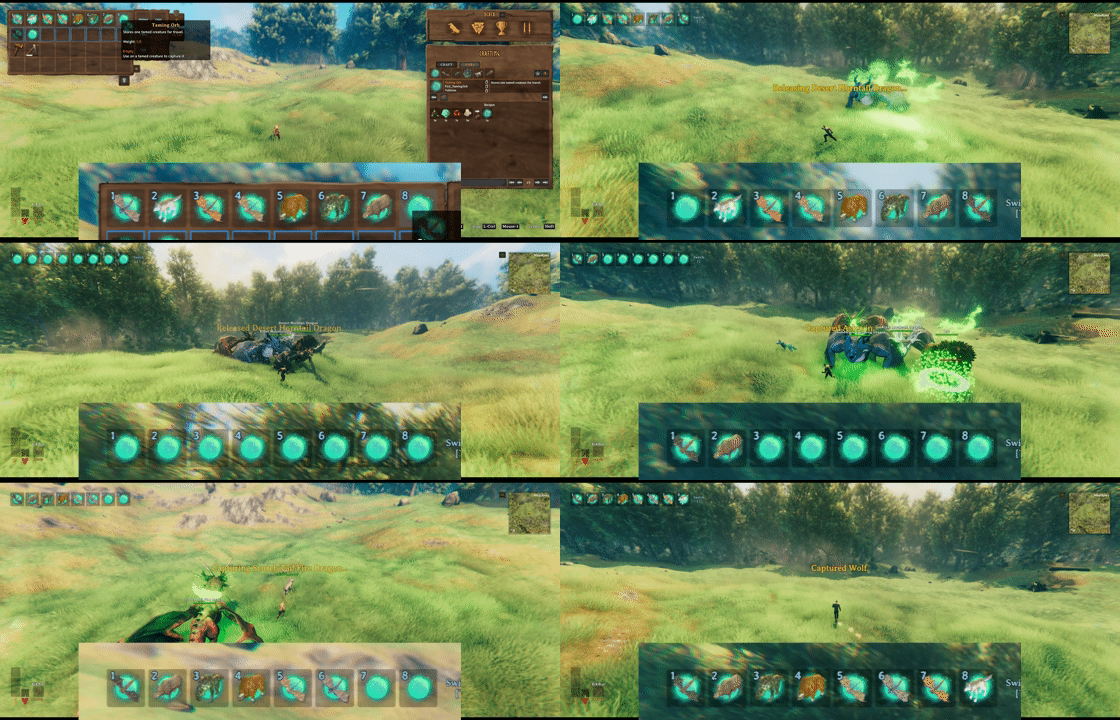
Taming Orb

Capture one tamed creature for travel, then release it at the surface under your aim.

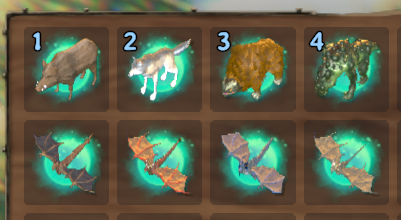
Every filled orb overlays the captured creature on its icon, making multiple stored tameables easy to identify.

Craft reusable Taming Orbs from a configurable recipe and crafting station.
Food and progress UI

Daily foods appear in one row with their individual food numbers, while hover text shows fed and level progress.

Juvenile creatures show growth and fed timers, with level progression locked until growth is complete.

Level-up-only food is displayed above ordinary food with the exact level transition it advances.

Assign special level-up food by current creature level, including required item quality and a custom progress value.

A configured level can require its own exclusive food without replacing the creature's everyday diet.
Taming boost

TamingBoost tooltips expose the active passive-taming, passive-growth, and feed-efficiency multipliers.
Riding compatibility

Configured biome restrictions force dragons out of flight and reject new flight attempts with clear feedback.

Compatibility handling keeps riders attached when supported Monstrum mounts perform their own jump.
Why use it?
- Make every useful food meaningful instead of treating feeding as a simple hungry/not-hungry switch.
- Progress wild creatures, offspring, and adult tameables through the same interaction.
- Give rare or high-quality food a distinct role in level progression.
- See food choices and exact progress directly on the creature hover UI.
- Automate feeding without turning it into an invisible inventory transaction.
- Configure modded creatures by prefab name without adding hard dependencies on their mods.
- Keep multiplayer results authoritative and consistent through ServerSync.
FeedLikeGrandma does not require Jotunn. Optional integrations activate only when their corresponding mods are installed.
Core progression
Each food has a foodNumber. The active feed constants convert that number into five effects:
| Effect | Calculation | Result |
|---|---|---|
| Level | foodNumber * levelupconstant |
Level progress |
| Taming | foodNumber * tamingconstant |
Seconds removed from taming time |
| Growth | foodNumber * growthconstant |
Seconds added to growth progress |
| Healing | foodNumber * healconstant |
Percent of maximum health restored |
| Fed | foodNumber * fedconstant |
Seconds added to the fed timer |
The current creature state decides which progression effect is relevant:
- A wild tameable gains taming progress.
- A tamed creature with
Growupgains growth progress. - A fully grown, tamed creature gains level progress.
- Every accepted daily or level-up food can restore health and add fed time.
Manual feeding can consume several matching items from the selected stack, up to Max Items Per Feed. When the amount would cross a level boundary, FeedLikeGrandma consumes only enough items for that boundary and grants at most one level per feed action.
Quick start
- Install BepInEx for Valheim.
- Put
FeedLikeGrandma.dllinBepInEx/plugins/FeedLikeGrandma/. - In multiplayer, install the same mod version on the server and every client.
- Start the game and enter a world once.
- Edit the generated files under
BepInEx/config/FeedLikeGrandma/. - Use a valid food item on a creature, or build a Feed Barrel for automatic feeding.
The mod creates:
| File | Purpose |
|---|---|
sighsorry.FeedLikeGrandma.cfg |
General, feeding, leveling, riding, and compatibility settings |
FeedLikeGrandma/feed.yml |
Your active feed and prefab overrides |
FeedLikeGrandma/feed.reference.yml |
Generated read-only reference for loaded vanilla and modded prefabs |
FeedLikeGrandma/cache/icons/ |
Reusable Taming Orb creature icon cache |
Both the BepInEx config and feed.yml reload automatically after a short debounce. When connected to a server, the server copy is authoritative and local client YAML changes are ignored.
Feeding without prefab overrides
A prefab block is not required for every creature.
If a tameable already has a native consumeItems list and at least one of those items has a value in global foodNumbers, FeedLikeGrandma creates an implicit rule using the global defaults.feed constants. This lets vanilla and many modded creatures work immediately while keeping feed.yml small.
Offspring such as cubs and calves also inherit consume items from their grown prefab when they have no consume items of their own. Existing child values are never overwritten by this inheritance.
Hover information
Looking at a supported creature displays the progress that matters for its current state:
Tame: current/totalGrowth: current/totalFed: remaining/maximumLevel current->next: progress/required- Locked or maximum-level states
Food icons are split into two rows:
- Daily food appears directly above the creature text.
- Current-level
levelUpItemsappear on the row above it with aLv current->nextlabel.
The top-right badge shows required item quality, when applicable. The bottom-right badge shows its food number. By default, icons are shown while crouching so the normal hover display stays clean.
YAML configuration
feed.yml is an override file. Omitted prefab fields keep the value supplied by Valheim or the creature's source mod. Copy only the blocks you need from feed.reference.yml.
Basic example
defaults:
feed: [20, 15, 30, 25, 120]
foodNumbers:
- Mushroom
- Raspberry
- Honey, 2
- NeckTail, 1.5
- NeckTailGrilled, 2
...
Wolf:
consumeItems:
- RawMeat
- Sausages, 5
Asksvin:
levelUpItems:
2:
- Fish11, 300
DModer_Ygg4_Elder:
levelUpItems:
4:
- Fish4_cave@2, 500
mountStamina: [150, 80, 0.75]
restrictedBiome: [Ashlands]
In foodNumbers, an item without an explicit value uses 1, so - Mushroom is equivalent to - Mushroom, 1.
Food syntax
consumeItems:
- RawMeat # Uses RawMeat from global foodNumbers.
- Sausages, 5 # Uses a local food number of 5.
- Fish1@5, 500 # Requires item quality 5 and uses value 500.
A non-empty consumeItems block also replaces the prefab's native MonsterAI consume list when that component exists. Creatures without MonsterAI can still receive these foods manually, but cannot walk to and consume them automatically.
Level-up-only food
levelUpItems is keyed by the creature's current Character level, not its displayed star count.
DragonPrefab:
levelUpItems:
3: # Character level 3 -> 4; stars 2 -> 3.
- Fish2, 300
4: # Character level 4 -> 5; stars 3 -> 4.
- Fish1@5, 500
When a row exists for the current level, only food in that row grants level progress. Daily consumeItems remain valid for healing and fed time, and are not replaced. A level-up-only food also restores health and fed time even when it is not listed as daily food.
If no row exists for the current level, daily food can grant level progress normally.
Supported prefab fields
| Field | Values | Purpose |
|---|---|---|
feed |
[level, tame, growth, heal, fed] |
Per-prefab replacement for defaults.feed |
consumeItems |
Food list | Daily food and optional local food numbers or quality requirements |
levelUpItems |
Current level to food-list mapping | Full override of level-progress food for selected levels |
tame |
[fedDuration, tamingTime, startsTamed, commandable] |
Tameable component values |
procreation |
[maxCreatures, totalCheckRange] |
Breeding population limit and range |
grow |
[growTime] |
Growup duration in seconds |
eggGrow |
[growTime] |
EggGrow duration in seconds |
mountStamina |
[attackCost, jumpCost, attackCooldown] |
Per-prefab BetterRiding action settings |
restrictedBiome |
Biome list | Per-dragon BetterRiding flight restrictions |
Use restrictedBiome: [] to opt a specific dragon out of the global restricted-biome list.
Level progression
FeedLikeGrandma uses Tameable.m_tamingTime as the base requirement for both taming and later level progression.
With Level Taming Time Multiplier = M, the requirement for target Character level L is:
required = tamingTime * (1 + (L - 1) * (M - 1))
Character level 1 is zero stars, level 2 is one star, and so on.
The default Vanilla level-limit mode keeps Lox and Hen at level 1 and allows other supported creatures to reach level 3. Select Level mode and set Level Up Max Level to use a custom cap. Star HUD rendering remains the responsibility of Valheim or an installed level-display mod.
Fed time stacks instead of being reset to one fixed duration. Its maximum also scales by creature level using Level Fed Duration Multiplier, and the remaining time is shown on hover.
Automatic feeding and the Feed Barrel
Automatic feeding applies the same taming, growth, level, healing, fed-time, quality, and level-specific food rules as manual feeding.
This includes food consumed naturally from the ground. The Feed Barrel extends that flow without bypassing MonsterAI:
- A hungry, calm creature runs its normal food search.
- If no suitable dropped item is found, FeedLikeGrandma checks nearby Feed Barrels inside that search range.
- It selects valid food for the creature's current state.
- It removes one item and creates a real dropped item at a reachable point beside the barrel.
- The creature paths to the food and consumes it normally.
This approach keeps the visible eating animation and normal pathfinding behavior. Place the barrel inside the creature's own food-search range and leave a clear walkable space around it. The barrel is ignored while open, when it contains no valid food, or when the creature is alerted.
The Feed Barrel appears in the Hammer's Misc category. Its recipe, material, columns, and rows are configurable. The default inventory is 6 by 2 and the default material uses ectoplasm_mat.
Default recipe:
BarrelRings:1, Ectoplasm:3, RoundLog:6, ElderBark:9
Leave Feed Barrel Recipe empty to remove the piece and disable container auto-feeding.
Taming Orb
The reusable Taming Orb stores one tamed creature for travel.
Capture and release
- Craft an empty Taming Orb.
- Use it on a living, tamed creature within 5 meters.
- Keep the orb in your inventory during the 4.5-second capture effect.
- Put the filled orb on the hotbar and use it to release the creature.
Release aims at the surface under the crosshair up to 5 meters away and spawns the creature 1 meter above that point. If no surface is hit, it uses a close aim-based fallback in front of the player.
The orb preserves:
- Prefab, custom name, level, current and maximum health
- Saddle state and saddle stamina
- Creature inventory
- Fed age, spawn age, level progress, and growth progress
- Creature Level and Loot Control modifier, infusion, and extra effect when available
- OdinHorse armor state when available
A filled orb overlays the captured creature on the green orb icon. Rendered icons are cached under FeedLikeGrandma/cache/icons/ and reused on later captures.
Default recipe and station:
AncientSeed:3, Ectoplasm:5, SurtlingCore:7, Chitin:9
piece_workbench:1
Leave Taming Orb Recipe empty to disable the item.
MeadTamer support
The Valheim TamingBoost status effect is integrated with all FeedLikeGrandma progression:
- Passive taming speed multiplier, default
x2 - Passive growth speed multiplier, default
x1.5 - Manual and automatic feed-effect multiplier, default
x1.5
For passive growth and automatic feeding, any player with TamingBoost within 60 meters is enough; bonuses do not stack per player. Manual feeding checks the player performing the feed. The MeadTamer item and Potion_tamer status-effect tooltips show the active multipliers.
Riding improvements
The riding section works with Valheim saddles and adds:
- Stable camera behavior while mounted
- Global saddle stamina drain and regeneration multipliers
- Riding-skill-based stamina regeneration
- Encumbered mount speed reduction and jump/run blocking
- Stamina drain while walking encumbered
- Separate encumbered drain and regeneration multipliers
Saddle regeneration uses:
vanilla regen * normal-or-encumbered regen multiplier * riding skill multiplier
The riding skill multiplier scales linearly from x1 at Riding 0 to the configured value at Riding 100. With the defaults, normal regeneration is x3, and the skill portion reaches x5, for a combined x15 at Riding 100. Encumbered regeneration defaults to x0.
Optional compatibility
- BetterRiding: Per-prefab attack cost, jump cost, and attack cooldown; held-attack stamina protection; mount attack safety; feed/heal ordering; and water dismount support.
- DragonRiders: Water dismount support and BetterRiding dragon-flight integration.
- Expand World Data: Custom biome names can be used in
restrictedBiome. - Monstrum / MonstrumDeepNorth: Prevents Bear, Pridetusk, and supported mounts from dismounting the rider when the mount jumps.
- Creature Level and Loot Control: Taming Orb preserves modifier, infusion, and extra-effect data.
- OdinHorse: Taming Orb preserves equipped horse armor.
- CreatureManager template and Jotunn creature registrations: Loaded prefab and consume information is included in generated references when discoverable.
Dragon flight is blocked when the rider is encumbered if Block Encumbered Dragon Flight is enabled. The global restricted-biome list defaults to Ashlands; a dragon entering a restricted biome is forced out of flight, and new flight attempts are rejected with a center-screen message.
Breeding limit protection
With Horizontal Procreation Limit enabled, adult and offspring population limits use horizontal X/Z distance instead of full 3D distance. This prevents vertical breeder designs from bypassing the configured maxCreatures and totalCheckRange while preserving ordinary horizontal farm layouts.
Reference workflow
feed.reference.yml is generated from the currently loaded game data and grouped into Valheim, individual mod, and unknown-owner sections. It includes relevant prefabs with Tameable, Procreation, Growup, EggGrow, or consume data.
Recommended workflow:
- Enter a world with all creature mods loaded.
- Open
feed.reference.ymland find the prefab you want. - Copy its block into
feed.yml. - Remove fields you do not intend to override.
- Add food numbers or
levelUpItemsas needed. - Save the file and let live reload apply it.