

RedEye
Highlights nearby entities and hazards with a hotkey toggle.RedEye
Highlights nearby entities and hazards with a hotkey toggle.
Ever want to see the monsters in the dark before they eat you alive? Well, now you can! Use RedEye vision and see entities and hazards highlighted from a distance. Fully configurable, with different colored vision mode presets to choose from!
Note
- Everyone in the lobby will need to have this mod installed.
Features
- Entity highlighting — Enemies glow with a colored emission effect when RedEye vision is active. The glow pulses subtly and scales with distance, brighter when close and dimmer when far.
- Hazard detection — Turrets, Landmines, and Spike Traps are highlighted alongside enemies. Can be toggled independently in the config.
- Five color presets — Choose from Ruby, Emerald, Lapis, Amethyst, or Amber to change the highlight and screen tint color.
- Tactical target HUD — Displays the name and distance of the enemy you are looking at in real-time. Corner brackets track the entity on screen and scale with proximity. Fully optional and repositionable via config.
- Glow intensity control — Adjust how strongly entities are highlighted with a dedicated slider. Useful for tuning the effect to your preference or display.
- Hotkey toggle — Enable or disable RedEye vision on the fly with a configurable hotkey (default:
.). - LethalConfig support — Adjust all settings in-game without restarting. (LethalConfig recommended.)
- Modded enemy support — Uses a hybrid rendering approach to handle both standard HDRP enemies and enemies using custom shaders, so most modded enemies will glow correctly.
Screenshots
Colored Presets For Entity Detection
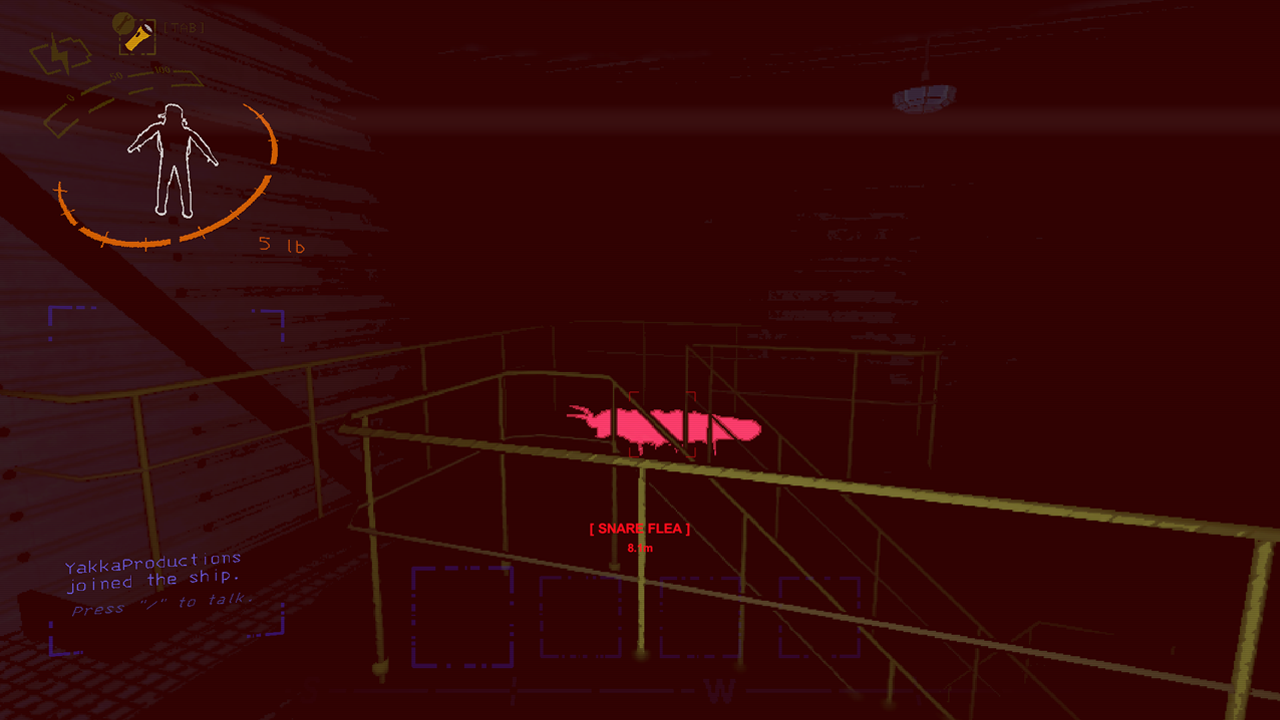 Ruby
Ruby
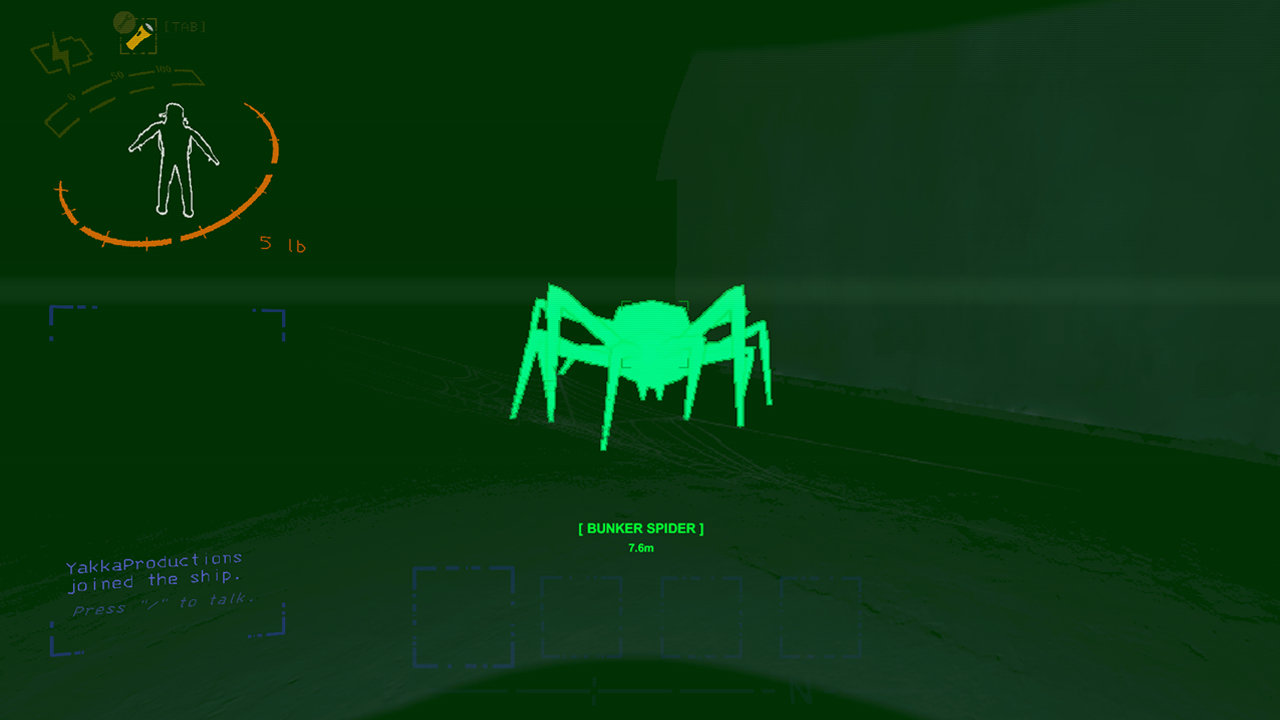 Emerald
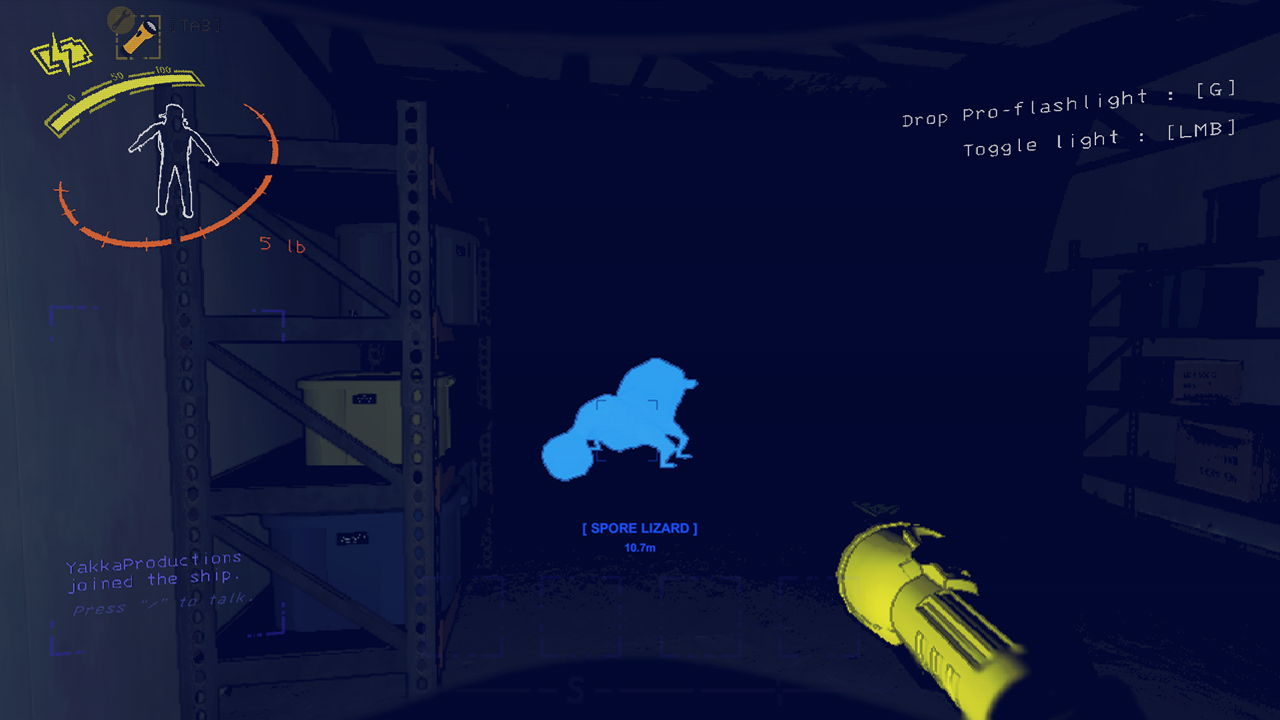 Lapis
Lapis
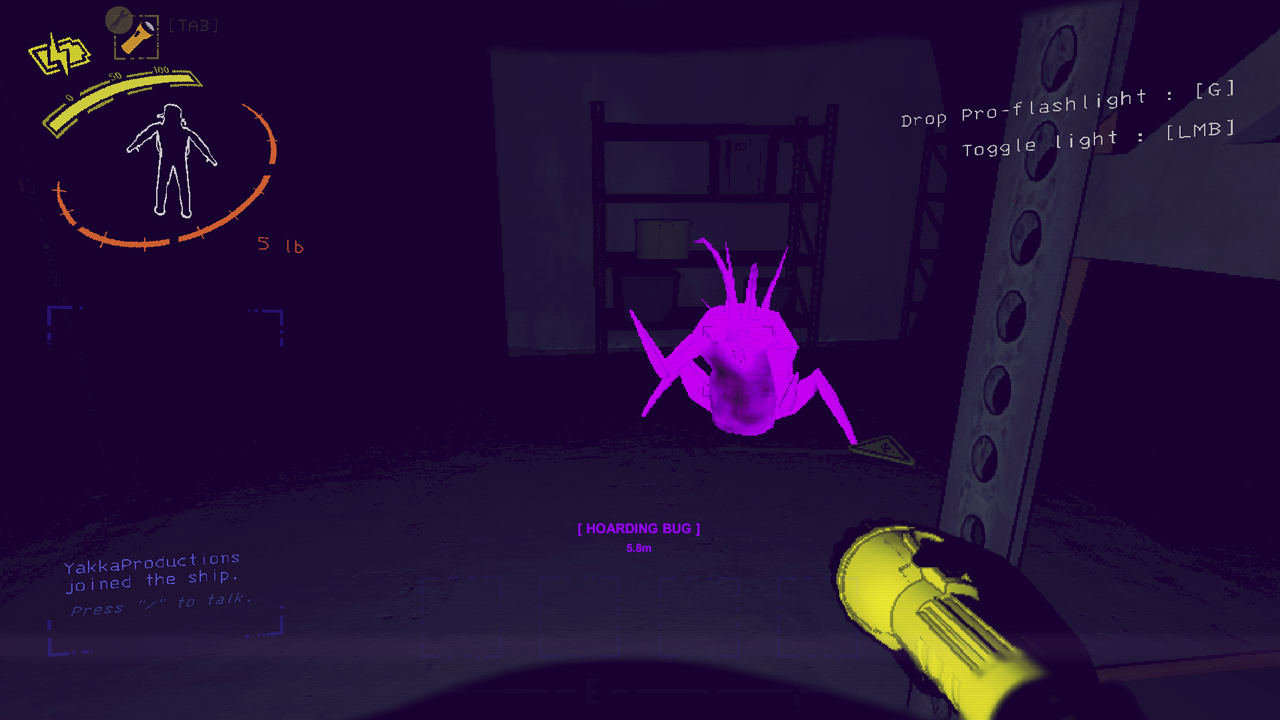 Amethyst
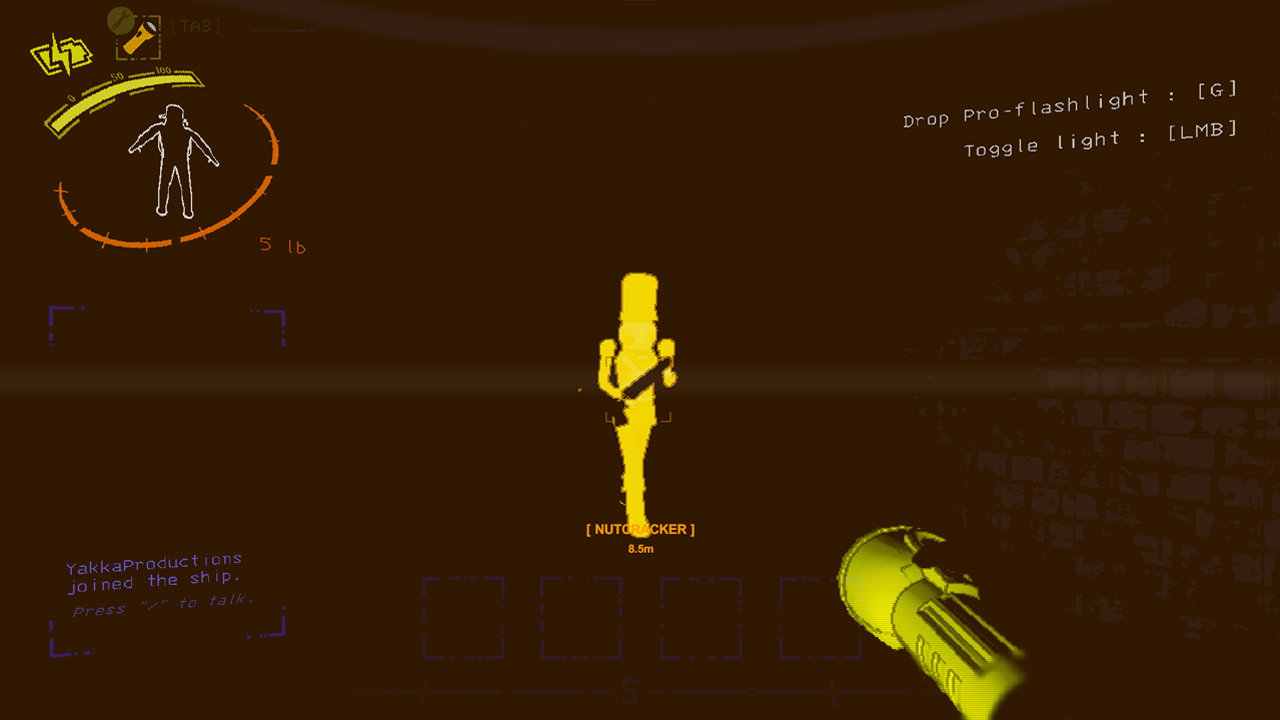 Amber
Amber
Hazard Detection
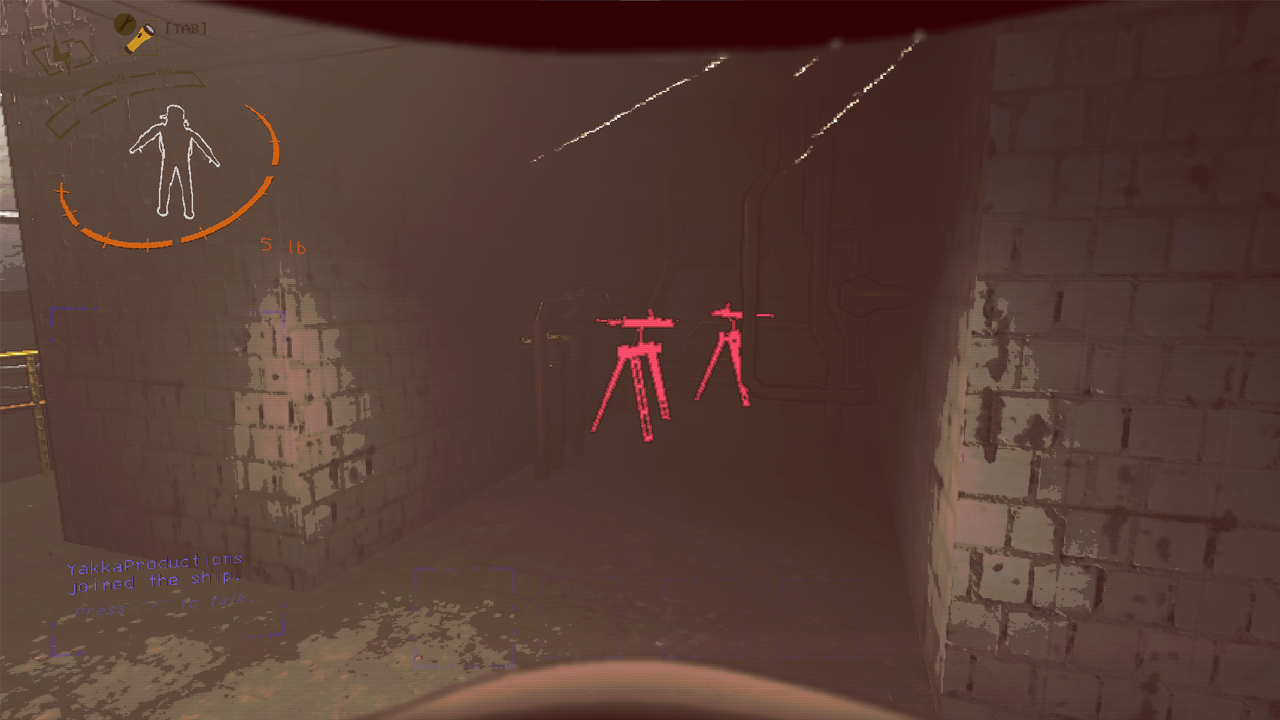 Highlights Turrets
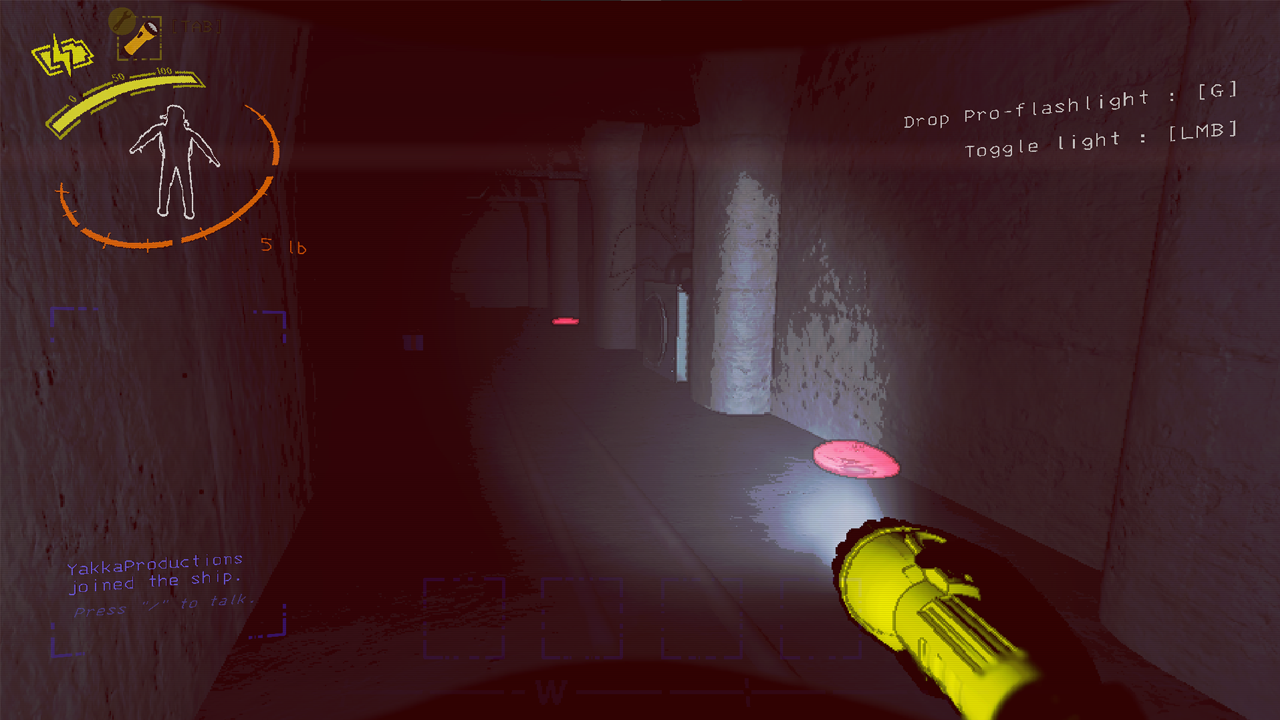 Highlights Landmines
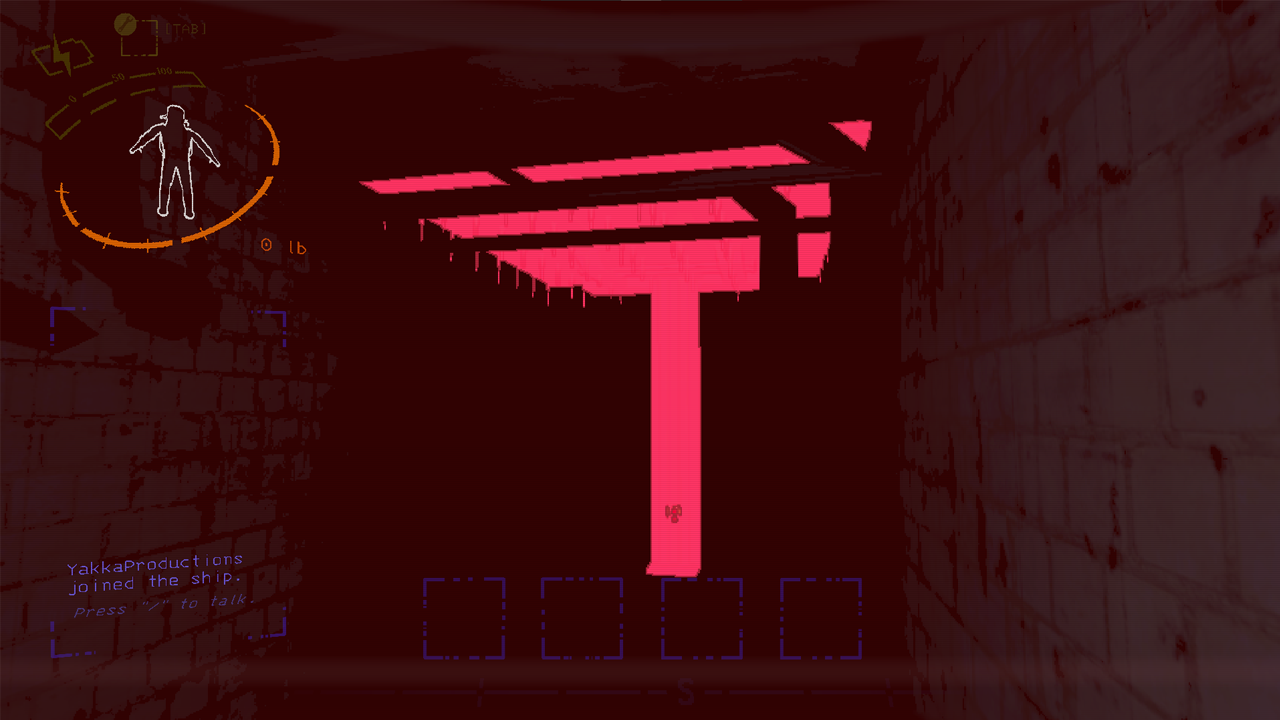 Highlights Spike Traps
Configuration
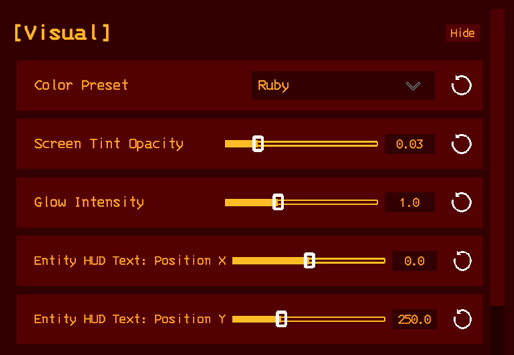 Visual Configuration.
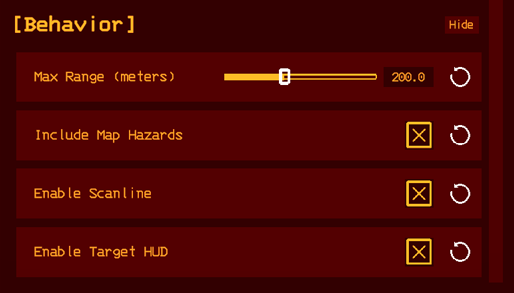 Behavior Configuration.
Installation
Install via r2modman or the Thunderstore app. Dependencies are handled automatically.
Manual install: Drop RedEye.dll into BepInEx/plugins/RedEye/.
Usage
- Press
.(period) to toggle RedEye vision on or off. - Nearby enemies and hazards will glow in your chosen color preset.
- Look directly at an enemy to display its name and distance in the target HUD.
- Press
.again to toggle off — all entity appearances are fully restored.
The hotkey can be rebound in-game via the controls menu (requires LethalCompanyInputUtils).
Configuration
All settings can be adjusted via the BepInEx config file or in-game with LethalConfig.
Visual
Color— Color preset for entity highlighting and screen tint (Ruby, Emerald, Lapis, Amethyst, Amber).GlowIntensity— Overall brightness multiplier for the entity glow. Range: 0.1–3.0.ScreenTintOpacity— Opacity of the full-screen color tint. Range: 0.0–0.2.HUD Position X / Y— Screen position of the Entity HUD Text readout.
Behavior
MaxRange— Maximum distance at which entities will glow. Range: 25–500 meters.IncludeHazards— Whether Turrets, Landmines, and Spike Traps are highlighted.EnableScanline— Toggles the moving CRT-style scanline sweep effect.EnableTargetHUD— Toggles the entity name and distance readout.
Known Limitations
- Circuit Bees — Cannot be highlighted. Their renderer uses Unity's Visual Effects Graph (VFX Graph), which does not expose any color properties that can be modified at runtime.
- Fog and haze — The entity glow is rendered by the game's standard depth pipeline, so thick fog or volumetric haze can obscure the highlight on distant entities. Adjusting Max Range to match your typical visibility conditions is recommended.
- Modded enemies with unusual shaders — Most modded enemies will glow correctly. Enemies using highly custom or non-standard shaders may have reduced or no glow effect.
- Lobby requirement — All players in the lobby must have RedEye installed.
Credits
Developed by Yakka_Productions — GitHub Built with BepInEx and LethalCompanyInputUtils.
Changelog
1.0.0
- Initial release.