

MissingDialogueFix
Fixes speech bubbles that show up as an empty box. The words were there all along, just see-through. Works for vanilla lines and lines from other mods.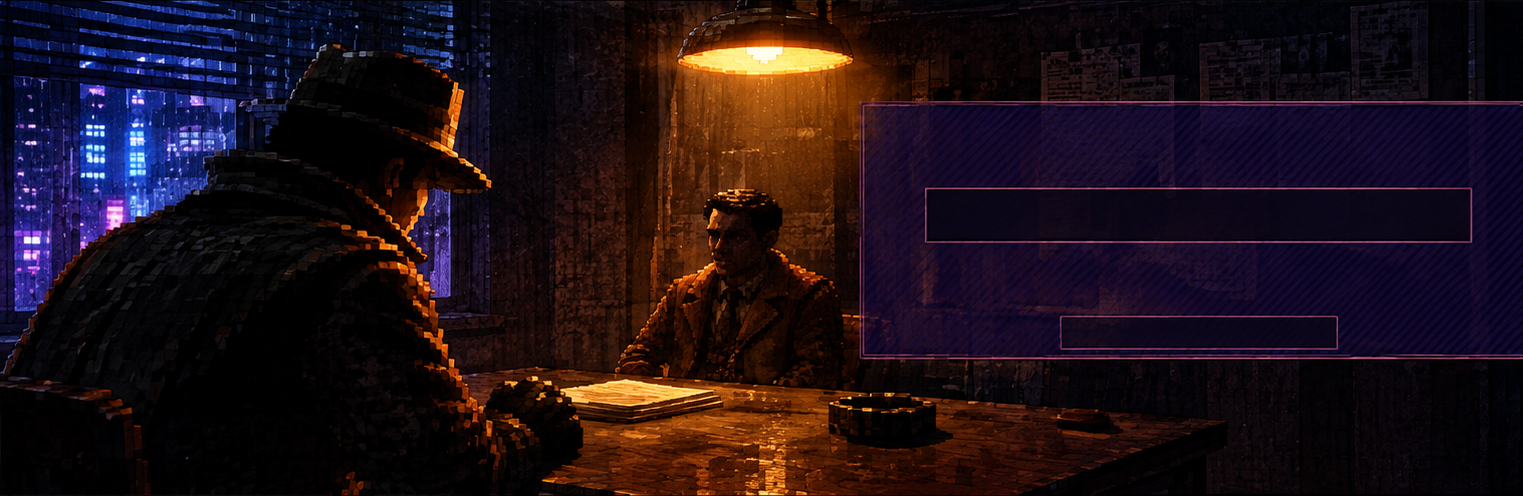
Missing Dialogue Fix
Sometimes a citizen talks and the speech bubble is an empty box. The words are there, but the text is fully see-through while the box is shown. It happens to vanilla lines and to lines added by mods, in conversations and in overheard talk.
Missing Dialogue Fix shows those words again, as visible as the box around them. Lines that already show are left alone.
If it brings back a line you would have missed, a like on its Thunderstore page is always appreciated. Donations are welcome too:


Part of the Quality of Life and Complete modpacks.
Install
Use Thunderstore Mod Manager or r2modman and install as normal. BepInEx is installed automatically.
To install by hand:
- Install BepInExPack IL2CPP version 6.0.755.
- Put
SoDDialogueFix.dllinBepInEx/plugins/MissingDialogueFix/inside your existingBepInExfolder.
Settings
In BepInEx/config/sm3gm.sod.dialoguefix.cfg:
[Dialogue] ShowInvisibleText(on): show the words in speech bubbles that would otherwise be an empty box.
Feedback
Found a bug or have an idea? Post it in the mod-releases channel on the official Shadows of Doubt Discord: https://discord.gg/shadows
Also by sm3gm
All Sm3gm mods are on Thunderstore.
Support
This mod is free and always will be.
Likes are greatly appreciated, so if you enjoy it, please leave one. You give a like on the mod's Thunderstore page while logged in to Thunderstore. If you installed through a mod manager, open that page in your browser to find the button.
If you'd like to support future mods, or just send a friendly thought, you can do so here:
Thanks for playing.