

Carturs UI HUD
A hand-drawn wood-and-bronze Valheim UI: bronze HUD bars and food diamonds, inventory with equipment and quick slots, crafting, chests, trader, build menu and more. Every piece movable. Remove EAQS and Shield Me Bruh first.Cartur's UI — HUD
Just want the HUD from before? Set Panels / newPanels to false in the config and
restart. That keeps the bars, food diamonds, guardian power and edit mode, plus the
inventory, hotbar and equipment panel (they hold the new equipment, quick and shield slots),
and puts every other screen back to vanilla. The slots stay on either way: turning them off
would drop whatever is in them on the ground.
Read before installing:
- Remove Equipment and Quick Slots and Shield Me Bruh first. Their slots are built in now. If either is still installed, BepInEx skips this mod and starts the game without it.
- Uninstalling drops what is in the equipment, quick and shield slots on the ground where you log in (the same as removing Equipment and Quick Slots). Take your gear off first, or pick it back up.
- Made for GUI scale 100 %. Above about 130 % the crafting and equipment panels overlap.
- Not every screen is reskinned yet — see the list below.
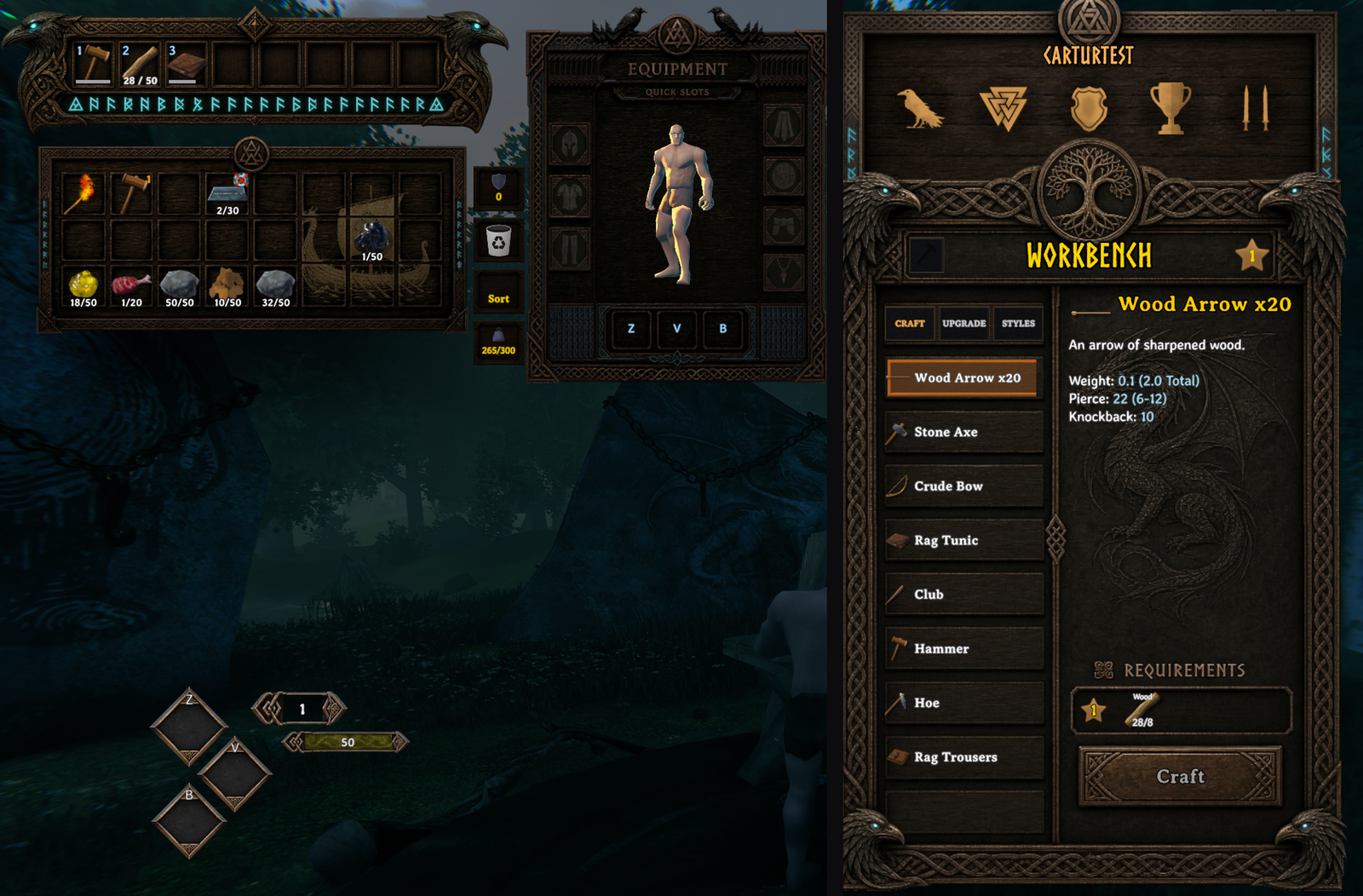
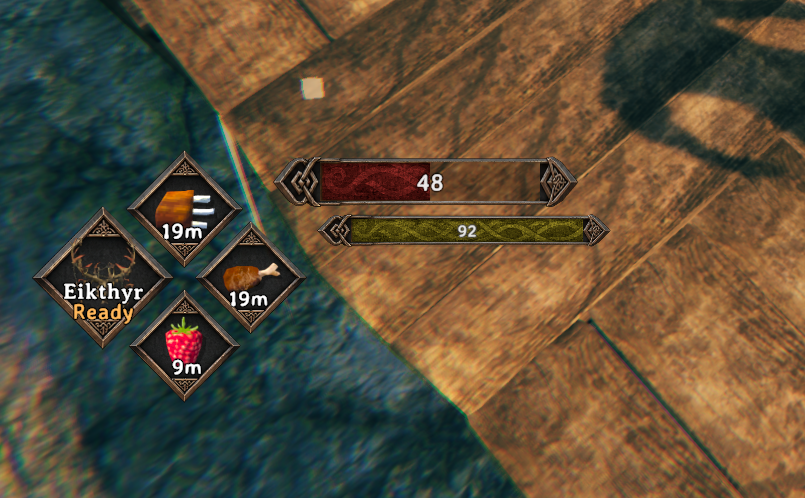
What it does
A hand-drawn wood-and-bronze interface: Norse knotwork boards behind the windows, bronze frames on the bars and food, and every piece placed and sized by you.
- HUD — health, stamina, eitr and adrenaline bars in bronze frames that grow with your maximum; three food diamonds with countdowns; the guardian power with Ready or cooldown.
- Inventory — bag, hotbar and an equipment panel with your character live in it, plus equipment, quick (Z / V / B) and shield slots. The quick slots are the food diamonds.
- Crafting, chests, the trader — on painted boards, controls seated on their plates.
- Build menu, skills, compendium, popups, pause and settings menus, loading and sleep screens — on the same boards.
- Epic Loot's enchanting table and trader windows, when Epic Loot is installed — one board per enchanting tab.
- Loading HD Valheim Textures without freezing. With HD Valheim Textures installed, its textures load during the logo screen with a progress bar, instead of the game hanging for half a minute or more on the main menu.
- A hover effect on every button, and a bronze highlight on the selected row.
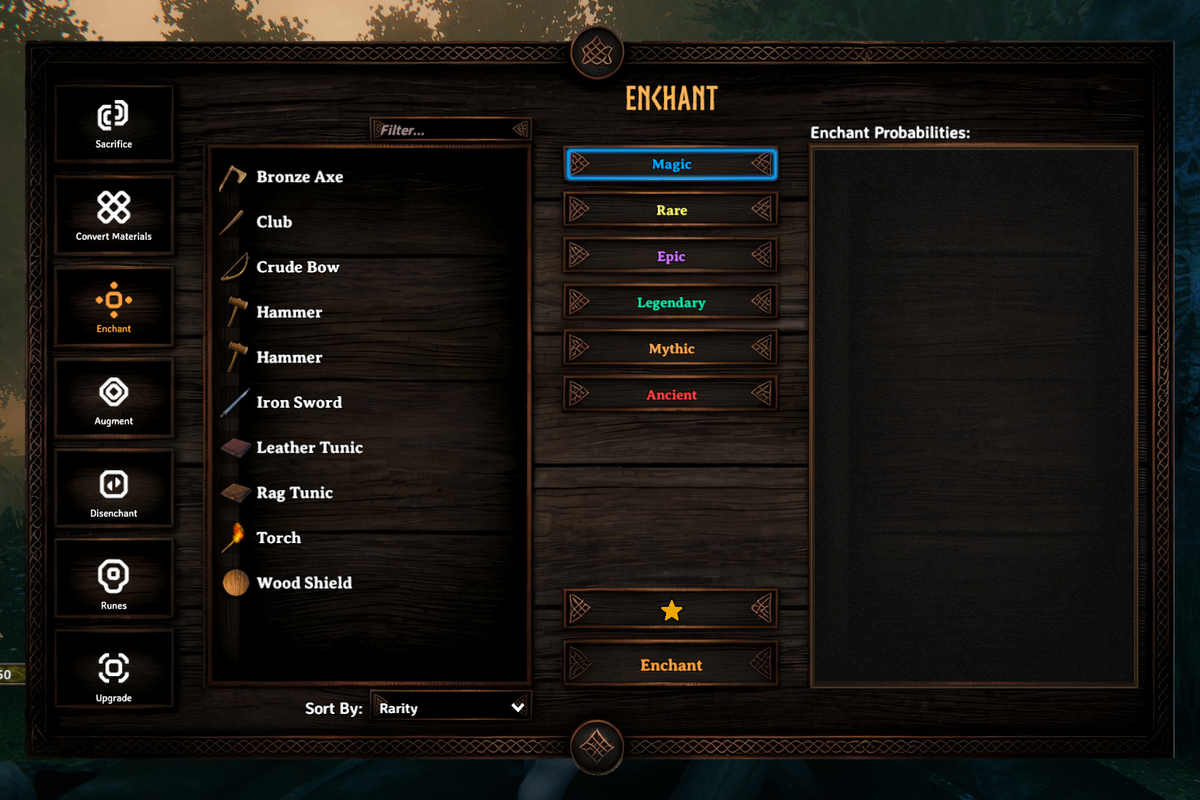
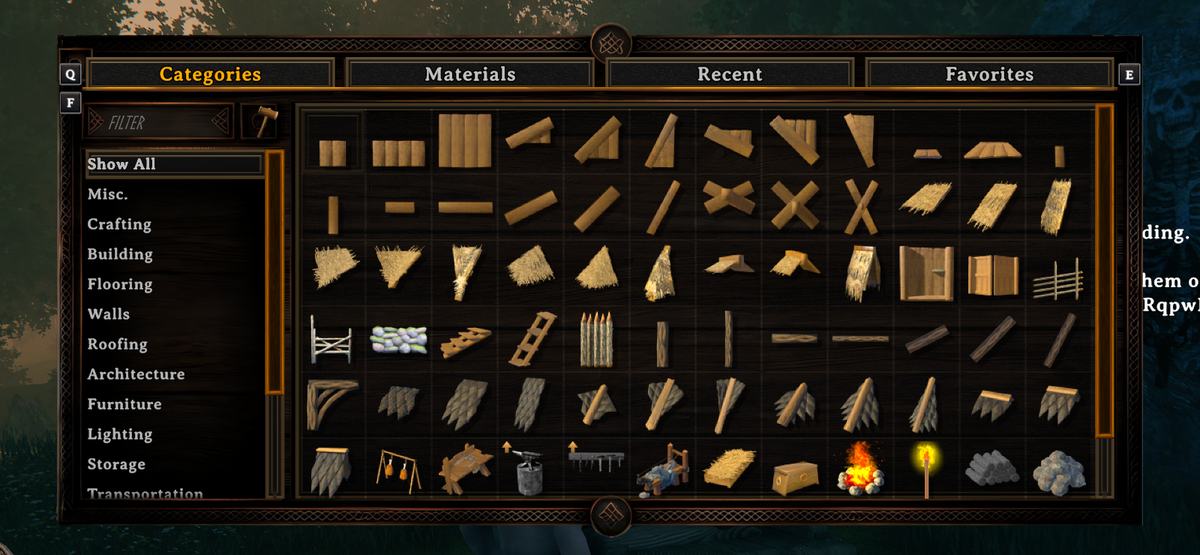
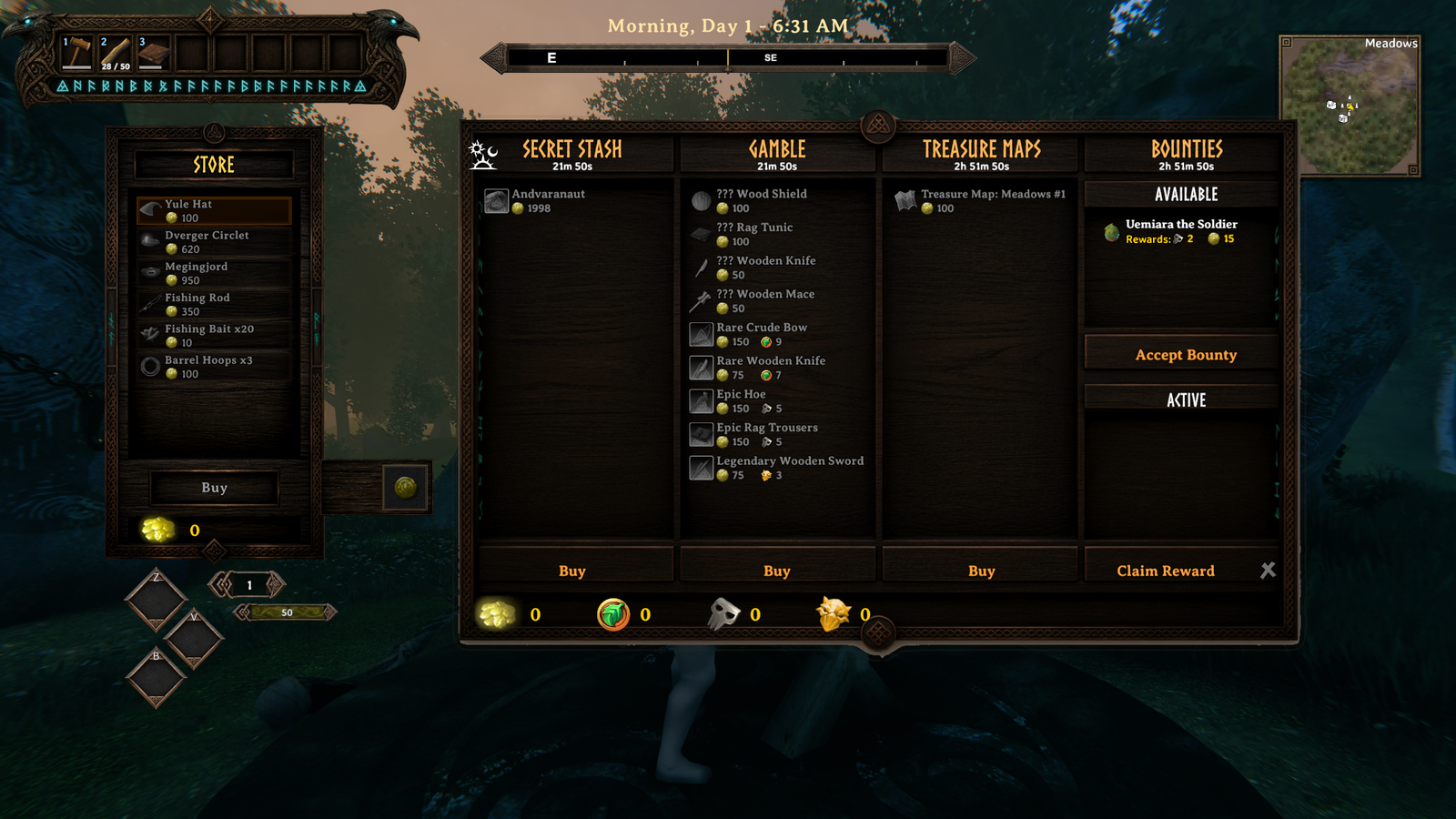
Still on vanilla art: the large map and minimap frames, the connecting screen, and some small dialogs. Controllers work, but the mod is made and tested with mouse and keyboard.
Arranging it
Turn on editMode in the config — a tick box in game with
ConfigurationManager,
or edit the file directly. It applies immediately, no restart.
| drag | move a piece |
| wheel | size it |
| shift + wheel | a bar's length |
| ctrl + wheel | how far the frame's ornaments stand off the fill |
| ctrl + drag | nudge the frame against the fill |
Your input is held while edit mode is on, so a drag doesn't swing your axe. Turn it off when
you're done; the layout saves either way. resetLayout puts every piece back.
Your own art
Put a PNG in BepInEx/config/CarturUI/ with the same name as one of the mod's own files in
plugins/CarturUIHud/assets/, and it is used instead. Restart the game to see it. The
BepInEx log says custom art: <name> for each file it picked up.
Make it the same size as the file it replaces: the bar frames and boards are cut at fixed
pixel positions. food_frame.png, bar_fill.png and bar_fill_enemy.png can be any size.
A file that doesn't fit is skipped with a warning in the log, and the original is used.
Delete your file to go back.
Settings
BepInEx/config/com.jekkle.valheim.carturuihud.cfg.
| Setting | Default | What it does |
|---|---|---|
Panels / newPanels |
true | Off: HUD, slots, inventory, hotbar and equipment panel only. Restart. |
Layout / editMode |
false | Arrange the pieces — see above. |
Layout / resetLayout |
false | Tick to put every piece back. |
Art / darkMode |
false | Keep vanilla's dimmed panel material. |
Compatibility
Declared incompatible, so BepInEx skips this mod if one of these is in the profile: Auga, AugaLite, Equipment and Quick Slots, Shield Me Bruh.
Works alongside Epic Loot, Jotunn, BetterArchery (its quiver sits in three ammo cells of the equipment panel), HD Valheim Textures and Cartur's Waste Management (its trash can and sort button sit in the inventory's side column). Any other mod that redraws the same windows will fight it.
Install
Use a mod manager (r2modman / Thunderstore / Gale) and it pulls in BepInEx for you. Client-side; no server install needed, works in multiplayer.
Free, and always will be. If it improved your game you can tip me on Patreon.
Discord — bug reports, install help, and mod requests. Bug reports get their own thread so nothing is lost in a chat scroll, and requests are voted on.
More from Cartur: HD Blood · Map Pins · Compass and Clock · Safe Stamina · Follow Command · Flooring · Waste Management · Feeding Trough · Build Camera · Combat Text