

SmugglersPouch
Carry limited portal-restricted items in a craftable satchel. Supports Springs and metals. Client-only personal use reported working; matching client/server installs recommended for shared use.Smuggler's Pouch
Client-only personal use has been reported working. The author uses it client-only without sharing or displaying the pouch. For shared pouches and item-stand displays, matching installations on participating clients and the server are recommended.
A little iron. A little discretion. Smuggler's Pouch adds a small deer-hide shoulder satchel that lets you carry a carefully limited quantity of portal-restricted items through a portal. It is a modest escape from the metal-hauling routine, not an unlimited ore transport system.
Current version: 0.2.4 — Springs and other restricted items. Now accepts Springs and other items marked as non-portalable, including modded items that use the same restriction. Existing metal support and carrying limits are retained.
One traveller, one pouch
- Holds five eligible items of one type by default, rather than a whole native stack. Capacity is configurable from 1 to 30.
- Occupies one inventory slot. An empty pouch weighs zero; a loaded pouch weighs exactly its contents.
- Craft at a level-one workbench using 10 Resin, 6 Deer Hide and 2 Chains. Chains place it around Swamp/iron progression.
- Only one pouch may be carried through normal crafting, pickup and transfer actions. Blocked attempts explain: “Only one Smuggler's Pouch allowed.”
- Original empty and loaded shoulder-satchel models and icons. Both states can be displayed on item stands.
Pack, travel, unpack
Right-click the pouch in your inventory to open its movable, single-slot panel. Drag the title bar to position it. Drag eligible items in from your player inventory; split-stack amounts are respected up to capacity. To unpack, drag or click-carry the contents to an empty player-inventory cell, right-click the contents, or use Empty pouch.
The pouch accepts Springs and other items marked as non-portalable by their item definition. Previously supported copper, tin, bronze, iron, silver, black metal and flametal ore/scrap/bar forms remain eligible for compatibility. Unsupported items and nested pouches are rejected. Packed eligible items can pass through portals; loose restricted items still block travel.
Limits and performance
This is one storage slot for one item type. Empty it before topping up or switching item types: automatic stack merging and direct chest-to-pouch loading are not implemented. Mouse controls are the focus; dedicated controller navigation is unfinished. RPG Equipment is not required.
Lowering capacity does not delete existing contents, but an over-capacity or unreadable pouch blocks portal travel until resolved. Legacy duplicate pouches are preserved rather than deleted; packing and portal travel require exactly one carried pouch. Cheats or other mods can bypass ordinary carrying checks.
Stored contents use the item's existing custom data. Decoding is cached; there are no background world scans or extra custom networking messages. Stand visuals use lightweight checks of native saved item data. Performance has not been benchmarked in live multiplayer.
The earlier duplication/disappearance fault was traced to incomplete decoded item data and interrupted inventory operations. Those paths have been corrected and exercised in native-code tests, and the 0.2.4 build has passed author play-testing. Check inventory swaps, portals, tombstones, item stands and save/reload in a test world before relying on it for valuable cargo. Inventory-overhaul compatibility is not universal.
Installation — personal and shared use
Requires BepInExPack_Valheim: https://www.nexusmods.com/valheim/mods/3605 Built against Valheim 1.0.16 and BepInEx 5.4.23.5.
The author reports successful client-only personal use while keeping the pouch private and not displaying it. This is not verification of every multiplayer interaction: sharing, item stands, world drops and death/tombstones need separate testing. For shared use, install matching versions on participating clients and the server or host. Single-player needs only the local installation. Versions and gameplay settings are not automatically checked or synchronised.
- Close Valheim. Stop a dedicated server before updating its plugin files.
- Install BepInExPack_Valheim, run once to initialise it, then close/stop it again.
- Extract this ZIP into the Valheim game/server folder, preserving the complete
BepInEx/plugins/SmugglersPouchfolder, including the DLL and asset bundle. A DLL-only installation omits the custom artwork. Keep only one copy of the plugin. - Start the game/server. On first launch the config is created at
BepInEx/config/au.tyvalheim.smugglerspouch.cfg.
Exit the game or stop the server BEFORE editing its config, then restart it. Config-file edits are not applied live. Keep your existing config when updating; this ZIP does not overwrite it. For shared use, update participating clients and the server together.
Configuration and removal
Balance.Capacity sets the number of items (default 5). For shared use, keep this value consistent across participating clients and the server. Panel position is saved when you drag its title bar.
Before uninstalling, empty the pouches and remove the pouch items from characters, chests, drops, stands and tombstones. A game without this mod cannot resolve its custom item. Back up affected saves before removal.
Development and artwork
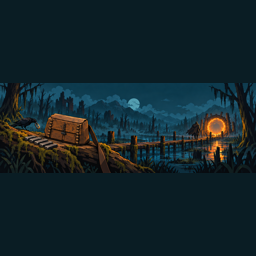
Designed by Gomisan and coded with the assistance of ChatGPT 6.0. The cover and header are illustrative artwork, not screenshots. Full acknowledgements appear below.
Full credits
Mod design and development: Gomisan. This mod was coded with the assistance of ChatGPT 6.0.
BepInEx team and contributors — plugin framework: https://github.com/BepInEx/BepInEx Andreas Pardeike and Harmony contributors — runtime patching: https://github.com/pardeike/Harmony BepInEx HarmonyX contributors — patching libraries supplied by the installed loader: https://github.com/BepInEx/HarmonyX Iron Gate Studio — Valheim and its existing game assets, UI, effects, sounds and animations. Native assets are referenced from the installed game at runtime; no extracted game assets or game/framework DLLs are bundled.
Custom low-poly item models, textures and inventory renders were created for this project using Blender, with Valheim assets used as visual references. Unity was used to package the custom artwork. Promo title/header illustrations were generated using OpenAI image generation; they are illustrations, not gameplay screenshots.
No code from another storage mod was copied. The pouch panel uses native inventory UI components; RPG Equipment is not a dependency.
Media

AI-generated promotional illustration from the original 0.2.3 gallery; the current mod release is 0.2.4. Not a gameplay screenshot.

Gameplay screenshot from Nexus: empty and full pouches on display.

Gameplay screenshot from Nexus: the empty pouch panel, ready for items.
Thunderstore installation
Install BepInExPack Valheim and this package through your mod manager, or follow the manual installation above. The DLL and asset bundle are byte-identical to Nexus 0.2.4. No gameplay changes or version bump were made for this package. OpenAI Codex assisted with packaging and documentation; separate AI metadata preserves the original DLL.
Discord and feedback
Questions, feedback and bug reports are equally welcome on Nexus or Gomisan's Mods Discord. Use whichever is easier; no need to cross-post. New members should join using the invite first, then open the Smuggler's Pouch feedback post.
More From Gomisan
Valheim
- Reliable Cooking — Cooking conveniences that preserve Frost Foundry controls.
- Single Berserkir — One-handed Berserkir axes with a shield and all three gem upgrade paths.
- Compass Waypoints and Clock — Compass, clock and map waypoint planning.
- Reliable Crafting — Craft using materials from nearby permitted chests.
- Lumaheim - Gamma and Brightness Controls — Adjust brightness, colour and depth of field, with shareable presets.
- Usain's Belt — A configurable movement-focused utility belt.
- Crow's Nest — Climb to a ship-mounted lookout on Longships and Drakkars.
- Saga Lens - Photo Mode — Capture Valheim screenshots with photo-mode controls.
- The Fifth Beacon — Place coloured navigation beacons and lighthouse signals.
- Smuggler's Pouch — Carry a limited quantity of portal-restricted items through portals.
- Crude Chemistry — Craft throwable alchemical bombs. Coming soon to Thunderstore
- Scalpel's Skelly Staff — A staff for summoning skeleton companions. Coming soon to Thunderstore
- RPG Equipment — Additional equipment slots for your Viking.
- Reliable Smelting — Automate smelter supplies using nearby containers.
- Magic Hammer — Building assistance using nearby materials. Coming soon to Thunderstore
- Light Azeez Light — Keep selected decorative candles, sconces, braziers and lanterns fuelled. Coming soon to Thunderstore
Going Medieval
- Faster Repairs — Speed up building repairs. Coming soon to Thunderstore
- Wild Crop Recovery — Restore independent wild cabbage, carrot and beet populations. Coming soon to Thunderstore
- Wild Growth — Increase natural plant regrowth. Coming soon to Thunderstore
- Wild Orchards — Wild fruit and nut trees with harvests and saplings. Coming soon to Thunderstore